At times, attendees register twice using different email addresses for various reasons. For example, sometimes they forgot the password and instead of requesting a new password, they would simply create a new account. Or, if a subordinate has created an account for a user, and has not notified about the same, the user would unknowingly register again to create an account. There’re many other scenarios where duplicate accounts are created with each account holding some important information about the user. So, normally, the organizer would manually copy each piece of information from one account to another and then discard one of the accounts. This, however, results in lost time. Lots of lost time.
Continue reading
Category: Blog
How Much ROI did you Get from Your Event?
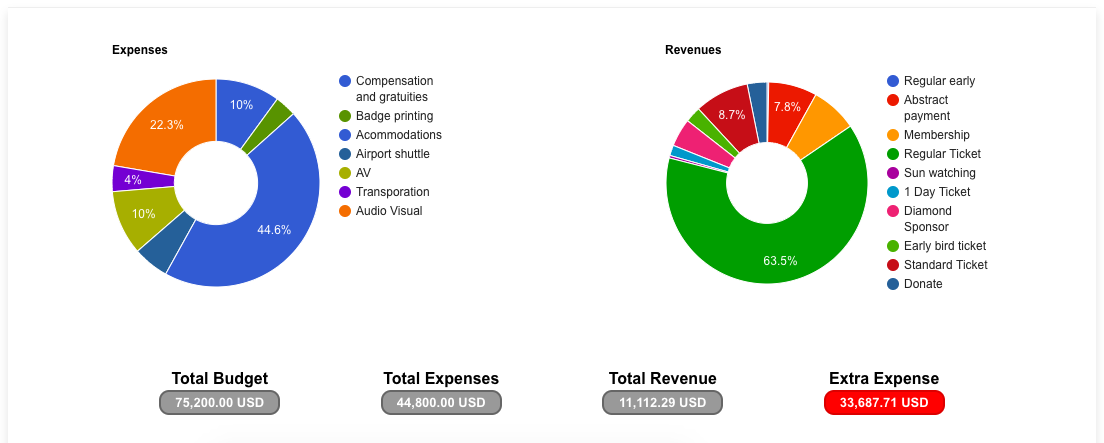
To find your event ROI quickly & easily, the simplest way is to sum all revenues and expenses and then subtract total expenses from total revenues (Event revenue – Event expense = Event returns). This is the fastest possible method to calculate your return on investment. Please note that this, however, does not include other more important event attributes viz. leads generated, returning attendees, meetings requested, marketing campaigns, attendee engagement, customer satisfaction, Press mentions, social network influence etc.
Integrate Dryfta with Hubspot CRM using Zapier
Step by step instructions for integrating Dryfta with Hubspot CRM using Zapier. Using this guide, you will be able to move & sync contacts from Dryfta event platform to Hubspot CRM.

We have a video tutorial about integrating Dryfta with Hubspot CRM using Zapier.
If you’re new to Zapier, click on Sign Up to create a free account. If you’re an existing user, click on Log In to log in to your Zapier account.
Continue reading
Zapier Integration now Available for Dryfta
Using Dryfta API, you can create your own apps and integrate Dryfta platform with third-party web applications. However, most customers are not able to make use of APIs due to lack of developer resources and funds. Zapier makes it very easy for customers without technical know-how to use Dryfta API for automating workflows between Dryfta and third-party apps.
What is Zapier
Zapier is a task automation tool which connects Dryfta with other web apps eg. Hubspot, Salesforce, Mailchimp etc and automates workflows between them. With Zapier, your data is moved between your apps automatically so you and your team can focus on more important work. For example, to move contacts from Dryfta to Hubspot CRM, simply connect these apps using Zapier’s triggers & actions and it would automatically sync data between Dryfta & Hubspot every 15 minutes.
Continue reading
How to Submit Abstracts using an Abstract Management Software
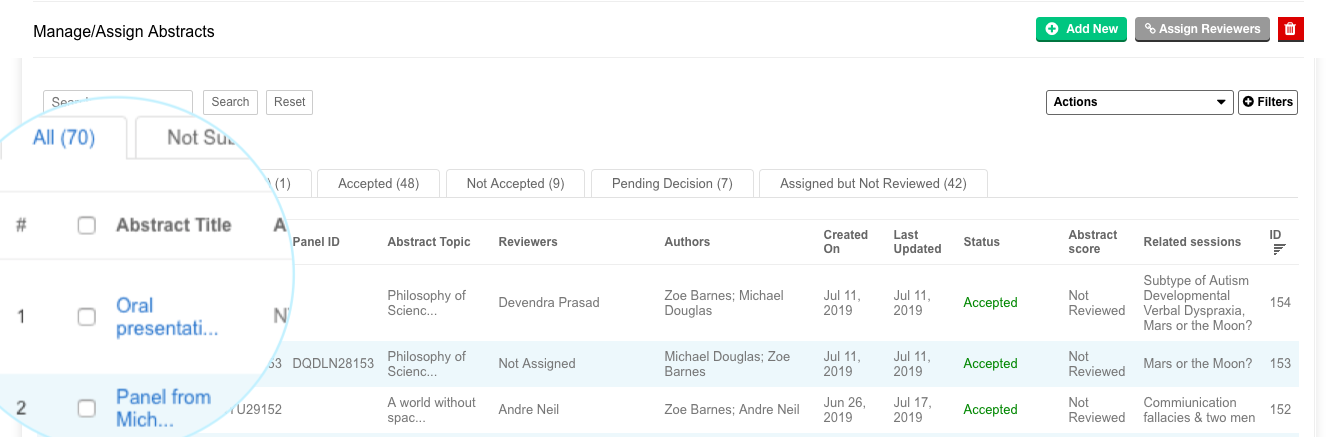
One of the reasons Dryfta event platform is used by universities, non-profits and corporate is the platform’s ability to collect abstract and paper submissions and assign them to reviewers, apart from other features that it is capable of.
This blog post quickly explains how authors can submit abstracts and manage submitted abstracts.
To access the abstract submission site, one needs to log in using email and password. To access the abstract submission site if one doesn’t have login credentials, author has to create an account first. After creating an account, go to the abstract submissions login page, and enter the login credentials (email and password) to log in to the abstract system.
Once logged-in, go to My Abstracts page and click on Submit Abstract button to submit an abstract or paper. To edit an existing abstract, click on the name of the abstract which you want to edit.
Authors can revise abstracts up until the last date for abstract submission. After that, authors can view abstracts but they cannot make changes. Admin has the option to open abstract editing after submission date for those abstracts which have been accepted.
Full-featured iPhone Event App for your next Event
The Dryfta event app for iOS was launched last week.
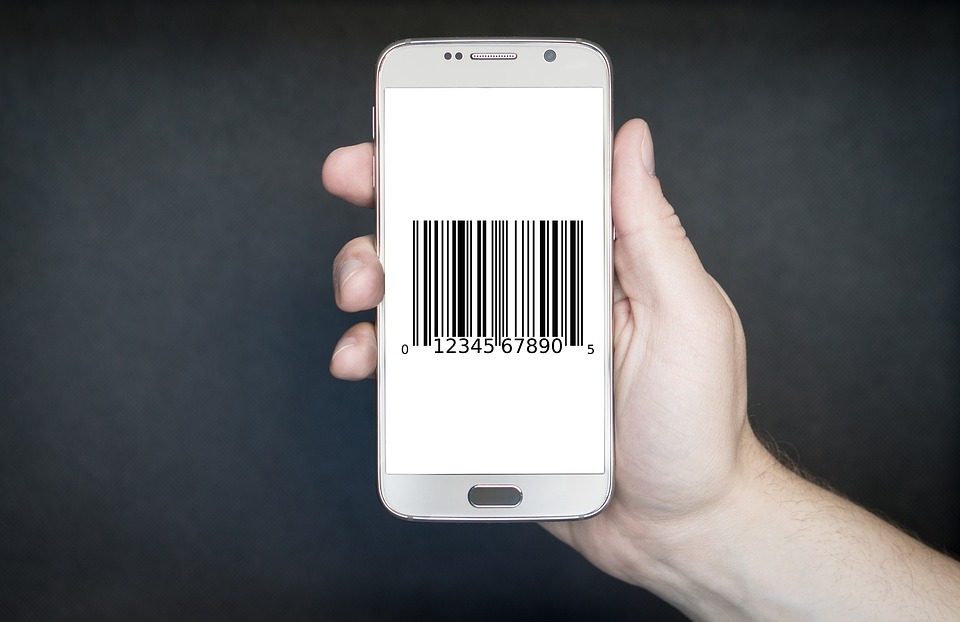
With this update, we have covered one of our major milestones. Similar to our Android app, for organizers, the iOS app includes the ability to send push notifications to attendees, a QR code scanner to scan QR codes to checkin attendees to event and sessions. Also, it is automatically synced with the website data in real-time so whatever updates organizers push to the website would be synced and displayed on the app as well.
Continue reading
Organ Preservation Alliance is using Dryfta Event Platform to Manage its Annual Summit
The Organ Preservation Alliance has partnered with Dryfta to host its annual Organ Banking Summit. The Summit on Organ Banking through Converging Technologies integrates several areas of science and engineering with the aim to tackle mutliple public health challenges.
Dryfta is used by companies & universities to build their event registration website, sell tickets online, collect abstract submissions & assign them to reviewers for review, send email campaigns, create event schedule, accept donations, design badges & participation certificates, and manage attendee data using a full-stack event CRM. All from one dashboard.
To set up call for papers using abstract management system, Organ Preservation Alliance team has first completed the initial setup of the abstract submission system and then went on to add custom fields to collect abstracts through their abstract submission form and review abstracts through the review submission form.
Continue reading
Send Automated SMS notifications to Speakers about Upcoming Sessions
Need to make sure speakers are around when their session comes up during the event? Want attendees to fill up the seats prior to the session so you can assess if more seats need to be made available?
Stop worrying and set up automated SMS notifications. Dryfta’s automated SMS notification system notifies/reminds speakers and attendees about upcoming sessions. The SMS based notifications are sent to speaker’s registered phone number an hour before the session begins. This provides ample time to the speakers to reach the venue in time and do some final preparations for the session.
Since it also allows you to send automated notifications to attendees an hour prior to the session begins, you can be rest assured about seats filling up in time which would help you assess the demand for the session.
Continue reading
Create Survey Forms and let Attendees Participate in Surveys
Need to create a simple pre-event poll? Or a complex questionnaire with dropdowns, multiple choice questions, comment boxes, conditional fields et al? We’ve got you covered.
Introducing Survey Manager. It lets you create any type of survey form – from simple to sophisticated – and makes it available to users to participate in the survey (comes with the option to allow only registered users to participate in a survey).
As an admin in the backend, you can create surveys and multiple survey questions, view participants and their answers, view reports with numbers and charts viz. how many people chose what answer, which were the top choices, the least-selected choices etc.
Continue reading
LinkedIn Company Pages is now integrated with Dryfta Organizations Manager
We have been working on this integration for some time now. Although, this is only the first version of the LinkedIn Company integration with Dryfta platform, we have laid out the basics. In future versions, we would be able to fetch real time news and updates from company pages. However, since this data is coming from a third-party, most of what is possible depends on LinkedIn’s policies related to its data use.
In our first LinkedIn company integration, we have created a tool to manage Organizations listings. Admins can add companies under Organizations tab and later use it to add contacts. Organizations also list the companies and organizations as added by users during registration. Each organization would have basic information including country and HQ location along with the complete list of contacts from that organization.
Continue reading
Dryfta has been Awarded the High Performer Event Management Platform for 2017
This year, G2Crowd has adjudged Dryfta as a High Performing event management platform in Event management software category. According to their Scoring Grid, we’re one of the top three event management platforms.
G2Crowd is a well-known and highly respected decision making platform for software buyers. Their review platform leverages more than 150,000 independent and authenticated user reviews read by nearly 750,000 buyers each month bringing transparency to B2B buying.
Every year, G2Crowd releases a list of high performing platforms in each category by sifting through thousands of reviews, using their complex scoring methodologies. They apply a unique, patent-pending algorithm to this data to calculate the Customer Satisfaction and Market Presence scores in real time.
Highest Net Promoter Score
In terms of customer satisfaction, Dryfta beats everyone in the list with highest Net Promoter Score (91) for any platform in the category.
Dryfta has been named a High Performer primarily because of receiving a high customer Satisfaction score.
More numbers
100% of users have rated Dryfta 4 or 5 stars.
100% of users believe Dryfta is headed in the right direction.
97% of users said they would likely to recommend Dryfta.
Have you used Dryfta?
To see the latest features added and improvements made to the Dryfta event platform, go to our System Status page.
Attendees: Register for Events using their LinkedIn Profile
Event registration with Dryfta is easier than before. Organizers can now use the Sign In with LinkedIn feature to let delegates register using their LinkedIn accounts.
The user registering would simply click on the Sign in with LinkedIn button and this would open a popup asking the user to authorize this request. Once authorized, the Dryfta website would fetch user’s details from LinkedIn including user’s photo, first name, last name, email address, company name and designation/role and save these data into the user’s newly created account on the Dryfta-powered event website.
While registering using the event registration form takes around 1-2 minutes, registering using LinkedIn takes only a few seconds and also saves user from the need to enter their details as everything is automatically fetched from the user’s LinkedIn profile.