🚀 Join our Live Demo every Friday at 11:00AM EST and see Dryfta in action!
Skip to content
Dryfta
HomeFeedback & surveys

Feedback & surveys

Find out what worked and what to improve.

Create survey forms, collect feedback from participants before, during and after events, and for each session, and view detailed visual reports.

Build a survey with choice questions, conditional fields and a field palette.

What you can do

Tools for your event.

Ask the questions you need.

Build survey and feedback forms with as many questions as you need. You can:

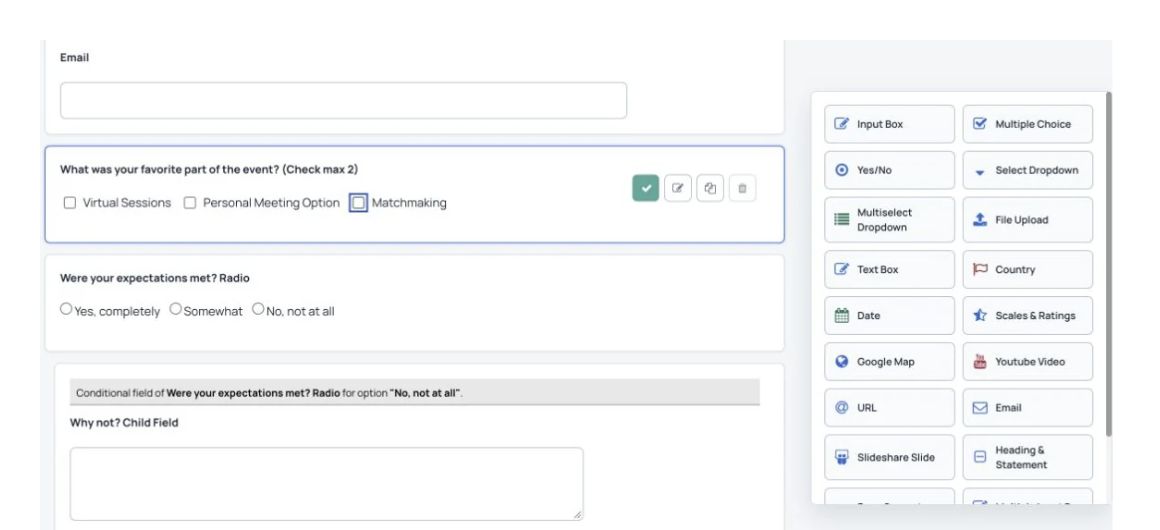
Build a survey with choice questions, conditional fields and a field palette.
  • Ask about different topics using yes/no, multiple-choice and other question types.
  • Show follow-up questions based on earlier answers.
  • Create as many survey forms and questions as you need.
  • Split a survey into pages, each with its own heading.
  • See a list of the people who answered each survey.

Create a Dryfta account

Review responses and export a spreadsheet.

Review the people who answered each survey and export their details. You can:

Review the distribution of answers to a survey question.
  • Choose “View participants” to see everyone who answered a survey.
  • View each participant’s details, including their name and email address.
  • Read each person’s answers.
  • Use filters to find specific participants.
  • Export the participant list as a CSV spreadsheet.

Create a Dryfta account

See survey results in charts.

See how people answered each question and compare their responses.

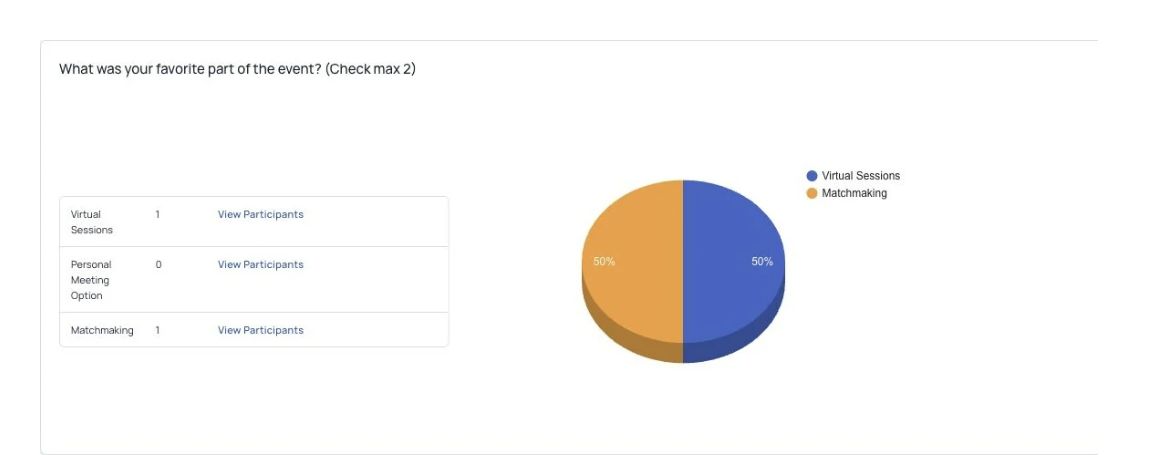
Review the distribution of answers to a survey question.
  • See how many people chose each answer.
  • See the percentage choosing each answer in a chart.

Create a Dryfta account

Use live polls during sessions.

Let speakers ask questions during a session and see answers as they arrive. You can:

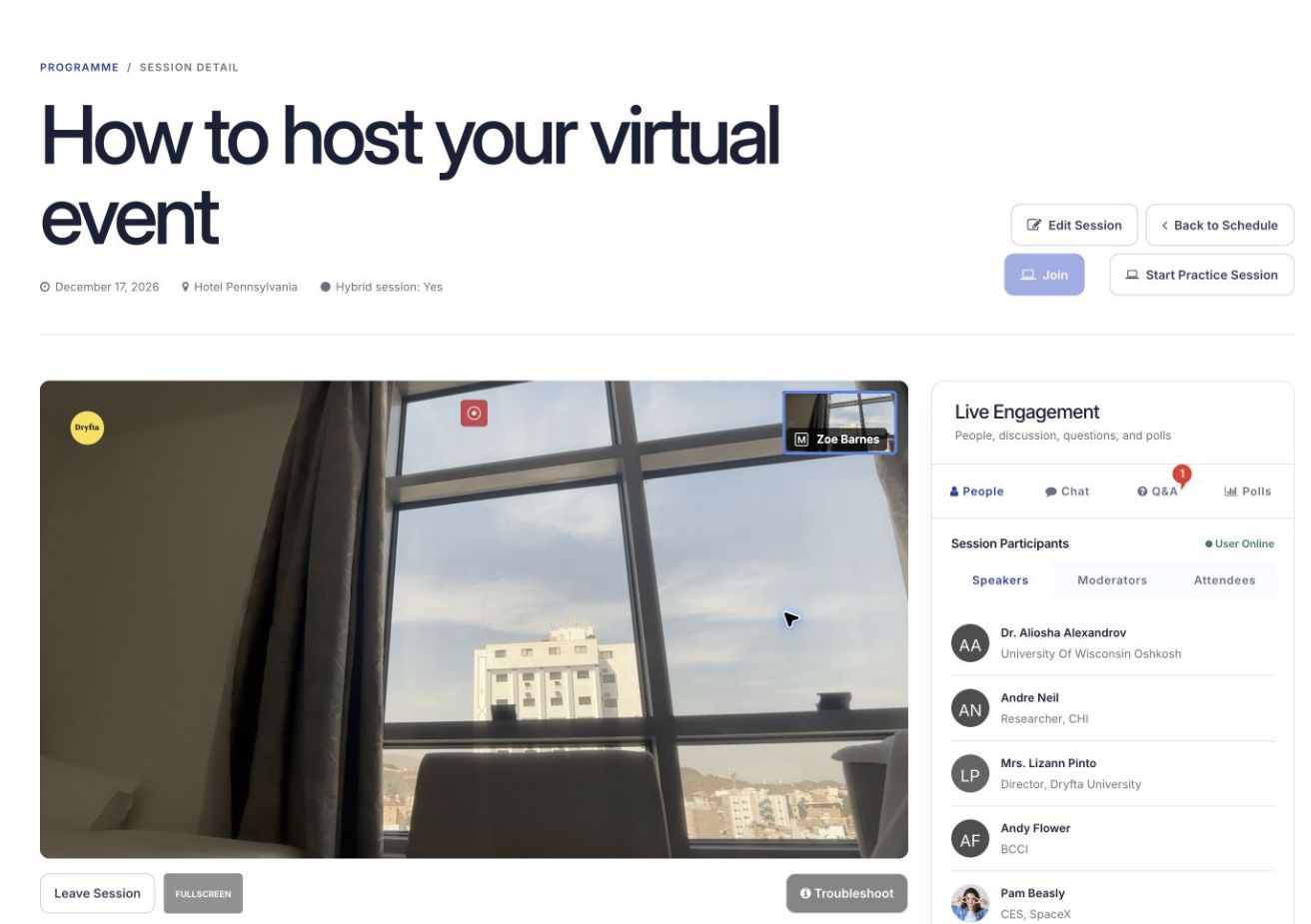
An open virtual session, with the presentation area and live engagement tools.
  • Let speakers create polls for their session.
  • See poll results update as attendees answer.
  • Let organizers view and export participant lists and poll results.

Create a Dryfta account

Frequently Asked Questions
Frequently asked questions (FAQs) about event survey management software

Which software is best for surveys?

The best software for surveys depends on your specific needs. Popular choices include SurveyMonkey, Google Forms, and Typeform for simple and customizable surveys. However, if you’re running an event or conference, platforms like Dryfta are excellent for seamlessly collecting post-event feedback. Dryfta allows you to integrate surveys directly into your event platform, making it easy to collect attendee responses.

How do you create a survey after an event?

Creating a survey after an event involves asking targeted questions to gather feedback on key aspects of the event. Start by using a survey tool like Dryfta, SurveyMonkey, or Google Forms. You can include questions that evaluate the overall event experience, specific sessions, speaker performance, and venue quality. Keep the survey concise, using a mix of rating scales, multiple-choice, and open-ended questions to capture detailed feedback. Once the survey is set, distribute it through email broadcast tool or app push notifications from your event platform.

How do you gather feedback from participants?

To gather feedback from participants, use a combination of post-event surveys, live polling, and feedback forms distributed during and after the event. You can send the survey link via email, ensuring it’s easily accessible to all attendees. Another approach is to collect real-time feedback using live polls or Q&A sessions during the event.

What are the best tools for collecting user feedback?

The best tools for collecting user feedback include SurveyMonkey, Google Forms, Typeform, and Dryfta. These platforms allow you to create customizable surveys, embed feedback forms, and analyze responses with real-time data. Dryfta, in particular, is ideal for event organizers, as it integrates feedback collection directly into the event management platform, making it easy to collect insights from attendees during and after the event.

See Dryfta for yourself

See how Dryfta can help your team.

Tell us about your event and the tasks you want help with. We’ll show you how to do them in Dryfta.

Request a demo