🚀 Join our Live Demo every Friday at 11:00AM EST and see Dryfta in action!
Skip to content
Dryfta
Products Reports & Results

Reports & Results

Answer the questions behind your conference.

Follow submissions, registrations and recorded attendee activity. Build reports around the questions your committee and event team need to answer, then share the right details with the right people.

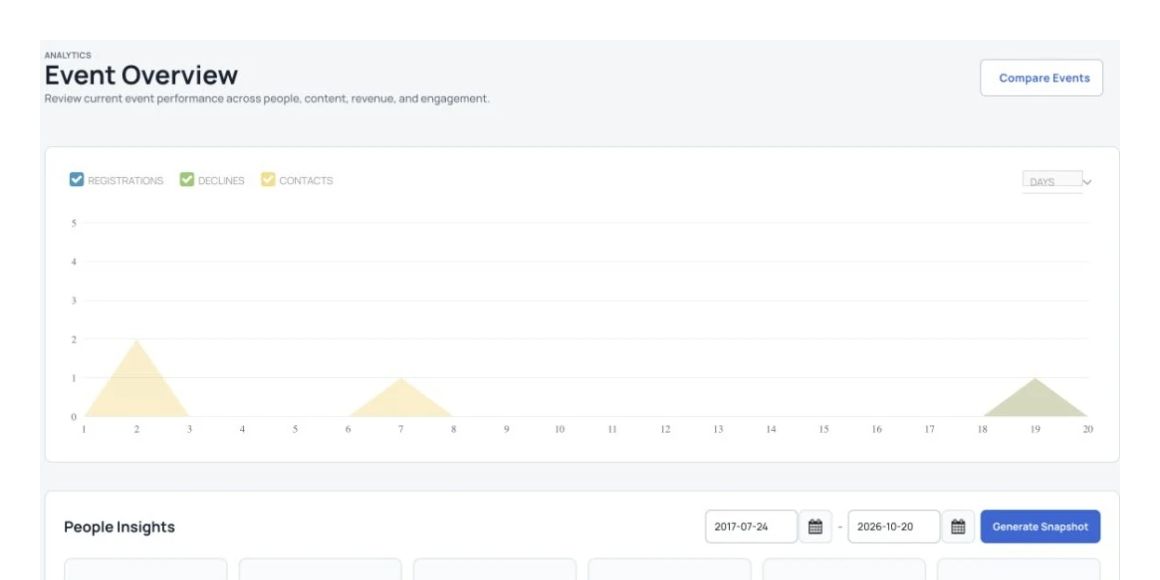
Charts summarizing registration and submission activity.

Follow conference activity

Review registrations, submissions and recorded participant activity.

Answer committee questions

Choose the fields and filters that matter to the people planning your event.

Share a focused view

Export a CSV or share a report without opening the full platform to the recipient.

How it works

Three steps to get started.

  1. 1

    Choose the conference information

    Start with a ready-made report or select the event data you need.

  2. 2

    Filter for your question

    Narrow the results and save reports your committee or event team uses regularly.

  3. 3

    Share or follow up

    Export a CSV, share a report link or email a selected contact group.

All features

Explore the features.

Find the tools your team needs and see how they fit your event.

Build a report around your questions.

Choose conference data, combine filters and share a focused report with your team or vendors.
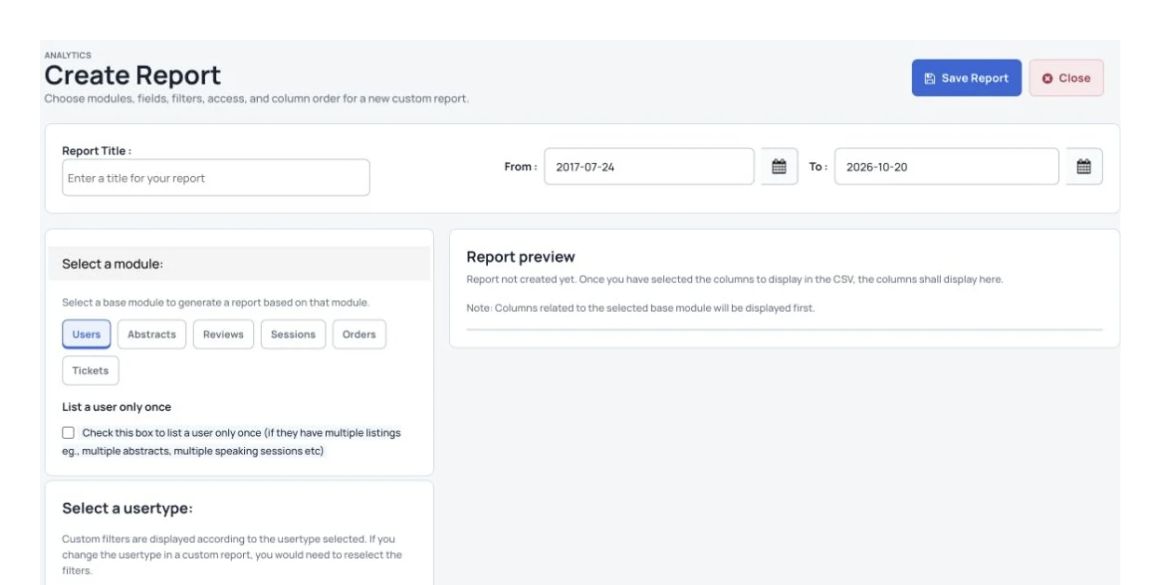
Choose the report module, dates and columns.

    Check your event at a glance.

    Review registrations, active attendees, speaker activity, session check-ins and abstract submissions.

    Charts summarizing registration and submission activity.
    Charts summarizing registration and submission activity.

      Follow up with a selected group.

      Save a contact group and send the conference follow-up that is relevant to them.
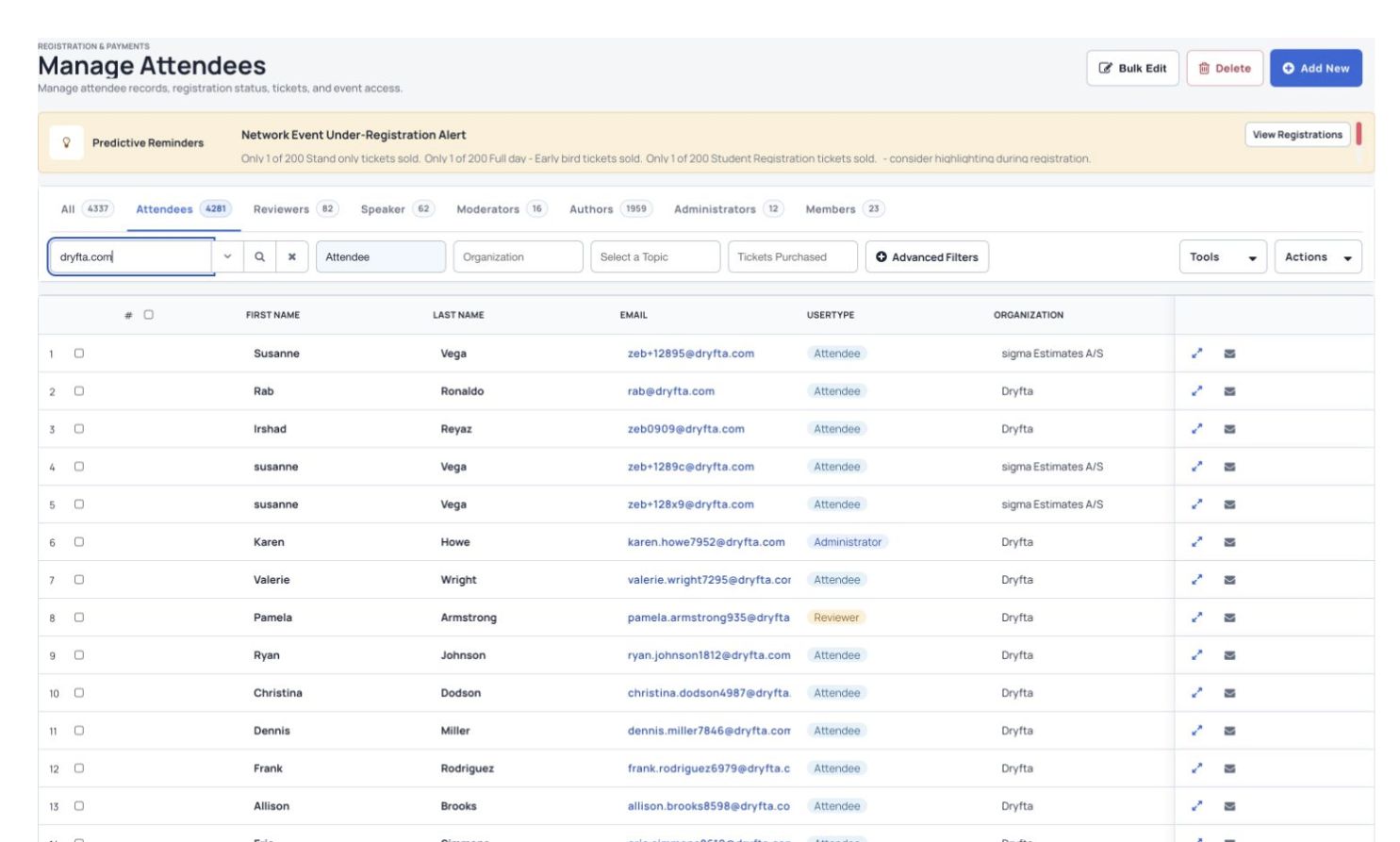
      Search and organize attendee records in Manage Attendees.
      Search and organize attendee records in Manage Attendees.

        More useful tools

        More ways to manage the details.

        More reporting tools

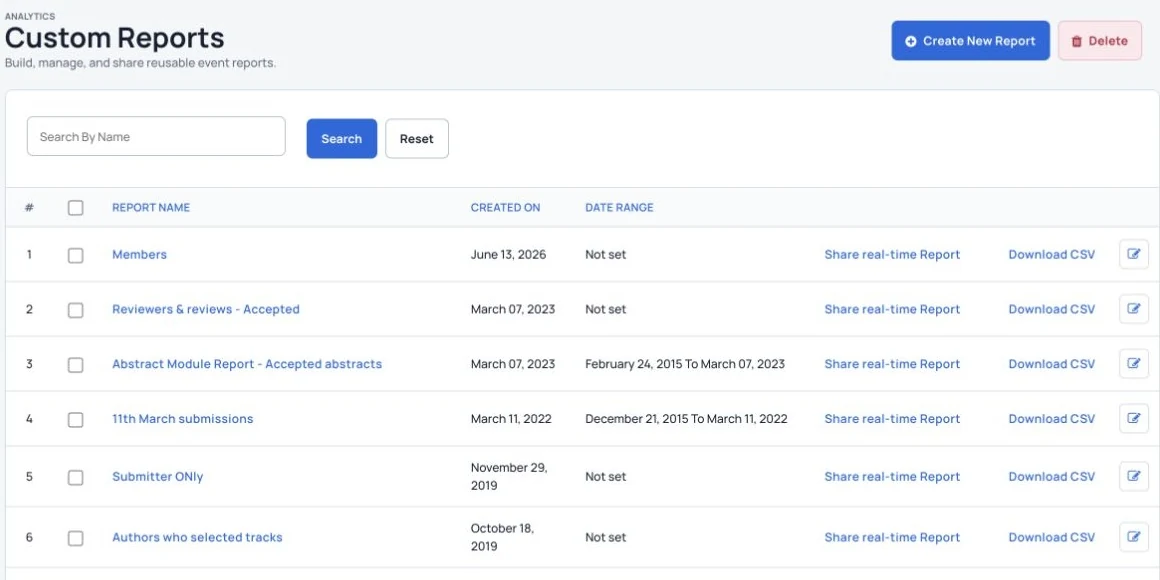
        Saved reports with sharing, CSV download and editing options.
        Saved reports with sharing, CSV download and editing options.
        • Start with ready-made reports.
        • Create and save custom reports for regular use.
        • Share custom reports with outside stakeholders without giving them platform access.
        • Download reports as CSV files.
        • Share up-to-date attendee information with vendors.
        • Combine filters to create a focused report.

        See Dryfta for yourself

        See reports & results in action.

        Tell us about your event and the tasks you want help with. We’ll show you how to do them in Dryfta.

        Request a demo