🚀 Join our
Live Demo every Friday at 11:00AM EST and see Dryfta in action!
×
Skip to content
Products / Abstract Management Abstract management & peer review
From the first submission to the final program. Collect abstracts, assign reviewers and record decisions in one place. Give authors and your committee clear steps to follow, from submission to the final program.
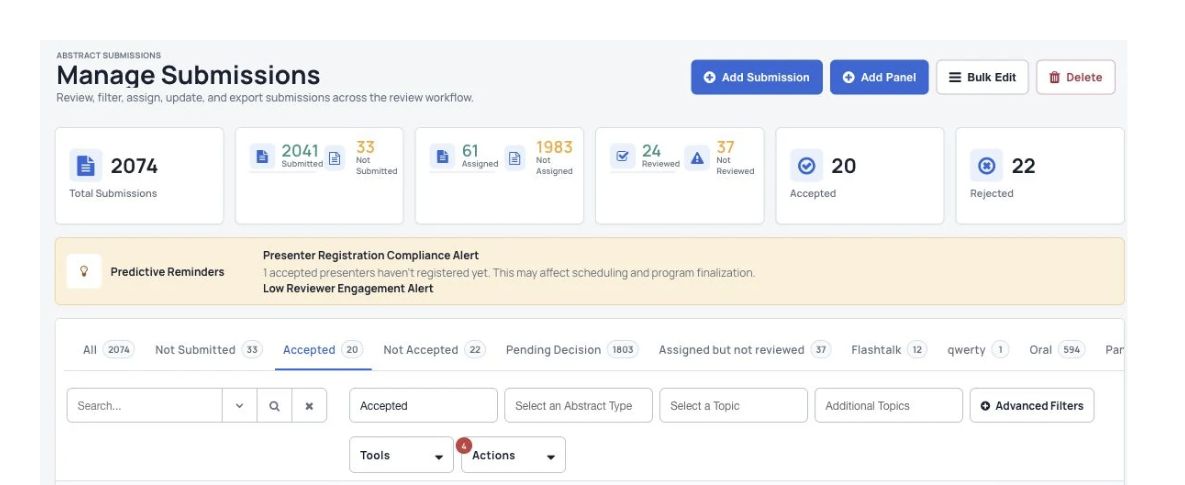
Submission status and review progress.
Set up your call for papers Choose the types of submissions, topics and questions for your event.
Organize the reviews Assign reviewers, choose review questions and control which names reviewers can see.
Share decisions and build the program Notify authors of decisions, add accepted work to the program and create your abstract book.
How it works
Set up your event in three steps. 1 Collect submissions Open your call for papers and give authors a form to submit their work.
2 Organize peer review Assign submissions to reviewers, collect their reviews and track progress.
3 Decide and build the program Record decisions, notify authors and add accepted work to the event schedule.
Abstract Management
A clear starting point for authors Build forms with the questions and file uploads your event needs. Use different forms for different types of submissions.
Submission forms and topics Different submission steps for different types of work A dashboard for authors to manage their submissions
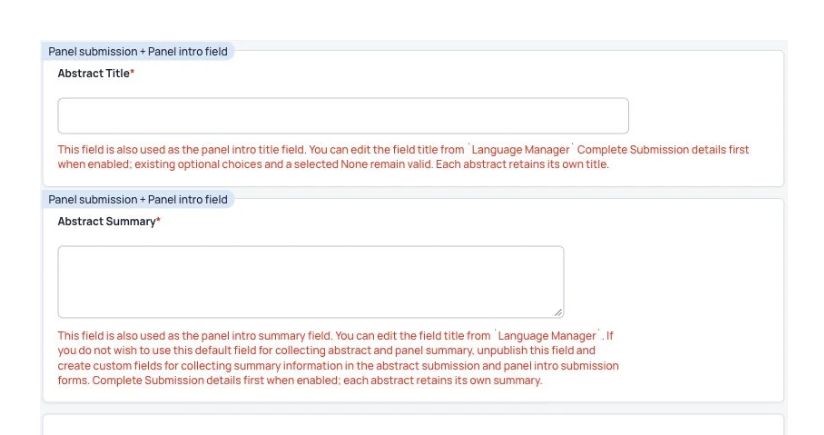
Title, abstract text and file-upload questions.
Abstract Management
Keep peer review organized Give reviewers clear questions to answer. Help your committee compare reviews and scores.
Choose reviewers yourself or assign them automatically Choose which identities stay private during review Review questions and scoring
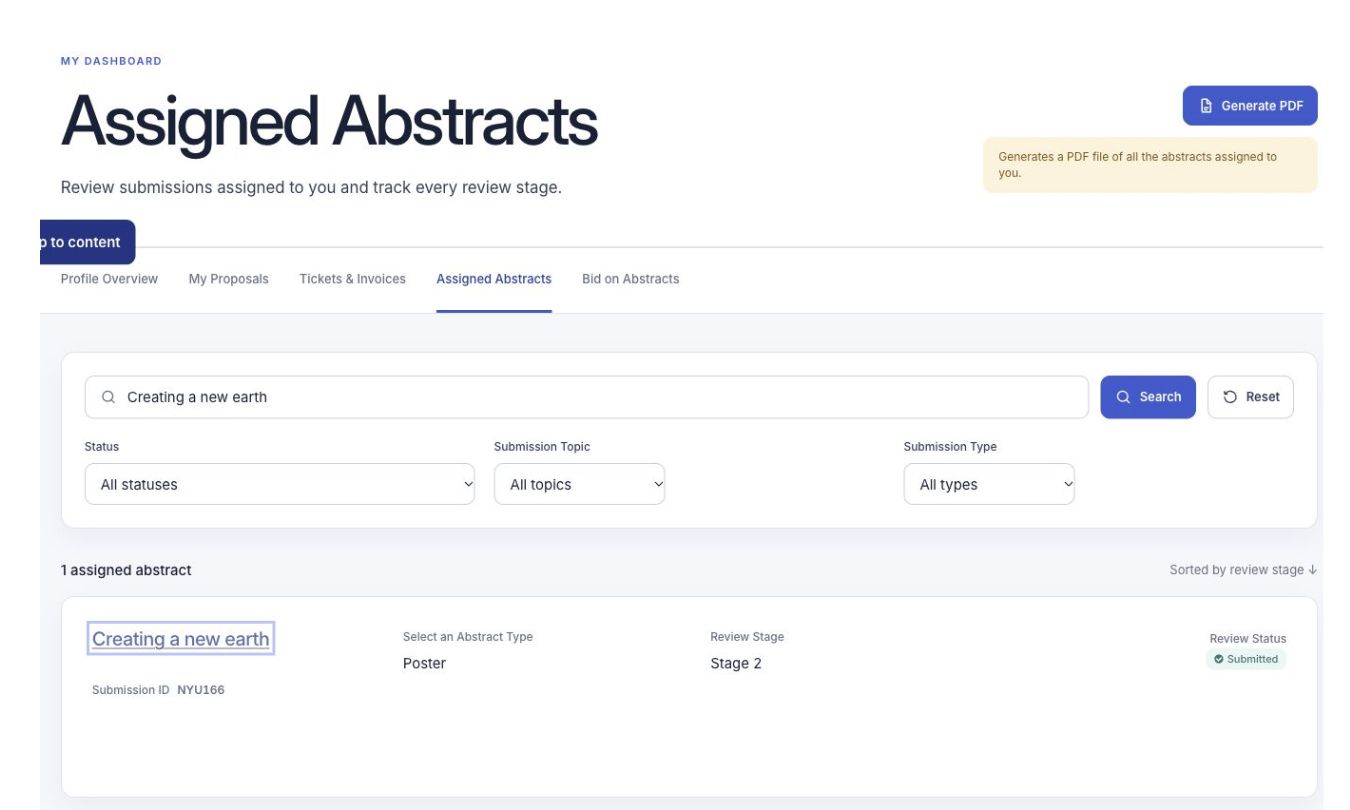
Reviewers find assigned abstracts and their review stage in the event.
Abstract Management
Collect and manage submissions Help authors submit their work and keep track of what happens next.
Set up your call for abstracts
Create a form for each submission type, set deadlines and organize your reviewers.
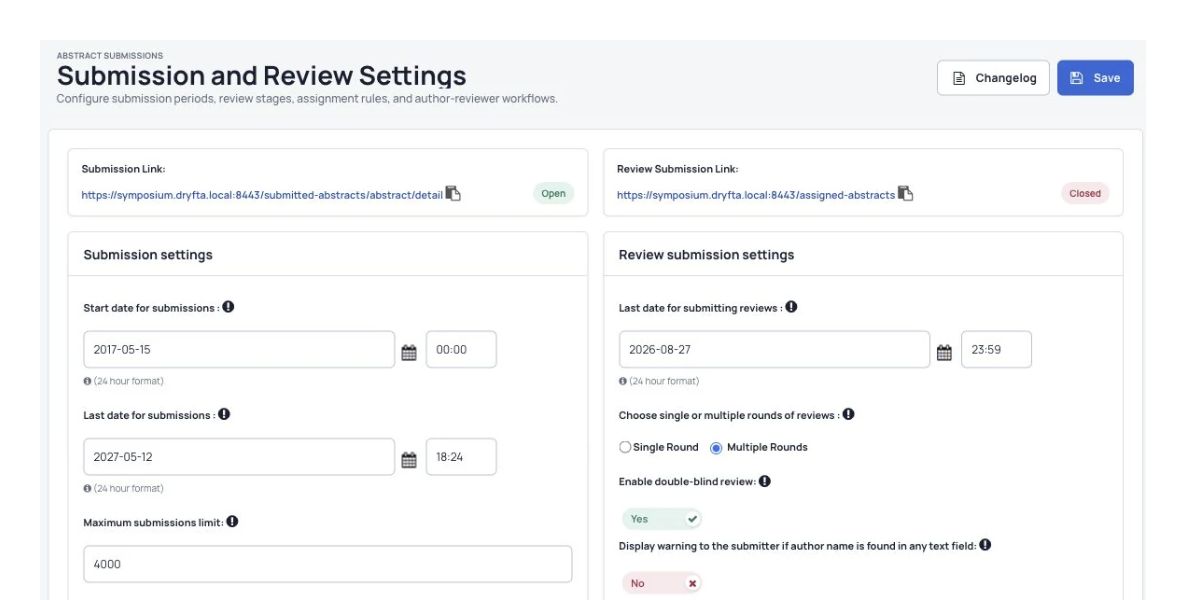
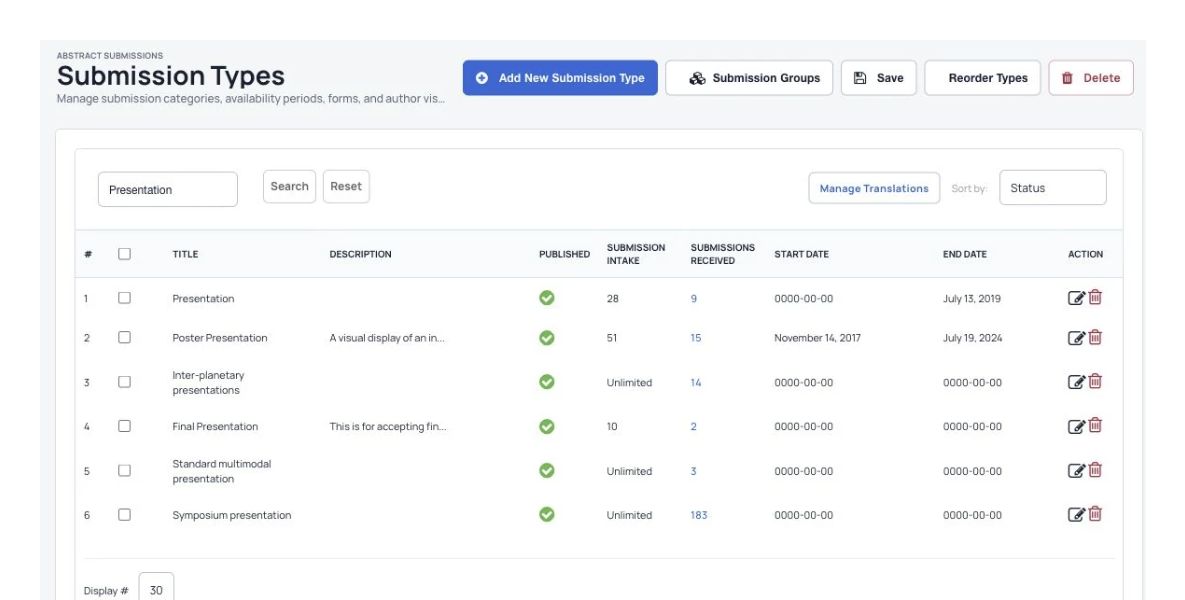
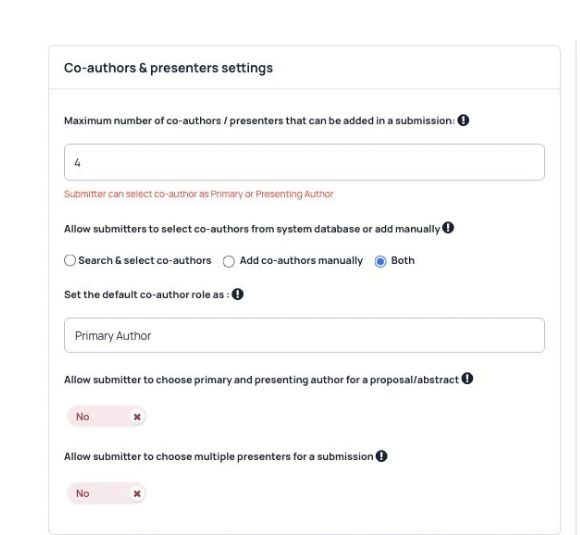
Submission deadlines, author options and review settings. Set submission deadlines. Limit the number of co-authors on each submission. Control how many submissions you accept for each type. Create different submission types, including individual abstracts and panels. Give each submission type its own set of questions. Let authors upload several files, including PDFs and MP4 videos. Choose automated or manual assignments to connect submissions with reviewers. Choose single or double blind review to keep the required identities private.
Manage submissions and record decisions
Submission status and review progress. Accept or reject abstracts and notify authors and co-authors automatically. Download abstracts as spreadsheet files (CSV) or PDFs. Filter abstracts by the information collected in your forms. Sort abstracts by score or status.
Choose how authors and reviewers work
Submission types with their availability and deadlines. Let authors submit revised versions of accepted abstracts. Choose whether co-authors can edit an abstract. Choose whether co-authors receive automatic registration and submission emails. Choose single, double or triple blind review, depending on which identities your process needs to keep private. View submitted abstracts in the organizer dashboard.
Give authors one place to manage their work
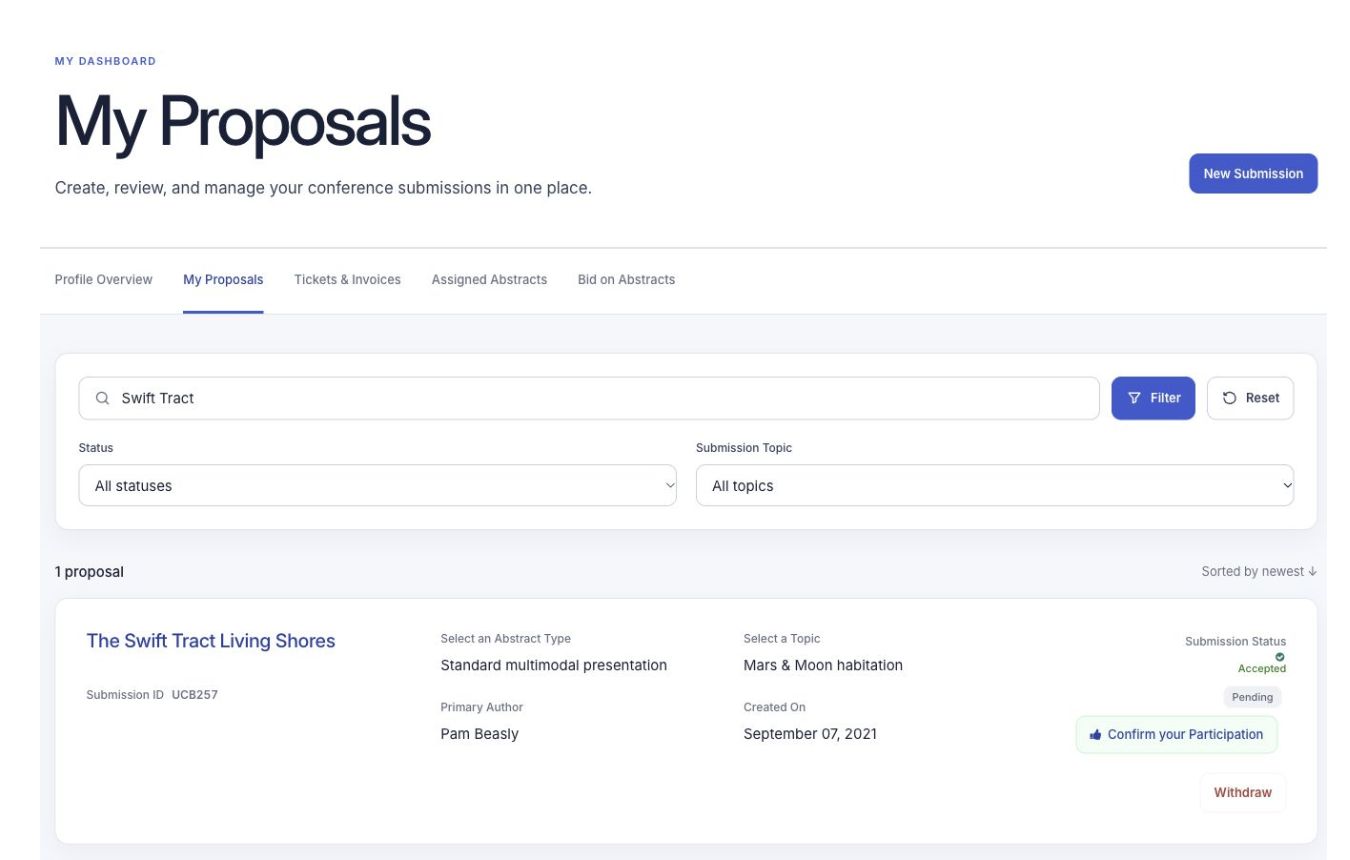
Authors manage their abstracts and see decisions in My Proposals. Show an author’s abstracts on their public profile. Let the submitting author choose several presenters for an abstract. Let authors upload final presentations, PDFs and recorded videos for accepted abstracts. Collect conference registration details alongside an abstract submission. Use ready-made email templates for authors and reviewers, or change the wording to suit your event.
Collect fees for submitted or accepted abstracts
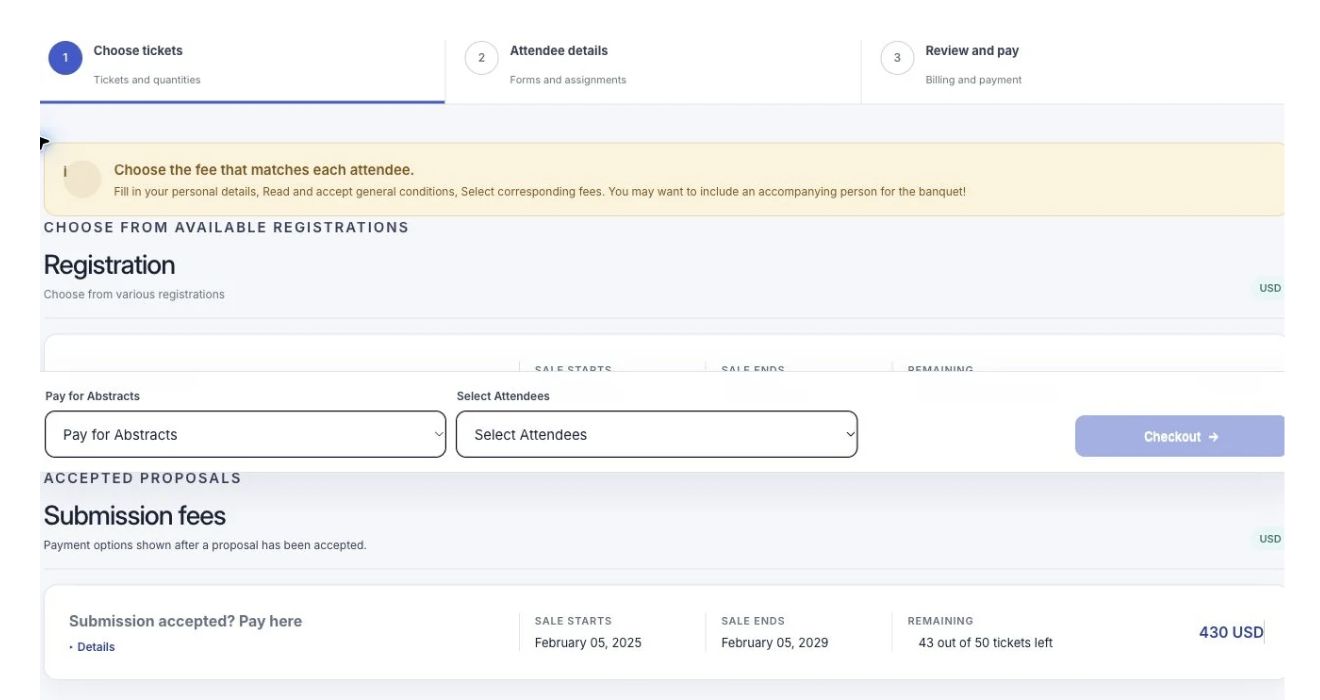
Registration and submission-fee options on the event website. Create tickets that authors buy when they submit an abstract.Let authors pay submission fees by credit card, purchase order or PayPal. Filter abstracts to see which have been paid for.
Build the submission and review forms you need
Title, abstract text and file-upload questions. Choose question types such as text boxes, checkboxes, file uploads, yes/no questions and dropdowns with several choices. Show follow-up questions based on earlier answers in submission and review forms. Choose which parts of a form guests and logged-in users can see.
Let authors submit a panel together
Submission types with their availability and deadlines. Group abstracts into a panel or symposium. Have the panel organizer submit an introduction, then ask each speaker to submit their own abstract. Review and accept a panel as a group, with the option to review its abstracts separately. Let organizers add an author’s abstract to a panel if the author needs help.
Collect abstracts and final papers in stages
Co-author and presenter controls. Collect submissions in stages , from the first abstract to the final presentation.Ask authors to submit an abstract first, then have reviewers assess it. Let the committee accept the top-scoring abstracts and invite those authors to submit their final papers.
Abstract Management
Organize reviews and decisions Give reviewers clear tasks and help your committee compare the results.
Assign abstracts to reviewers
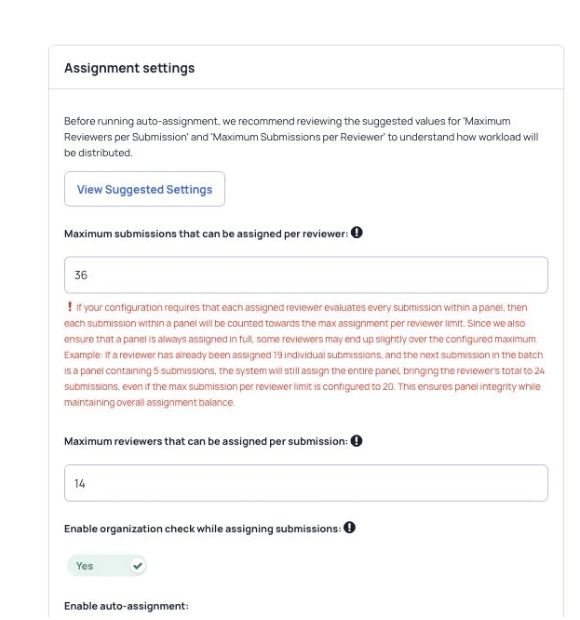
Reviewer assignment rules and workload limits. Set review deadlines. Assign abstracts to reviewers automatically, either at random or by matching topics. Use manual bulk assignment to filter submissions and assign several abstracts to several reviewers at once. Limit the number of abstracts per reviewer and reviewers per abstract. Let reviewers discuss an abstract with each other before they review it. Track submissions, completed reviews, authors and reviewers in reports.
Give reviewers a clear place to work
Reviewers find assigned abstracts and their review stage in the event. Let reviewers update and resubmit reviews of accepted abstracts. Let reviewers upload supporting files with a review. Let reviewers send feedback to authors and notify them automatically. Accept or reject several abstracts at once and notify their authors. Use several scoring questions and rating scales in a review. Let reviewers discuss an abstract with other reviewers before sending their review.
Score abstracts using your own questions
Build a review form with questions, rating scales and file uploads to help your committee compare submissions.
Reviewers find assigned abstracts and their review stage in the event. Let reviewers score abstracts against different criteria. Choose the questions reviewers answer. Calculate each abstract’s average score automatically when reviews are submitted. Use rating scales to score several aspects of an abstract.
Manage feedback and author replies
Let reviewers give feedback and authors reply during the review process.
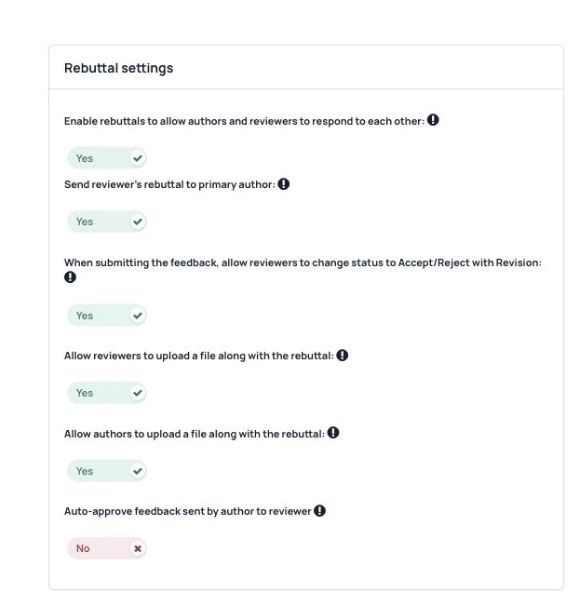
Feedback and author reply settings. Email authors automatically when a reviewer sends feedback. Have a committee member check an author’s reply before it reaches the reviewer. Send the reply to the reviewer automatically once the committee approves it. Keep the feedback and replies with the abstract in the organizer dashboard.
Review submissions in several stages
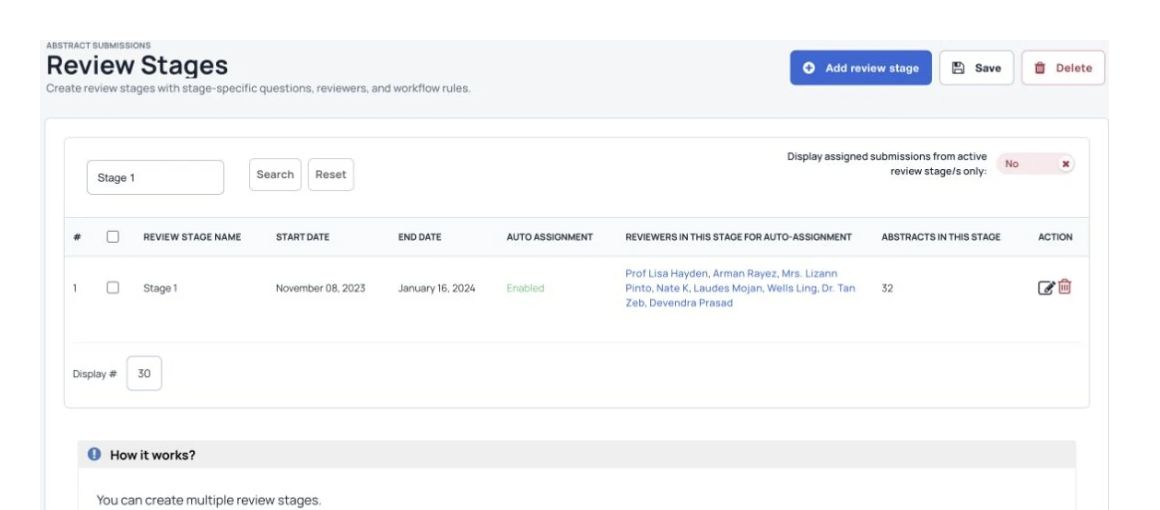
Configure stage dates and reviewer assignments. Split review into steps, such as screening, a detailed review and a final review. Give each review stage its own deadline. Choose different review questions for each stage. Choose the reviewers for each stage. Compare scores and move qualifying abstracts to the next stage.
Abstract Management
Share research and keep people informed Create your abstract book, share reports and send updates.
Create your abstract book
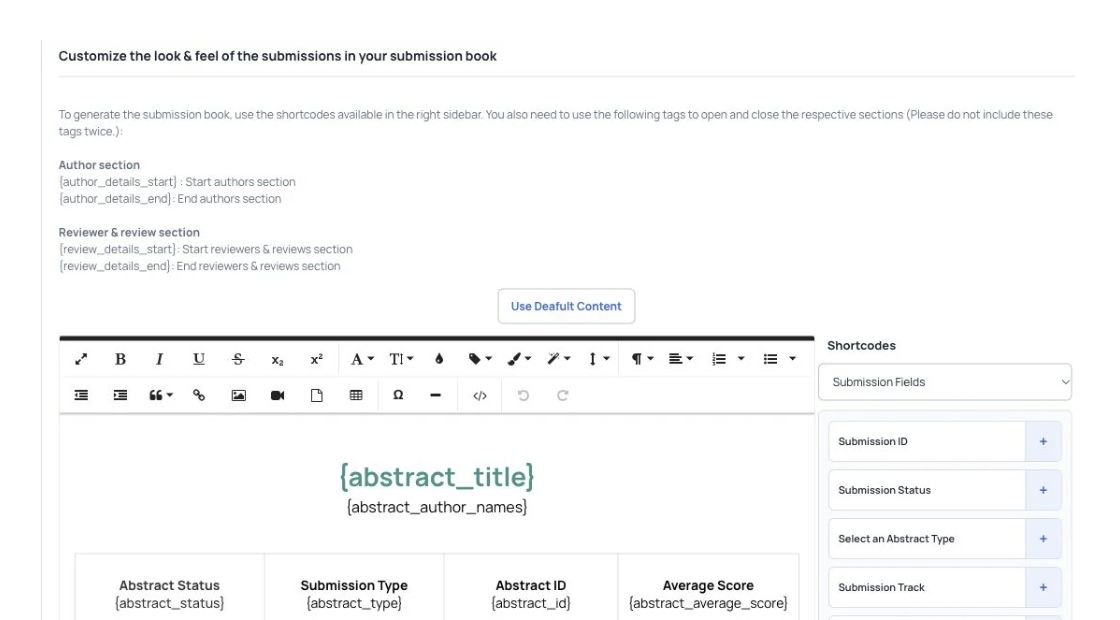
Choose fields and layout for the abstract book. Choose the front and back covers. Add a background watermark to each page if needed. Include messages and keynote texts from your event chair, committee and guests. Choose whether to include accepted abstracts, rejected abstracts or both. Choose which abstract, author and reviewer details appear in the book, then download it as PDF or CSV.
Import, download and share your abstract data
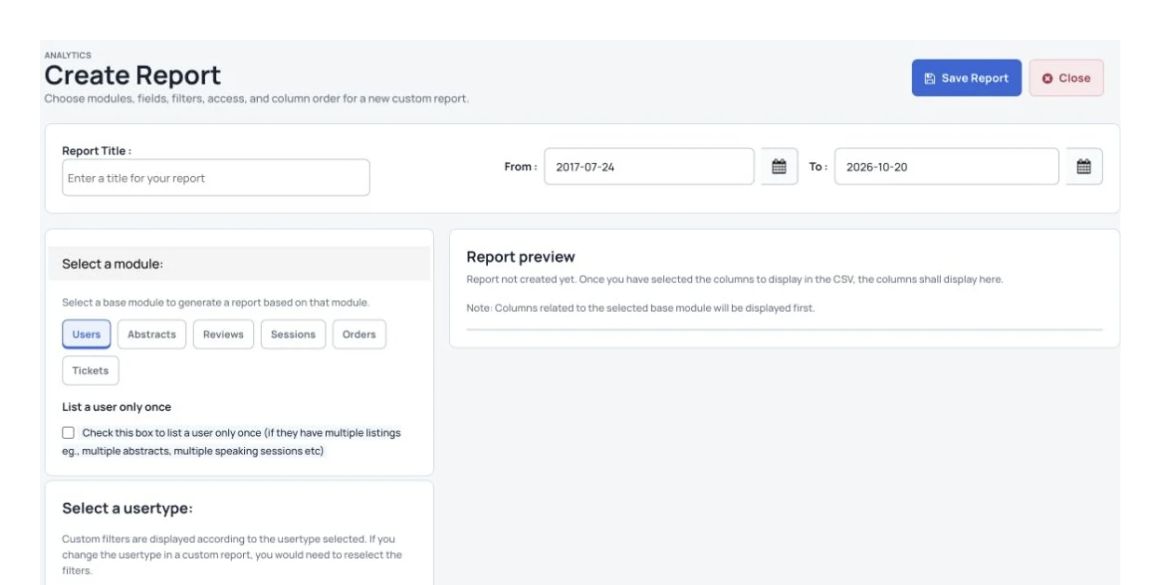
Choose the report module, dates and columns. Add or update abstracts from a spreadsheet file (CSV). Download abstracts as a CSV file to open in a spreadsheet. Download abstracts and reviews as PDFs. Build reports and share them with people outside your team through a secure link. Filter abstracts by type, topic or answers in your forms, then download the results as CSV.
Keep authors and reviewers informed
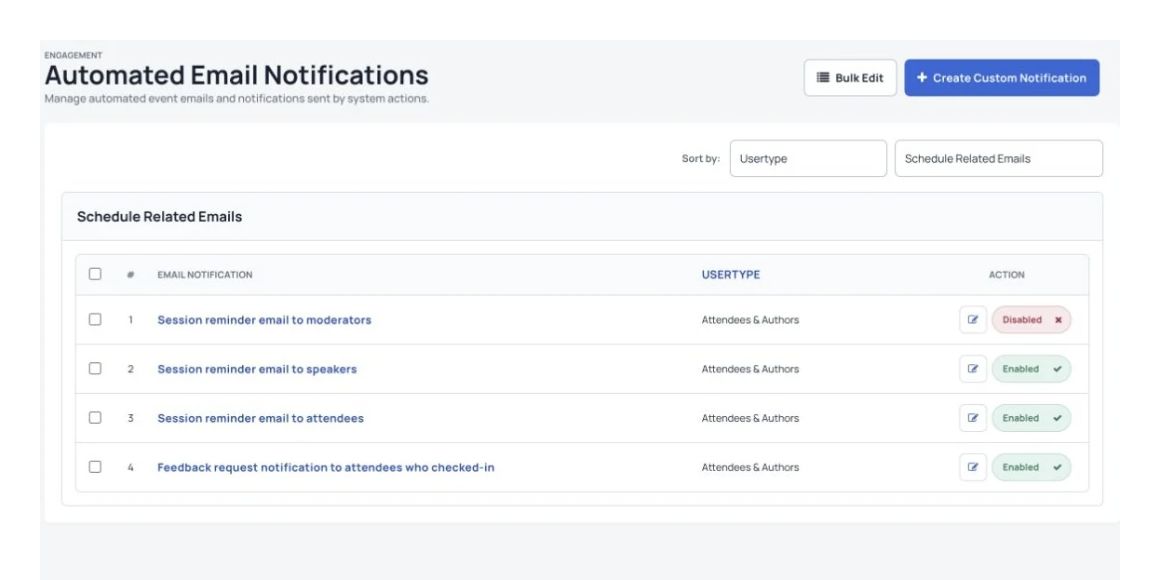
Automated event messages for registration, orders and submissions. Send automatic emails when authors register, submit an abstract or complete other related steps. Record your decision and notify authors automatically. Change the wording of automatic emails. Change invoice emails sent to authors after payment. Send the same update to a group of authors, submitters or reviewers at once.
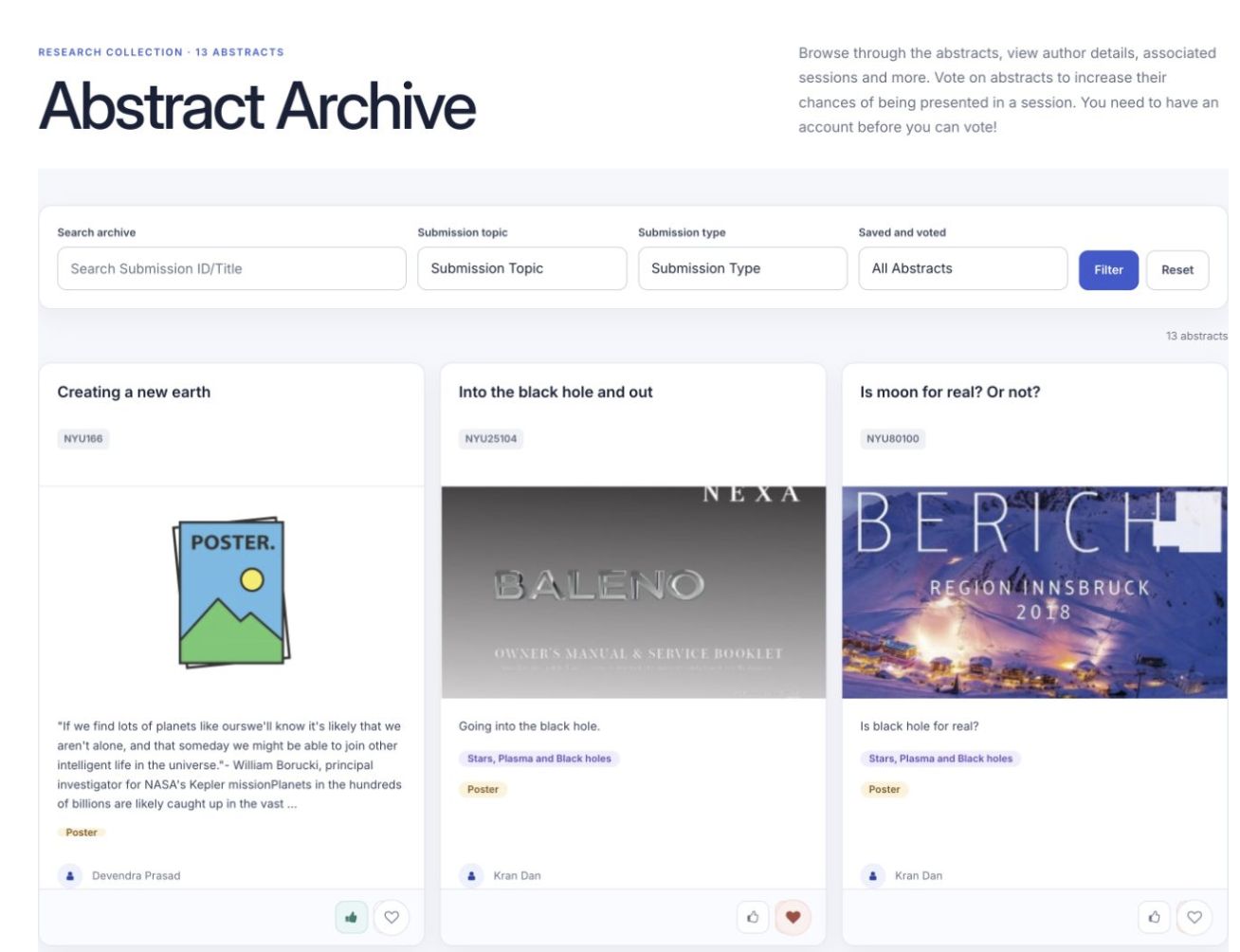
Help people find abstracts and posters
Published abstracts with topics, authors and discovery filters in the abstract archive. Let people search the online abstract and paper collection by title, type, topic, author or keyword. Collect votes for poster awards. Let visitors save a favorite abstract with the Like button. Let visitors ask presenters questions in the chat under each poster. Show presenter profiles, their sessions and their submitted abstracts together.
Abstract Management
AI tools for submissions and reviews Help authors check their writing and support your committee with review and document checks.
Help authors check their writing with AI
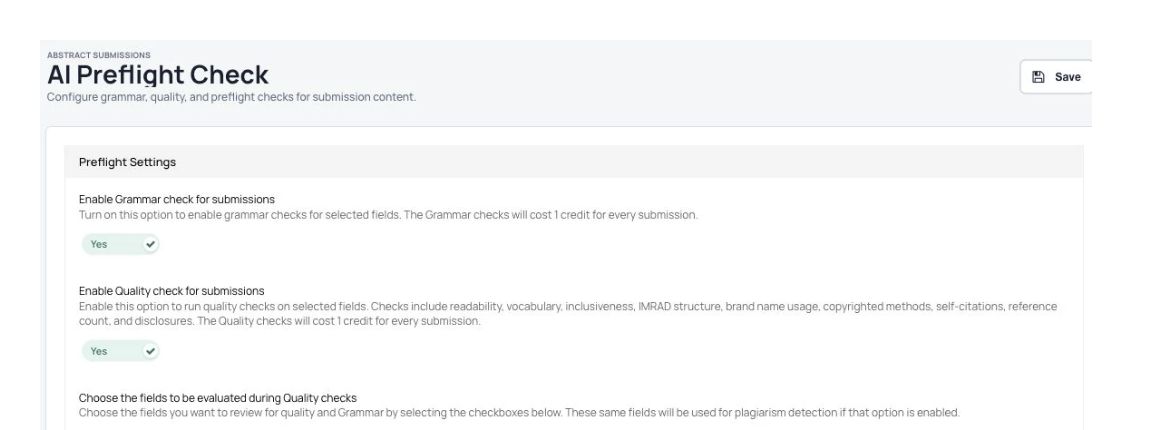
Grammar and writing-quality checks for submissions. Use AI to flag possible issues in an abstract. Check grammar and whether the writing is clear and consistent. Give authors feedback as they submit, so they can make changes right away. Choose which answers to check for copied content, writing quality and grammar.
Check for copied content
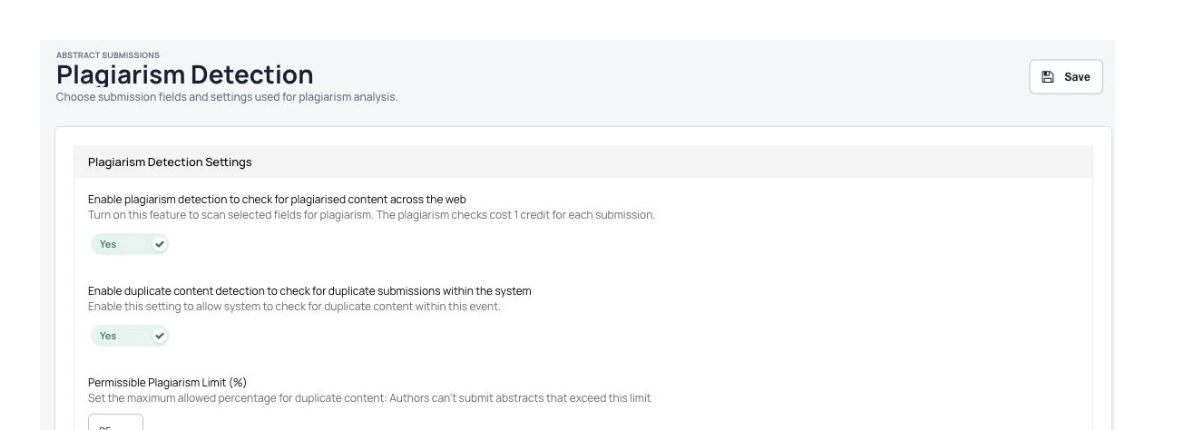
Plagiarism checks and the fields selected for checking. Use plagiarism checks to find content that may have been copied. Check abstract submissions for duplicate content. Reduce time spent on manual checks so reviewers can focus on the research. Choose which parts to check, such as the title, objectives, methods or conclusions.
Add AI reviewers to support your committee
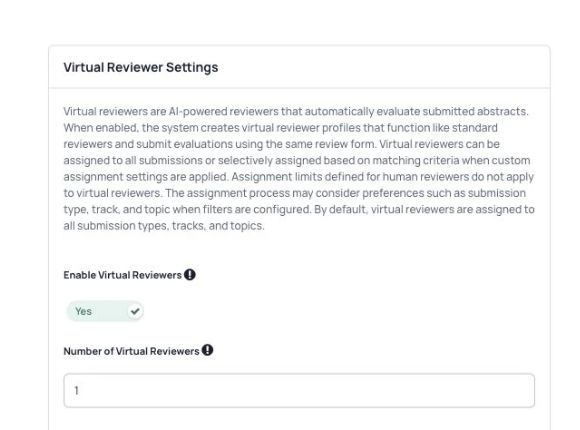
AI reviewer settings and the number of reviewers. Use up to 3 AI reviewers to assess submissions automatically. Use your existing review form and scoring criteria for AI reviews. Match reviews by topic, track, submission type and answers in your forms. Let AI reviewers assess submissions without the workload limits set for human reviewers. Compare AI scores and human reviewer scores in one place. Use AI reviews to help your committee work through submissions faster.
Check uploaded documents with AI
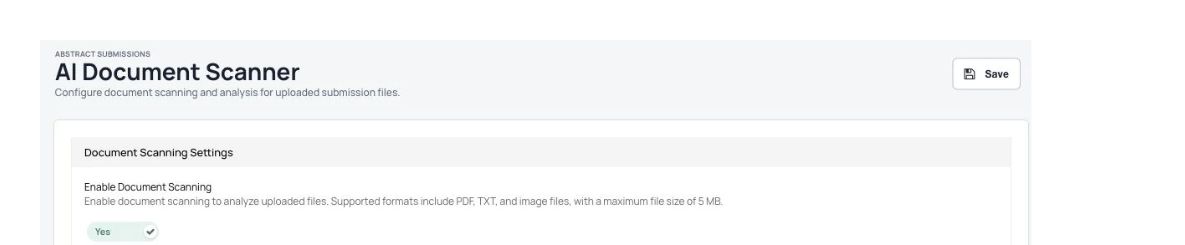
Document-scanning settings in the Dryfta demo event. Check files uploaded by authors or event organizers. Read PDF, DOC, DOCX, PPT, PPTX, TXT and image files. Allow or block a submission based on words found in its file. Check files for author names and email addresses by comparing them with the author list. Pull text from uploaded files so it can be searched. Set different checking rules for each file upload question.
AI tools and your review process Available AI tools depend on your event setup. Have your committee review AI results, and confirm the tools, costs, terms and data use during your demo.
More useful tools
More ways to manage your event. Before you start Before opening your call for papers, agree on the submission steps, review questions and who can see or change each part.
Can we use different steps for different submissions?+ Yes. You can set up different forms, deadlines and review stages for different types of submissions. Choose the steps your committee needs before opening the call for papers.
Do authors and reviewers have their own place to work?+ Yes. Authors can manage their submissions, and reviewers can see and review the work assigned to them. You choose what each group can access.
What happens after submissions are accepted?+ You can use accepted submissions to build the event program and create an abstract book.
See Dryfta for yourself
See abstract management in action. Tell us about your event and the tasks you want help with. We’ll show you how to do them in Dryfta.
Request a demo