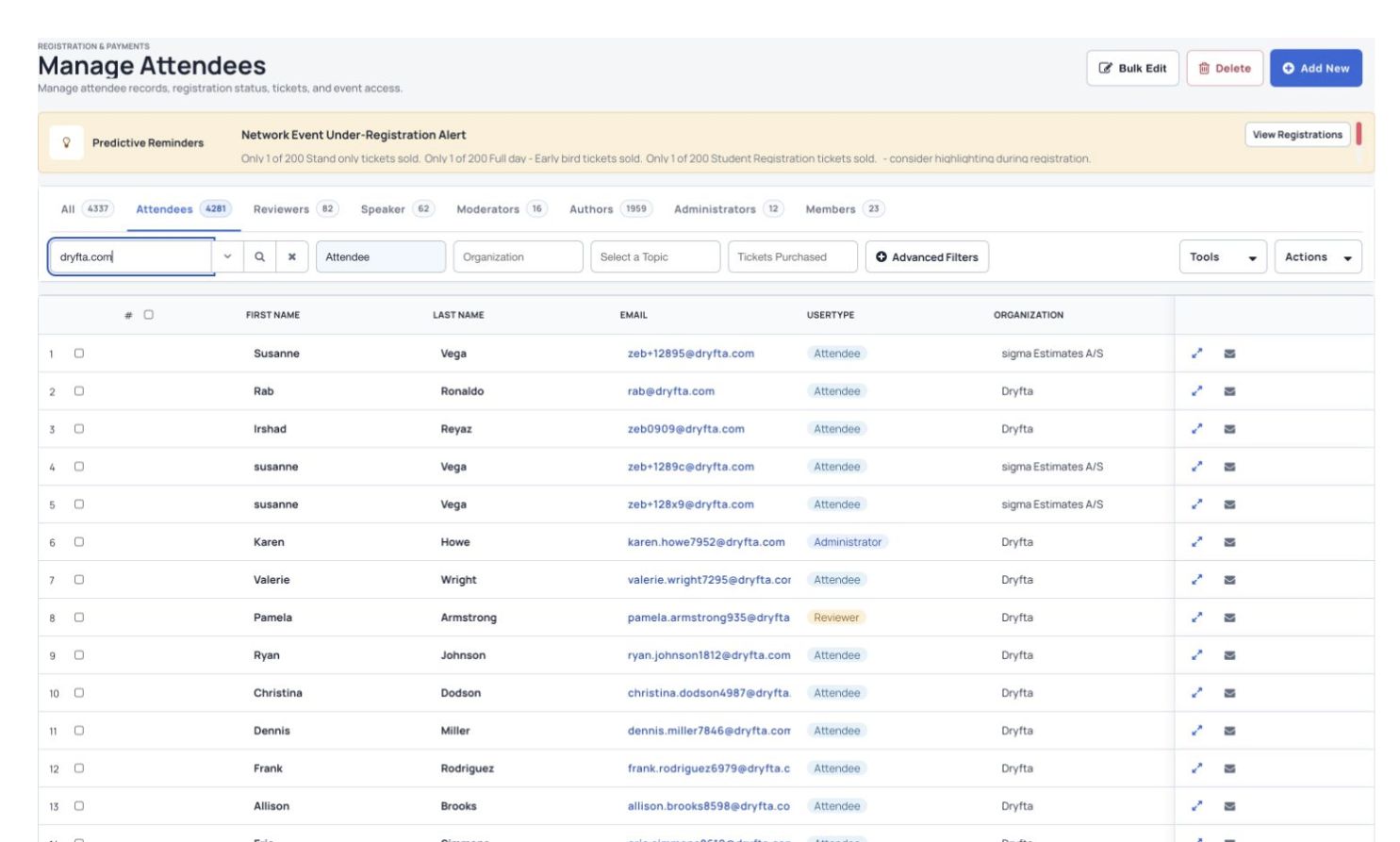
Search and organize attendee records in Manage Attendees.
See the whole contact record
Keep registration details, purchases and event activity together.
Find the right people
Filter your list by role, custom fields and event activity.
Send relevant updates
Use saved groups and message templates to reach the people who need them.
Teams who have used Dryfta
How it works
Three steps to get started.
1
Collect or import contact details
Use registration forms or import a contact list.
2
Organize and update your list
Choose roles, save filtered groups and update details in bulk.
3
Follow up with the right people
Send messages, track activity and export the information you need.
All features
Explore the features.
Find the tools your team needs and see how they fit your event.
Keep contact details in one place.
Manage people, tickets, submissions, message templates and documents together.
Search and organize attendee records in Manage Attendees.
Update information for several contacts at once.
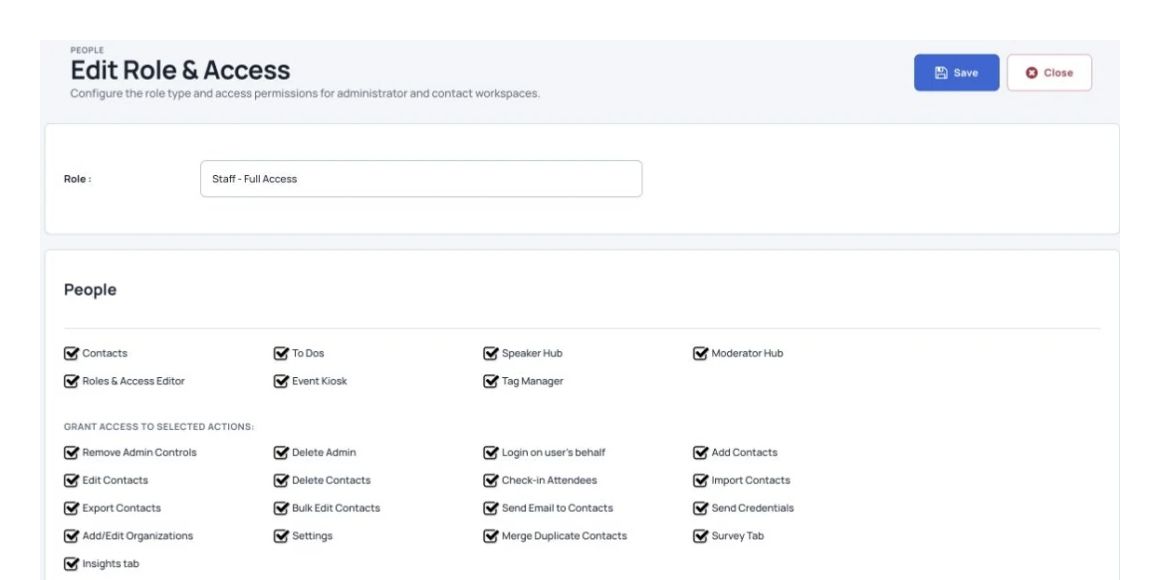
Give contacts more than one role and choose their access.
Enable public profiles for selected contacts.
Review each contact’s activity log.
Send an email to several contacts at once.
Search and sort contacts using several filters.
See each person’s event activity.
Open one record to review purchases, invoices, submissions and session attendance.
Search and organize attendee records in Manage Attendees.
View and update contact information.
Review activity and notifications sent to the contact.
View and download files the contact uploaded.
Assign tasks to speakers.
See tickets purchased by the attendee.
Open a speaker’s submissions directly from their record.
Update your list without opening every profile.
Use bulk changes, saved searches and in-list editing to save time.
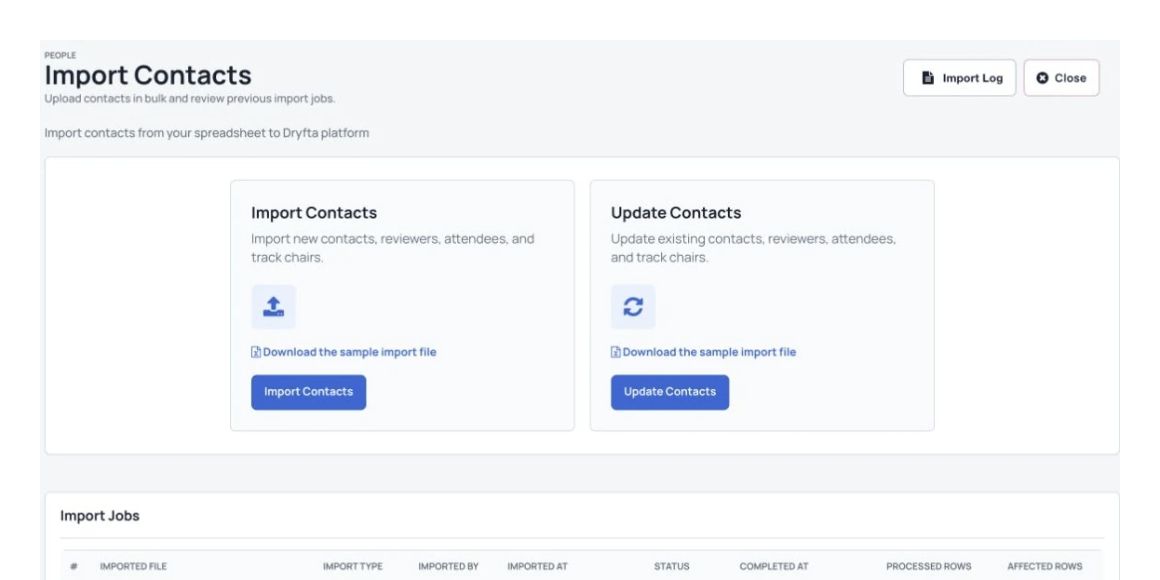
Import contact information from a spreadsheet file.
Select several contacts and update their details together.
Choose the columns shown in your contact list.
Save filtered searches as tabs so you can return to them quickly.
Edit details and upload files directly from the list.
Export all contacts or only those matching your filters as a CSV.
Combine duplicate contacts into one profile while keeping their information.
Find the people who need a follow-up.
Combine fields to create a focused contact list.
Search and organize attendee records in Manage Attendees.
Find speakers and authors by whether they uploaded their presentations.
Filter contacts by role, organization, user type and other fields.
Export the filtered list as a CSV.
Email the filtered group, such as speakers who still need to upload slides.
Send personal messages with less repeated work.
Use saved templates and contact details to prepare useful emails.
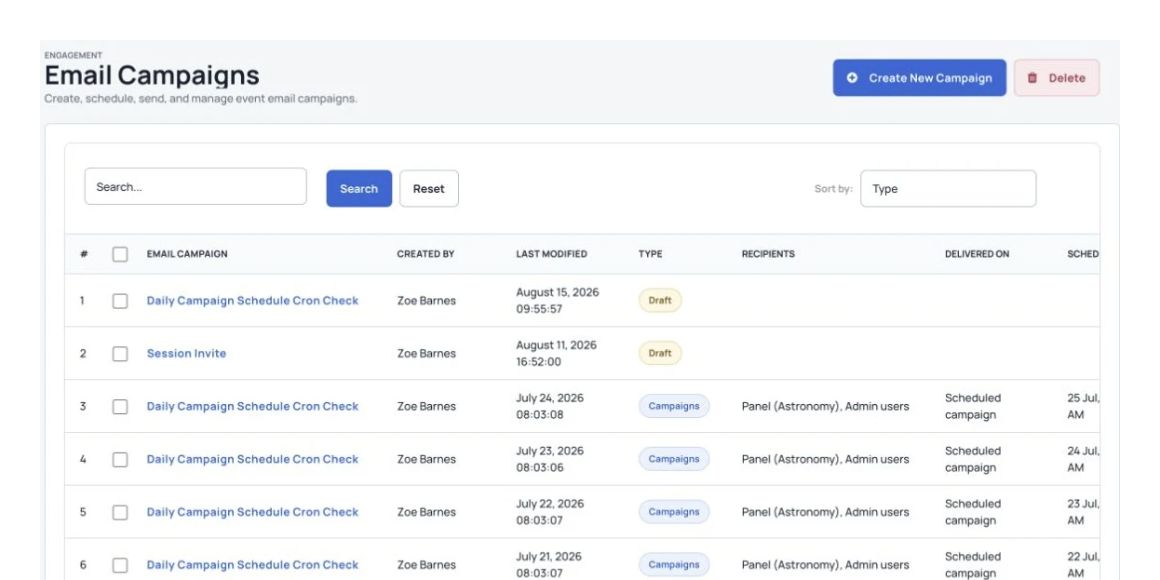
Create and schedule email campaigns for your event.
Send a private email to an individual contact.
Create and reuse email templates.
Insert contact details with personalized placeholders.
Review a log of emails sent to each contact.
Combine duplicate contact records.
Bring duplicate profiles and their related event information together.
Search and organize attendee records in Manage Attendees.
Search for duplicate contacts, select them and merge their records.
Combine tickets, abstract submissions, custom roles and registration details.
Copy information from a duplicate record into the chosen original profile.
Keep the existing information in the original profile.
More useful tools
More ways to manage the details.
Collect and organize contact information
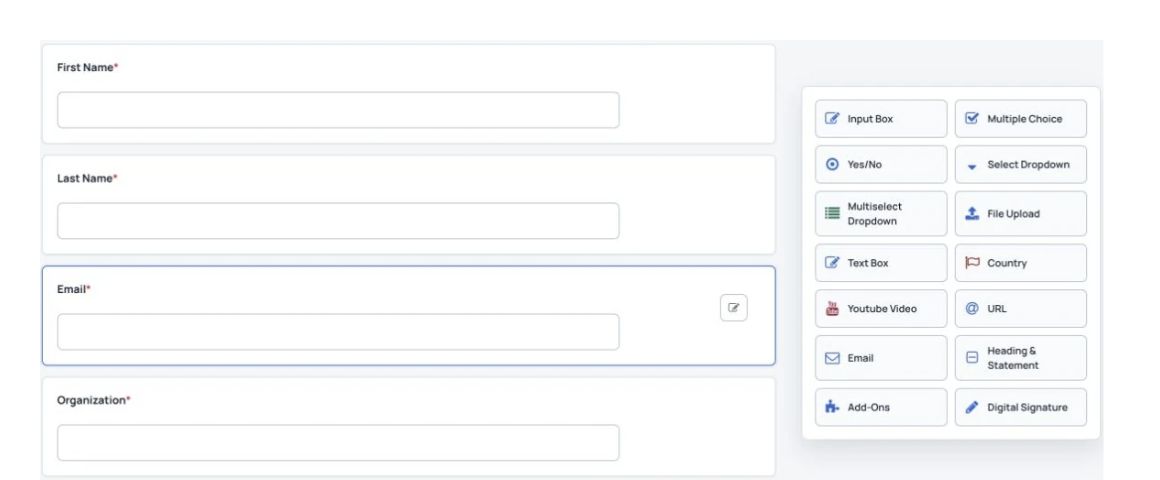
Build registration forms with attendee questions and a choice of field types.
Create as many contact fields as you need.
Combine duplicate contacts and their related information.
Choose which areas users and staff can access.
Use field checks for dates, choice lists, text and yes-or-no answers.
Store a photo in each contact record.
Update several contact profiles at once.
Search using standard fields, custom fields and their values.
Send login details to several contacts at once.
See an author’s submissions in the Abstract tab.
Use advanced filters to find the contacts you need.
Keep the contact activity log updated as information is collected.
Organize contacts into groups and mailing lists.
Import, track and manage details
Import contact information from a spreadsheet file.
Export the contact list to a spreadsheet.
Import contacts from a supported spreadsheet file.
Choose which staff can import contacts.
Use quick filters or combine several fields in an advanced search.
Upload files for a contact or let contacts upload their own.
Add organization details manually or use the supported LinkedIn company connection.
Add notes to each contact record.
Add filtered contacts to a group.
See a reviewer’s assigned abstracts in their profile.
Limit which contact detail fields a user can see.
See tickets bought by the contact or on their behalf.
Record calls and emails with a subject, author, notes, time, outcome and follow-up time.
Control registration and communication
Choose the organizer tools a staff role can access.
Review profile changes in the change log.
Send emails from a contact record with saved templates and personalized placeholders.
Keep an email log for each contact.
Download contact information as a CSV backup.
Block registration from selected email domains.
Include Add to Calendar and Apple Wallet buttons in email campaigns.
Allow or block registration by email domain.
Include an Add to Calendar button in email campaigns.
Let guests accept or decline invitations from their inbox.
Limit premium content to selected user types.
Use different registration forms for different user types.
Help attendees find matching profiles and book meetings in advance.
Review profiles and approve registrations manually.
Set a maximum number of event registrations.
Send personal invitations to selected contacts for a private event.
Allow anyone with the registration link to sign up.
Set a deadline for registration.
Send a personal registration link with known details already filled in.
Require an access code to register.
From event organizers
Hear from the teams using Dryfta.
“I like the whole experience of organizing an event on the Dryfta platform. It is very stable and has lots of features. The Dryfta platform is highly recommended to everyone looking for a feature rich platform to manage events of any type.”
Peter Raeves, IT Director, European Tissue Repair Society
“Dryfta offers tons of great features and it takes a little time to explore everything. Invest the time and really check it out—the results are worth it in time and cost savings. I researched countless platforms for event registration and abstract management, and couldn’t find anything else this robust at this price point.”
Tamye Riggs, Executive Director, Association Typographique Internationale
“I love the fact that Dryfta is well suited for using for conferences, and that academics conferences fit into this just as well as commercial ones. The straightforward flow from start to finish – including easy integration of payments – is a big, big plus.”
Ian Giles, Resident Assistant, The University of Edinburgh
“The platform is simple to use, has great templates to help you develop content and personalise the platform that you develop. The end result is a very professional site that add value to audience engagement and has resulted in very positive feedback from the businesses, academics and government agencies that we work with.”
Alan Whiteside, Innovation Consultant, National Health Service Highland
It helps universities, associations and other event teams manage speakers, attendees, their event records and communication in one place.
Can we send updates to selected attendees?+
Yes. Filter contacts by the available fields, save groups and send relevant messages to those groups.
Can we see attendee activity as it happens?+
Contact records bring together registration information and available event activity, such as tickets, submissions and session attendance. The information shown depends on what your event collects.
How does this reduce contact management work?+
You can update records in bulk, reuse saved searches, send messages and export reports without keeping a separate list for every task.