New organizations who signed up for Dryfta in March 2017

Dryfta welcomes new clients in the non-profits, universities and organizations segments this month, including: International Foster Care Organisation’s 2017 World Conference and Organ Preservation Alliance’s Organ Banking Summit 2017.

Alongside non-profits, we have signed up with the African Tax Administration Forum, South Africa, to host the 6th Country Correspondence Conference.

Organ Banking Summit is using Dryfta to register participants, accept abstract submissions, create program schedule, sell tickets, and design their beautiful conference website.

In Non-profits segment, we also signed up European Tissue Repair Society (ETRS) and Belgian Defence, Belgium, to host the ETRS 2017 Congress. They are using Dryfta to accept abstract submissions and conduct peer reviews, send email campaigns, sell tickets and build event website.

IFCO

Organ BankingATAF

ETRS

Continue reading

Collect Abstract Submissions Fees Online

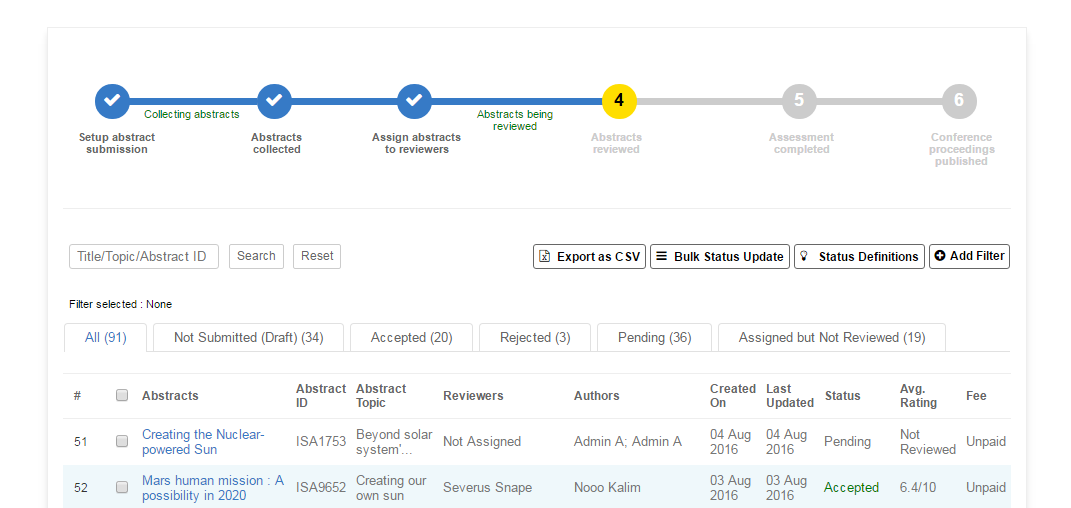
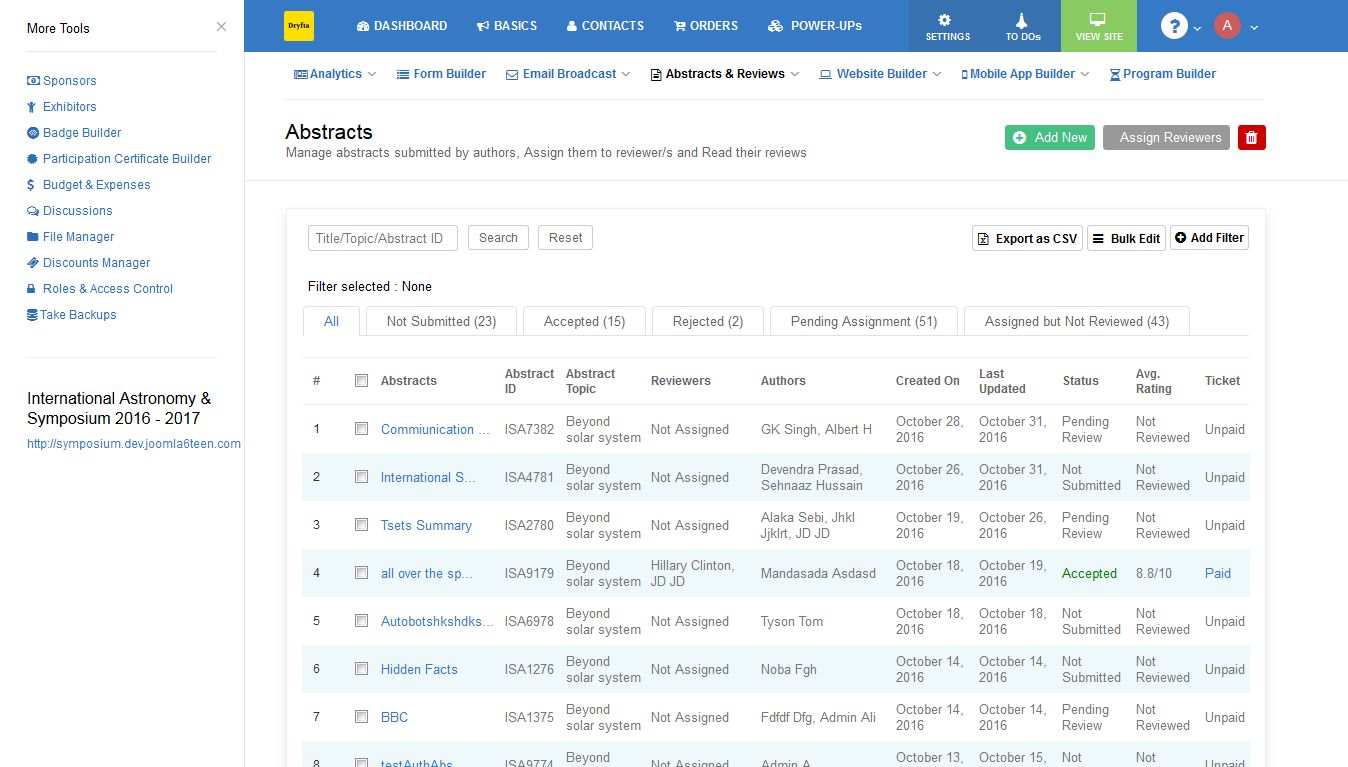
If you charge a processing fee per abstract submission or per accepted abstract submission for your conference, then Dryfta event platform is for you. Using Dryfta, you can create tickets to collect abstract submission fees for all submitted & accepted abstracts.

For abstract submissions, as soon as the fee payment is confirmed, the system would allow author to submit the abstract/s. Admin can select the number of abstracts that can be submitted per ticket and set the dates for abstract submission site to open and close abstract submissions.

For fees paid for accepted abstracts to allow authors to present the paper at the conference, once author has paid the fee through credit card, the system would send the invoice to the author and updates the abstract submission with the Paid status automatically. This makes sure admin knows if the accepted abstract has been paid for or not.

abstract-listing

Continue reading

Update Multiple Abstracts’ Statuses at Once

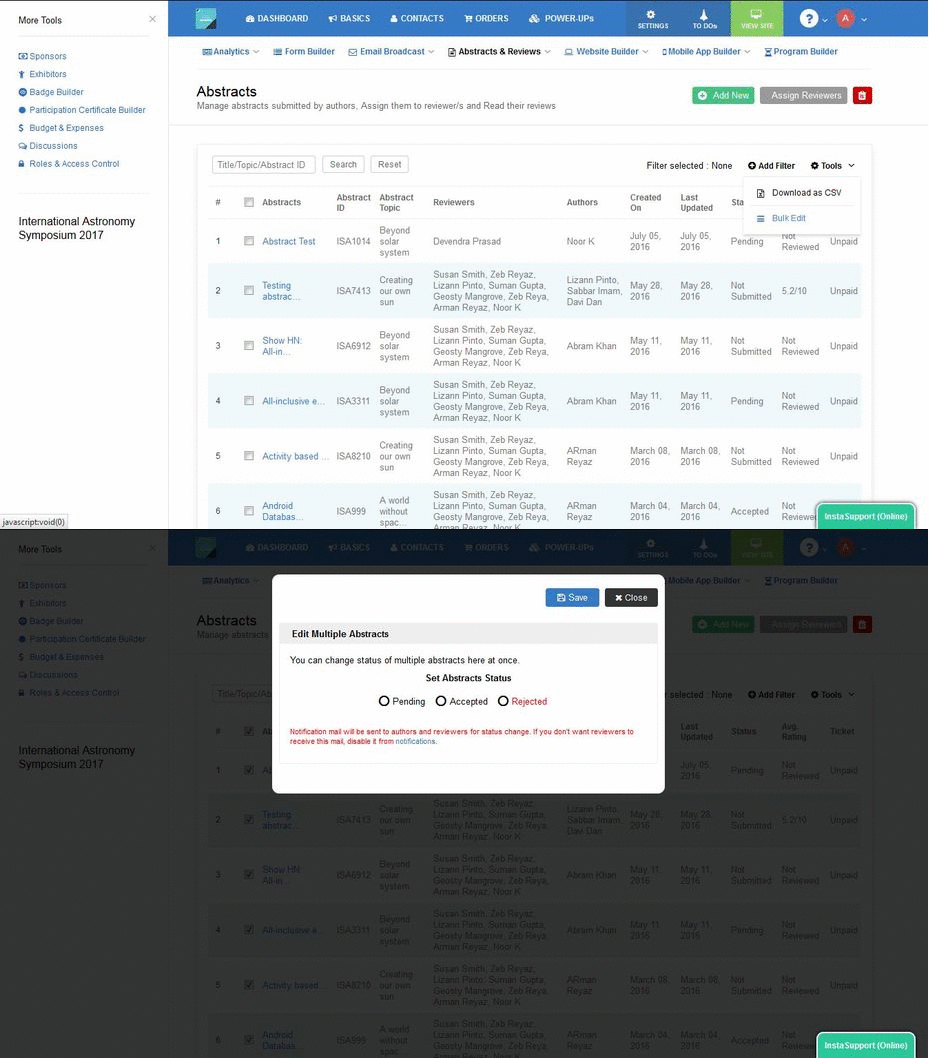
Updating abstract’s status by going to each abstract? Isnt that too cumbersome to do it for each abstract out of hundreds of abstract submissions you might have? Let’s make it easy for you.

bulk-abstract-status-update

Introducing Bulk Status Update for Abstracts. Simply select the abstracts you want to update the status for, click on Bulk Edit, choose a status and then click on Save. As simple as that!

On bulk status update, the authors and reviewers receive the abstract status change notification in their inbox. Admin has the option to disable sending abstract status change notification to reviewers.

Related Searches


Get regular dose of latest event tech!

r no-repeat #fff" class="lazyload">

Abstract Book Builder for Conferences

Abstracts submitted? Check. Abstracts Reviewed? Check. Authors notified? Check. What’s next? Welcoming the attendees at the conference, engaging them with programs and workshops, and presenting the Abstract Book, among various other things.

But it takes a lot of time and resources to design and build your abstract book, which could otherwise be used for more meaningful purposes! So how can you build an abstract book easily and beautifully without wasting much of your precious time?

Presenting the Abstract Book Builder.

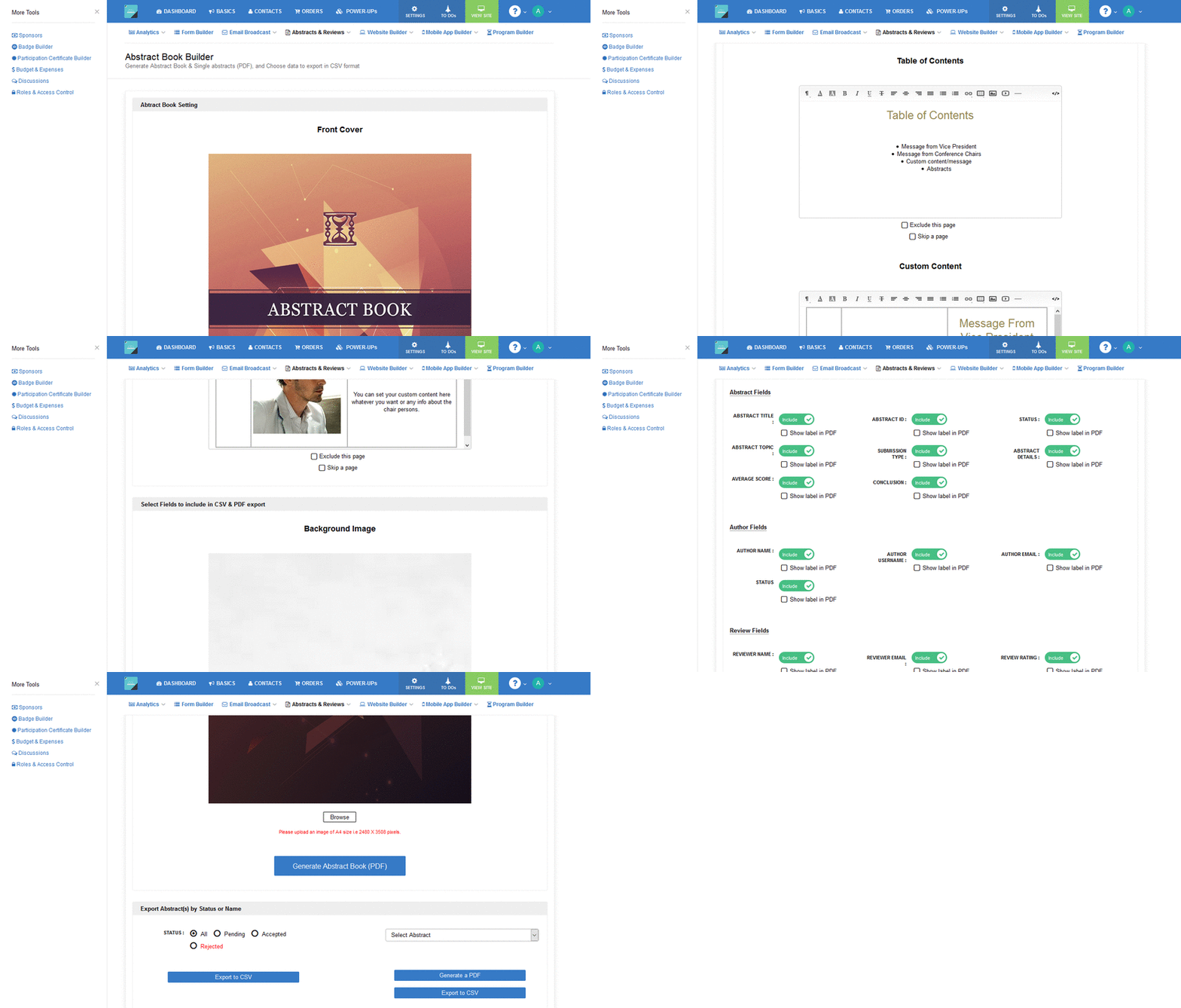
abstract_book_builder

Using Abstract Book Builder, it takes less than 5 minutes to design and publish your abstract book. Design your abstract book, add front and back covers, add a custom background image, add custom contents viz. chairman’s message, list of reviewers etcetera, choose abstracts (accepted, rejected or all) to publish and finally generate the abstract book in downloadable PDF format.

Related Searches

Continue reading