Plenty of event planners today realize halfway through that the service they signed up for does not meet their needs. And their attendees’ expectations. In this view, the team is forced to reckon with the reality of the software they have been working with. Sometimes costing tens of thousands of dollars, discontinuing a service is never easy. And never the first choice, at all. However, circumstances outgrow our events and we look for alternatives. It is with this thought that we have set out to discuss some of the brilliant vFairs alternatives.
In this blog, we’re taking you down precisely this scenario. If you’ve ever made a choice, regretted it, made another choice and yet again regretted it, we’re here to help. Read on to find the best platform for you once and for all. No more contemplation and no more regrets.
What is vFairs?
vFairs is a US-based end-to-end event management platform. Since 2016, the unfunded company has established a stron presence in hosting virtual and hybrid events around the world. Its largest market operations thus far comprise the USA, Canada, the UK, Ireland and the UAE. vFairs is best known for its excellence in creating immersive 3D environments, digital exhibition booths and riveting conference-style experiences.
Widely used by global companies to host virtual trade shows, career fairs and large-scale online conferences, the platform also offers tools like live chat, polling and networking to keep attendees engaged throughout an event.
Understanding vFairs and What It Does Well
vFairs has carved out a strong niche in virtual exhibitions and online conferences. However, as the nature of event management changes, companies are now also beginning to look for the best vFairs alternatives. Here is a quick overview of what vFairs does well:
What VFairs Does Well:
-
- Immersive 3D virtual environments and digital booths
- Strong virtual job fair and career event capabilities
- Sponsor and exhibitor management tools
- Built-in engagement features like chat, polls, and live Q&A
- Scalable platform for large-scale virtual conferences
Why Event Organizers Look for vFairs Alternatives
-
- Pricing structures that increase sharply
- Complex setup process that may be overwhelming for smaller teams or infrequent events
- 3D environments that attendees often skip in favor of direct session links
- Inflexibility in customization without having to pay for additional professional services
- Unsustainable pricing for enterprise events, particularly for bootstrapped companies.
- A complex onboarding process and tedious setup drives away organizations unwilling to invest in technical support.
- VFairs is boggled down by the gaps that peak through in its attendee engagement capabilities.
- Organizations hosting online events are looking away from vFairs for fear of virtual fatigue concerns.
- Atleast a few issues have been reported by users in VFairs’s mobile app.
- The software is limited in its capacity for CRM integration.
- Growing hybrid event management requirements are an important factor driving many organizations to look for VFairs alternatives in 2026.
- Scalability concerns repeatedly pop up for large events.
- Requirement for more flexible workflows is putting rigid platforms with limited customization like VFairs to the test.
- Limited academic conference features makes vFairs a much less desirable option compared to competitors like Dryfta.
- VFairs’s complexity is also a factor making it unviable for clients who now increasingly prefer simpler event management platforms.
How to Evaluate vFairs Alternatives
To evaluate, pay attention to the following factors:
-
- Your event’s format: Know beforehand if you will need support for virtual-only, hybrid, or in-person events, or some combination of these.
- Engagement features: Look for polls, Q&A, gamification, networking rooms and matchmaking tools that keep attendees active
- Integration: Confirm if the platform will integrate natively with your CRM and other tools you are presently using to power your event.
- Customization: Check whether you can make changes independently or must rely on vendor support for every update. Also enquire if there are extra charges for the same.
Best vFairs Alternatives for Enterprise Events
- Large-scale conferences: Enterprise organizations need platforms built to handle thousands of attendees without performance degradation. The best software alternatives are, therefore, ones that can manag multi-track programs across multiple days.
- Enterprise-grade analytics: C-suite executives expect detailed insights when evaluating event ROI and making budget decisions for future conferences. Advanced analytics tools provide the granular data that stakeholders demand.
- Sponsor and exhibitor management: Managing dozens or hundreds of commercial partners with individual requirements can overwhelm basic event platforms. Purpose-built sponsor management tools give exhibitors self-service capabilities and organizers centralized control.
- Multi-event management: Organizations running concurrent events or event series throughout the year need platforms that handle multiple properties efficiently. The ability to manage everything from a single dashboard saves time and reduces administrative overhead.
- CRM and marketing automation: Attendee data should flow directly into sales pipelines and marketing campaigns without manual intervention. Pre-built integrations with Salesforce, HubSpot and Marketo eliminate the need for custom API work.
- Enterprise security compliance: Fortune 500 companies and regulated industries require platforms that meet strict security standards and compliance requirements. SOC 2 certification, GDPR compliance and data residency options become non-negotiable.
- Global attendee support: International audiences expect support in their local languages and time zones. Multilingual interfaces and round-the-clock customer service accommodate participants from around the world.
- Advanced reporting dashboards: Organizers need real-time visibility into their event’s performance in order to make data-driven decisions during live events. Advanced and customizable reporting dashboards let teams focus on the KPIs that matter most to their organization.
Best vFairs Alternatives for Hybrid Events
- In-person + virtual attendee experiences: The future of events is hybrid, with in-person and virtual parts being equal parts important. Alternative event management platforms must deliver equally compelling experiences regardless of how attendees choose to tune in for the event.
- Live streaming integrations: Broadcast-quality production brings keynote presentations and breakout sessions to remote participants with professional polish. Integration with platforms like Vimeo, YouTube and specialized streaming services expands technical capabilities.
- Session recordings: Extending event value beyond the live dates serves attendees who couldn’t attend specific sessions due to conflicts or time zones. On-demand content libraries turn single-day events into ongoing educational resources.
- Interactive audience engagement: Polls, Q&A and chat features must work identically for both in-person and virtual participants to avoid creating second-class experiences. Real-time interaction keeps all attendees engaged regardless of their physical location.
- Hybrid networking: AI-powered matchmaking and virtual meeting spaces can connect attendees regardless of whether they’re on-site or remote. The best VFairs alternative platforms are those that make location irrelevant when facilitating meaningful professional connections.
- Cross-platform attendee access: Participants should be able to switch between devices and locations without losing functionality or having to log in repeatedly. A unified experience across desktop, mobile and in-person rules out friction and keeps the overall event experience pleasant.
- Mobile-first hybrid experiences: Even in-person attendees today reach for their phones during the event to perform check-is, track the agenda or network. It is non-negotiable for the VFairs alternative platform you choose to be functional on mobile interfaces.
- Real-time attendee analytics: Tracking engagement patterns in real-time across both in-person and virtual segments will help you understand what content really resonated with each of the audience groups. Comparative analytics show you if your hybrid event strategies are truly working or if they are simply acting as fillers.
Best vFairs Alternatives for Virtual Conferences
- Virtual expo booths: Customizable digital spaces for sponsors and exhibitors recreate the exhibition hall experience but within the virtual environment. These are expo booths but in the cloud. The best kind of virtual booths are those that come off as interactive and engaging to attendees rather than as merely static websites.
- Online networking lounges: Dedicated spaces for attendees to connect over shared interests or industry topics combat the isolation of virtual events. Topic-based lounges facilitate organic conversations that mirror in-person networking.
- Webinar integrations: Bringing presentation tools directly into the event platform makes webinar integration as simple as ABC. Straightforward and frictionless integration with popular platforms like Zoom, WebEx and Microsoft Teams are an important feature to look for in alternative software platforms.
- Virtual sponsor experiences: The VFairs alternative you pick should also consider the needs of sponsors and commercial partners. This segment needs meaningful ways for them to engage attendees and generate leads. Interactive demos, downloadable resources and live chat create value that justify the investments that sponsors make.
- Live chat and Q&A: Keeping audiences engaged during tedious presentations is a challenge that is particularly pronounced in virtual event showcases. Moderated Q&A sessions and audience chat can successfully establish community even in large virtual gatherings and keep attendees attentive.
- Gamification features: Points, badges and competitions combat virtual event fatigue by adding playful elements to professional conferences. Leaderboards and challenges encourage participation in networking activities and sponsor booth visits.
- Virtual attendee engagement: Measuring what content resonated with your audience the most will prove valuable as you optimize future. Detailed engagement metrics can expertly pinpoint which of your performed well in terms of attendees and what networking features drove the most attendee interaction.
- Browser-based event experiences: These remove the need for attendees to download applications or install updates. Platforms that run entirely in web browsers cab accommodate attendees on any type of device.
Best vFairs Alternatives for Academic Conferences
- Abstract management workflows: Handling submission, review and acceptance processes for research presentations demand specialized tools that generic platforms like VFairs lack. Academic conferences need robust yet customizable systems like Dryfta to accommodate hundreds or even thousands of abstract submissions.
- Peer review systems: Coordinating double-blind reviews with multiple reviewers per submission involves complex workflows and strict anonymity requirements. Purpose-built peer review tools streamline what would otherwise be an administrative nightmare.
- Scientific conference management: Poster sessions, oral presentations and lightning talks each have unique logistical requirements that general event platforms often miss. Academic-focused platforms understand these specialized formats and provide appropriate management tools.
- Speaker and session workflows: Managing complex multi-track programs with parallel sessions requires more than basic scheduling features. Tools that handle speaker confirmations, room assignments and AV requirements save conference organizers countless hours.
- Research symposium support: Specialized formats like panel discussions, roundtables and poster sessions need tailored management approaches. Platforms built for academic conferences accommodate these variations without requiring workarounds.
- Proceedings management: Compiling and publishing conference papers involves version control, author communications and formatting requirements that generic platforms don’t address. Integrated proceedings tools streamline what’s traditionally been a post-conference burden.
- University event management: Campus-based conferences tend to have specific requirements revolving around things like facilities and even institutional ppolicies. VFairs alternative platforms that aptly understand the academic environment’s needs and integrate it with the university systems and processes are the ones to look out for.
- Reviewer collaboration tools: Discussion and consensus-building among review committee members demand communication channels that are secure. Contemporary collaborative review features facilitate this deliberation process that is what ultimately determines which research gets presented.
How Virtual Networking Features Compare Across vFairs Alternatives
How Mobile Event Apps Compare Across vFairs Alternatives
Why Dryfta is the Best vFairs Alternative
When one looks at the best vFairs alternatives, Dryfta’s event management software stands out as one of the best options out there. Dryfra cements its position as the absolute best in the market presently by the fact that it is the only ‘purpose-built’ event management platform.
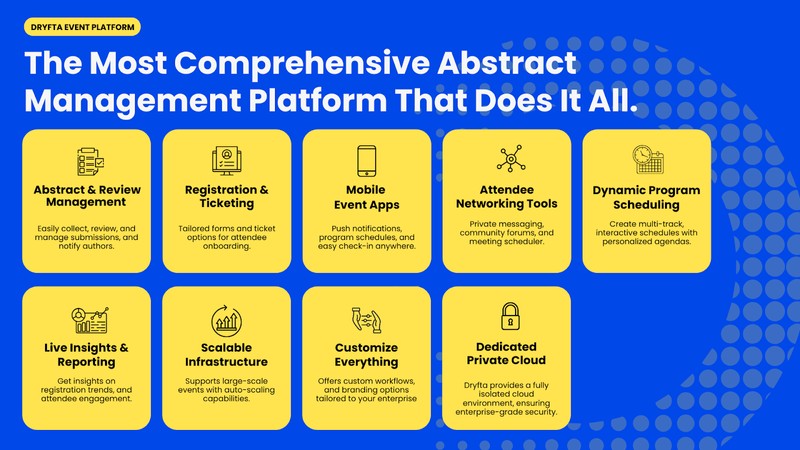
Originally built to host academic conferences, Dryfta has since followed its core purpose into several other niches, including hybrid events. For each type and format of event that it has picked up, Dryfta’s team has worked extensively on personalization for the format. This means Dryfta does not copy and paste, it does not duplicate what its competitors do, or get on with updates with no real purpose. Dryfta has evolved into a unified entity that can now handle registration, ticketing, abstract submissions, scheduling, virtual sessions, and attendee engagement for your event.
Dryfta’s modular design also makes it one of the most adaptable virtual event software alternatives available. It caters to everything from small workshops, non-profit events, to larger-scale international conferences with thousands in attendance. Dryfta’s features are as follows:
- 360 degree software: Dryfta is an all-in-one conference management platform with exhaustive capabilities for event management.
- Specialized software: Dryfta is specifically designed with academic and professional conferences in mind.
- Abstract management software: Abstract management workflows for multi-track research and academic events.
- Peer review management: Fair and unbiased review via techniques like triple blind review.
- Registration and agenda management: Intuitive registration and agenda management that allows clients to make any changes last-minite fuss-free.
- Hybrid event support: Advanced tools built especially for micro-engagement in hybrid and virtual events.
- Flexible workflow customization: Customizable and flexible with feature personalization.
- Integrated event website builder: Dryfta’s native event website builder is capable of creating easy-to-navigate functional sites for events.
- Cost-effective alternative: Dryfta starts at $1,499 per year, economical in comparison to heavily priced enterprise solutions like Cvent and Bizzabo.
- Better academic conference capabilities: Dryfta stands out for its state-of-the-art features for academic conferences. This has consistently made Dryfta one of the top players in the academic event management space.
- End-to-end conference lifecycle management: Dryfta’s intuitive software skillfully handles the entire event management lifecycle from start to finish with little human intervention.
- Suitable for scientific and enterprise events: Dryfta expands as per the scale and intellectual depth of your event.
Why Teams Are Switching From vFairs to Dryfta
-
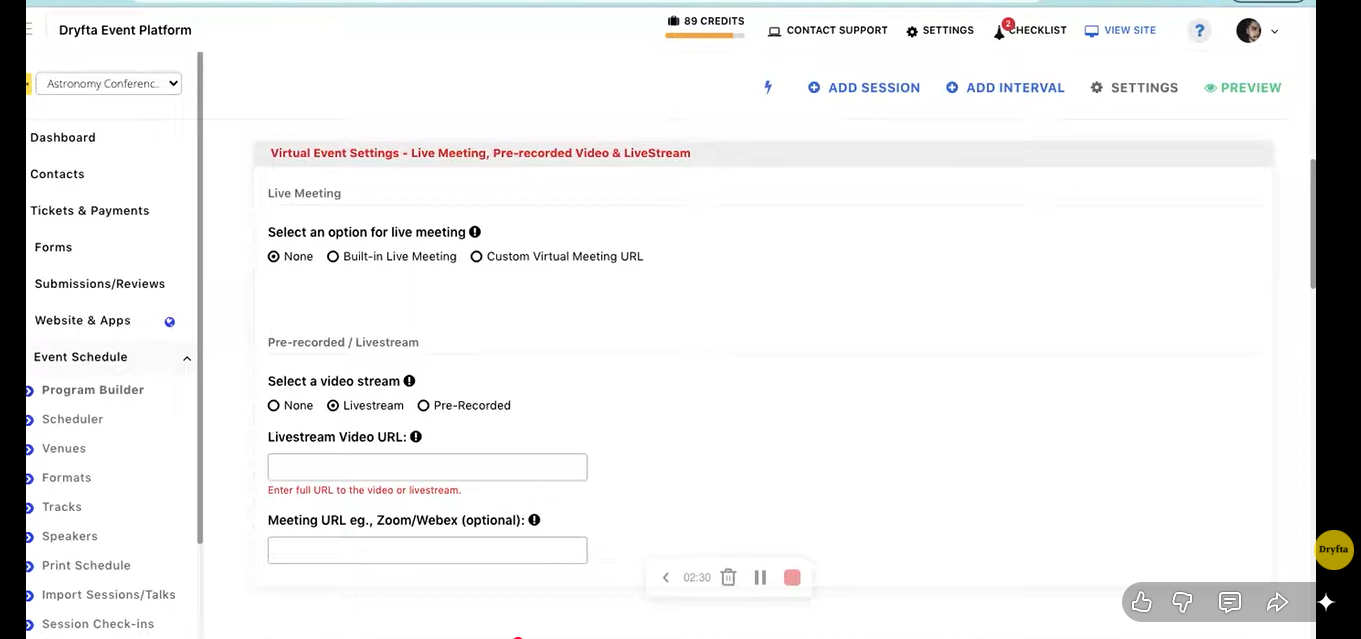
- Dryfta follows a flat annual pricing setup. This removes the need to calculate per-attendee and per-event fees which, on a larger scale, make platforms like vFairs expensive.
- Unlike vFairs, which was built virtual-first, Dryfta supports in-person and virtual audiences through a single unified workflow.
- Teams can update event websites, forms and scheduling independently without submitting tickets or having to pay extra for professional services.
- Dryfta’s peer review and abstract submission tools have no equivalent in vFairs. This makes the former a preferred choice of academic and research events by many prestigious educational institutions around the world, including Johns Hopkins University.
- Dryfta has a native app that gives users the same feature-rich experience be it a virtual event or an in-person one.
- Users consistently praise Dryfta’s customer support team for hands-on onboarding and quick resolution of issues and grievances. While some users have noted that vFairs’ customer support is not easily responsive on many occasions.
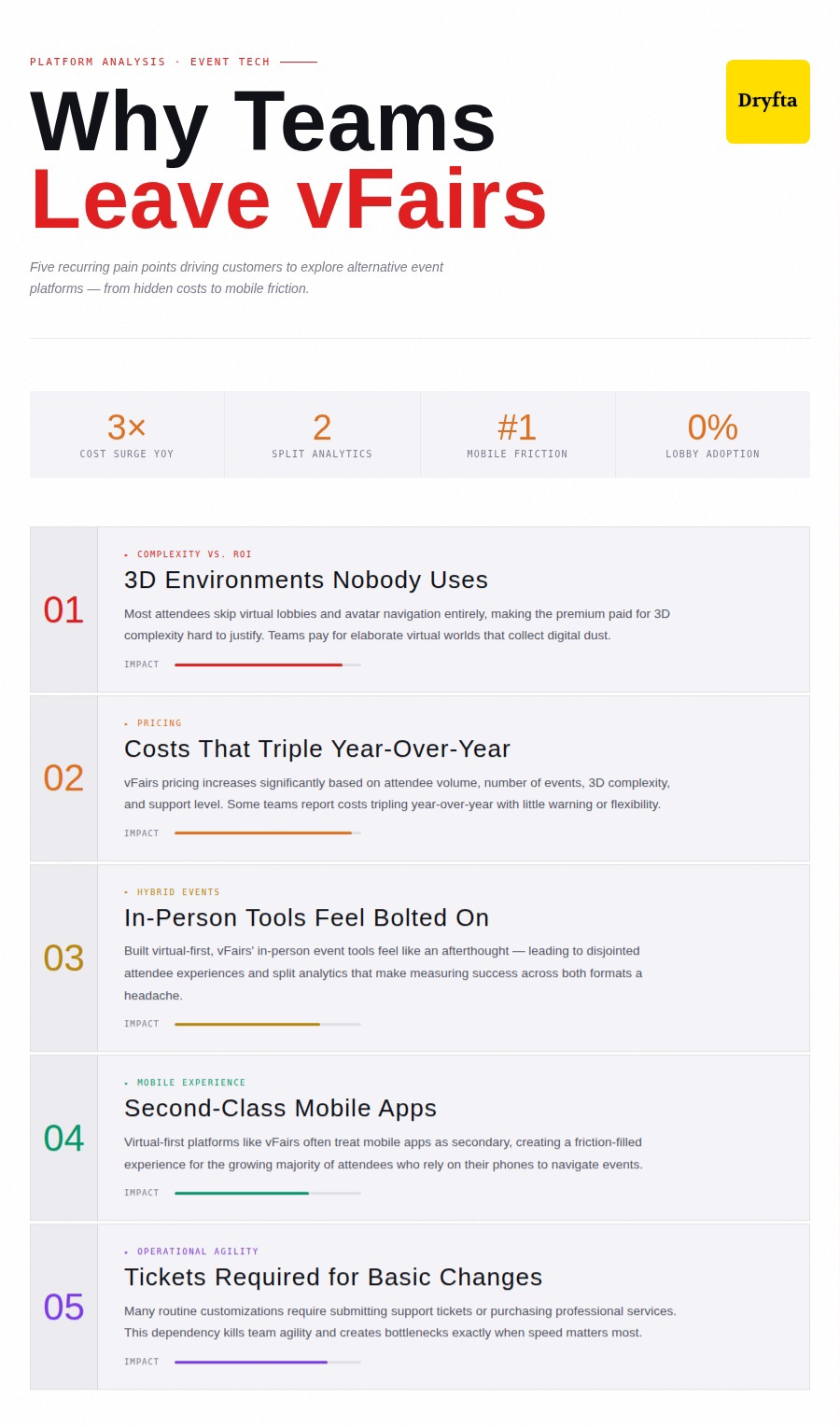
Why People Leave vFairs
-
- Most attendees skip virtual lobbies and avatar navigation entirely, making the premium paid for 3D complexity hard to justify
- vFairs pricing increases significantly based on attendee volume, number of events, 3D environment complexity, and support level, with some teams reporting costs tripling year-over-year
- As vFairs was built virtual-first, its in-person event tools feel bolted on, leading to disjointed attendee experiences and split analytics
- Virtual-first platforms like vFairs often treat their mobile apps as secondary, which creates a friction-filled experience for attendees who rely on their phones
- Many changes require submitting support tickets or purchasing professional services, reducing team agility
Top vFairs Alternatives
Below are the leading virtual event software alternatives, with Dryfta ranked first based on overall value, functionality, and flexibility.
Dryfta
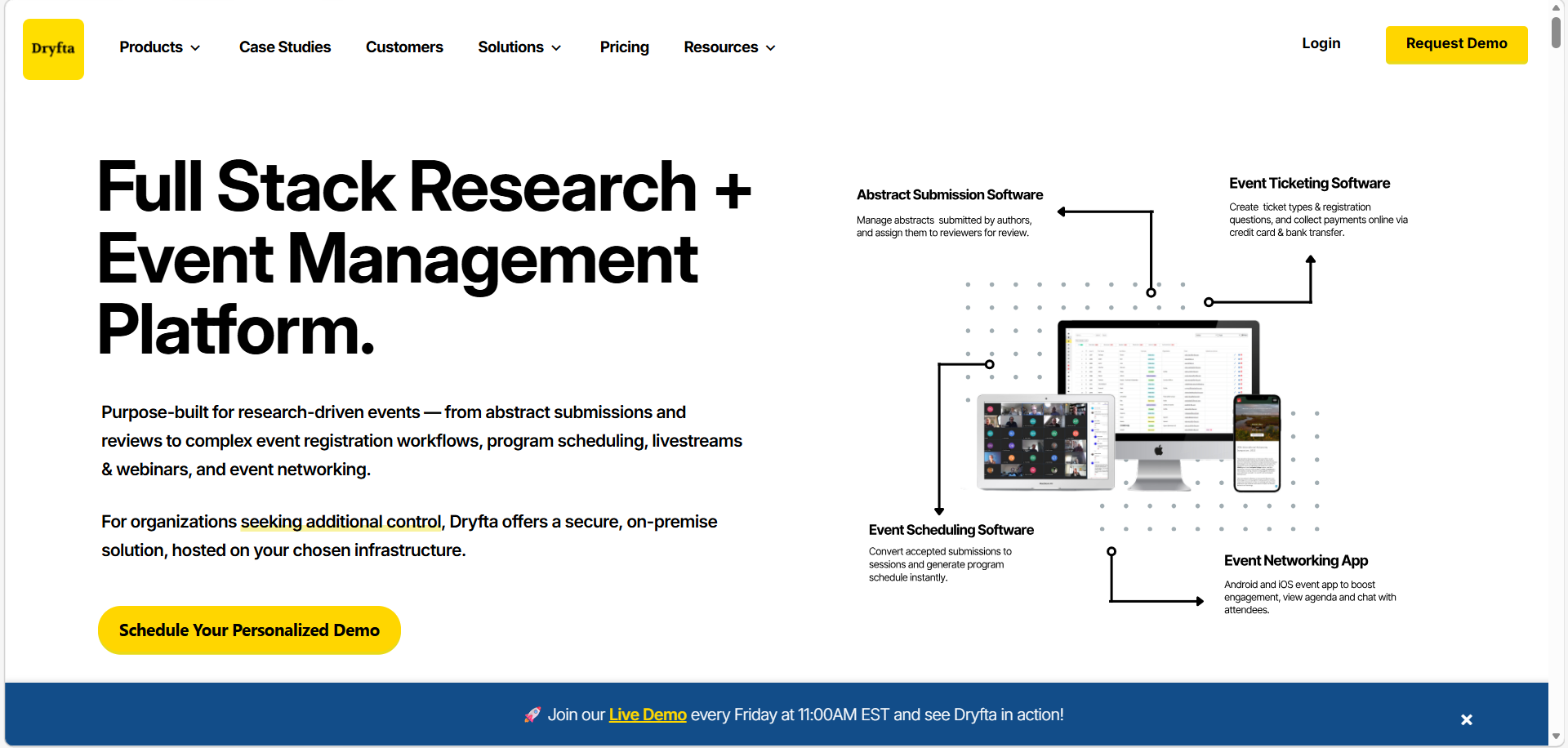
Dryfta is a comprehensive event management platform purpose-built for academic, professional and hybrid conferences.
Who Uses Dryfta?
Universities, research institutions, professional associations, corporate event teams, and nonprofit organizations hosting conferences, seminars, symposiums and hybrid events.
Features
-
- Virtual and hybrid event hosting with live streaming and pre-recorded sessions
- Abstract submission, multi-stage peer review and automated scheduling
- Native iOS and Android event app with access to private messaging, speaker profiles, and interactive event schedules.
- Specialized abstract management software functions for academic and research events.
- In-built registration tracking and attendee CRM capabilities.
- Exclusive ticketing function to work alongside larger event management for your day.
- On-site badge printing and attendee verification services.
API Integration: Dryfta supports integration with Stripe, PayPal, and Razorpay for payments, as well as CRM and marketing tools. An open, documented API is available for custom integrations with third-party platforms.
Customer Support: Dryfta is consistently praised for hands-on onboarding support, dedicated setup assistance, and responsive customer service. Users highlight the quality of one-on-one implementation help as a major differentiator from most vFairs competitors.
Pricing: Dryfta’s prices start at $1,499 a year for events with 100 people or fewer. If you have a bigger event, you can avail the Medium or Large plan by getting a custom quote.
Cvent
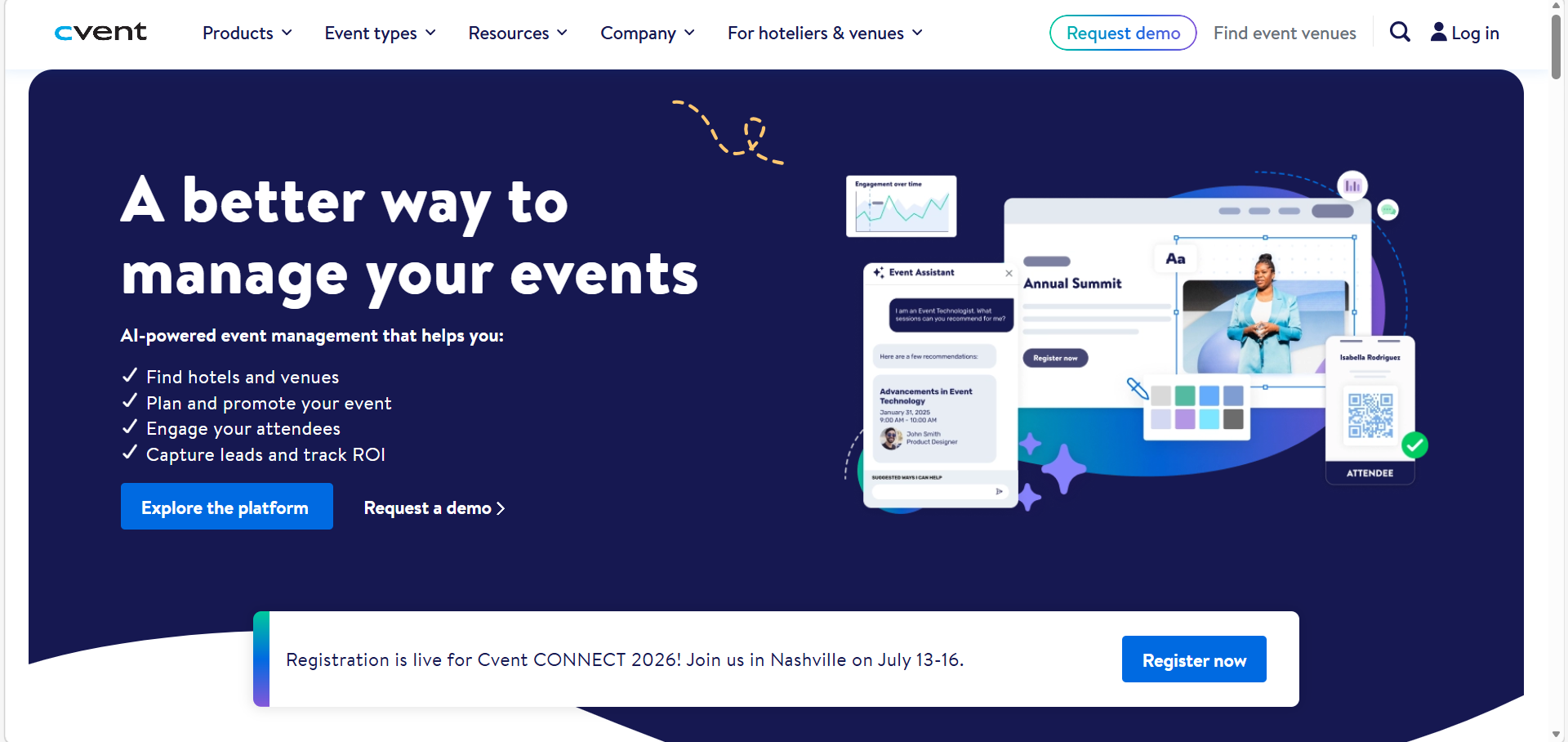
Cvent is an enterprise-grade event management platform offering broad coverage across virtual, hybrid, and in-person events.
Who Uses Cvent?
Large enterprises, associations, nonprofits, and hospitality organizations that manage complex, high-volume event programs throughout the year.
Features
-
- Comprehensive event registration and ticketing
- Venue sourcing and supplier management network
- Virtual and hybrid event capabilities
API Integration: Cvent offers integrations with major CRMs, including Salesforce and HubSpot, as well as marketing automation platforms.
Customer Support: Support quality varies by contract tier. Enterprise clients typically receive dedicated customer success managers and smaller clients may have more limited access to direct support.
Pricing: Cvent does not publicize its pricing upfront. The organization offers a quote only upon request from event organizers.
Airmeet
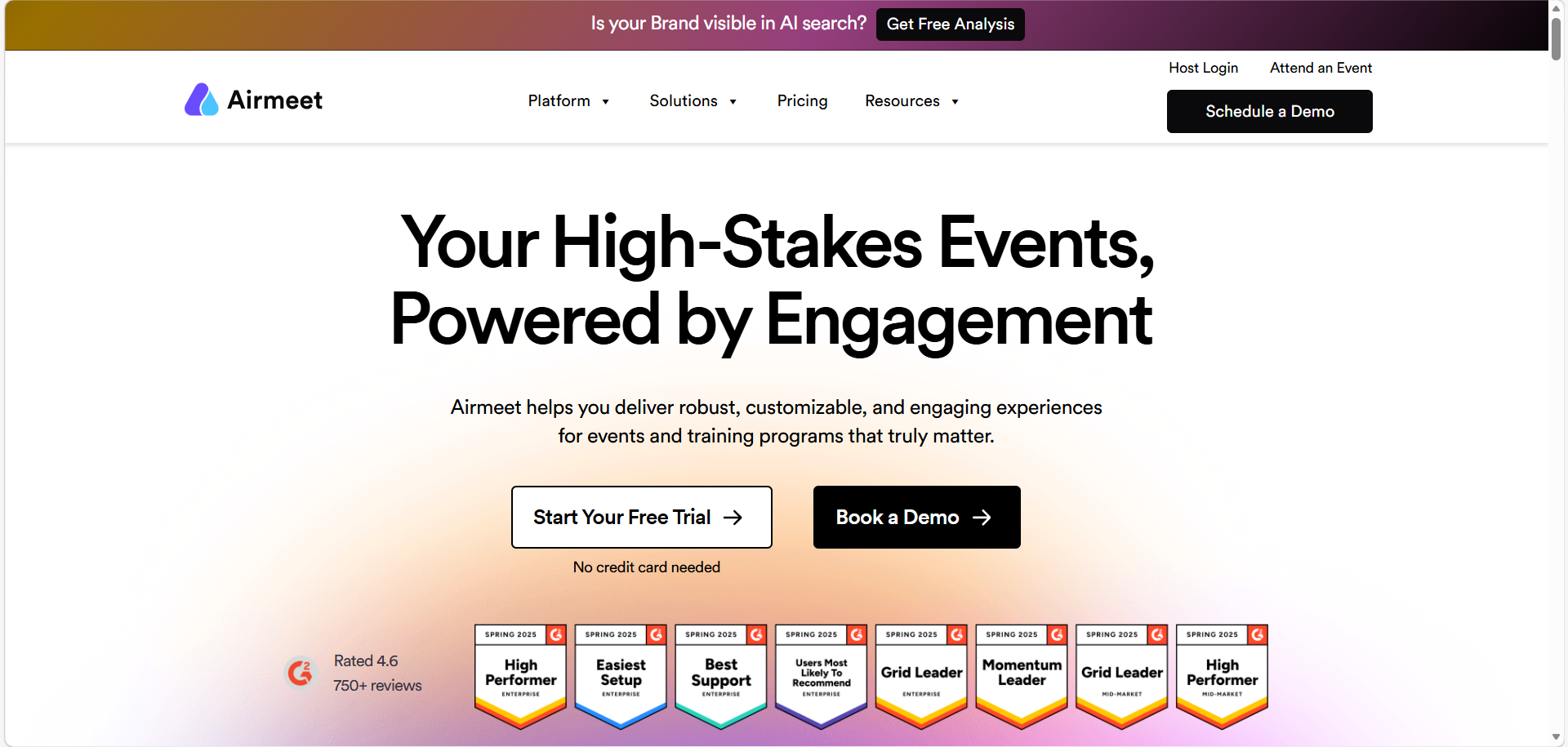
Airmeet is a virtual and hybrid event platform focused on delivering meaningful networking experiences.
Who Uses Airmeet?
Corporate teams, community organizations, marketing departments, and professional associations that are hosting networking-driven virtual or hybrid events and summits.
Features
-
- Structured networking tables and speed networking sessions
- AirStudio production studio for fully branded event experiences
- AX360 networking toolkit with multiple engagement formats
- AirControl centralized event management dashboard
API Integration: Airmeet supports integrations with CRM tools, marketing platforms, and third-party streaming services. API access is available for custom workflow development.
Customer Support: Airmeet provides standard customer support with onboarding assistance. Enterprise plans typically include more dedicated support options.
Pricing: Airmeet offers a free plan for basic use. Paid plans start at approximately $167/month (billed annually) More detailed pricing scaling based on attendee volume and features as required.
Whova
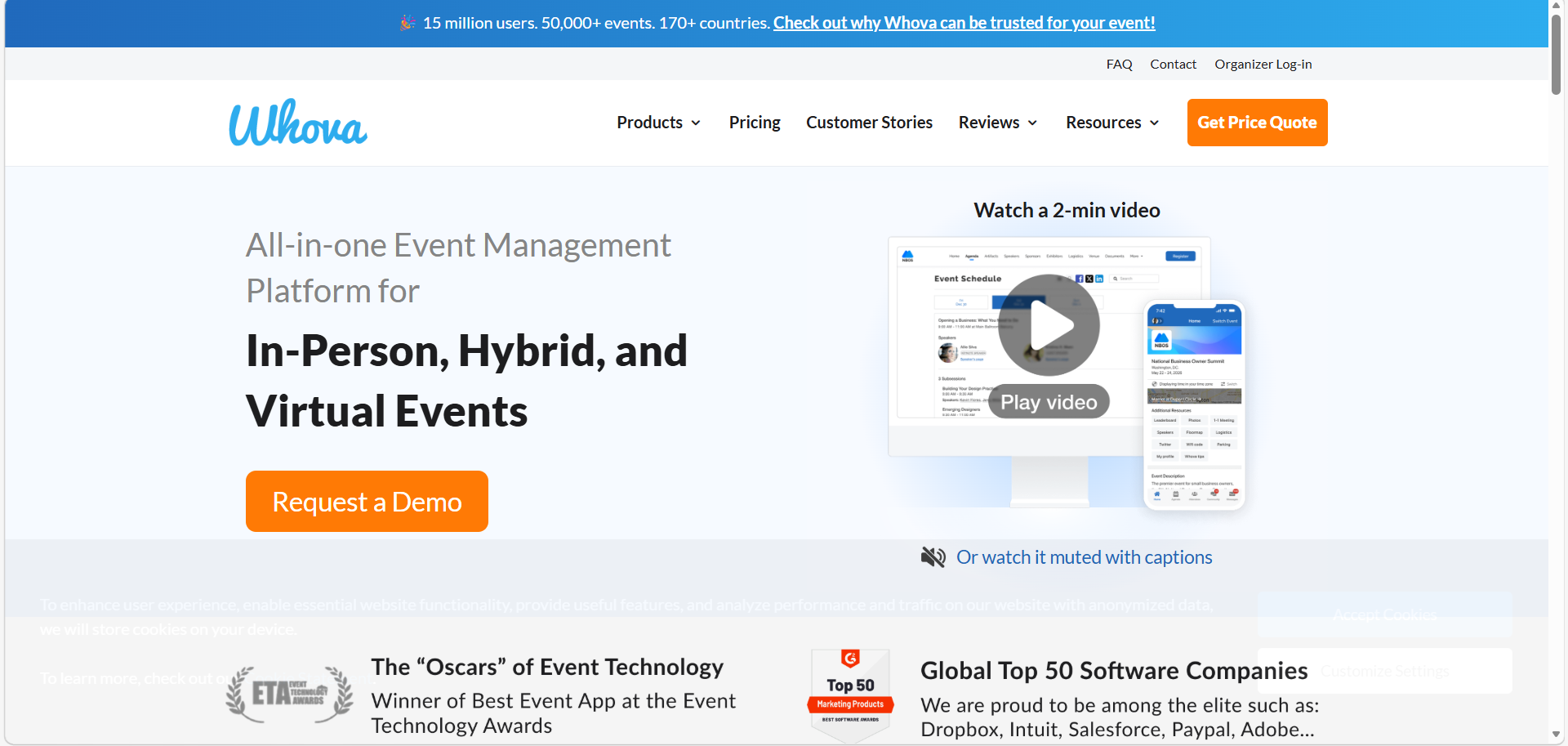
Whova is a community-focused event management platform known for its strong mobile app experience and attendee engagement tools.
Who Uses Whova?
Conference organizers, academic institutions, associations, and corporate events teams that are hosting in-person, virtual, or hybrid events where networking and community are priorities.
Features
-
- Comprehensive agenda management and scheduling
- In-app attendee networking and community boards
API Integration: Whova integrates with registration tools, CRM platforms, and payment processors. API access enables custom data flows for enterprise users.
Customer Support: Whova provides responsive customer support and an onboarding process designed to get teams up and running quickly.
Pricing: Whova’s pricing is event-based and provided via a custom quote. For ticketing, you pay per person, approximately 3% plus $0.99 fee for each ticket. This can add up for big events, but the extra interaction might be valuable. However, Whova’s quote-only pricing is what determines the final figure.
Eventbrite
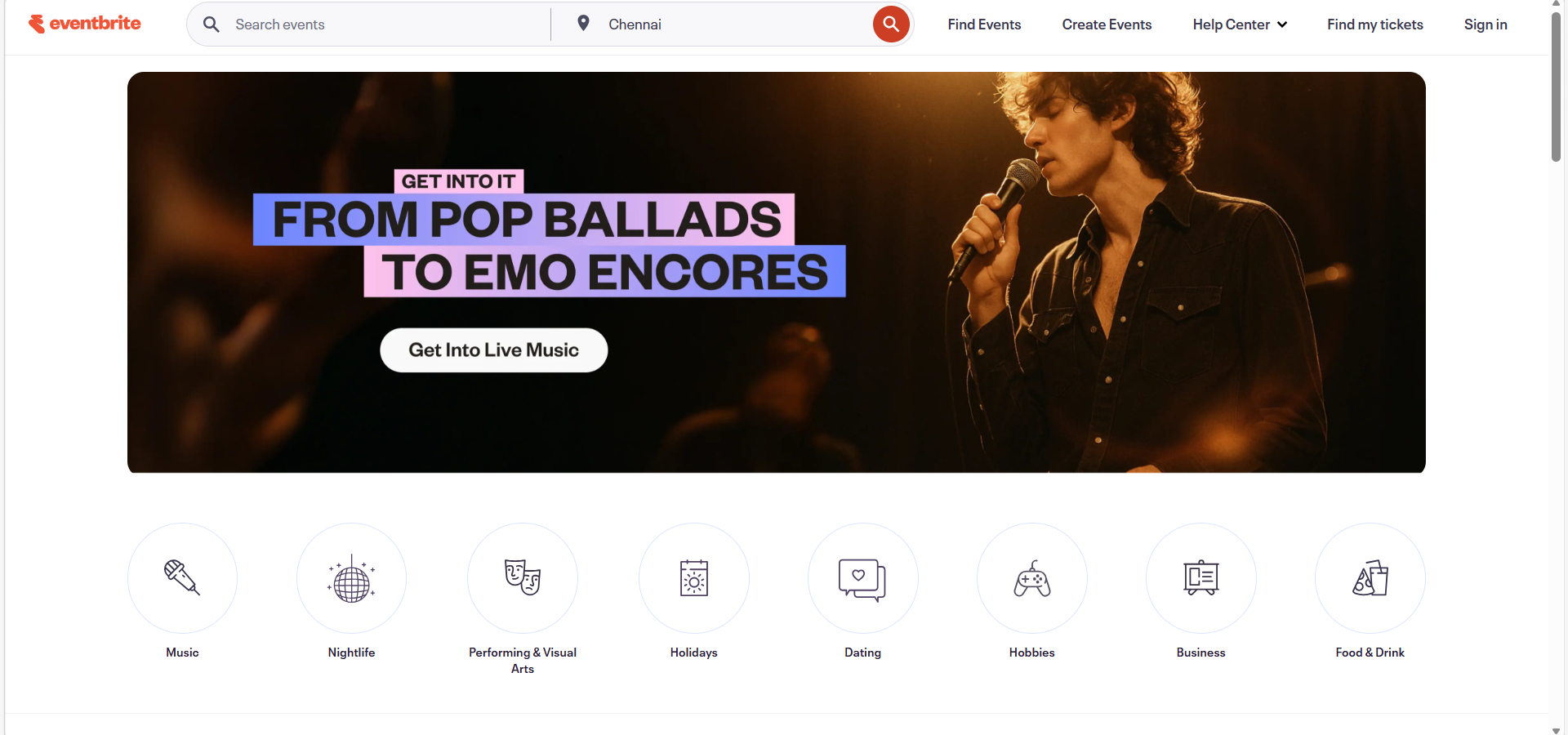
Eventbrite is a widely used ticketing and event registration platform best suited for simpler events where the primary need is ticket sales and attendee registration management. It is to be noted that it is not a full virtual event platform, but it is one of the most preferred vFairs alternatives.
Who Uses Eventbrite?
Small to mid-size event organizers, community event planners, nonprofits, and businesses hosting public-facing events where straightforward ticketing and discovery are the main requirements.
Features
-
- Easy event creation and ticket sales setup
- Public event discovery through the Eventbrite marketplace
- Basic attendee management and reporting
- Email marketing tools available on Pro plans
API Integration: Eventbrite offers integrations with Mailchimp, Salesforce, Zoom, and other popular tools. An API is available for developers building custom workflows.
Customer Support: Eventbrite provides self-service help documentation and email-based support. Live support is fairly limited and response times can vary during high-demand periods.
Pricing: Eventbrite charges nothing if your event is free. For paid events, you pay 3.7% plus $1.79 per ticket sold. They also take around 2.9% from the transaction itself. This setup works if you want to avoid high upfront costs and only pay when you sell tickets.
ON24
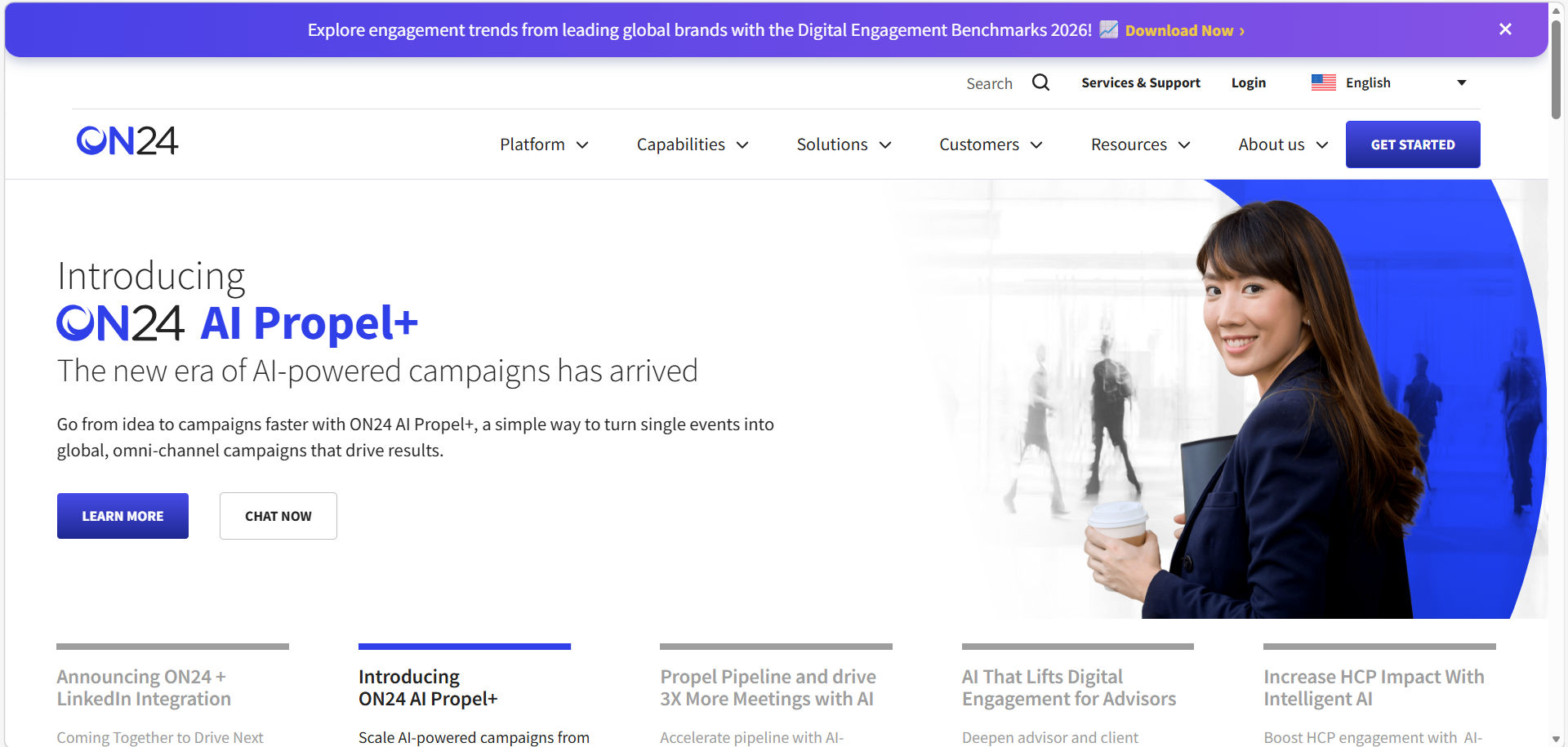
ON24 is a purpose-built webinar and digital experience platform designed primarily for marketing demand generation. It is one of the most recognized virtual event software alternatives for teams that run webinars as a core part of their marketing strategy.
Who Uses ON24?
Marketing teams, demand generation professionals, and B2B organizations use webinars as the primary vehicle for lead generation, product education, and pipeline development.
Features
-
- Purpose-built webinar engagement tools
- Deep marketing automation and lead scoring integration
- Content hubs for on-demand webinar libraries
- Real-time analytics focused on audience engagement and conversion
- AI-powered content recommendations
API Integration: ON24 offers strong native integrations with HubSpot, Salesforce, Marketo, and Eloqua. API access is available for custom marketing workflow automation.
Customer Support: ON24 provides tiered support with dedicated customer success resources for higher-tier plans. Support is oriented toward marketing use cases rather than complex event operations.
Pricing: ON24 is a mid-to-upper market platform with pricing available via a custom quote. It is generally positioned as a webinar-specific solution and may not offer cost-effective value for full conference or trade show use cases.
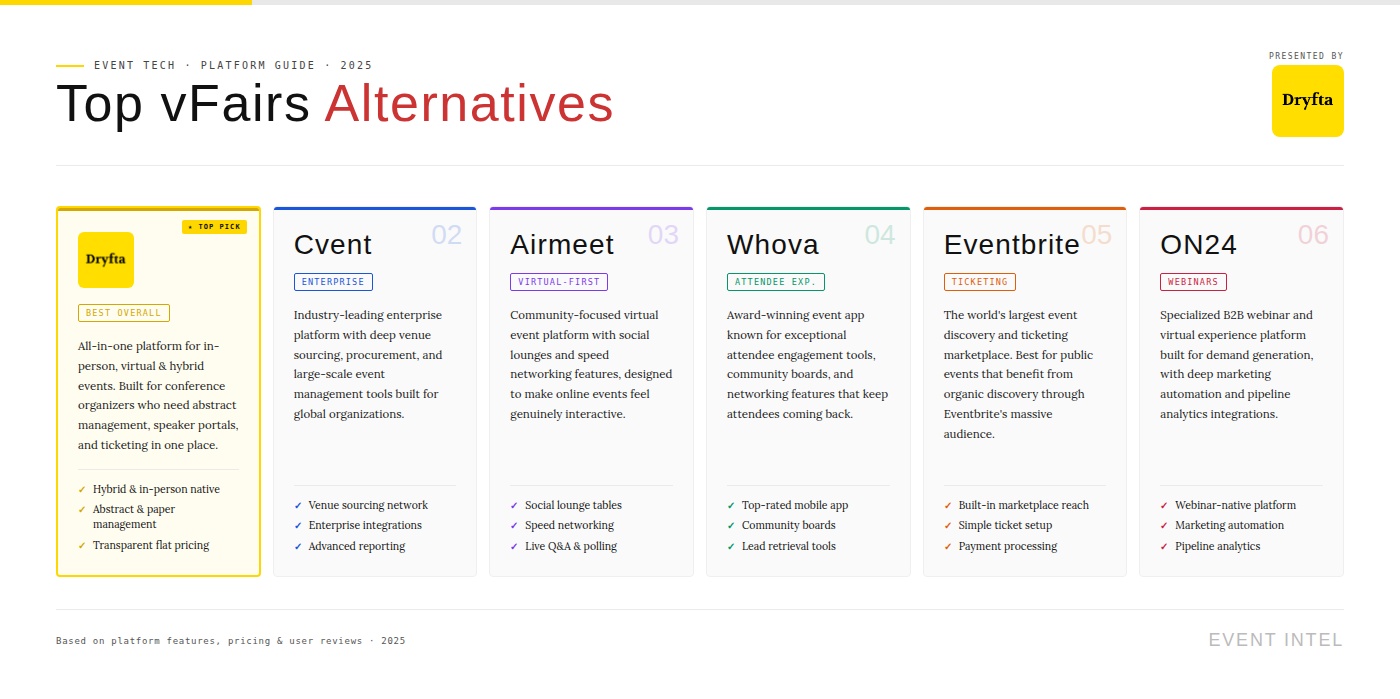
Comparison Table- Top vFairs Alternatives
The table below summarizes the key differences between Dryfta and the leading vFairs competitors across the most important evaluation criteria.
| Platform | Who Uses? | Key Features | API Integrations | Customer Support | Pricing |
|---|---|---|---|---|---|
| Dryfta | Academic varsities, corporates, giant conglomerates. | All-in-one event management, completely automated systems | Stripe, PayPal, open API | Available throughout | From $1499 per year; custom quote available by event size and type |
| Cvent | Large enterprises and associations. | Event registration and ticketing, venue sourcing and supplier management | Salesforce, HubSpot, custom API | Limited support for smaller events. Full-on for enterprise events | Request-only |
| Airmeet | Marketers and creative corporations. | Speed networking tables, AirStudio branded event production, AirIntel performance analytics | CRM, streaming, custom API | Standard support during onboarding. | From $167 per month and subject to additional charges |
| Whova | Medium-size organizers and academic organizations. | Agenda management and scheduling, attendee networking and community boards | CRM, payment processors | Onboarding support available. Additional support upon request. | Not disclosed, request-only |
| Eventbrite | Entertainment event organizations and other institutions. | Easy ticket sales setup, public event discovery marketplace, basic attendee reporting | MailChimp, Salesforce, Zoom | Email support available. Live support subject to event type | Per-ticket-based for its event ticketing software. Custom-only for large events. |
| ON24 | Demand generation teams and marketers | Extensive webinar tools, lead scoring and demand generation, AI-powered content recommendations | HubSpot, Marketo, Eloqua | Available throughout | Not disclosed. |
How to Switch From vFairs to Another Event Platform
Once you have chosen to switch from VFairs to a more efficient software for your needs, there are few tasks that need a closer look at before you bid goodbye. Switching to a new platform does not happen like magic or woo woo with the snap of a finger or the swishing of a wand. No.
Switching also means transferring existing data from your older platform, in this case VFairs, to your new platform of choice. It also means figuring out how to integrate any existing tools with the new platform as well learning to tread new waters. When switching from VFairs to another event platform, here are some things to watch out for:
- Export attendee data: Getting complete information out of your current system (including registration details, session attendance and participation metrics) is the most important first step. Request full data exports well before your migration deadline to allow time for troubleshooting since export processes sometimes fail or produce incomplete results.
- Registration migration: Moving confirmed attendees to your new platform should happen without requiring them to re-register and go through the entire process again. Seamless migration preserves attendee information and avoids creating frustration that damages your organization’s professional reputation.
- Agenda and session transfer: Speaker information, session descriptions, tracks and scheduling details must move accurately to prevent errors in your program. Verify that all session metadata transfers correctly rather than assuming automated imports work perfectly since even small errors can cause major confusion.
- Sponsor and exhibitor migration: Preserving commercial partner information, booth assignments and exhibitor portal access maintains sponsor relationships during the transition. Give exhibitors advance notice about platform changes and provide migration support so they don’t feel abandoned during the technical transition.
- CRM integration migration: Reconnecting your data flow to sales and marketing systems means attendee information continues feeding into business processes. Test integrations thoroughly before going live to avoid data gaps that break automated campaigns and sales workflows.
- Virtual booth transition: Moving exhibitor customization, uploaded content and lead capture configurations to the new platform requires careful attention to detail. Work with sponsors to verify their booths look and function as expected since their investment depends on proper technical implementation.
- Mobile app transition: Publishing new apps or updating existing ones to point to new event data takes time for app store approvals. Plan for the typical 2-3 day review process when scheduling your migration, and factor in additional time if app stores request changes or clarifications.
- Communication workflows: Updating automated emails and notifications so they come from the new system prevents confusing attendees with mixed messages. Test email templates and triggers before enabling automated communications since sending incorrect emails damages credibility and creates support burdens.
- Team onboarding and training: Getting your staff comfortable with new tools before the event goes live reduces stress and prevents mistakes. Schedule training sessions well in advance rather than rushing through orientation the week before your conference when everyone is already overwhelmed with last-minute preparations.
- Reducing attendee disruption: Making the migration as invisible as possible to your audience should be a top priority throughout the entire process. Clear communication about any changes attendees will notice helps manage expectations and reduces confusion that generates support tickets.
Key Takeaways
-
- Dryfta is the best vFairs alternative for organizations seeking a feature-rich, fairly priced, and flexible event management platform that works equally well for virtual, hybrid and in-person events
- When going over vFairs’s competitors, prioritize platforms with transparent pricing, deep CRM integration, strong mobile apps, and reliable 24/7 support.
- Dryfta’s abstract management, CE credit automation and unified mobile app make it the ideal choice if you are an academic institution, professional association or a research-driven conference.
- For enterprise organizations with large budgets and dedicated event teams, Cvent remains a viable option, though it comes at a significant premium
- For networking-driven events, Airmeet and Whova are strong virtual event software alternatives worth evaluating alongside Dryfta
- Eventbrite and ON24 serve some narrow use cases. If you are looking at simple, straightforward ticketing and webinars, respectively, these 2 platforms come in handy. However, they will not suffice and cannot be treated as full vFairs replacements.
- The virtual event market has moved past 3D novelty. What matters today is reliability, usability, hybrid support and the ability to prove ROI to stakeholders. These are factors that vFairs alternatives and competitors are banking on.
Frequently Asked Questions
What are the best vFairs alternatives?
The best vFairs alternatives in 2026 include Dryfta, Cvent, Airmeet, Whova, Eventbrite and ON24. Dryfta ranks as the top overall option for most organizations thanks to its strong virtual and hybrid event capabilities and its transparent, flat-rate pricing. The right choice also has to do with your specific event format, budget and features.
Why should I look for alternatives to vFairs?
Organizations usually get on to exploring vFairs alternatives due to pricing that scales unpredictably with event size. This also has to do with things like its limitedness when it comes to live event support as well as a lack in 3D environment features that attendees rarely use. If you are a current user of vFairs and are planning to include more hybrid formats for your event or you need further CRM integrations, looking at competitors is a smart move.
Which vFairs alternative is best for virtual events?
Dryfta is the strongest vFairs alternative for virtual events, offering live streaming, virtual session management, real-time engagement tools, attendee networking and a full-featured mobile app within one unified platform. Airmeet is also a strong choice for networking-heavy virtual events. ON24 excels in formats like marketing webinars and demand generation programs.
Are there any free or budget-friendly alternatives to vFairs?
Eventbrite offers a free plan for free events and is a widely-used vFairs alternatives for free to fulfill basic ticketing needs. Airmeet also provides a limited free tier. For full virtual event functionality at a budget-friendly price, Dryfta’s plans starting at $1,499/year offer strong value with no hidden per-attendee fees. This makes it one of the most cost-effective virtual event software alternatives for growing organizations.
Which vFairs alternatives are best for hybrid events?
Dryfta is the top-ranked vFairs alternative for hybrid events, offering unified registration, combined analytics, QR check-in, badge printing and a consistent mobile experience for both virtual and in-person attendees. Cvent is also strong for hybrid events at the enterprise level. Both outperform vFairs in hybrid scenarios because they were designed to serve mixed audiences from the ground up.
What features should I look for in a vFairs alternative?
When evaluating vFairs competitors, prioritize platforms that give unified hybrid event management, native CRM integrations, transparent pricing without per-attendee fees, a native mobile app, and the flexibility to customize without vendor dependency. For academic or professional events, abstract management and CE credit tracking are also important differentiators to consider.
