Designing your Event Website is Now a Lot Easier

event website builder


The updates for the Dryfta event website builder were long due, and that’s why we have been working hard on the new website builder over the past few weeks. Unlike the previous version, this new website designer tool makes it a lot easier and quicker to design the website homepage, edit top navigation menus and create content pages.

Starting with the new website designer’s user interface itself, the new interface would open standalone, with the main sidebar collapsing automatically. That means the admin has the full screen to design the website. Also, to choose a theme for the website, one does not have to go to a separate page anymore. They can do so using the Theme Switcher in the top left.
Continue reading

Event Task Management: Owners, Deadlines and Handoffs

Task Management Tools for Event Planners


Use this guide to turn an agreed event plan into an action tracker. Give each deliverable an owner, a due date, its prerequisites and evidence of completion, so the team can see what is ready, blocked or waiting for a decision.

If you are still choosing where the team will chat, share documents and manage event information, use the event planning collaboration-tool comparison first. The task here is to run the work once those responsibilities and tools are agreed.

Build an event action tracker around handoffs

  1. Write a deliverable, not a vague activity. Replace “work on the programme” with a result such as “programme approved for publication.” Record what must exist for the task to be complete and where the approved result will be kept.
  2. Name an owner and any approver. One person takes responsibility for moving the task forward. If another person must accept the result, record that approval separately. Agree who covers the task if the owner is unavailable; a department name alone leaves the handoff unclear.
  3. Set the deadline for the next person’s work. Record the date, time and time zone, then link the task to any prerequisite. For example, a speaker briefing may depend on a confirmed session time and room. Give the receiving team time to act instead of using the event’s opening time as every task’s deadline.
  4. Use a small set of meaningful states. Agree what not started, in progress, blocked, awaiting approval and done mean. For a blocked item, record the missing decision or input, the person who can supply it and the next action. A conversation about the problem is not the same as completing the task.
  5. Control changes at the handoff. If an approved session time changes, identify the briefing, signage, web and onsite tasks that depend on it. Reopen the affected tasks, link to the current approved version and confirm who must acknowledge the change. Keep access appropriate to each person’s role.
  6. Review exceptions and close with evidence. In the team check-in, focus on overdue items, blockers and decisions that delay other work. Close a task with its approval, document version or other agreed evidence. Carry unresolved items into the next shift or event-day handoff with a named owner and next action.

Copy these tracker fields: task ID, deliverable, owner, approver, due date and time zone, prerequisite, status, next action, and completion evidence. For “publish the final programme,” the evidence could be the approved version and published page; the next team should use that version rather than a separate attachment.

Ask any tool you consider to demonstrate this record, a blocked task, an approval and a change passed to the next team. Keep messaging, audience engagement and ticketing roles distinct from task ownership; confirm what the product actually supports and what your team will manage through another process.

Use the tool profiles to check workflow fit

The profiles below are legacy reference material covering several different tool roles. Check current availability, features and integrations with each supplier, then apply the handoff checklist above to the tools you use. A messaging, polling or ticketing role does not by itself establish who owns a task or how its completion reaches the next team.


#1 Trello

Trello
Continue reading

10 Best Travel Credit Cards for 2021 (US)

Travel Credit Card


Traveling to an Event? Here are the Best Travel Credit Cards in the United States in 2021. Based on Rewards, Bonuses & Key Features & Annual Fees.


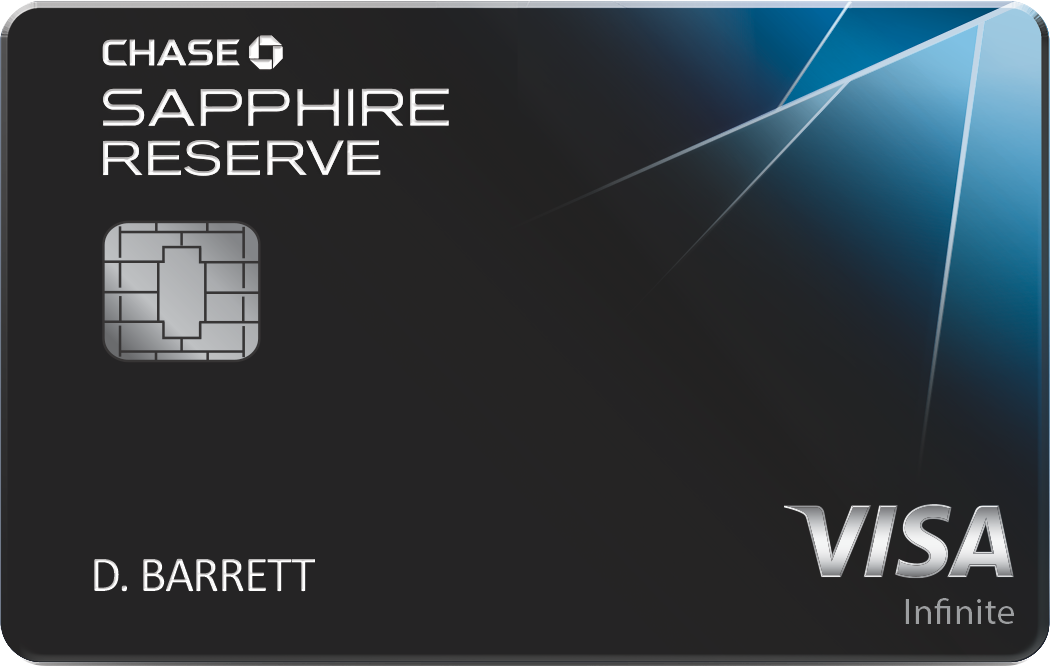
Chase Sapphire Reserve® Credit Card

Chase Sapphire Reserve


🎁 Rewards
☑ Annual travel credit of $300
☑ 50,000 bonus points on spending $4,000 in first 3 months

🎯 Key Features
☑ Unlimited 3x points on travel and dining purchases
☑ Priority Pass Select membership: Provides access to over 1,000 airport lounges worldwide plus a selection of restaurants. The cardholder and two guests can enter for free; additional guests cost $32 each.
☑ 1:1 point transfer to leading airline and hotel loyalty programs
☑ Visa Infinite Concierge: Call for non-emergency help of all kinds
☑ Reimbursement for the application fee for TSA PreCheck or Global Entry
☑ No foreign transaction fees
Continue reading

Top 10 Microsoft Excel Alternatives {2026}

Top 10 Microsoft Excel Alternatives


With the Microsoft Office suite becoming increasingly pricey with each update, it’s no wonder many are looking for more pocket-friendly versions of its components. For techies and professionals dealing with large blocks of data, Microsoft Excel is a key software in data organization and management. However, if you’re an occasional user, you would most likely shy away from investing a chunk of cash on this suite. Luckily, there are a few great paid and free alternatives to Excel on the Internet. Let’s check them out and see how they fare against the mighty spreadsheet software from Microsoft.


#1 Google Sheets

google-sheets
Continue reading

10 Ways To Market Your Virtual Event Effectively

10-ways-to-market-your-virtual-events
With the COVID-19 virus on the rise, it’s no wonder the boom in demand for virtual space and video conferencing. And with the presence of numerous virtual events on the internet, most event planners and even marketers are stumped at a single point, how to get the most pairs of eyes on their respective virtual events. Many would say that the key is to be as creative and attention-grabbing as possible. But isn’t that a bit too vague? So, here’s are a list of more substantial ideas to help you market your virtual event like a professional.

Continue reading

Best Social Network for Promoting Academic Conferences: Twitter, Facebook, Pinterest or LinkedIn?

social-networks


Academic social networking sites, or ASNS as they are referred to, are digital platforms that have been gaining immense traction over the last few years as means of publishing and sharing academic content. From research papers and academic events to professional networking, ASNS are bringing about a paradigm shift in academic information disbursement.

Having said that, social networks such as Facebook, Twitter, Pinterest & LinkedIn are communities that haven’t been given their due for their immense capabilities in event promotion & communiqué. Let’s look at how we ought to leverage these seemingly informal platforms to promote academic conferences.

Continue reading

10 Fresh Ideas to Keep Attendees Glued to your Virtual Event

ideas-for-virtual-event
With everything going on right now, it seems like the whole event industry has turned to virtual events as the primary means of event delivery. And with the rise of virtual events and meetups, it is getting a little bit tricky to keep your online participants’ attention. But don’t fret. We have just the ideas for you to keep your online guests as engaged as ever. Read on to see what they are.

Pre-Event

#1 Online polls and opinion sharing

Organizing live online polls during a virtual session lets your guests feel more a part of your virtual event. Asking for their opinion shows that you’re genuinely designing an event for them. It also gives you some great insights into how your audience is thinking on a specific topic.
Continue reading

Introducing Rooms: One place for group chat and video calls

group-chat-video-calls
 

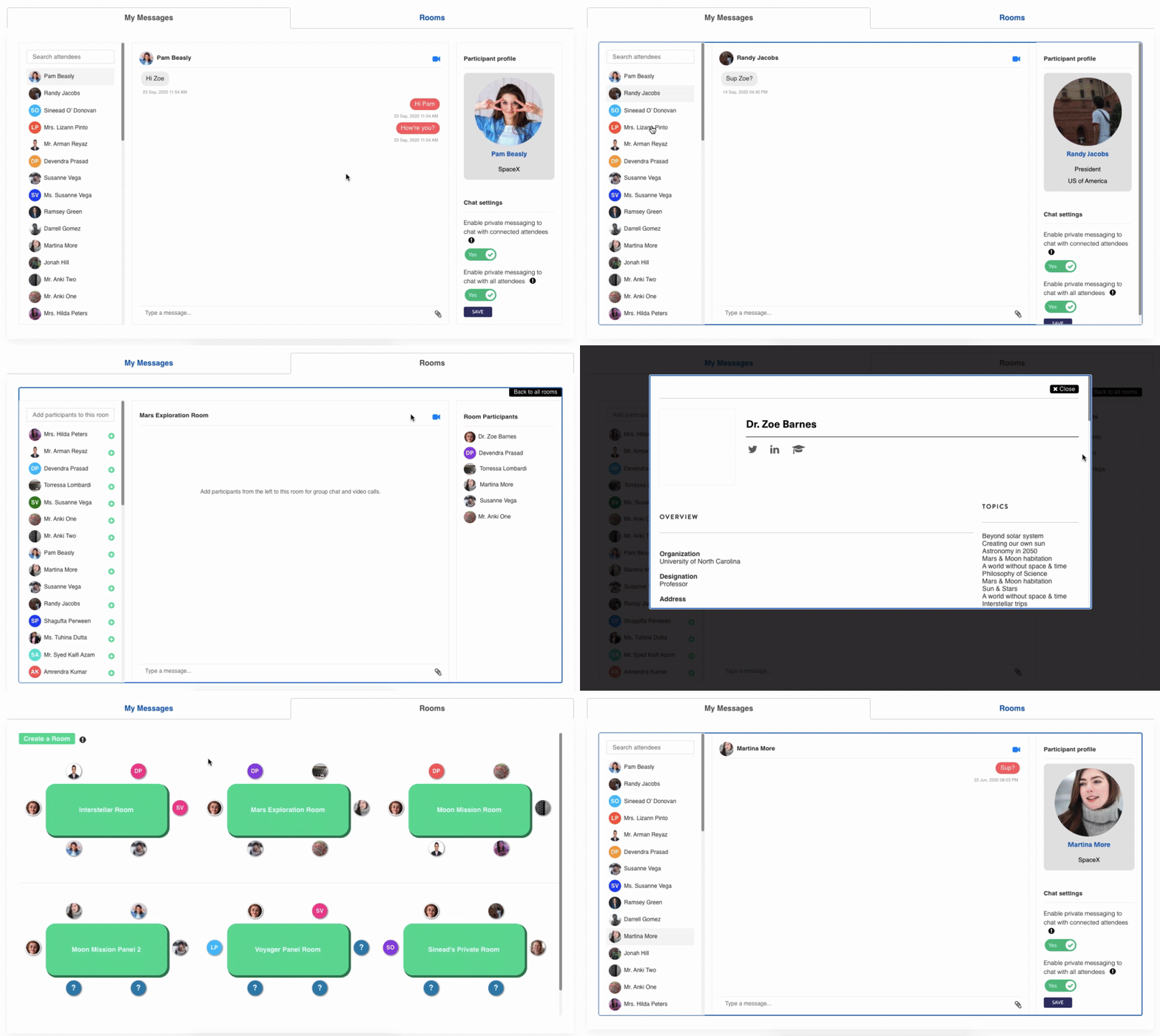
As part of its virtual event platform offering, Dryfta provides live interaction tools including live chats, polls and Q&A for attendees to communicate with each other at a virtual or an in-person event. For building a more engaging and thriving community, Dryfta also provides an online community platform so as to keep the participants engaged year-round and not just for the duration of the event.

To further improve the communication among event participants, we are introducing Rooms.

Continue reading

10 Best Folding Bikes to Ride within City


Given the city’s daily hustle and bustle, it is no wonder that most people are opting to cycle to places within reach these days. And what with the presence of folding bikes in the market. But even among such handy and compact modes of transport, there are a variety of types. Each of these suits a single terrain type, which is why you should be doing your research before going out and buying one.
Continue reading

What is an Abstract Management System?

Home > Blog > Abstract management software > What is an abstract management system?

abstract_management_system


What is an abstract management system & How does it work?

As the word suggests, an abstract summarizes a larger document, primarily used in academic content (such as a research paper). When several authors prepare their abstracts and submit it to a conference through an online channel, it is referred to as abstract submission. This process of abstract submission and management is where an abstract management system comes into play.

Abstracts management, i.e., the process of receiving, accepting, preparing, and reviewing abstracts, can be made easy & efficient via abstract management software.

Continue reading

Top 10 Online Community Software for Events {2026}


If you’re an event organizer and want your participants to keep flocking back to your events & conferences every year, you need to keep them engaged year-round and not just for the event.

Start by giving them an online community platform to create engagements that inspire action. Keep them involved and connected. The more they’re invested in building, growing, and engaging with your online community, the higher is the chance they’ll join your in-person event.

We researched the best online community software based on their features list, user interface & user experience, and pricing.


Forumbee

forumbee-community-platform
Continue reading

5 Ways to Implement Automation for Your Next Event

Dryfta_5-Ways-to-Implement-Automation-For-Your-Next-Event_Feature

If your organization often hosts events, you know that it can be hard getting your offering to break the surface and effectively resonate with your audience. However, new technology and online solutions make it easier than ever to automate many processes and maximize success even when the event is over.

Your event should reflect your organization’s main goal and aim to connect to potential guests in a personal way— and automation tools can help. Associations and other organizations should invest in solutions to automate communications and simplify internal processes. Otherwise, you’re wasting valuable time that could be spent on your actual event.

Fonteva, is committed to helping associations increase the value of their membership and translate value to their members through events. Even if you don’t work for an association, these best practices and tips can come in handy as you start thinking about your next event strategy.

Whether you’re just now implementing automation tools or want to improve your existing automation strategy, it’s important to consider the event management software and tools that your organization already uses. In this guide, we’ll cover how to best leverage automation for your event and do the following:

  1. Personalize marketing content
  2. Streamline the registration process
  3. Update guests on important event information
  4. Use data to make real-time insights
  5. Engage with guests after the event

When you utilize automation tools for your event, you spend less time creating and sending marketing content and more time engaging your guests and offering genuinely valuable experiences. Ready to learn more? Let’s begin.
Continue reading