Enable Authorized Check-ins to Prevent Attendees from Checking-in Remotely

authorized-check-in


As an organizer, if you wish to allow attendees to check-in to a program session only once they’re physically present at the venue, you can use the authorized check-in solution from Dryfta. The authorized check-in prevents attendees from checking-in to sessions remotely.

Here’s a quick video tutorial:

Here’s how it works:
Continue reading

A Definitive Guide to Building an Event Website [PDF]

Guide to building an event website


As an event planner, having a website is crucial, especially when you are looking for a platform by which people can find you and solicit your services. But, what makes a good event website? And how do you even go about getting your new site up and running? We have all the details you need in this exhaustive guide on how to build an event website.

Continue reading

University of Pennsylvania – Case Study

Great, comprehensive conference planning platform

The Ethnography in Education Research Forum at the University of Pennsylvania Graduate School of Education invites submissions for its 2019 Annual Meeting and the celebration of the Forum’s 40th anniversary. The Forum welcomes scholars at all career stages seeking a supportive venue for sharing their ethnographic work at various stages of development.

UPenn_Twitter_Banner

Used Dryfta for: Collecting abstracts, Sending email campaigns, Assigning abstracts to reviewers & conducting Peer reviews, Creating Event website, Selling tickets through credit card payments, Creating Program schedule.

Here’s a quick interview with Mary Yee, EdD, University of Pennsylvania Graduate School of Education, about her experience with using Dryfta event platform for Ethnography in Education Research Forum 2019
Continue reading

National LGBTQ Health Conference 2019 by Emory University – A Case Study

Dryfta is a great event platform for conferences

National LGBTQ Health Conference is an interdisciplinary forum that provides an opportunity for presentation and discussion of current health research and programs for LGBTQ adults and adolescents with the overall goal of addressing health inequities for this highly impacted group.

LGBTQ_Conference_Banner

Used Dryfta for: Collecting abstracts, Sending email campaigns, Assigning abstracts to reviewers & conducting Peer review, Creating Event website, Selling tickets through credit card payments, Program schedule building & management, and Engaging attendees on Dryfta event apps.

Here’s a quick interview with April Winningham, Conference Coordinator, about her experience with using Dryfta event platform for National LGBTQ Health Conference
Continue reading

Dryfta is the Best Event Schedule Builder for Event Organizers: Here’s Why

Image from Gyazo


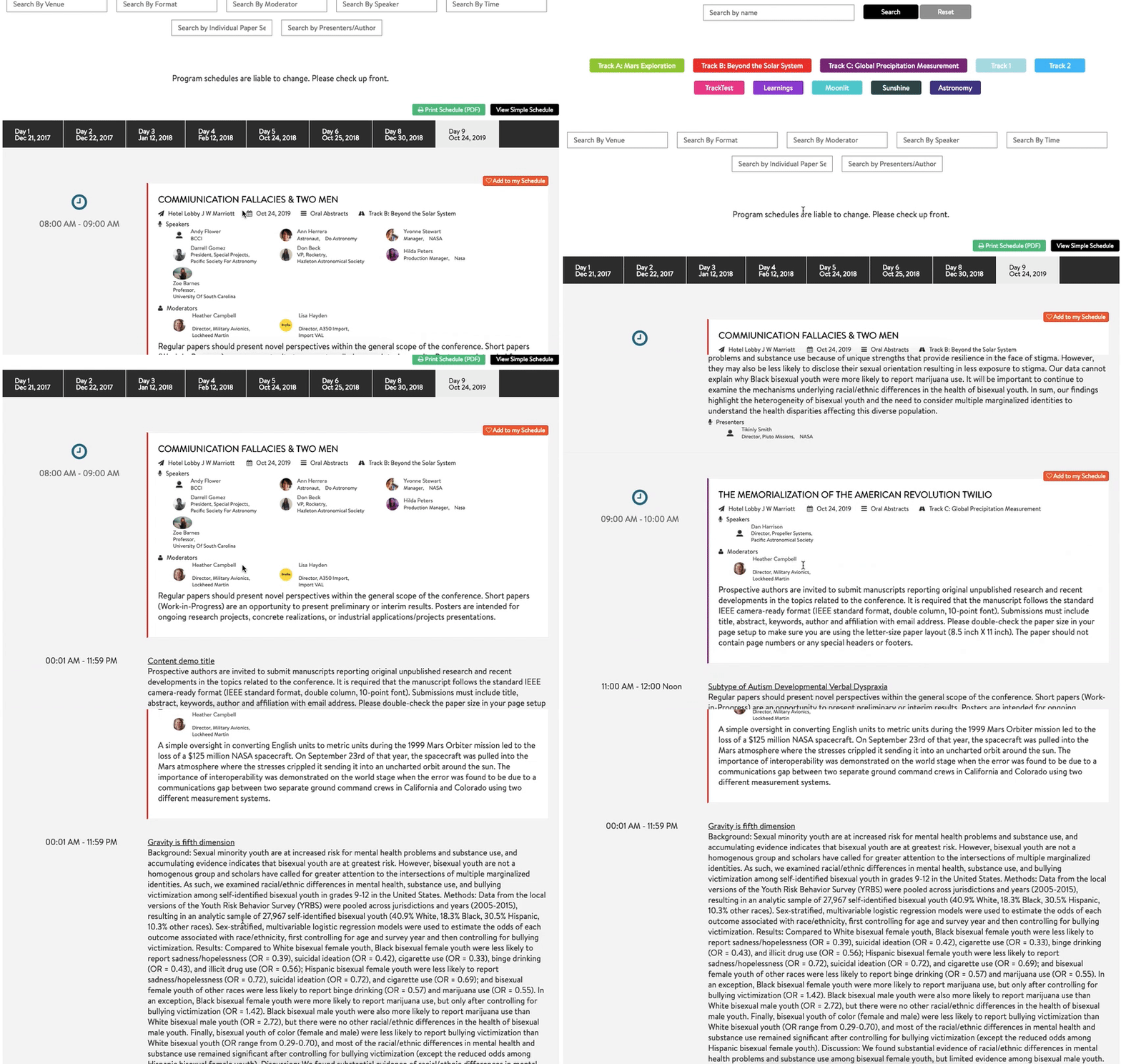
Creating a dynamic and interactive event schedule goes a long way in improving participants’ engagement in a conference. Dryfta event scheduling software comes with a very expansive list of features to make it easy for organizers to build an interactive program schedule in no time.

For participants, it enables them to create a personalized schedule and browse through various sessions on the event website and the event app. When they’re at the conference, they can check-in to program sessions, explore presenters’ bio and other session-related information. Post the conference, participants would use it for submitting feedback for sessions they have attended, downloading the presentation files, etc.

Continue reading

Dryfta has Won Accolades for its Event Management Platform

Dryfta earned recognitions lately after having gone through a review of trusted B2B directory FinancesOnline.com. The results were very positive – our event management software emerged with a score of 8.0 out of 10 and a perfect user satisfaction rating of 100%. We were also mentioned as one of the top SaaS software solutions on their platfrom.

Reviewers observed how our platform specially designed for universities and non-profits is able to help users conceptualize, plan and manage events within a cloud based environment. The software experts further noted the comprehensive features and event management capabilities of Dryfta to facilitate planning events and turning them into successful events.
Continue reading

Organ Preservation Alliance’s Organ Banking Summit 2017 – A Case Study

Excellent, One stop shop for event management – Far exceeds expectations

Organ Preservation Alliance is helping to bring about a world in which organs and tissues are as durable outside the body as they are inside it – with profound implications for science, medicine, and millions of patients around the globe.

organ-preservation-alliance

Used Dryfta for: Collecting abstracts, Sending email notifications, Peer review, Creating Event website, Email marketing, Selling tickets through credit card payments, Program schedule management

Here’s a quick interview with Mark Severs, Operations Director, Organ Preservation Alliance, about his experience with using Dryfta event platform for Organ Banking Summit 2017.
Continue reading

Agenda Conflict Management – Manage Conflicting Sessions in Program Agenda

agenda-conflict-management

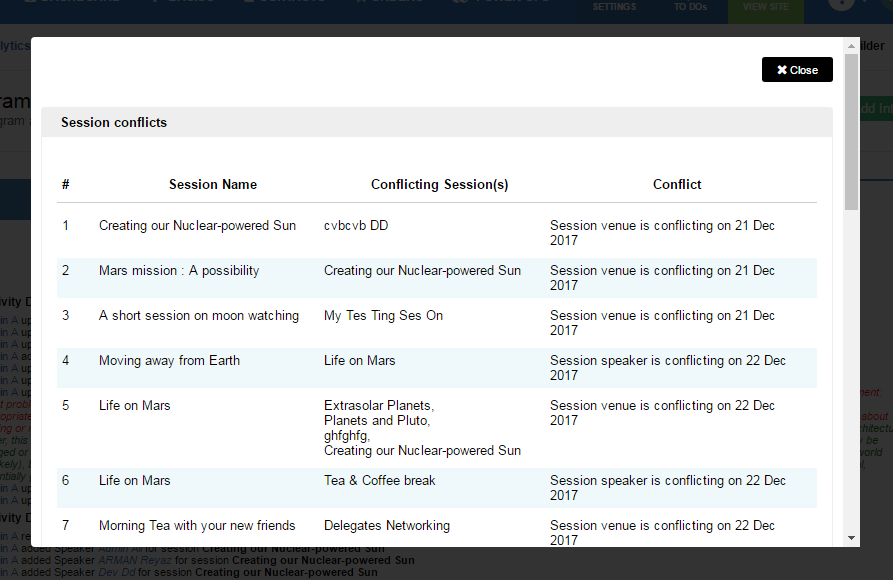
Import your program sessions or add them manually using Quick add button to prepare your program schedule. Once your program schedule is ready, click on Conflicts button to view conflicts between sessions. Each session which is conflict with another session is listed there along with the reason for the conflict.

Conflict management system checks for conflict between venue and time and corresponding speakers. An admin has the option to resolve the conflict by changing the venue, or adjusting the time slot of the session in conflict.

Admin has the option to override conflicts and schedule the sessions as is. This would, however, displays different sessions in program schedule with same venues at the same time slot or same time slot at the same venue.

Get your own Free Event Management Platform

Program Changelog – Track Changes made to your Program Schedule

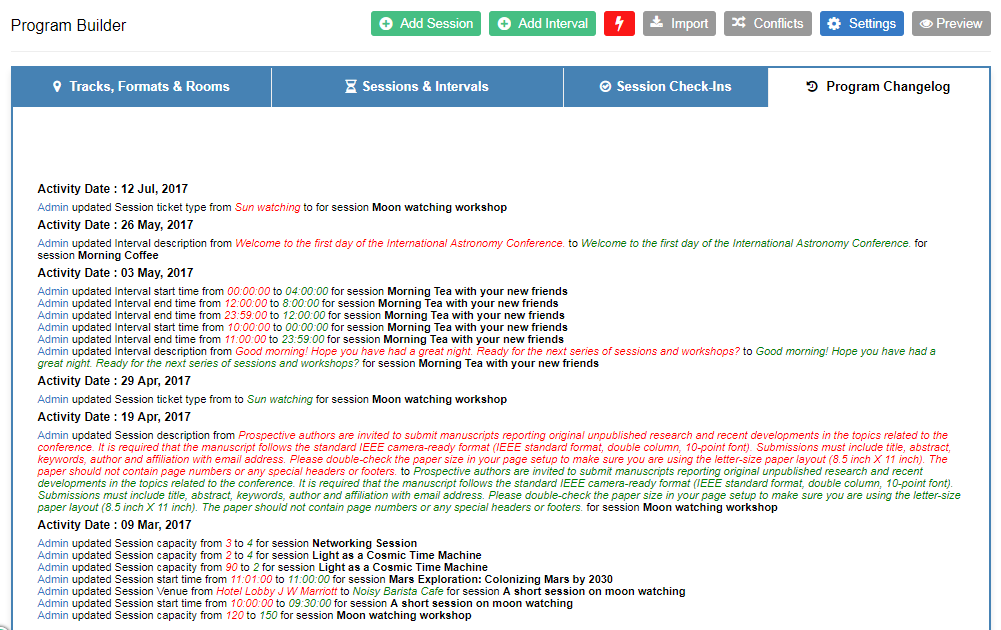
Until now, you were able to create program schedule, list speakers, check-in attendees to sessions et al. With this new update, admin would now be able to track all the changes made to the program agenda.

program_changelog

Changes are now logged and displayed under Program builder tool’s Program Changelog. This helps admins know what changes are made when and by whom which further helps bring accountability among the team members.

The changes that are logged include changes in sessions, speakers, session notes, time slot changes, venue changes, format and track changes.
Continue reading

Build Event Schedule for Your Conferences

Got workshops & presentations lined up for your conference? Get Dryfta Event Platform to add your programs including keynotes, lunch intervals and presentations.

It lets you to add workshops & presentations, rooms & session venues, multiple tracks, multiple formats, speakers and moderators, fetches abstract summary from accepted abstracts automatically and has a built-in session timing conflict prevention system.

Attendees are able to add these sessions to their personal schedule and also be able to check-in to these sessions, share these sessions on their social networks, share photos and engage in live discussions.

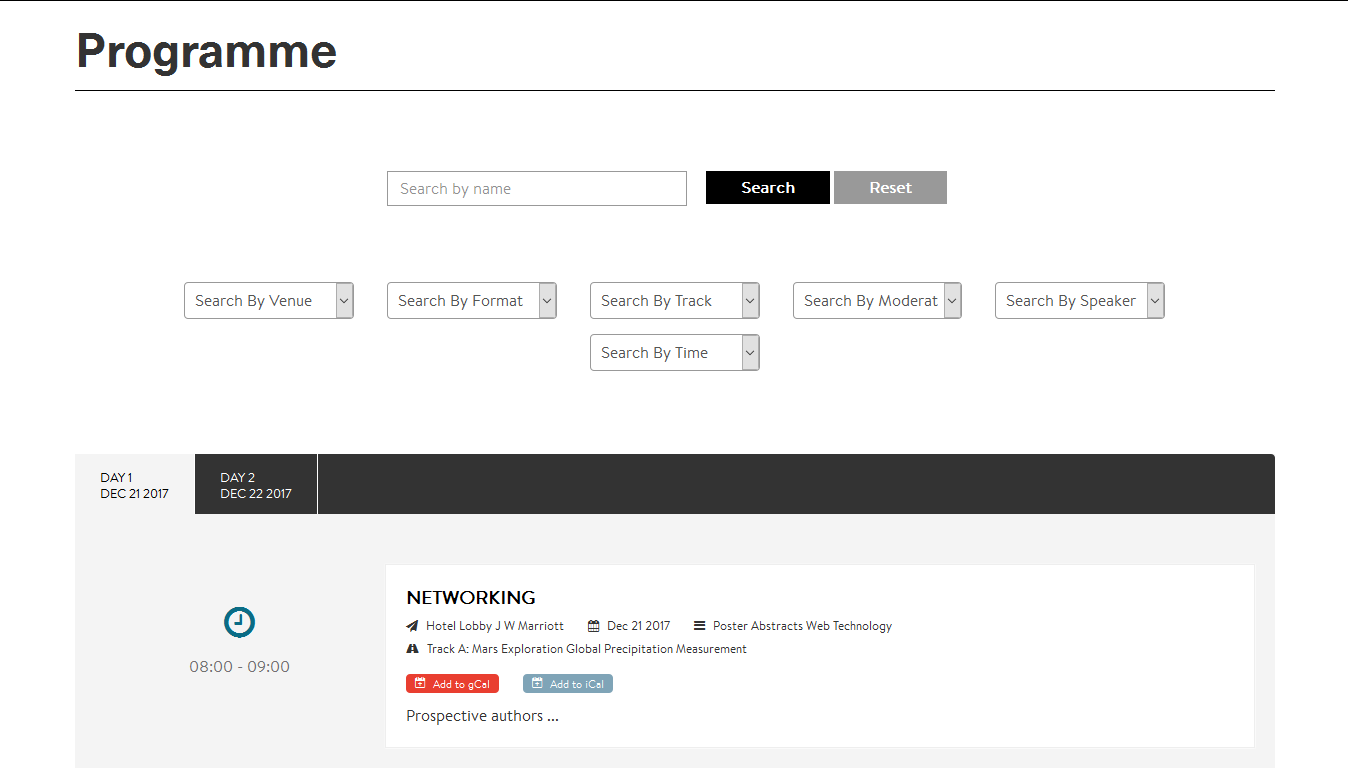
Here’s an example of what event organizers can build using Program Builder: https://symposium.dryfta.com/en/program-schedule

Program Schedule

If you have a feature request, we’re all ears. You can submit your feature requests on our support desk.

Get your own Free Event Management Platform