Design certificates for attendees and staff.
Add your conference logo and the signature of the person issuing the certificate. Build Participation Certificates
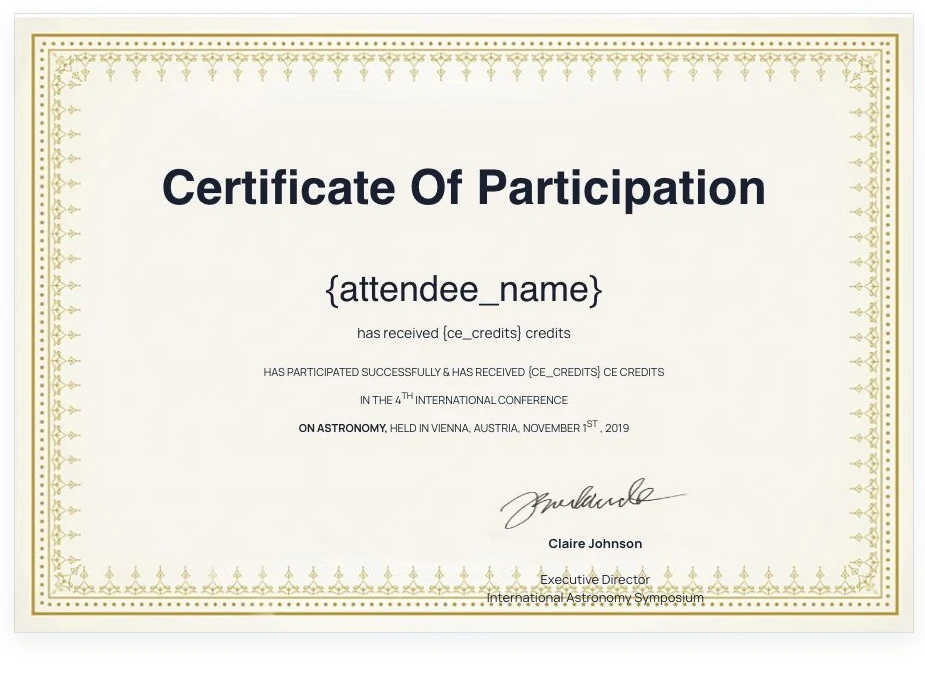

Participation certificates
Create customized participation certificates, automatically include custom profile information, and distribute them to your attendees to acknowledge their participation.
What you can do
Add your conference logo and the signature of the person issuing the certificate. Build Participation Certificates
Upload conference logo, add certificate content, add authority details and signature, choose a usertype and print certificates. Build Participation Certificates
Frequently Asked Questions
Frequently asked questions (FAQs) about participation certificate builder software
The best software to create certificates depends on your specific needs. Popular options like Canva, Adobe Spark, and Microsoft Word are easy-to-use tools for creating custom certificates. However, if you’re organizing events or conferences, platforms like Dryfta offer built-in features to automatically generate certificates of participation for attendees. Dryfta allows you to create customizable templates with personalized participant details, making it a great option for large-scale events that require efficient certificate generation.
Participants typically receive a Certificate of Participation or Certificate of Attendance, recognizing their involvement in an event, conference, workshop, or training session. This certificate includes details such as the participant’s name, event name, date, and sometimes the purpose or type of session attended.
A Certificate of Participation serves as formal recognition that an individual took part in an event, workshop, conference, or training session. Its primary purpose is to acknowledge the participant’s effort and involvement. Additionally, it can be used for professional development, adding credentials to a résumé, or fulfilling requirements for certifications and continuing education.
You can often receive a free participation certificate by attending online webinars, workshops, or virtual conferences that offer them as part of their package. Many educational platforms, such as Coursera or edX, also offer free certificates upon completion of courses. Some events even provide downloadable certificates for free directly from their website or through automated email after the event concludes.
Creating a Certificate of Participation is easy with the right tools. You can use platforms like Canva or Microsoft Word to design a custom certificate by selecting a template and adding the participant’s name, event title, and date. If you’re managing a larger event, software like Dryfta simplifies the process by automating certificate creation. Dryfta allows you to design your own template and automatically populate participant details, making it easy to generate certificates for hundreds or even thousands of attendees with just a few clicks.
See Dryfta for yourself
Tell us about your event and the tasks you want help with. We’ll show you how to do them in Dryfta.