Community & Networking Platform

Increase attendee engagement, build relationships, and produce new knowledge with a live, interactive discussion platform built for events and conferences.

Build an Event Community That Keeps Participants Engaged.

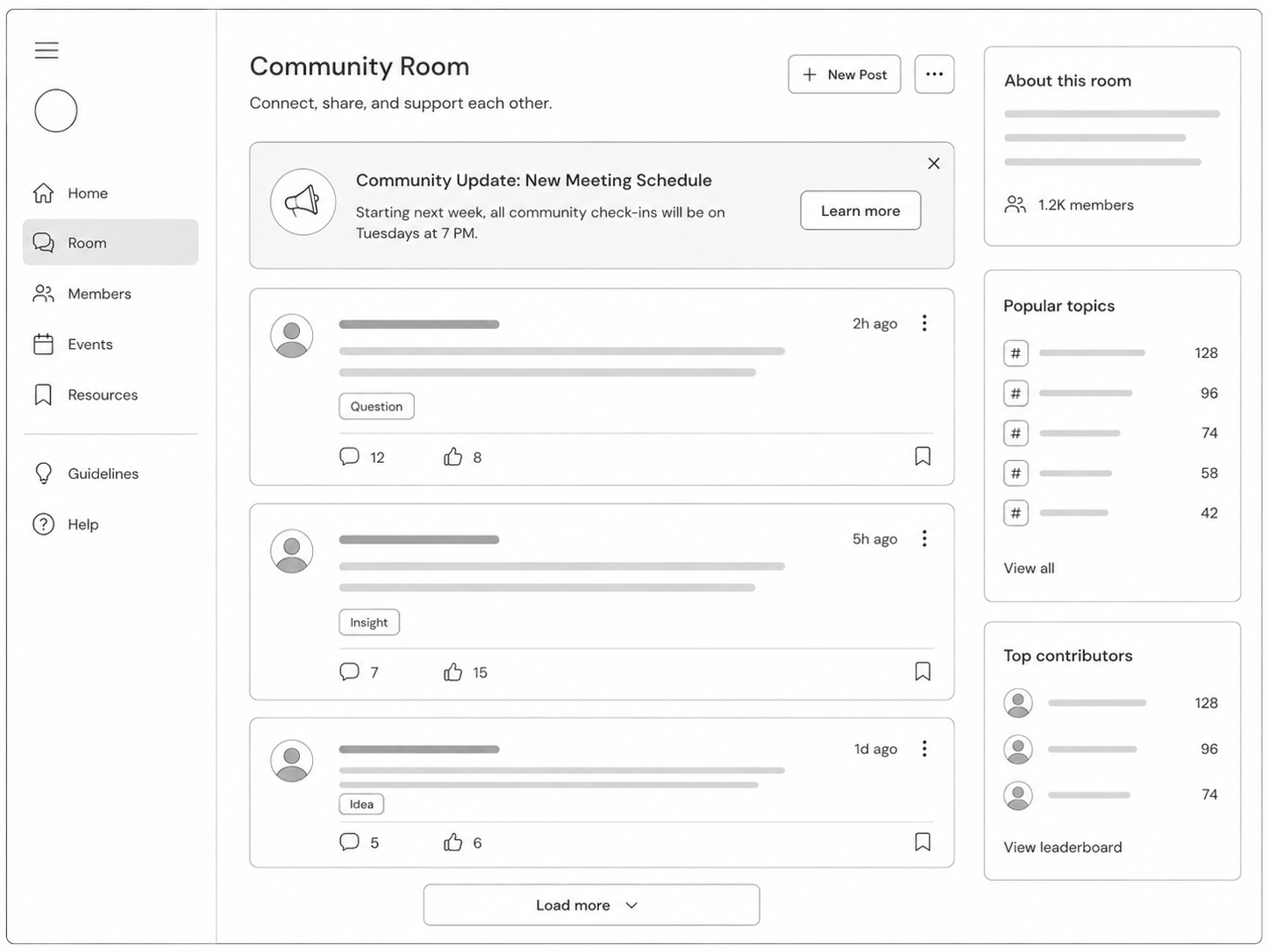
Dryfta’s community and live discussions platform gives attendees a dedicated space to ask questions, exchange ideas, follow topic based discussions, and continue meaningful conversations before, during, and after the event.




All in One Event Management Platform for University of BerkeleyAll in One Event Management Platform for University of AmsterdamAll in One Event Management Platform for Universitat JenaAll in One Event Management Platform for Montreat CollegeAll in One Event Management Platform for East Carolina UniversityAll in One Event Management Platform for UNT Health CenterAll in One Event Management Platform for UPennAll in One Event Management Platform for University of CalgaryAll in One Event Management Platform for TU Delft


Give your audience a place to discuss, connect, and contribute
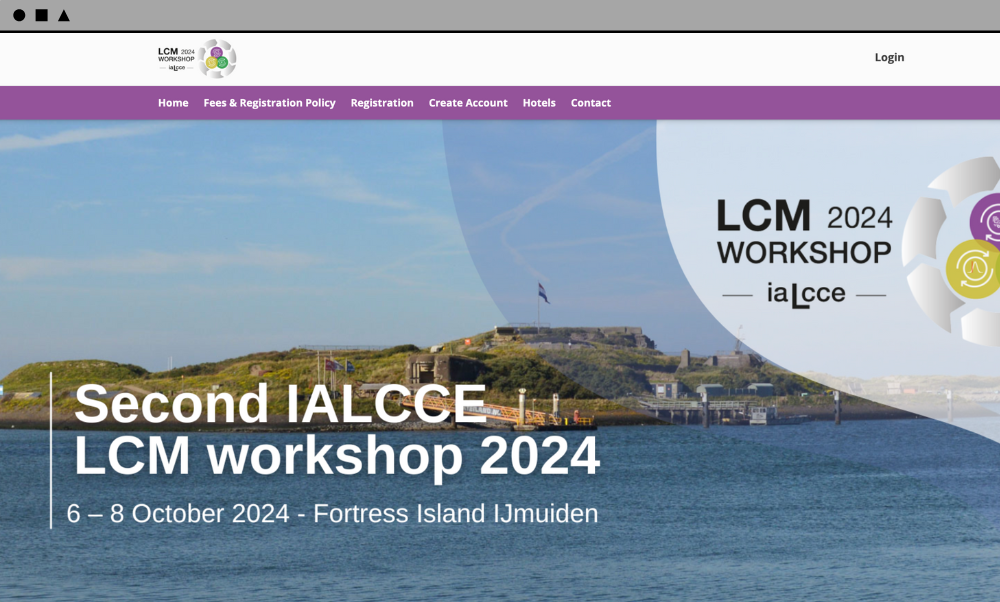
Use the form below to schedule a walkthrough of Dryfta’s community platform, including discussion rooms, attendee networking, private messaging, moderation, branded access, and SSO.

Event Website Builder

Engage attendees in knowledge building discussions
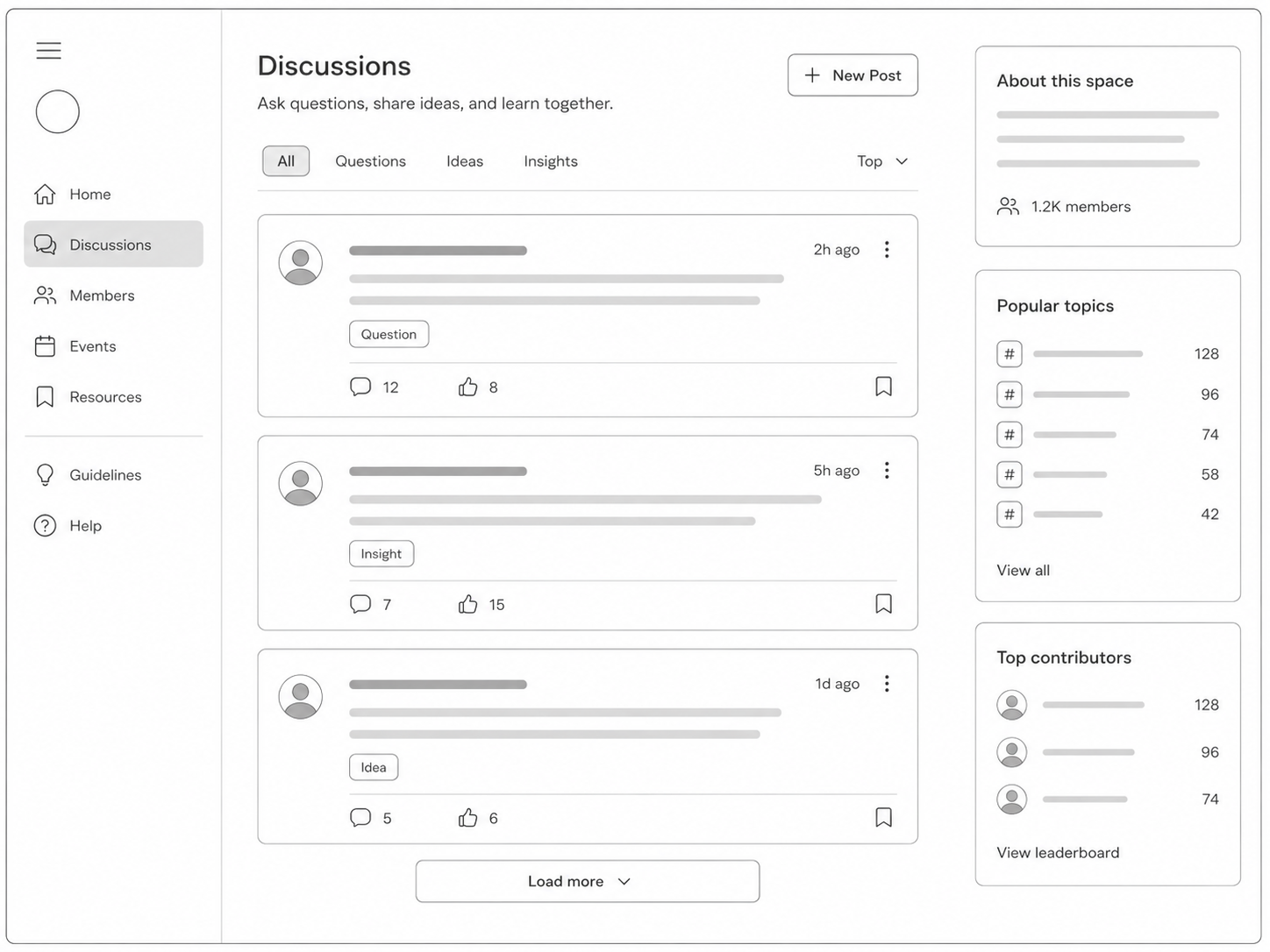
Use Dryfta to keep your audience involved in meaningful conversations around sessions, tracks, research themes, and shared event interests.

  • Create discussion spaces where attendees can share ideas, questions, notes, and useful resources.
  • Encourage participation beyond the live session by keeping conversations available after the event.
  • Help attendees learn from one another instead of relying only on speaker led interaction.
  • Turn scattered feedback and chat messages into structured community knowledge.

 
Schedule a Live Discussions Walkthrough

Event community discussion feed

Create separate rooms for different topics
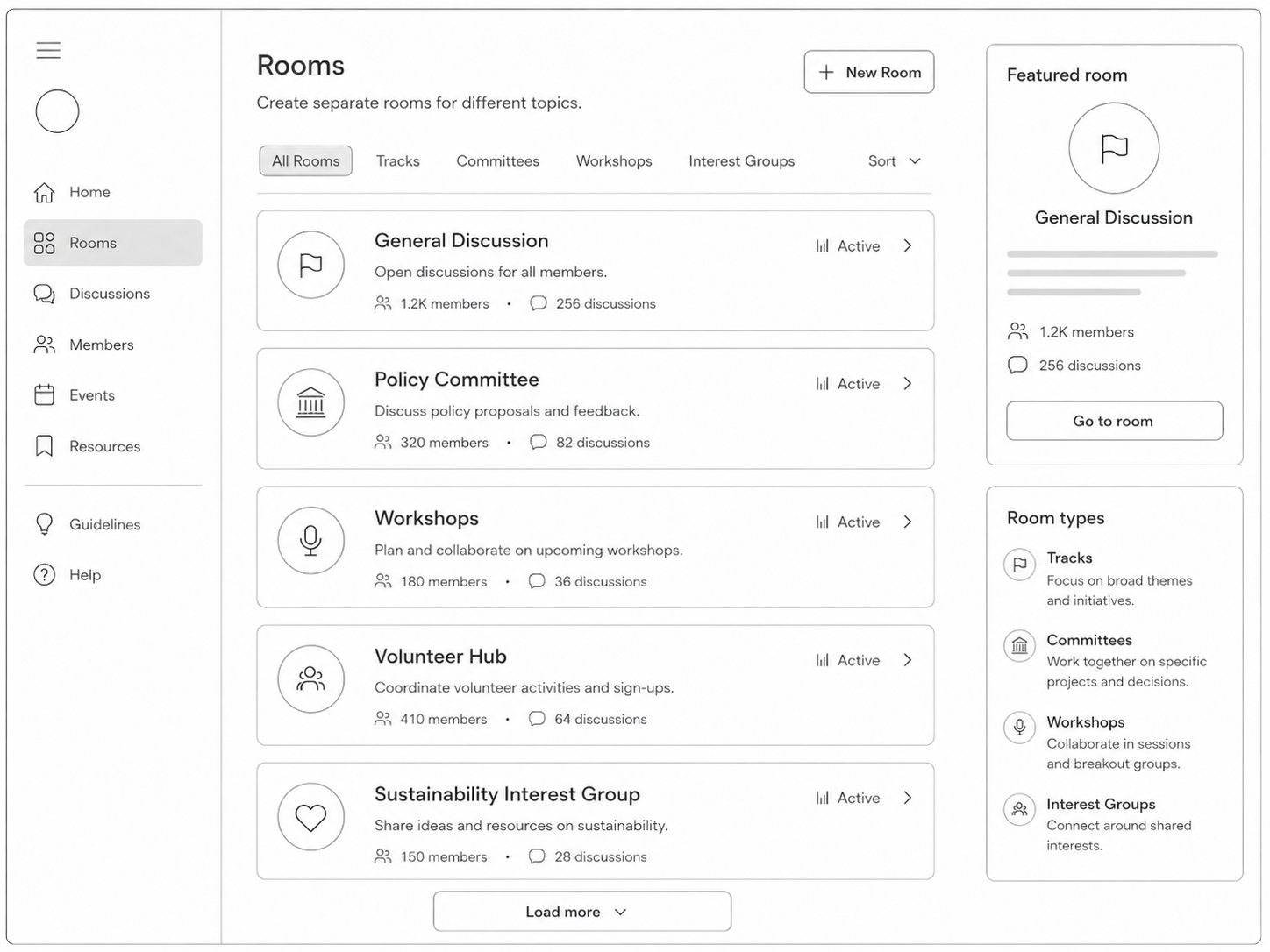
Keep high volume conversations organized by giving each theme, track, working group, or session its own discussion room.

  • Create dedicated rooms for tracks, committees, cohorts, sponsors, workshops, or member groups.
  • Guide participants to the most relevant discussions instead of forcing every topic into one feed.
  • Add context to each room so attendees know what the space is for and how to participate.
  • Use rooms to support focused communities inside large conferences and year round programs.

 
See How Topic Rooms Work

Topic based community rooms

Use engagement widgets to increase participation
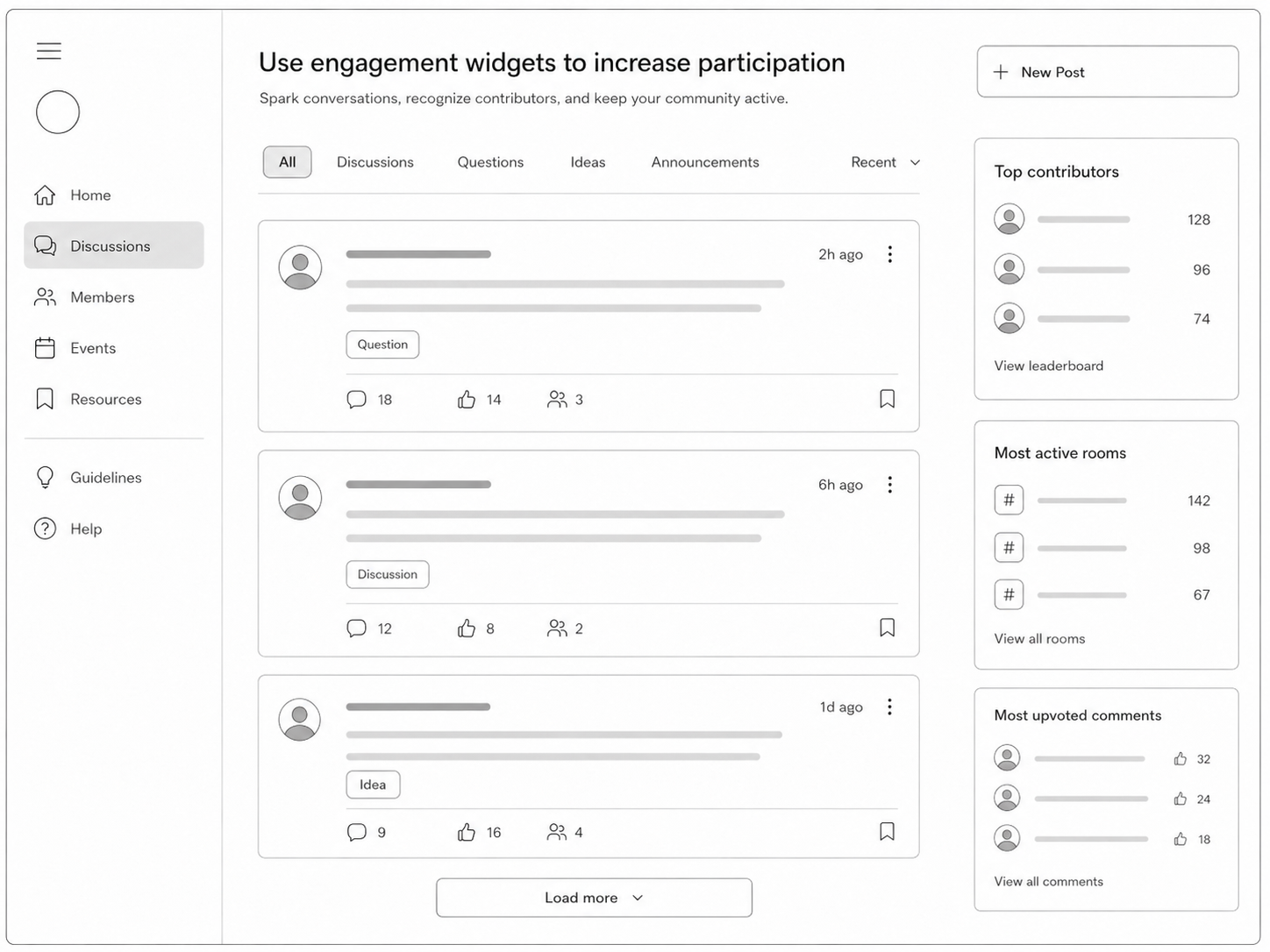
Show activity signals that encourage attendees to contribute and help organizers understand what is gaining traction.

  • Highlight top commentators so active contributors receive visible recognition.
  • Show the most active rooms to direct attendees toward lively discussions.
  • Surface the most upvoted comments so useful ideas do not get buried.
  • Use engagement patterns to identify topics that deserve more coverage during or after the event.

 
Explore Engagement Tools

Community engagement widgets and activity signals

Let attendees upvote useful comments

Give participants a simple way to recognize helpful comments, strong questions, and useful resources shared by peers.

  • Allow attendees to upvote comments that add value to the discussion.
  • Help high quality comments rise above repetitive or low value activity.
  • Let attendees see which of their own comments received upvotes.
  • Use upvotes as a lightweight signal for community interest and session follow up.

 
See Comment Upvoting Workflow

Upvoted comments in event discussions

Turn discussions into attendee connections
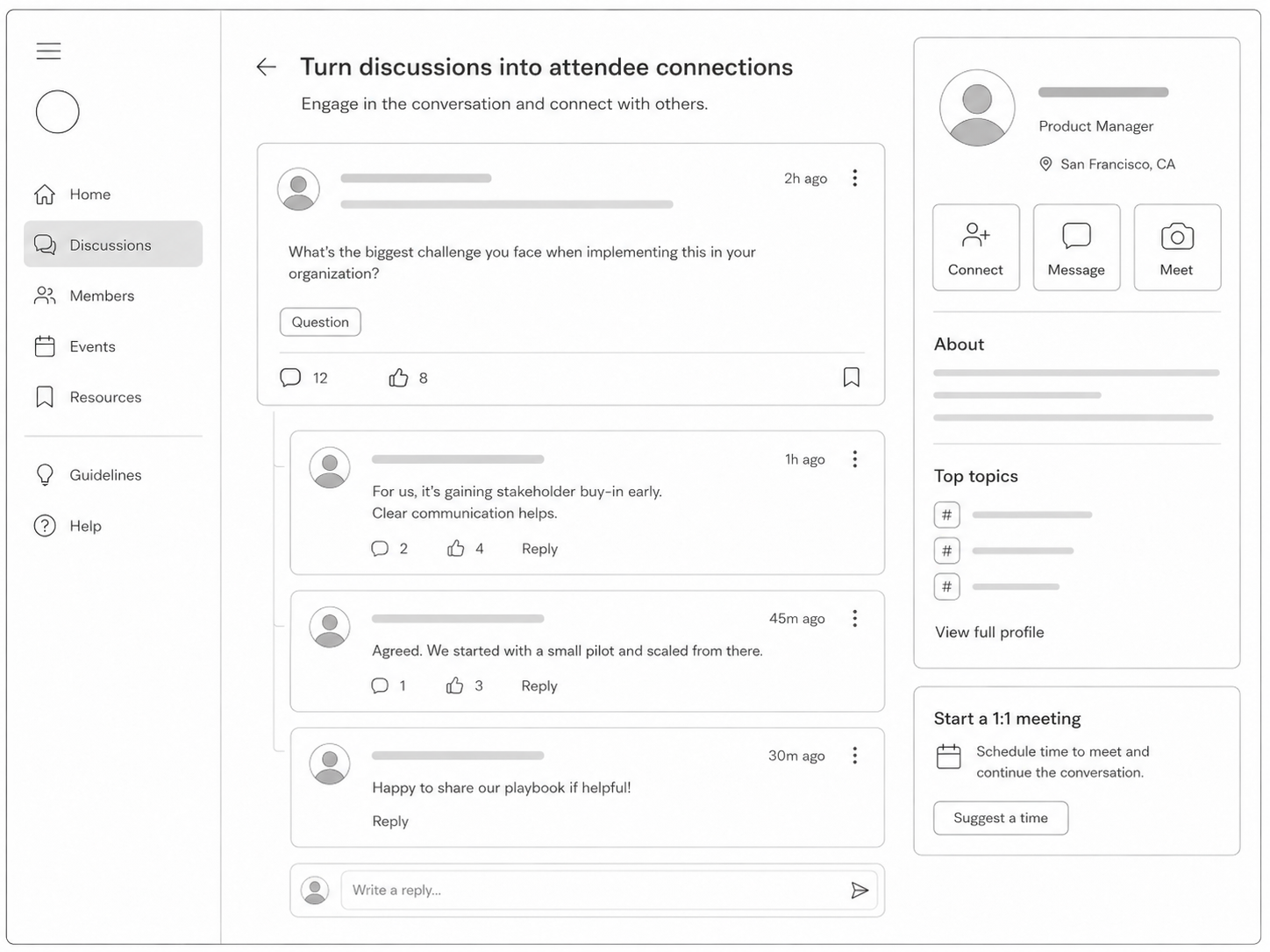
Help participants move from public conversations to direct networking without leaving the event platform.

  • Let attendees send connection requests to people they meet through discussions.
  • Support 1 to 1 meeting setup so online engagement can lead to real relationships.
  • Enable instant private messaging for follow up questions, introductions, and collaboration.
  • Give attendees a structured networking path instead of relying on informal chat alone.

 
View Attendee Networking Tools

Attendee connections and networking

Send email notifications for comments and replies
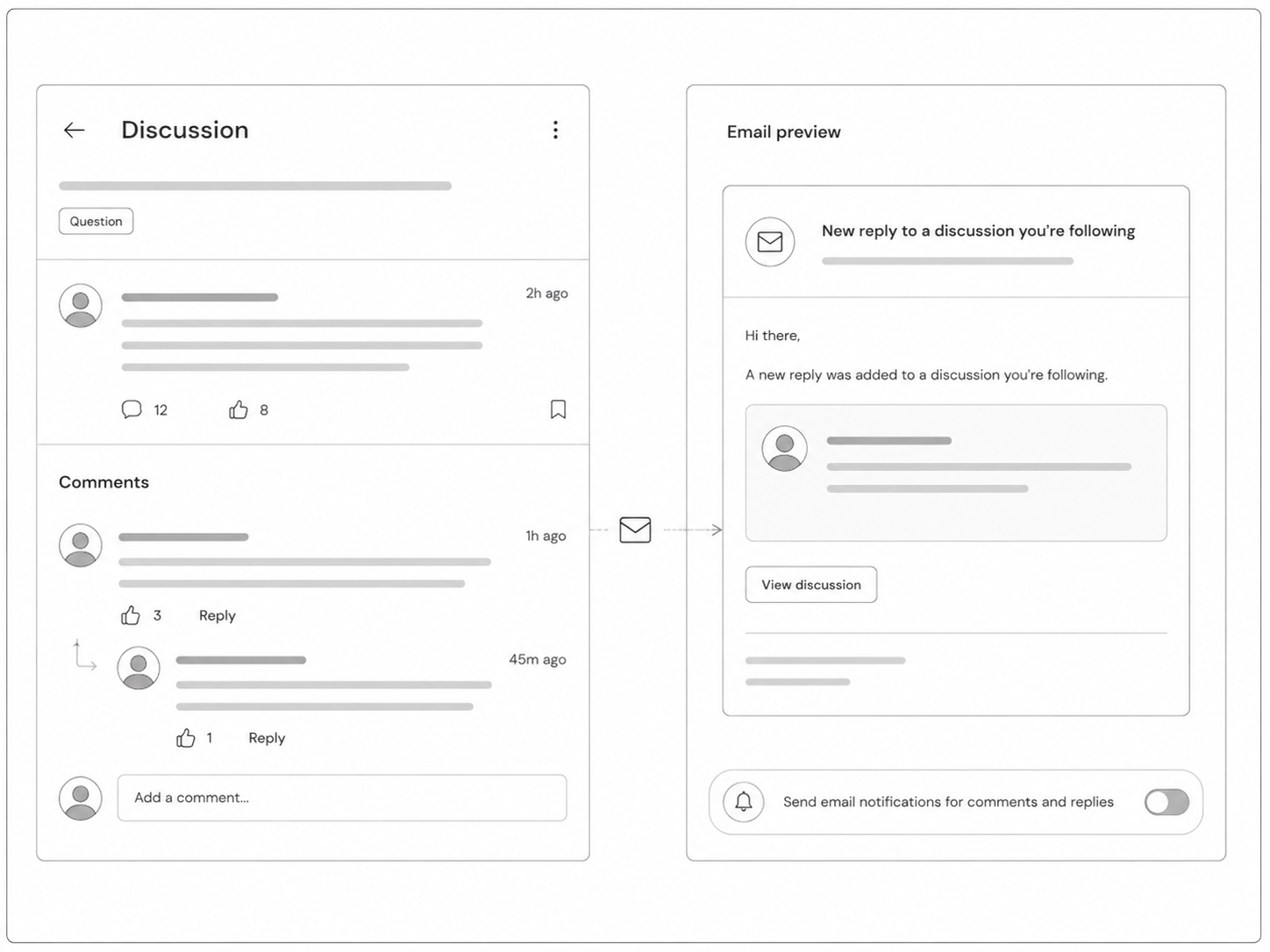
Bring attendees back into the conversation when new activity happens in the rooms and discussions they care about.

  • Notify participants when new comments and replies are posted.
  • Reduce missed responses by keeping discussion updates visible outside the platform.
  • Help organizers maintain momentum between sessions, event days, and follow up activities.
  • Encourage repeat visits to the community without sending manual reminders.

 
Review Notification Options

Email notifications for community activity

Display room banners and important announcements

Keep important information visible at the top of each room or group so attendees see it before joining the discussion.

  • Add room level banners for deadlines, instructions, sponsor notes, or featured discussions.
  • Place important announcements above the feed where they are harder to miss.
  • Tailor announcements by room instead of sending the same message to every attendee.
  • Use banners to guide behavior, promote next steps, or highlight priority content.

 
See Announcement Controls

Community room banners and announcements

Moderate community discussions with control
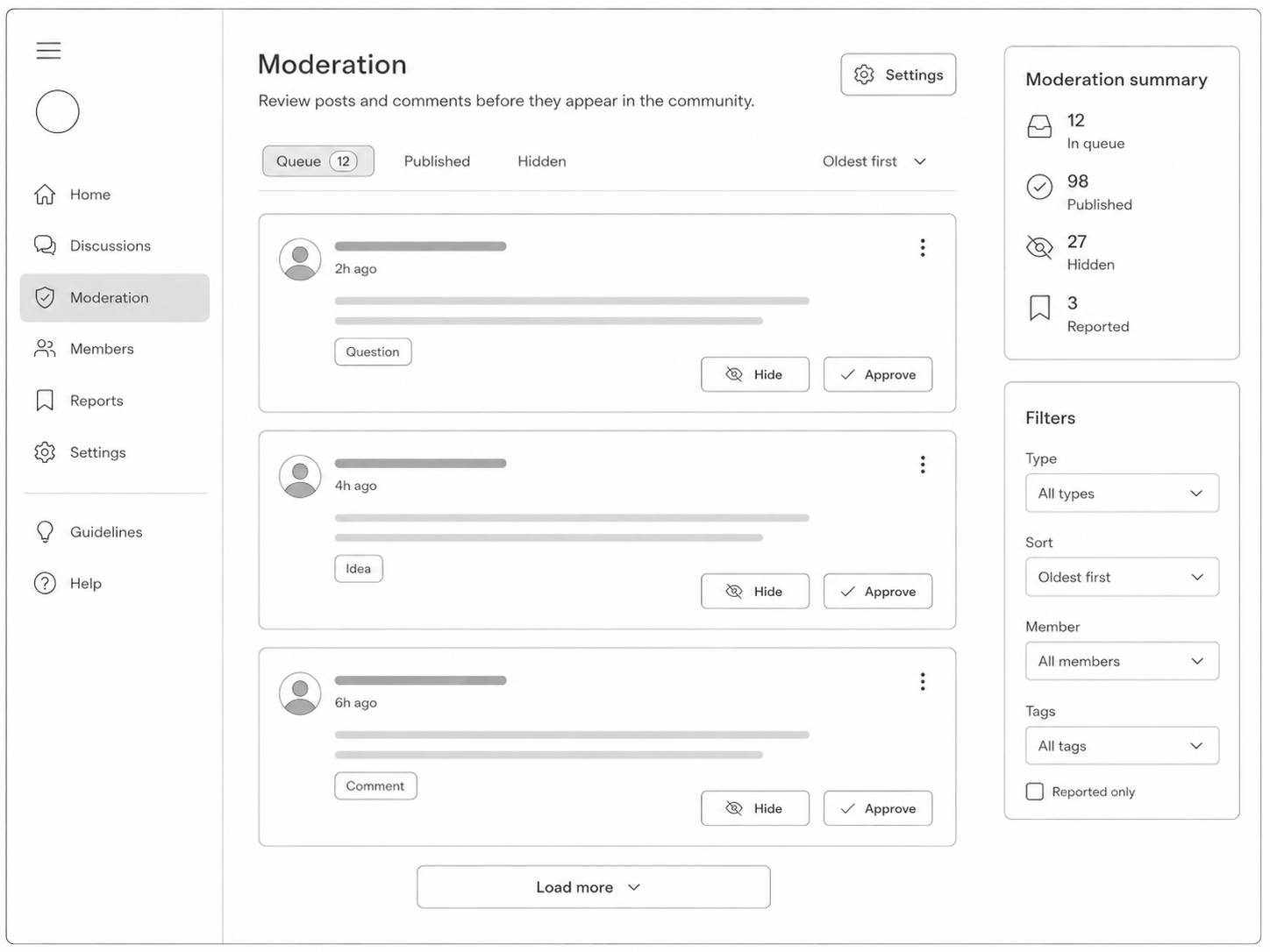
Maintain the quality of your event community by reviewing activity and keeping discussions useful, respectful, and on topic.

  • Approve or disapprove comments and replies to control what appears in the community.
  • Reduce spam, irrelevant posts, and low quality activity before they weaken the experience.
  • Protect serious academic and professional discussions from becoming noisy or unstructured.
  • Give organizers confidence to open discussion spaces without losing editorial control.

 
Explore Moderation Tools

Community moderation controls

Run your community under your own brand
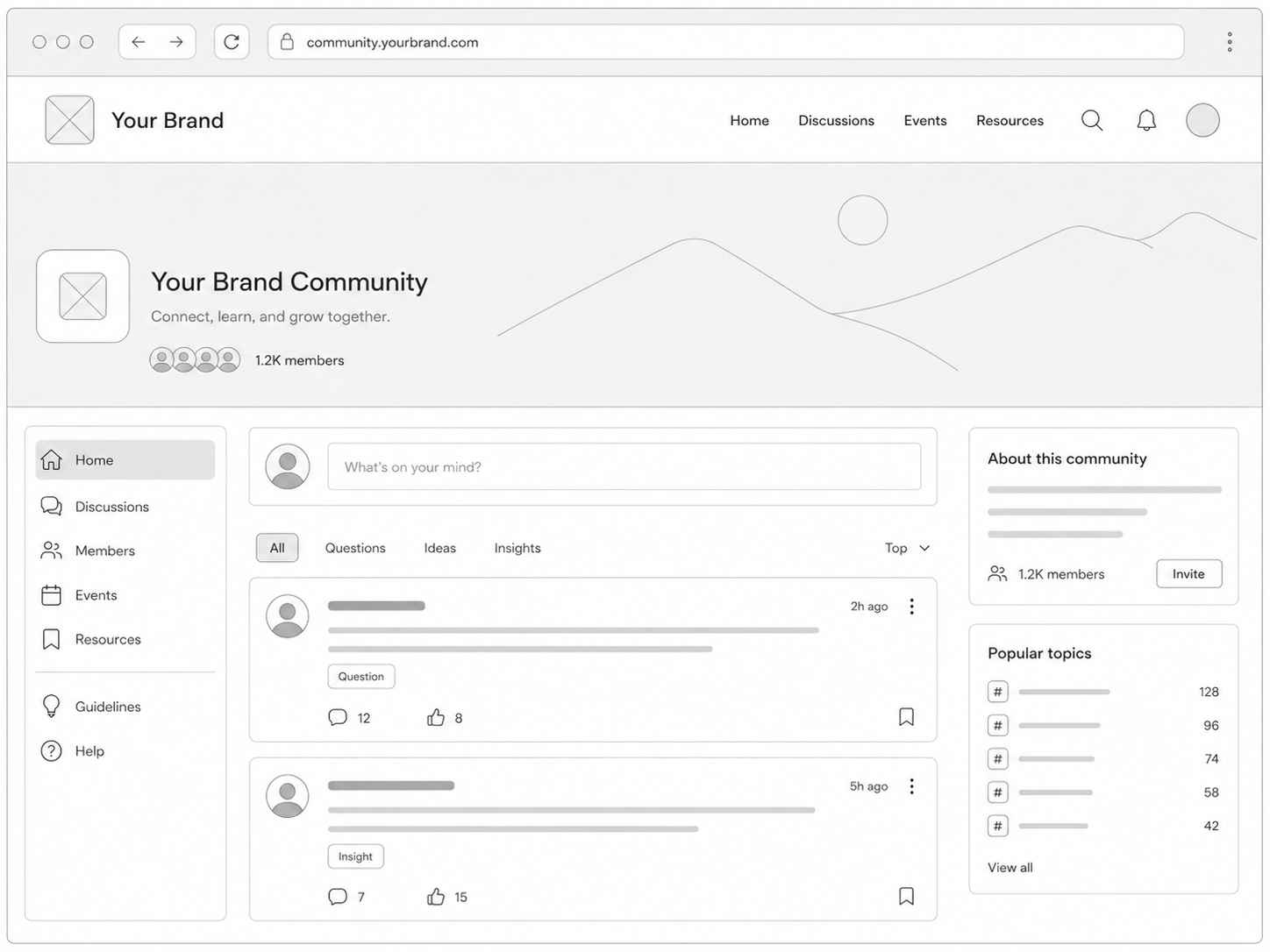
Use your own domain name and branded event environment so the community feels like a natural extension of your event.

  • Host the community on your own branded domain instead of sending attendees to a generic URL.
  • Keep the attendee experience consistent across the website, registration, schedule, and community.
  • Strengthen trust by keeping participants inside your event brand.
  • Make the community feel like part of your official event platform, not a separate tool.

 
Discuss White Label Setup

White label community with custom domain

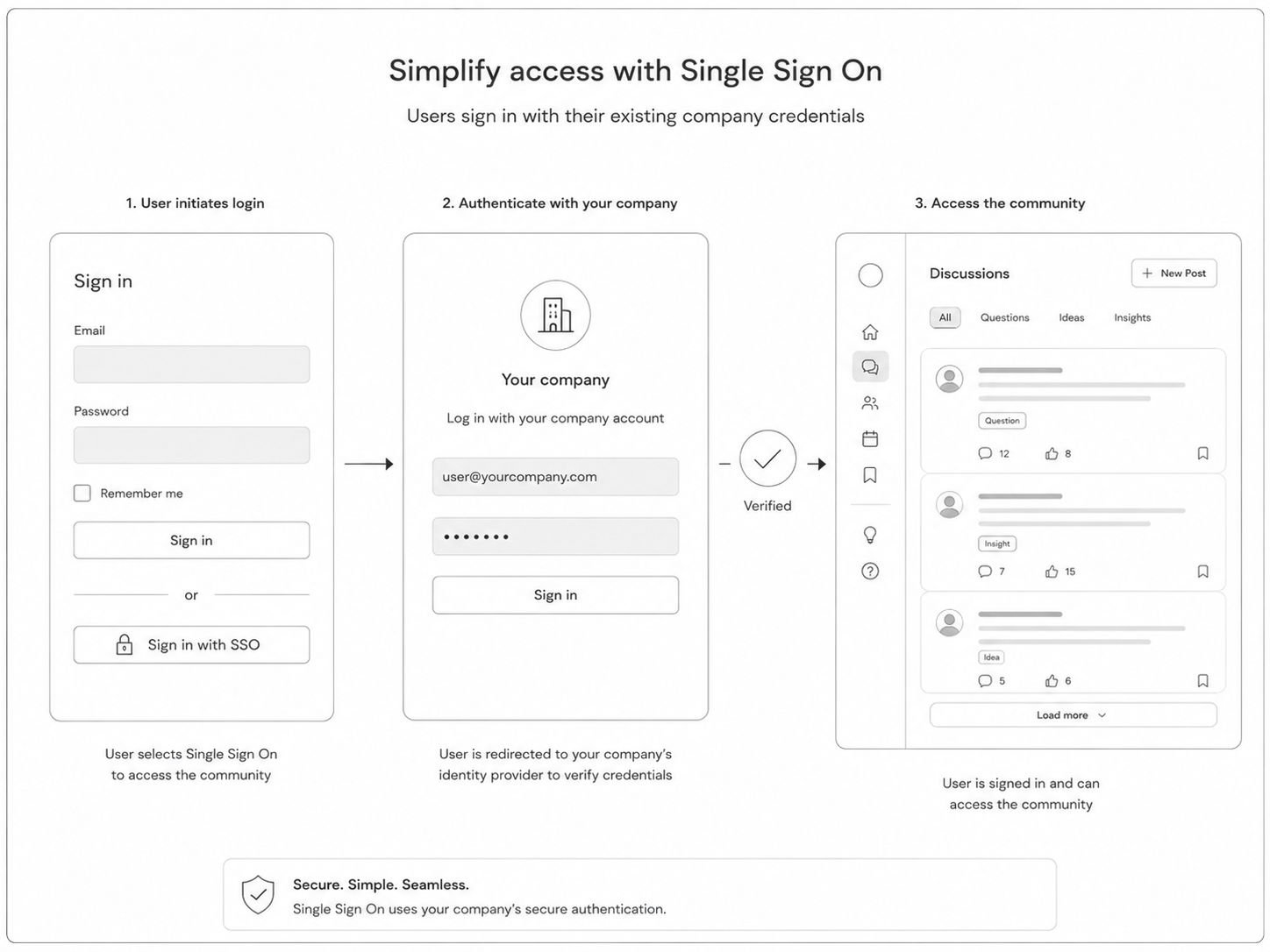
Simplify access with Single Sign On

Let users log in to the community with their existing credentials so access feels easier for attendees and more manageable for enterprise teams.

  • Enable users to access the community through the same identity flow used by your organization.
  • Reduce login friction for universities, associations, and enterprise event programs.
  • Support a more controlled access model for private or invite only communities.
  • Keep the community aligned with your wider event platform access rules.

 
Discuss SSO Setup

Single Sign On for event community

More Community and Networking Features

  • Create an online discussion hub for attendees, speakers, reviewers, sponsors, and members.
  • Support event communities before, during, and after the conference dates.
  • Keep discussions connected with attendee profiles and event participation data.
  • Use topic rooms to support tracks, committees, workshops, and interest groups.
  • Let attendees discover active conversations and useful comments faster.
  • Maintain quality with organizer moderation and room level control.
  • Promote announcements, featured content, and next steps inside each discussion space.
  • Combine community engagement with private messaging and meeting setup.
  • Offer branded access through white label domains and Single Sign On.
  • Use the platform for academic, enterprise, nonprofit, association, and member led events.

Build a stronger event community with Dryfta

Give attendees more reasons to return, contribute, and connect. Dryfta brings discussions, networking, private messaging, branded access, and moderation into one event platform so organizers can manage engagement without adding another disconnected tool.
 
View Live Community Schedule a Community Platform Demo
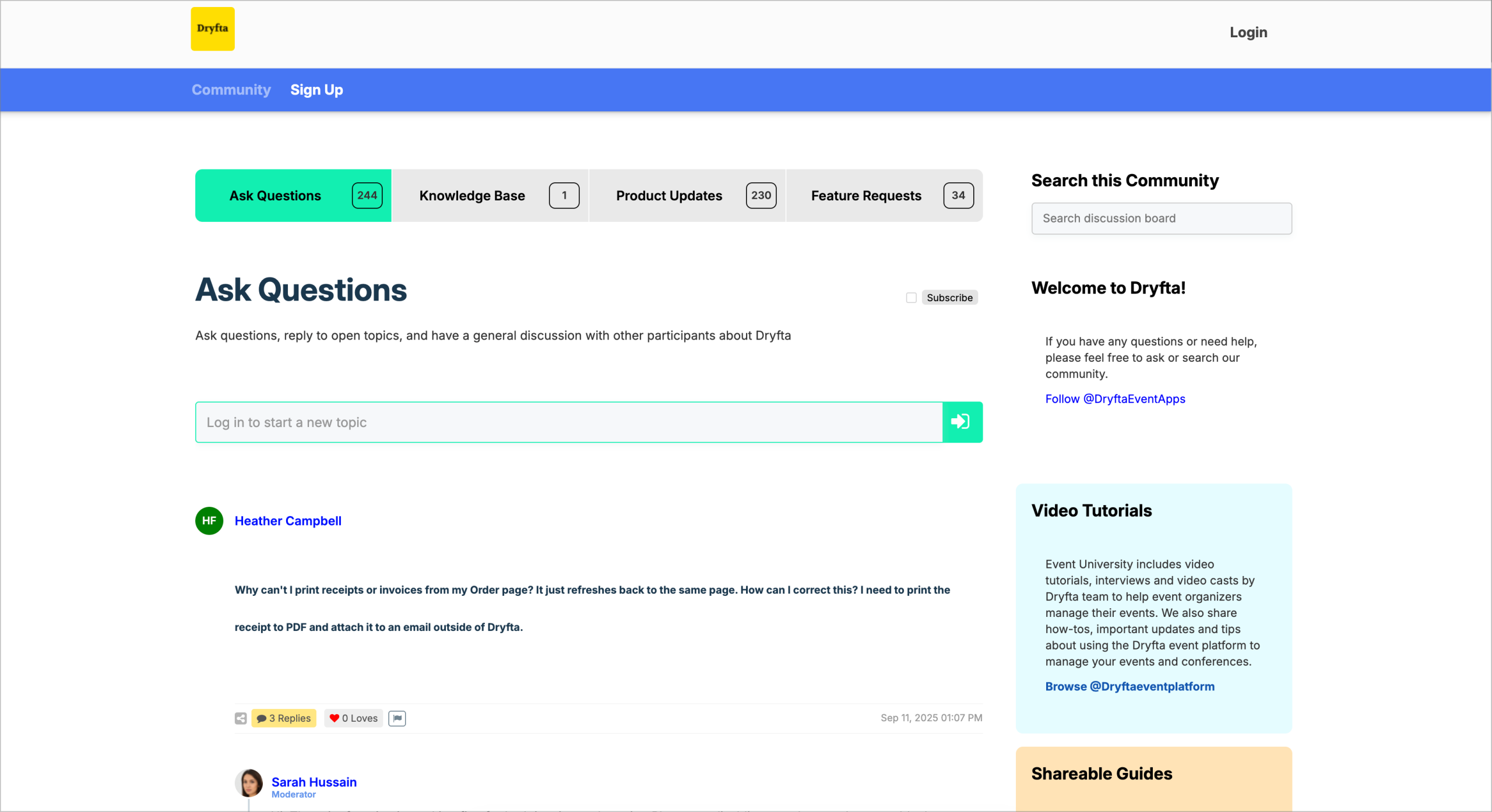
Dryfta community and networking platform