Draw Signatures in Dryfta Mobile Forms on iPhone and Android

Dryfta: Sign on Your Phone

Some event forms need a signature as well as a typed answer. Attendees can now draw that signature directly in supported Dryfta app forms on iPhone and Android, keeping the task within the event experience they are using.

The signature field provides a drawing area with Undo and Clear controls. It works with the event’s form configuration and saves through the normal form workflow. This addition supports account creation, general forms and surveys, including session survey routes. Here is how to prepare a useful signature field, guide attendees through it, and understand the limits before adding one to your event.
Continue reading

Daily Three in Dryfta: Polls, Session Feedback and New Connections

Dryfta Daily Three: polls, session feedback and new connections.

Conference apps work best when attendees have a clear reason to return throughout the day. Daily Three gives participants three focused invitations: answer a poll, share session feedback and make one new connection. Eligible actions contribute points and collectible badges, helping people see their progress.

For organizers, the feature offers a simple way to introduce participation without creating an overwhelming checklist. Attendees can open the event homepage, follow the available missions and review their rewards under My Points. Availability depends on the event’s settings and eligible activities. Here is how to explain the experience and prepare your event for it.

Continue reading

The Empty Stage Problem: Plan for Presenter No-Shows and Substitute Speakers

Conference team preparing for a presenter no-show

Ten minutes before a scheduled session, the chair looks at an empty lectern. The presenter has not arrived, the listed co-author is in the room, and attendees are settling into their seats. The chair needs an answer now: wait, approve the co-author, connect the presenter remotely, or continue without the talk.

A conference presenter no-show policy gives the team that answer before pressure takes over. It defines when a presenter becomes a no-show, who may approve a substitute or remote exception, what the chair should tell the room, and which records must change after the decision.
Continue reading

Automatic Translation in the Dryfta Event App: Let Attendees Choose a Language

Dryfta: An Event App in Your Language

International attendees should be able to explore a conference without first becoming fluent in its main language. Dryfta offers automatic translation in the event app, helping attendees read eligible navigation and public event content in a language they choose.

Organizers control whether translation is available and can set a starting language for the event. Attendees then use a language selector under More, with an Original option for returning to the source text. The feature also supports right-to-left presentation for languages such as Arabic. Here is how to prepare it, explain it to delegates, and use automatic output with appropriate care.

Continue reading

Download Your Dryfta Event for Offline Access to Schedules and Maps

Dryfta: Your Event, Ready Offline

Conference Wi-Fi can be difficult to reach just when an attendee needs a room number or the next session time. Dryfta’s offline event download lets attendees prepare event information while connected, then refer to saved content when their connection is unavailable.

The download focuses on the program and essential event reference material. It also makes an important distinction between saved event content and personal details an attendee has deliberately opened online. This guide explains what is included, how to prepare before arrival, and which activities still need a connection so your team can set clear expectations for every delegate attending.

Continue reading

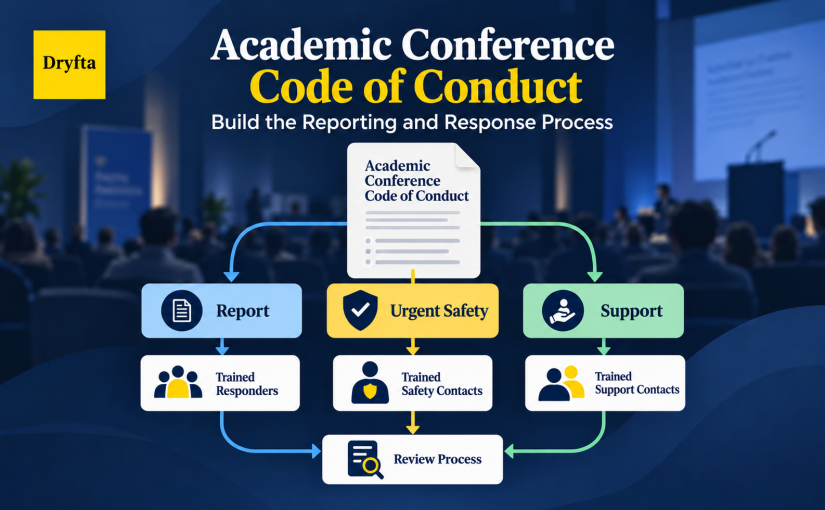
A Conference Code of Conduct Is Only the Start: Build the Reporting and Response Process

An attendee tells a volunteer that another participant’s behavior made them feel unsafe. The conference website says that harassment is prohibited. The volunteer, however, does not know who receives the report, what they may promise or whether the situation needs an urgent response. The policy exists, but the process stops at “contact us.”

A working academic conference code of conduct closes that gap. It sets expectations for participants and connects those expectations to reporting routes, trained roles, safety decisions, fair review and clear communication. This guide explains how to build that operating process before a concern reaches the team.

Continue reading

A Clearer Dryfta Event App: Schedules, People and Event Information Together

Dryfta: A Clearer Event App

A conference app earns its place when attendees can find their next session, recognize a speaker and reach useful event information without stopping to ask for directions. The refreshed Dryfta app brings those tasks into a clearer experience on iPhone and Android.

The update improves schedule navigation, people and company information, and the way event content appears across the app. Organizers continue to manage the event in Dryfta, while attendees use familiar destinations with more useful detail. Here is what has changed, how it supports a busy conference day, and what your team should check before inviting attendees to explore.

Continue reading

Dryfta Event App Publisher: A Clearer Workspace and Saved App Preview

Dryfta: Shape Your Event App

Preparing a conference app involves several connected decisions: what attendees should see, how the event should look on a phone, and where organizers should manage app communications. Dryfta’s latest Event App Publisher update gives that work a clearer home in the event administration dashboard.

Event App Publisher is now a dedicated module, with direct access to app setup, Push Notifications, and Private Messaging. A new phone-style preview also shows the guest homepage using your event’s saved settings. Together, these changes help organizers review the saved mobile experience and find the relevant controls before directing attendees to their event’s mobile app.

Continue reading

What Your Event Software SLA Really Promises on Conference Day

Event software SLA terms for conference-day service coverage and recovery

It is thirty minutes before registration opens. Staff stand at the desk with lanyards in hand, and the attendee lookup screen will not load. The organizer expects an immediate fix: the contract promised 99.9% uptime. The vendor may restore it quickly. The agreement may also promise less than the organizer expects.

An event software SLA may sound reassuring, but organizers need to use it as a working document. One fictional outage runs through this article. It shows which clause controls what the event team may expect before anything fails.

Continue reading

When Volunteers Become the Front Line: Training Conference Teams for Event Day

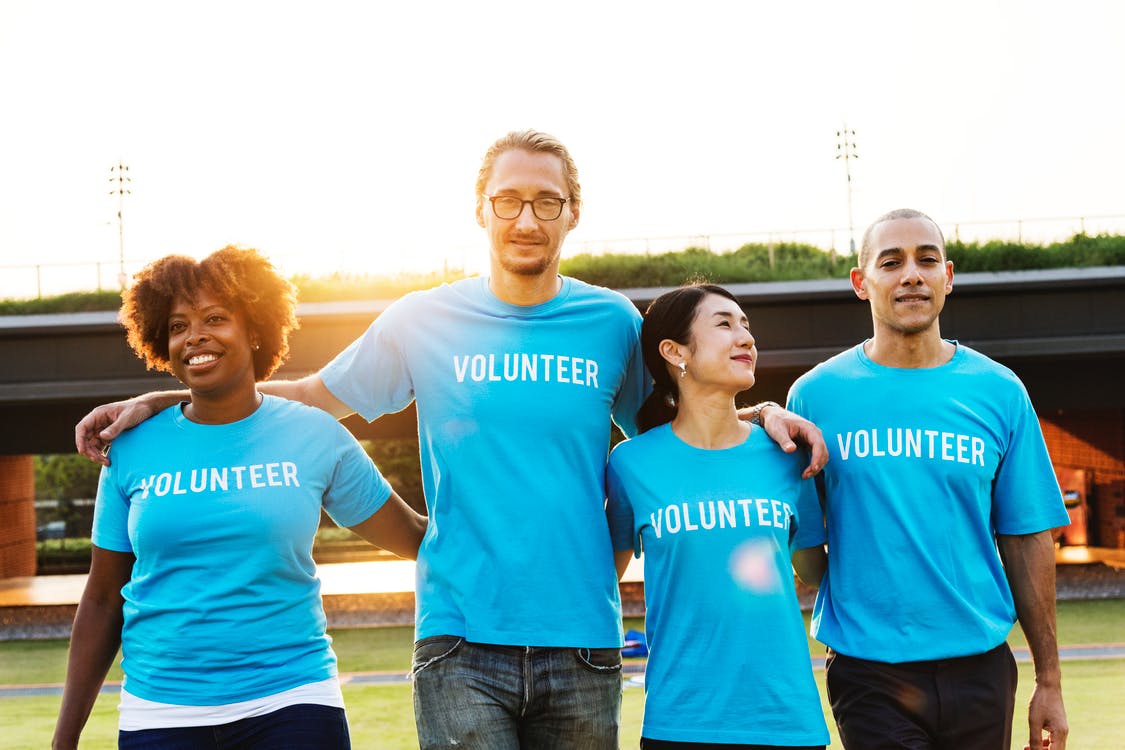
Volunteer team gathered in matching shirts

Conference volunteer training gets tested five minutes before a session, when an attendee says her badge will not scan. The sign points to a room that differs from her schedule, and she needs a step-free route. The volunteer wants to help, but has only received a schedule and a shirt. Without a current information source or a clear escalation contact, even a well-meaning volunteer has to guess.

That is a preparation gap, not a willingness gap. Hiring is done; now conference volunteer training needs to give each person the skills, limits and support for the role.

Continue reading

What Gets Lost Between Annual Conferences: How Organizing Committees Can Preserve It

Conference committee handover guide for preserving annual conference knowledge

The incoming chair starts a conference committee handover with the shared drive, contracts and last year’s schedule. What they do not have is the story behind them. For example, one floor plan says Ballroom B while a later file says Ballroom C. The registration account still belongs to someone whose committee term has ended. A supplier credit appears in an email thread, but nobody knows whether the team applied it.

At that moment, the handover either protects the next event or leaves the new team rebuilding decisions from fragments. The failure rarely comes from careless people. It comes from treating a folder transfer as a transfer of knowledge, ownership and responsibility.

Continue reading

Conference Wi-Fi: Planning Connectivity Under Pressure

Conference Wi-Fi: Planning Connectivity Under Pressure

The venue says it has ‘fast Wi-Fi,’ and the contract is ready to sign. Before you commit, conference Wi-Fi planning needs to answer a few key questions: Is the connection shared with hotel guests? How many devices can the ballroom handle at once? Can presenters upload files? Will registration compete with guest traffic?

Start with peak activity, not total attendance or one speed-test result. Map connected devices and internet-dependent work by room and time, separate critical systems from guest traffic, confirm whether capacity is shared or dedicated, put venue duties in writing and test real workflows before the venue fills up.

Continue reading