Artificial Intelligence. AI. Automation. Words that appear almost everywhere. You go to the grocery store and find an AI-based self-checkout more sophisticated than anything you’ve ever seen. AI is listing your groceries and according to many, about to take all of our jobs. Well, that’s not what this blog is about. In the event management space, artificial intelligence is creating ripples of positive, upwards movement. Event professionals get to automate tasks that were previously tedious and impossible to work through without losing one’s mind. There are these AI tools for event planners that aren’t usurping any meaningful jobs. The human intent, the core purpose and objectives of the event, the things that make the event or conference truly yours is something that AI will be unable to replicate. Not now, not ever. Event management is a human business that caters to a human audience. So for as long as you are not expecting to host a conference for a bunch of humanoid robots, one can ascertain that the job of event planners shall remain important. And needed.
What AI for event planning can do is take away from your plate miniscule, repetitive functions that give individuals little sense of agency. Or accomplishment. Manually entering attendee data, verifying each RSVP by hand and later comparing them against actual attendance rates, can be overwhelming. And prone to a lot of mistakes. Some of which can severely undermine your organization’s credibility and reliability. Therefore, AI tools for event planning 2026 are here to save your jobs and not take them away, contrary to popular belief. What it simply does, when optimized and scaled well, is automate sequences of tasks that make everything else easier to track. AI tools for event planners collate progress from across event functions without you having to reach out to a dozen points of contact.
Want to know how many abstracts have been accepted? Check the dashboard that every member of the team updates.
Need to know the real-time progress of a peer reviewer and request an ETA? Once again, check the reviewer dashboard and shoot an email via the system.
Want to avoid long queues at check-in on event day? Set up self-service kiosks powered by artificial intelligence. Your attendees will have passed through before you realize.
Why AI Has Become Non-Optional for Event Planners in 2026
A survey by a popular event management platform noted that almost 95% of event teams are expecting to increase their AI usage this year.
AI tools for event planners are going mainstream. It’s no longer something that’s reserved exclusively for the tech-savvy. Several new and forthcoming AI platforms have democratized access to such technology. All you need is a clear prompt and a platform to input it into. Artificial Intelligence then works its magic.
50% of meeting planners worldwide have already built AI into their workflows by 2025, according to Amex GBT Meetings and Events Forecast.
So the streak is up and running, steadily. AI tools for event planning 2026 are the hottest things in town. If you’re an event planner still skeptical about the ROI of AI event tools, keep reading because we’re about to show you exactly that.
So what exactly is AI replacing in an event planner’s day?
- Mostly, AI tools for event planners is replacing, or to word it better, supporting writing tasks. Event planners have to write things all the time. Most of this writing is non-creative, meaning an automated machine could do it just as well. Material like sponsorship emails and stakeholder pitches can be automated and personalized for different recipients. Tweaking each mail manuallt can be time-consuming. And AI tools for event planning helps do just tthat.
- A well-chosen AI tool can help you draft a first pass or model email within minutes. If you would like assistance with writing that it. For event planners who prefer to keep AI out of writing, other allied use cases are still plenty.
It helps to segment our understanding our AI tools for event planning when thinking of varying purposes for usage. Very broadly, we can bifurcate this into two.
- General-purpose AI assistants: Tools like ChatGPT, Claude, Canva AI and Perplexity that are built for wide use across industries and adapted by planners for their own needs.
- Purpose-built event management AI: This include more specific, usage-based tools like Dryfta AI, Whova AI, Bizzabo AI Copilot and Grip. Often, these work very specifically around the mechanics of running events including abstract review, attendee matching and session scheduling.
How to Build Your AI Event Planning Stack Before Evaluating Individual Tools
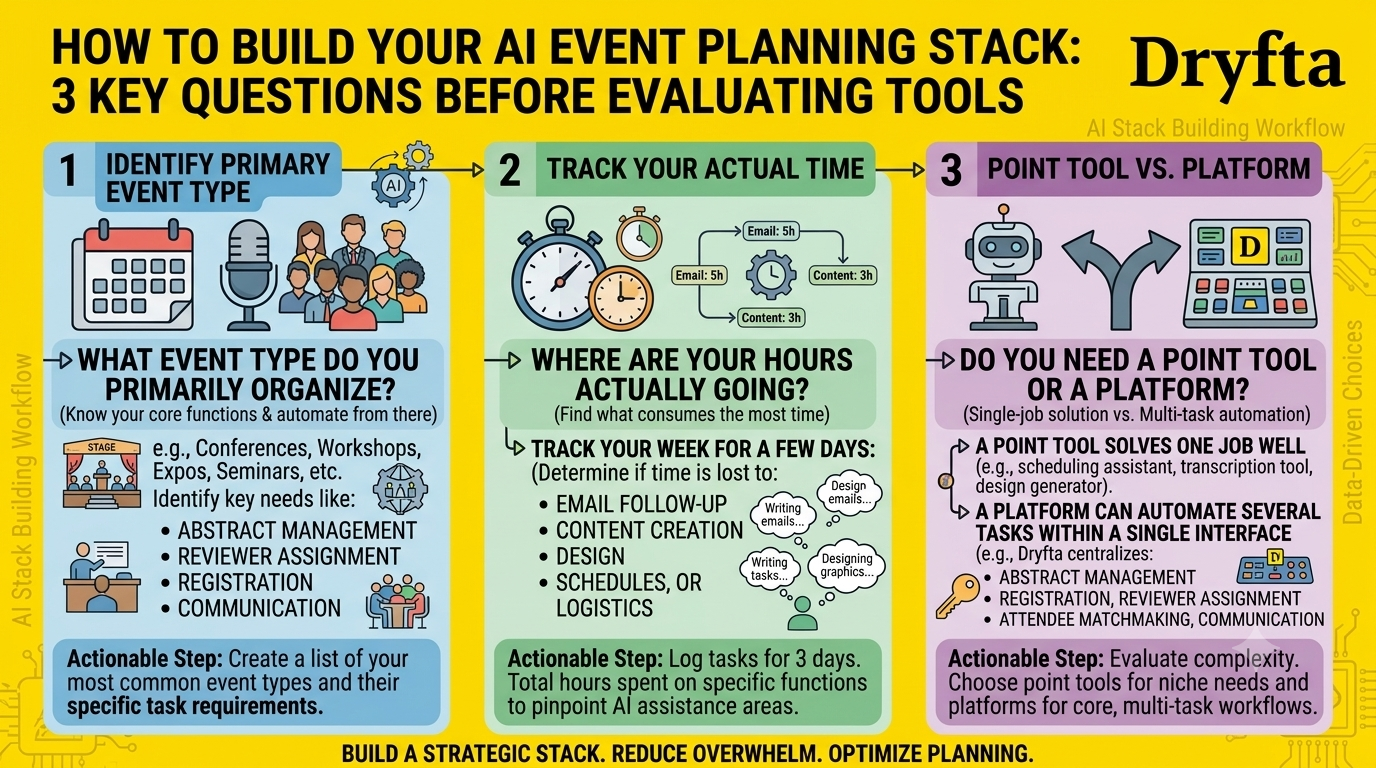
Before you sign up for another AI tool or download another application you’re not sure how to use, pause. Go over a few questions before you finalize your AI tools for event planning. In the next few sub-sections, we’re helping you answer some important questions before putting your AI tool stack together.
- What event type do you primarily organise? This is perhaps the most basic and yet the most important question to answer. Knowing your event’s type or genre lets you know what your core functions. Event planners can then work from them to see what tools can help automate their tasks.
- Where are your hours actually going? Track your own week for a few days before choosing anything. Some planners lose the most time to email and follow-up, others to content creation. Time lost differs for everyone. Once you put your finger on what consumes the most time, you’re already one step ahead at finding the right AI tool to alleviate that concern.
- Do you need a point tool or a platform? A point tool solves one job well. This can look like a scheduling assistant, a transcription tool or even a design generator. A platform, on the other hand, can help you automate several tasks within a single interface. Dryfta’s AI-based features are a notable example of such platforms. Dryfta centralizes abstract management, registration, reviewer assignment, attendee matchmaking and communication all in one place.
The 12 AI Tools for Event Planners That Actually Save Time in 2026
In this list of AI tools for event planning 2026, we’re grouping tools by their function, including general writing and research, scheduling and coordination, purpose-built event management, and content repurposing.
General-Purpose AI Assistants
1. ChatGPT (OpenAI)
Best For: First-draft writing across nearly every event communication, from sponsorship pitches to attendee FAQs.
What It Actually Saves: Hours previously spent staring at a blank page before an email or session description goes out.
Specific Use Cases:
- Drafting sponsorship prospectuses and tiered benefit packages
- Writing speaker invitation emails and reminder sequences
- Generating FAQ answers for registration pages
Honest Limitation: ChatGPT does not know your event’s specific policies, past attendee data or venue constraints unless you supply them in every prompt, so unsupervised output can contradict your actual event rules.
2. Claude (Anthropic)
Best For: Longer documents that need consistent structure, such as sponsorship decks, run-of-show documents and post-event reports.
What It Actually Saves: The editing passes on long documents, since Claude tends to hold a consistent tone and format across many pages.
Specific Use Cases:
- Drafting full run-of-show documents with timing and owner columns
- Summarising post-event survey data into a report
- Rewriting dense abstract text into plain-language session previews
Honest Limitation: Claude works from what you give it, so an incomplete brief produces an incomplete document, and the planner still has to check every fact against the source.
3. Perplexity AI
Best For: Research tasks that need citations, such as sourcing speakers, venues or comparable events.
What It Actually Saves: The manual work of opening a dozen browser tabs to fact-check a claim or find a contact.
Specific Use Cases:
- Researching potential keynote speakers and their recent talks
- Finding comparable events for benchmarking registration fees
- Checking current industry statistics for sponsorship decks
Honest Limitation: Search-based answers can surface outdated or low-quality sources, so any statistic destined for a sponsorship deck still needs a manual check against the original.
4. Canva AI
Best For: Fast visual production, including social graphics, name badges and sponsor banners.
What It Actually Saves: The design bottleneck that used to require a dedicated designer or hours in more complex software.
Specific Use Cases:
- Generating on-brand social media templates for event promotion
- Creating name badge and signage templates at scale
- Resizing a single design across a dozen social formats automatically
Honest Limitation: AI-generated design elements can look generic across events, so a distinct brand still needs human art direction on top of the tool’s suggestions.
Meeting, Scheduling and Team Coordination
5. Synthesia
Best For: Turning written scripts into presenter-led video without a camera crew, useful for sponsor pitches or pre-event announcements.
What It Actually Saves: The cost and lead time of hiring video production for routine announcements.
Specific Use Cases:
- Producing multilingual welcome videos for international attendees
- Creating sponsor thank-you videos at scale
- Recording training videos for on-site volunteer teams
Honest Limitation: The avatar delivery still reads as synthetic to many viewers, so Synthesia suits informational content better than anything meant to feel personal.
6. ClickUp AI
Best For: Project management for the dozens of parallel workstreams a mid-size event requires.
What It Actually Saves: The time spent manually summarising task status across a team of five or more.
Specific Use Cases:
- Auto-generating task summaries from meeting notes
- Drafting project updates for stakeholders
- Breaking a large task, such as launching registration, into a checklist
Honest Limitation: The AI features add real value only once the underlying task structure is set up properly, so teams that skip that setup get shallow results.
7. Reclaim.ai
Best For: Protecting focus time on a calendar that would otherwise fill up with back-to-back planning calls.
What It Actually Saves: The manual rescheduling that happens every time a new meeting request lands on an already packed day.
Specific Use Cases:
- Auto-blocking time for abstract review or content writing
- Rebalancing a calendar when a meeting is added or cancelled
- Protecting recurring habits, such as a weekly sponsor check-in
Honest Limitation: It manages your own calendar intelligently, but it cannot negotiate scheduling conflicts with external partners who are not using the same tool.
Purpose-Built Event Management AI
8. Dryfta AI (Abstract Review and Session Management)
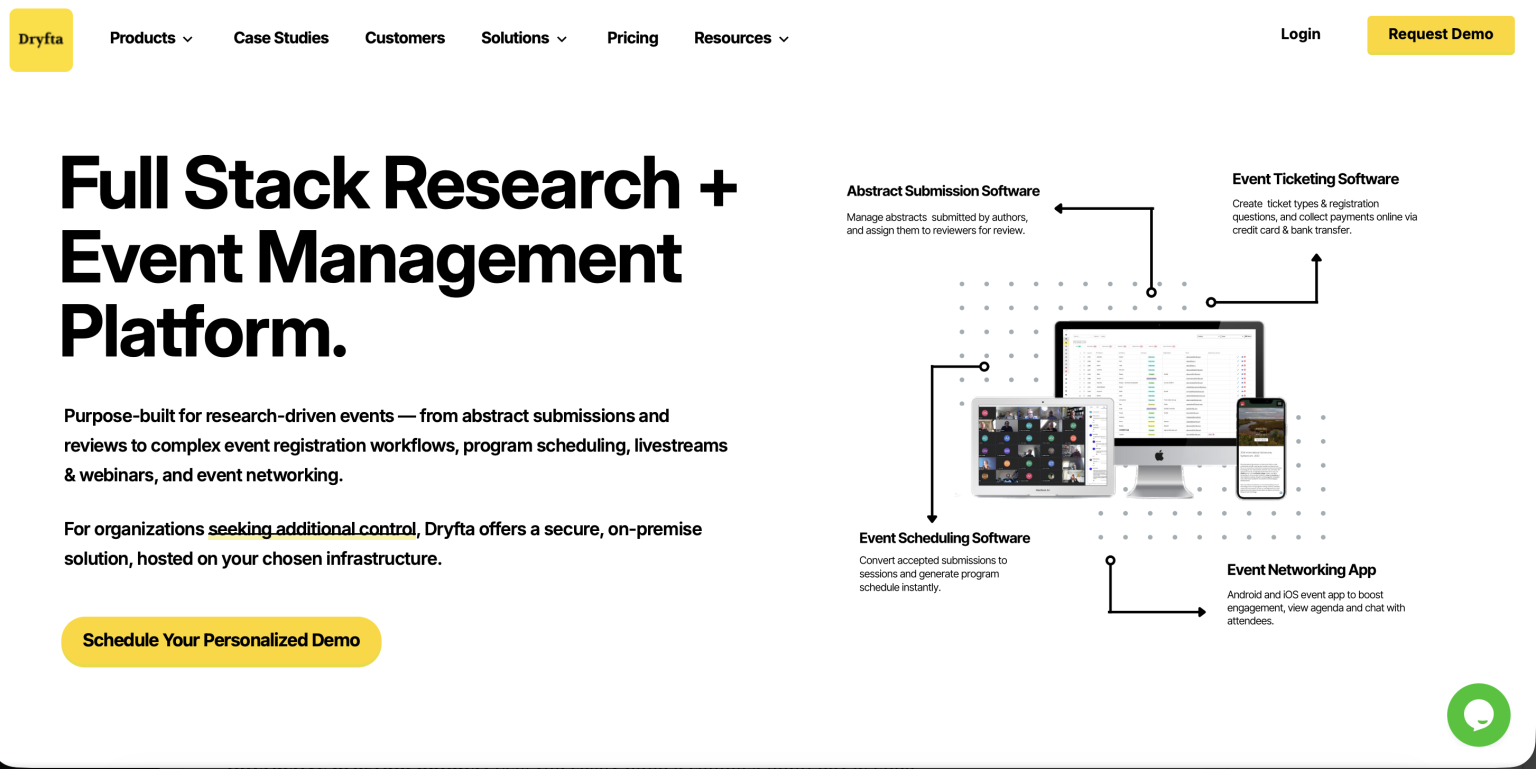
Best For: Academic and scientific event organisers managing large volumes of submitted abstracts.
What It Actually Saves: The weeks of manual reviewer assignment and conflict-of-interest checking that abstract-heavy events require.
Specific Use Cases:
- Matching abstracts to reviewers by topic expertise
- Flagging potential conflicts of interest automatically
- Building multi-track session schedules from accepted abstracts
Honest Limitation: The system organises and flags, but a program committee still makes the final acceptance decisions, since scientific merit is not something an algorithm should decide.
9. Grip
Best For: Attendee-to-attendee matchmaking at conferences with a strong networking component.
What It Actually Saves: The manual work of building a matchmaking system from spreadsheets and guesswork.
Specific Use Cases:
- Suggesting meeting matches based on attendee interests and goals
- Powering an event app’s networking and meeting-booking features
- Generating post-event reports on networking activity
Honest Limitation: Matchmaking quality depends entirely on the attendee data collected at registration, so a thin registration form produces thin matches.
10. Whova AI (Conference Networking and Management)
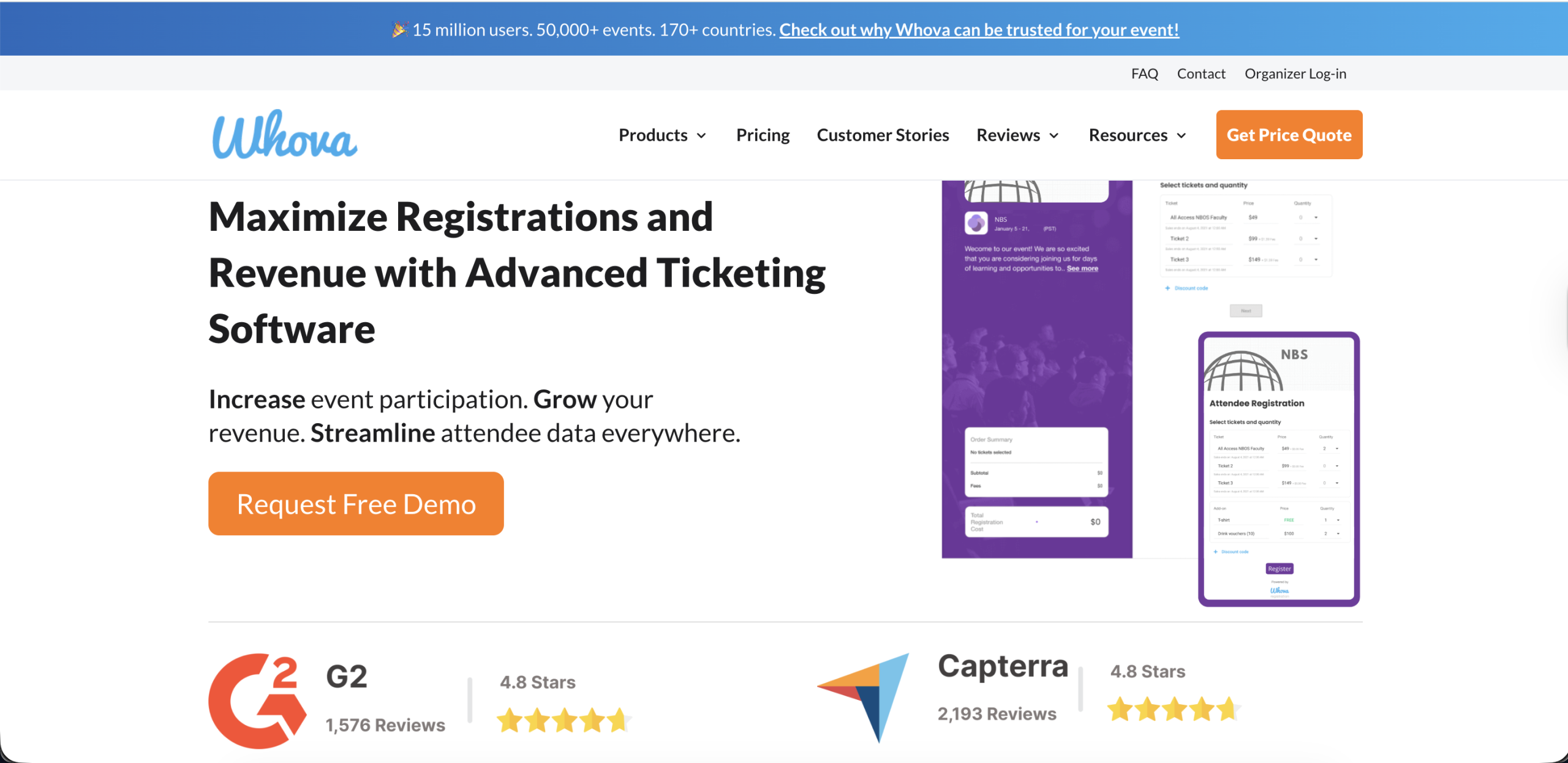
Best For: Mid-size conferences that need a single app covering agenda, networking and attendee engagement.
What It Actually Saves: The cost of running separate tools for agenda building, networking and live polling.
Specific Use Cases:
- Building a personalised agenda for each attendee automatically
- Powering in-app networking and community boards
- Running live polls and Q&A during sessions
Honest Limitation: The breadth of features means depth in any single one, such as abstract review, does not match a tool built specifically for that job.
Content Repurposing and Documentation
11. Opus Clip / Descript
Best For: Turning recorded sessions into short social clips without hiring a video editor.
What It Actually Saves: The editing hours that used to go into finding the right ten-second moment in a sixty-minute recording.
Specific Use Cases:
- Auto-generating short clips from keynote recordings for social promotion
- Adding captions to session recordings for accessibility
- Removing filler words and dead air from recorded panels
Honest Limitation: The clip suggestions still need a human eye for context, since the algorithm can select a technically engaging moment that misrepresents what the speaker actually meant.
12. Otter.ai / Fireflies.ai
Best For: Transcribing and summarising every planning call and session so nothing gets lost.
What It Actually Saves: The person-hours once spent on manual note-taking during back-to-back planning meetings.
Specific Use Cases:
- Transcribing sponsor and vendor calls automatically
- Generating action-item summaries after planning meetings
- Creating searchable transcripts of recorded sessions for later reference
Honest Limitation: Transcription accuracy drops with heavy accents, crosstalk or poor audio, so a transcript from a noisy conference hall still needs a manual review pass.
Building Your AI Stack by Event Type
The best way to create the best set of AI tools for event planning is doing so by type and purpose. Different types of conferences have different, varying priorities. In this section, we’re taking you down the must-have tools for each event type. We have also covered some nice-to-have additional tools that we’re certain many event planners will benefit from. Here’s your awakening: every single logistical problem that comes up in event planning is solvable. And more increasingly, artificial intelligence is doing it.
1. For academic research conferences and scientific symposiums
- Must have: Dryfta AI for abstract reviewer matching, conflict detection and AI session scheduling.
- High value: Claude for turning dense abstracts into plain-language session previews, and Otter.ai for transcribing committee meetings.
- Nice to have: Canva AI for conference signage and Perplexity for keynote speaker research.
2. For corporate and enterprise conferences
- Must have: ChatGPT or Claude for sponsor communication and Dryfta AI for attendee matchmaking.
- High value: ClickUp AI for coordinating a larger internal team and Synthesia for sponsor video content.
- Nice to have: Reclaim.ai for protecting planner focus time during the lead-up.
3. For virtual and hybrid events
- Must have: Dryfta and Whova AI for agenda personalisation and live engagement across both formats.
- High value: Opus Clip or Descript for repurposing recorded sessions into promotional clips.
- Nice to have: Otter.ai for producing searchable transcripts of every virtual session.
4. For solo and small-team planners
- Must have: ChatGPT for broad writing support across every task the event requires.
- High value: Canva AI for design work without a dedicated designer and Reclaim.ai for calendar protection.
- Nice to have: Perplexity if you want to do quick research on venues, speakers and sponsors.
What AI Still Cannot Do for Event Planners in 2026
There’s plenty that AI tools for event planners can do today. Perhaps that’s the very point of this article. But Artificial Intelligence, like all other sacrificing technology, should be taken with a pinch of salt. While AI for event planning has been revolutionary, it is nowhere close to the finish line. So drop all that paranoia about AI replacing your job at work. Let’s take a quick dive into what AI still cannot do for event planners in 2026.
- Relationship management: AI tools for event planners cannot replace the human connection that makes up the very core of relationship management. Be it with customers, sponsors, speakers and other stakeholders, AI communication can be impersonal in a first conversation and pitch email. The rapport always needs to start from a human being. And no, AI isn’t ever going to be able to replicate that.
- On-the-day judgment calls: Event planners are put in the spot almost every other minute on event day. A speaker cancels, a technical failure. This calls for immediate, proactive and quick judgement, something that AI tools for event planners cannot accomplish by itself. It still needs the input and command of a human at the top of the chain of command.
- Creative concept development: Artifical Intelligence can certainly conceptual and develop unique creativity. However, the depth of which is severely limited at the moment and is nowhere close to creative flair of an event planner.
- Fact-checking and accuracy verification: It is safe to say that anything generated by AI tools for event planners can be prone to errors and inaccuracy. AI algorithms are not necessarily up-to-date with the most latest information and can therefore makes mistakes. It is advisable for someone on your team to verify some key information that just cannot go wrong for you.
- Abstract peer review decisions: Dryfta AI and similar systems can match reviewers and flag conflicts. However, the true judgment of whether a submission belongs on the program is solely on the committee of human peer reviewers. AI tools cannot earn the scientific merit that experts in a field do and nor can it act as a reliable peer reviewer at this point in time.
AI Tools For Event Planners: What’s The Verdict?
The extent to which you want to use AI tools for event planning or if you want to use them at all, is a choice that’s upto every single, individual or team.
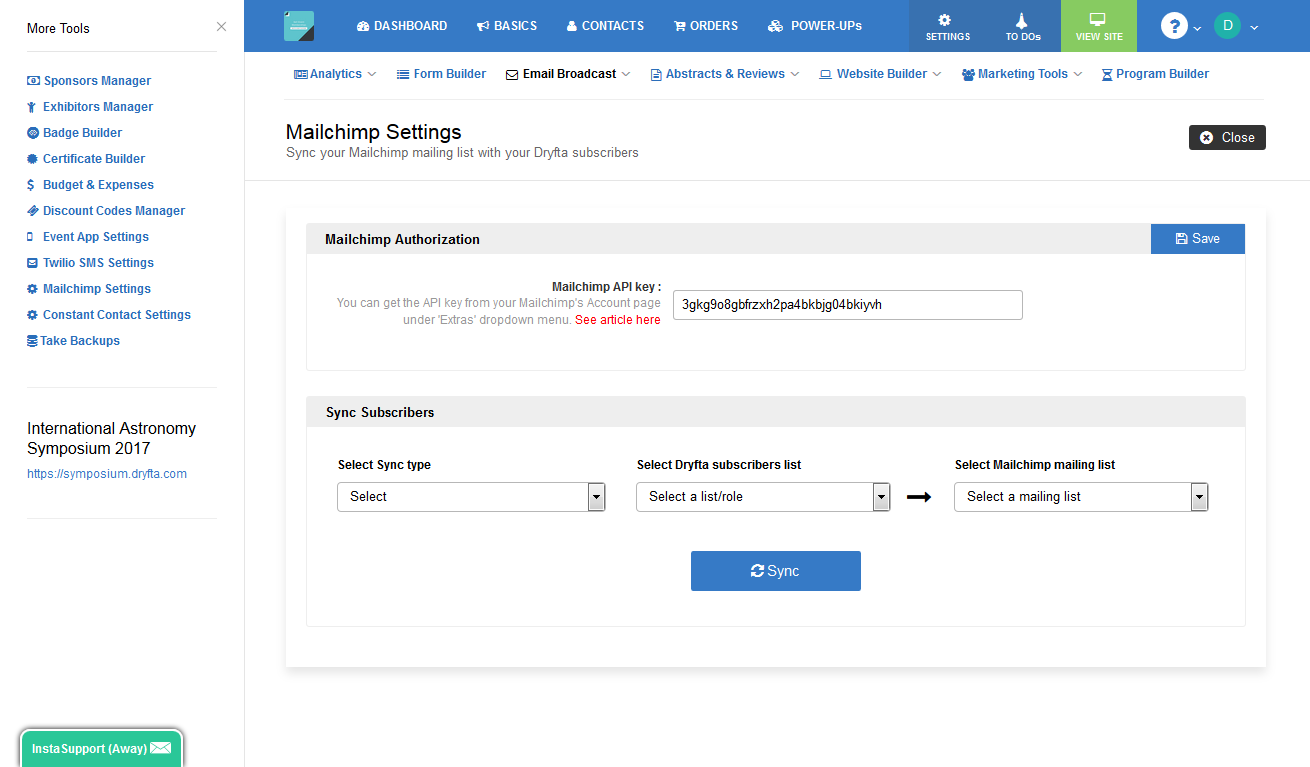
If you are an event professional already using an event management platform or abstract management system to handle your event’s logistics, it may be time to upgrade to a software that’s offering the best, most recent breakthroughs of AI tools for event planning. Dryfta is one of those platforms that’s committed to innovation and R&D all throughout. To explore Dryfta’s exclusive AI tools for event planning 2026, sign up for a free demo today. Watch our tools in action and see if you change your mind. That is if you haven’t yet!