



An academic association that has run its annual conference on the same platform for years carries far more inside that system than a spreadsheet of names. What we’re speaking of is years of accepted abstracts, reviewer assignments, programme structures, payment records and certificates. All of which now remain inside the event management system that the organization is now considering leaving. Migration and preservation are often treated as the same task, though an event platform migration and a preservation plan actually solve two different problems.
Some records need to remain fully operational in the new platform, ready for a coordinator to open and edit on any given morning. Other records only need to remain retrievable, sitting in a governed archive that nobody touches daily but everyone can access when the need does arrive. The goal of a well-planned event platform migration is not to copy everything from one system into another. The goal is to preserve continuity so that next year’s team can still understand what happened, who took part, what was decided, and how the event actually performed.
Start an Event Platform Migration With the History You Cannot Afford to Lose
Before anyone discusses import formats or field mappings, a full inventory of the organization’s conference history should exist on paper. That inventory should account for attendees and registrations, orders and refunds, abstracts and papers, authors and their affiliations, reviewer assignments and completed reviews, final decisions, speakers, sessions and tracks, check ins, continuing education or certificate records where they apply, sponsor and exhibitor records, email templates, surveys, analytics and any files or proceedings tied to past events.
A useful test can be applied to each item on that list before any event platform migration begins. Ask yourself;
If this particular record disappeared tomorrow, what future decision, audit, certificate request or participant query would suddenly become harder to answer?
A record that fails this test earns a place near the top of the migration priority list, while one that passes it easily might belong somewhere else entirely, which is the question the next section takes up directly.
Separate Live Data From Historical Data
When it comes to an event migration platform and the very act of migrating your data, there are some important considerations to make:
- Data to migrate directly: The first bucket holds what should move directly into the new platform. Active registrants, open balances, current submissions, confirmed sessions and current speakers usually belong in the first bucket, since a coordinator will need to open and adjust these records almost immediately.
- Data to preserve outside the platform: The second holds what should be archived outside the platform instead. Prior year reports, completed review exports, old programmes, final financial reports and proceedings snapshots tend to belong in the second bucket, since they need to remain retrievable without cluttering the live system.
- Data to omit: The third holds what you do not intend to take forward at all. Test accounts, obsolete fields, duplicate contacts and expired temporary data usually belong in the third bucket, subject to whatever retention policy the organization already follows. Sorting records this early prevents a much larger problem that surfaces later, which is the temptation to preserve rows without preserving what actually connects them.
Preserve Relationships and Not Just Rows
This is where most event platform migration projects lose the very thing they were trying to save, and it deserves more attention than any other part of this guide. A spreadsheet of people means very little if the new system cannot tell which person submitted which abstract, reviewed which paper, purchased which ticket or presented in which session.
If migration keeps an individual’s contact record but drops the link between their reviewer assignment and their own authored submission, the new platform ends up holding two disconnected identities instead of one accurate history. A relationship map makes these connections explicit before migration begins.
- Person connects to registration, which connects to order.
- Author connects to abstract, which connects to decision.
- Reviewer connects to assignment, which connects to review.
- Speaker connects to session, which connects to programme.
- Attendee connects to session, which connects to check in or credit.
Wherever the new platform assigns its own internal IDs, the original IDs from the old system should be kept in an archive or a crosswalk table, since a future audit or certificate request may need to trace a record back to where it started. With relationships mapped, the next practical step is mapping the fields themselves.
Build a Field Mapping Sheet Before Importing
Every source field needs a documented destination field, a data type, a transformation rule where one applies, a required or optional status and a short note explaining any judgment call involved. A field called Organisation in the old system might map to Affiliation in the new one, and a field called Paper Type might map to Submission Type, while old status labels often need remapping to a completely different set of controlled values in the destination system.
Some fields will have no obvious destination at all, and each of these deserves a deliberate decision rather than a default one. A missing field can be created in the new platform if it matters enough, archived separately if it is rarely needed but still worth keeping, or intentionally dropped if it no longer serves a purpose. Recording that decision, rather than letting the field simply vanish during an event platform migration, keeps the mapping sheet honest and the eventual audit trail intact.
Once fields and relationships are both mapped, the next question is how much of that mapped history actually needs to live inside the new platform at all.
Do Not Treat Every Conference Year the Same
A multi year association or university conference accumulates history at a pace that no event platform migration should try to replicate in full. Deciding how much of that history needs to remain searchable inside the new platform, rather than simply preserved, becomes its own decision.
Current year data usually needs full operational detail, since coordinators are actively working with it and attendees are actively interacting with it. Older years, by contrast, may only need a structured archive along with a handful of longitudinal fields that support year over year comparisons. Event and year identifiers should be preserved regardless of which bucket a given year falls into, since losing them would make future reporting difficult to interpret even when the underlying numbers survive intact.
With that distinction in place, academic review history deserves its own careful treatment, since it tends to carry more complexity than almost any other conference dataset.
Handle Academic Review History Carefully
Review history involves submissions, authors, co-authors, tracks or topics, reviewer identities where policy allows them to be disclosed, reviewer to paper assignments, scores, comments, final decisions and any revision history attached to a submission. Moving only the final acceptance status and discarding everything that led to it destroys editorial context that a future committee, appeals process or research inquiry might genuinely need.
Blind review confidentiality and existing retention policies can also limit how broadly some of these historical details should remain accessible after a migration, so a policy review belongs alongside the technical one. An association that migrates review scores and comments without checking who is allowed to see them afterward may solve a data problem while creating a compliance one.
Once review history has been handled with this level of care, registration and financial records introduce a different kind of risk, since money rarely tolerates approximation.
Registration and Finance Need Reconciliation
For active events, ticket type, order state, amount paid, balance due, refund status, invoice references and registration status should all carry forward wherever they remain applicable. Importing these fields, however, is only the first half of the job.
After import, every count and every monetary total should be reconciled against a frozen source report taken before the event platform migration began, since a discrepancy discovered weeks later is far harder to trace than one caught the same day. Payment card details should never be migrated casually, and organizations should rely on approved processors and tokenization rather than attempting to move sensitive payment data through a general export and import process. A refunded registration, carried through incorrectly, can resurface in a revenue report months later and confuse a board member trying to reconcile the year’s finances.
With financial data reconciled, the schedule and its speakers present a similarly relationship heavy challenge, though one rooted in structure rather than in numbers.
Schedules and Speakers Are Relationship Heavy Data
Programme migration needs to preserve session hierarchy, times, rooms, tracks, speakers, moderators and the links between each presentation and its session. A programme is rarely a flat list, and treating it as one during migration tends to flatten relationships that mattered to attendees at the time.
Testing a small sample of sessions before importing the full programme reveals whether the new platform actually preserves this hierarchy or simply approximates it. For completed events, a PDF or CSV snapshot of the original programme may serve the organization better than an attempt to reconstruct every historical schedule inside the new system, since a snapshot preserves the record without requiring the new platform to model a structure it was never asked to actively manage.
Files and media, which schedules and speakers both depend on heavily, deserve their own dedicated attention next.
Migrate Files and Media Deliberately
Uploaded papers, speaker headshots, sponsor logos, presentation files, recordings, certificates, maps and email assets are exactly the kind of items a standard CSV export tends to miss entirely, since spreadsheets were never built to carry file attachments. A file manifest closes this gap by recording the file name, the record it links to, its current location, an owner, a retention decision and its migrated or archived status.
Export limitations for these file types can vary significantly depending on the platform and the specific content library involved, so an inventory of files should happen well before access to the old system ends rather than at the last possible moment. Once every relevant file has been accounted for, the migration itself is ready to begin, though it should begin small before it begins completely.
Pilot Test Before the Full Event Platform Migration
A representative sample tells an organization far more than a full migration attempt run blind. That sample should include one standard attendee, one group or order, one refunded order, one abstract with several co-authors, one reviewed paper, one multi speaker session and at least one deliberately unusual edge case.
Running this sample through the new platform reveals problems with mapping, formatting, duplicate handling, email notifications and relationship preservation while the stakes remain small and reversible. A pilot import is the safest way to validate an event platform migration before scaling to the full dataset, and fixing the migration rules at this stage costs a fraction of what fixing the same problems would cost after several thousand records have already moved.
Once the pilot succeeds and the rules are corrected, the full migration can proceed, though it is not finished the moment the import completes.
Reconcile the Event Platform Migration With Evidence
A migration should never be declared complete simply because the import process finished without an error message. A compact validation table, tracking source count, destination count, expected difference, result and an assigned owner, turns reconciliation into something repeatable rather than something assumed.
Attendee totals, paid and refunded totals, submissions broken down by status, reviewer assignments, sessions, speakers and file counts should all be validated against this table. Relationship spot checks matter just as much as record counts, since an event platform migration can arrive at exactly the right number of records while still connecting several of them incorrectly. Checking whether a specific author’s abstract still points to the correct decision, or whether a specific reviewer’s assignment still points to the correct paper, catches errors that a simple count comparison would miss entirely.
With the migration itself validated, attention turns to whether the reports leadership relies on will still make sense afterward.
Preserve Reporting Continuity
Leadership tends to expect the same reports year after year regardless of which platform produced them, including registrations, revenue, attendance, abstract volume, acceptance rate, reviewer load, session attendance, sponsor performance and, where applicable, continuing education credits or survey results.
Numbers alone are not enough to preserve here, since definitions matter just as much as the figures themselves. The term attendee, or the term accepted abstract, may carry a slightly different definition in the new system than it did in the old one, and a report that compares two differently defined numbers without acknowledging that difference will mislead anyone who reads it. A metric dictionary, documenting exactly how each term is defined in both systems, allows a 2025 figure to be compared honestly against a 2027 figure rather than compared in name only.
Once reporting continuity has been addressed, the timing of the actual cutover becomes the next practical concern.
Plan the Cutover Around the Event Calendar
Switching platforms during a peak submission window, an active review period or a heavy registration deadline creates unnecessary risk that a slightly different timeline could avoid entirely. For an active event, the plan should define a source freeze and cutover window, a final delta migration to capture anything that changed since the pilot, an opening time for the new system, a communication plan for attendees and staff and a clear escalation path if something goes wrong.
If both systems need to run in parallel for even a short period, the organization should decide in advance which system serves as the source of truth for each specific workflow, since ambiguity here tends to surface exactly when speed matters most.
Once the cutover itself has been planned, attention shifts to what happens to the old platform before access to it disappears for good.
Archive Before the Old Contract Ends
Final reports, data dictionaries, configuration notes, files and any audit or history information the organization is entitled to retain should all be exported before the old contract expires, since access rarely extends past the final invoice. Screenshots or PDFs of important structures that cannot be represented cleanly in a raw export are worth capturing as well, since some configurations simply do not survive translation into a spreadsheet.
The resulting archive needs a documented home, a defined list of who can access it and a retention period that someone has actually decided on rather than left open ended. An archive nobody can find in three years serves the organization no better than data that was never preserved in the first place.
With the archive secured, an event platform migration also presents a natural opportunity to leave behind what should never have followed the organization this far.
Clean Up Instead of Migrating Every Legacy Problem
A platform switch offers a rare opportunity to remove duplicate contacts, retired fields, outdated categories, abandoned ticket types and stale administrator accounts that have accumulated over several years of daily use. Migrating every legacy problem into a brand new system simply relocates the same clutter rather than resolving it.
An audit note, recording what was intentionally excluded and the reasoning behind each exclusion, protects the organization from a future question about why a particular record no longer appears. A genuine event platform migration differs from a copy everything approach exactly at this point, and it tends to be the difference conference staff notice most once the new system is actually in daily use.
Before any of this work begins with a specific vendor, though, a short set of procurement questions can save considerable trouble later.
What to Ask a Vendor About Event Platform Migration Support
A vendor conversation should cover whether the platform can import attendees, submissions, speakers and sessions, and whether it can preserve the relationships between them rather than only the records themselves. It should also cover how historical reporting is handled, whether original IDs can be stored alongside new ones, how duplicate records get resolved and which file types the platform can and cannot migrate.
A few additional questions matter just as much.
- Who actually validates the migration, and is a test import included as part of that process?
- What happens if access to the old platform ends before the cutover is complete?
- And what level of migration support comes included with the plan being considered, versus what carries an additional cost?
Asking these questions before signing on to an event platform migration tends to surface limitations while they are still negotiable rather than after they have already become a problem.
Use Dryfta For Your Event Platform Migration
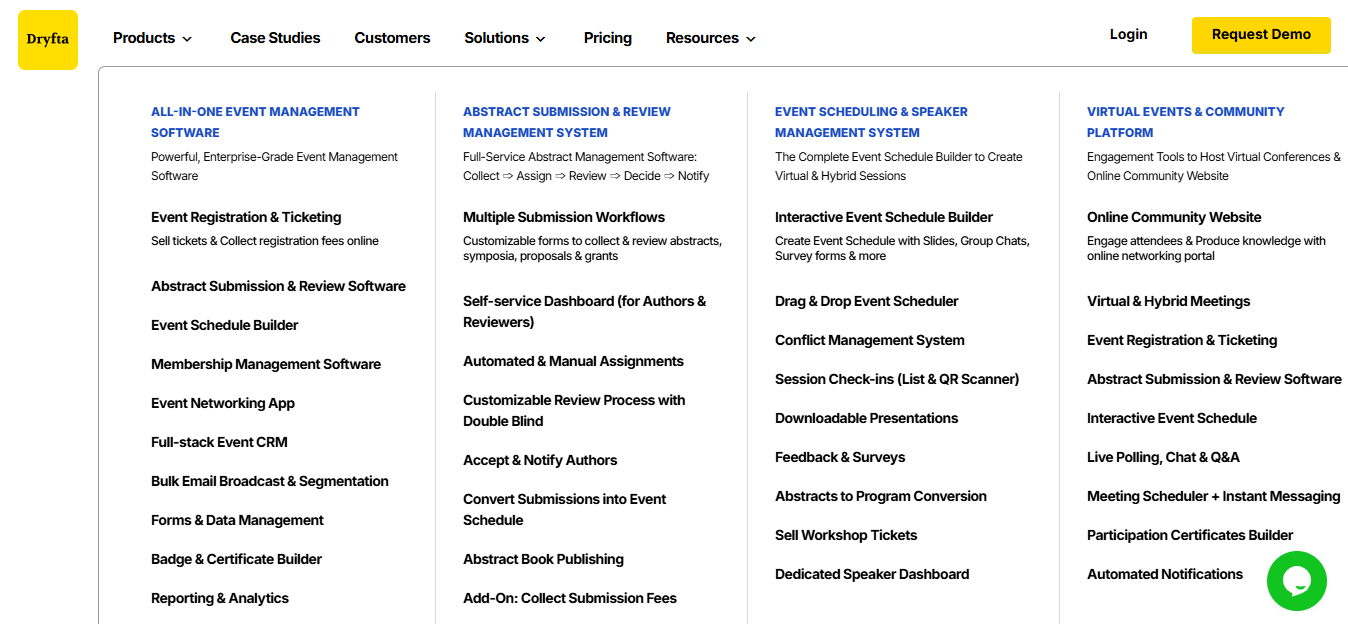
Dryfta states that setup and data migration are included with its plans, and that attendee, abstract, session and speaker data can be migrated from spreadsheets or exports taken from another platform. Dryfta also supports importing abstracts and programme schedules, along with retaining or copying past events for organizations running recurring annual conferences.
These capabilities function as a practical bridge once the framework above has already been applied, rather than as a substitute for it. No platform, including Dryfta, should be assumed to import every historical object from every possible source system without a specific conversation about scope, supported file types and how relationships will be handled during an event platform migration. Organizations considering a move should confirm these specifics directly with the Dryfta team before relying on them for planning purposes.
Sign up for a free demo with Dryfta today.
Frequently Asked Questions (FAQs)
What data should be exported before changing event platforms?
Attendee and registration records, orders and refunds, abstracts and reviewer assignments, session and speaker details, files such as papers and certificates, and final reports should all be exported before access to the old platform ends, since some of these items become difficult or impossible to retrieve afterward.
Can historical conference data be migrated to a new platform?
Much of it can, though not all of it should be. Active and recent data typically belongs inside the new platform, while older historical data often serves the organization better in a structured archive rather than inside the live system during an event platform migration.
How should reviewer assignments and abstract history be preserved?
Reviewer assignments and abstract history should be preserved as connected records rather than as separate lists, since the value of this history depends on knowing which reviewer evaluated which paper and what decision followed, not simply on knowing that reviews happened at all.
Should every past event be migrated into the new system?
Not necessarily. Current and recent events usually need full operational detail, while older events often only need a searchable archive along with the specific longitudinal fields that support year over year reporting.
How should an event data migration be validated?
Validation should compare source and destination counts and totals for attendees, payments, submissions, sessions and files, and it should also include relationship spot checks, since an event platform migration can produce the correct number of records while still connecting several of them incorrectly.
What happens to paid registrations during a platform switch?
Paid registrations should carry forward their ticket type, amount paid, balance due and refund status, and every total should be reconciled against a frozen source report taken before the migration began to confirm nothing was lost or duplicated.
How should old conference data be archived?
Old conference data should be archived with final reports, data dictionaries, configuration notes and relevant files, stored in a location with defined access permissions and a documented retention period rather than left in an informal or easily forgotten location.
When is the safest time to switch event platforms?
The safest window generally falls outside peak submission, review or registration periods, since switching during one of these periods introduces avoidable risk to an already time sensitive event platform migration.
Can a new event platform preserve year over year reporting?
It can, provided that event and year identifiers are preserved and that a metric dictionary documents how key terms are defined in both the old and new systems, since a number is only comparable across years when its underlying definition has not shifted without anyone noticing.
What should be asked of a vendor about migration support?
An organization should ask whether relationships between records can be preserved, how historical reporting is handled, what file types are supported, whether a test import is included and what happens if access to the old platform ends before the event platform migration is complete.