Planning an event often means using several tools for email, social media, paid ads, and registrations. Keeping track of them all can get difficult as the event grows.
Event marketing software helps manage these activities more efficiently. For complex events, Dryfta can work well as an integrated event marketing solution, especially when marketing needs to work closely with registration and other event processes.
Specialist tools may still be a better fit for specific marketing channels. The right choice depends on your event needs, workflow, and budget.
60-Second Stack Selector
What works for a local workshop might not work for a large academic conference or a global trade show. That is why choosing the right event marketing tools is crucial. Start with what you need, then pick the tools that fit.
Take one quick minute and answer these five questions before choosing your event marketing software.
- What kind of event are you running? A small workshop needs a very different setup from a multi-track conference with thousands of attendees.
- Where do most of your attendees come from? Email, LinkedIn, search, referrals, and paid ads can all bring people in. Look at where your attendees already come from and choose tools that support those channels.
- Do you already have a event CRM or email platform? Take a look at what you already use first. Adding a few tools to your current setup can be much easier than changing the whole thing.
- How much are you planning to spend on promotion? Keep the tool stack within your promotion budget. You can start small and add more when the campaign calls for it.
- How confident are you with tracking results? If you already know how to track registrations and campaign results, you can bring in more advanced event marketing solutions. If not, start with the basics and build from there.
Your answers can help narrow down the setup that makes sense for you. Maybe you only need the basics. Maybe your event needs a bigger setup for growth, B2B, academic, nonprofit, or enterprise marketing. Pick the event marketing tools that fit your needs and leave the rest out.
How We Evaluated the Tools
We didn’t pick these tools based on popularity alone. We looked at each event marketing tool using the same basic questions to make the comparison useful for someone planning an event.
- Inclusion rules: We included tools that have a role in promoting events, growing an audience, driving registrations, or measuring results.
- Category fit: We judged each tool based on the job it is designed to do rather than treating every tool like a complete event platform.
- Practical testing: Where possible, we looked at how each tool could fit into a real event setup from promotion through registration and follow-up.
- Evidence: We checked product details against vendor documentation and other relevant sources. If something could not be confirmed, we did not treat it as a fact.
- Scoring: Every tool was scored using the same criteria to keep the comparison fair.
Note: Dryfta is part of the comparison and that relationship is clearly disclosed. The same evaluation criteria still apply.
Top 10 Marketing Tools to Help Promote Your Event
Not sure which tools belong in your event marketing stack? Start with these top 10.
1. Dryfta
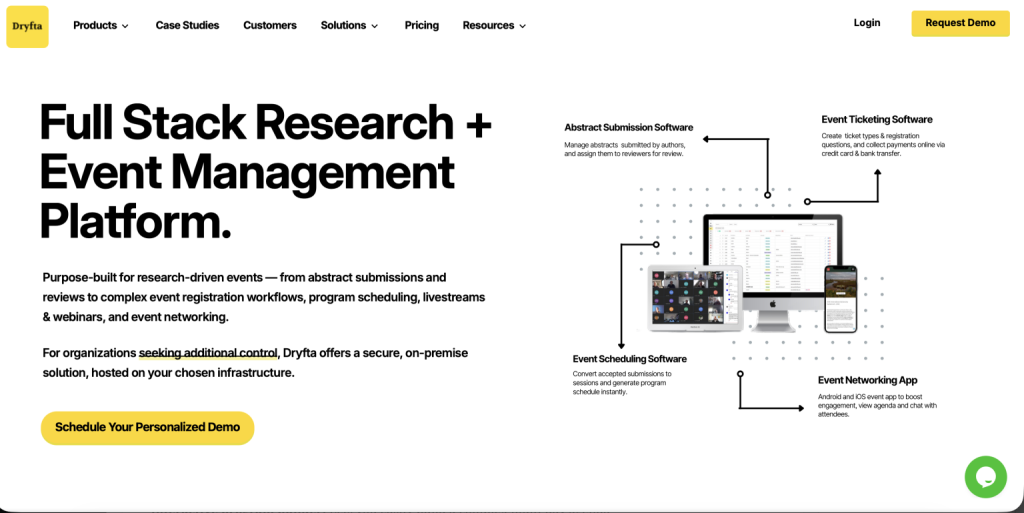
Verdict: If you want your event to be the main focus of your marketing setup, Dryfta + EventBoost can make a lot of sense. You can manage the event website, registration, contacts, email communication, promotion, and reporting from one connected system.
What it’s for: Dryfta handles the core event setup, while EventBoost extends promotion through event listings and other promotional channels. EventBoost lets organizers submit event details to 100+ event sites and calendars.
Best for: Academic conferences, research events and organizations that want event data managed from a single platform. Dryfta is specifically positioned around universities and research-driven events.
Why it made the list?
- Registrations are connected to your contact database, where teams can segment people and send targeted communications.
- Dryfta supports abstract submissions, peer review, speaker management, registration, scheduling, and attendee communication within the same platform.
- EventBoost can distribute an event across 100+ event sites and calendars while showing clicks and visits generated through those listings.
Event workflow test: The process can start with the event website and registration, followed by promotion through EventBoost. From there, you can communicate with registrants and keep track of event activity and reports.
Automation and AI: Dryfta supports automated email notifications based on registration and other event actions. You can also create targeted email campaigns for specific attendee groups.
Attribution: EventBoost provides click and visit data from event promotion. Dryfta also provides event reporting around registrations, attendance, contacts, and other event activity. Reports can be filtered and exported as CSV files.
Integrations and data: Dryfta keeps registration information within its event contact database and supports contact exports, duplicate merging, native integrations with tools such as Salesforce and Vimeo, plus API access through Zapier.
Privacy, security and accessibility: Dryfta includes features for data control and security, with compliance requirements also addressed. The latest documentation should be your reference before making a final decision.
Pricing and total cost: Dryfta offers three plans based on event size. The Small plan is priced at $1,499 per year, while the Medium plan costs $14,999 per year. The Large plan uses custom, quote-based pricing, making it suitable for organizations that need a larger event setup.
Limitations: EventBoost is focused on event promotion and distribution rather than replacing specialist marketing channels. Teams with very simple events may not need every part of the platform.
Score and evidence: Dryfta is currently 4.8/5, while EventBoost is 4.8/5 on their individual G2 profiles.
2. HubSpot
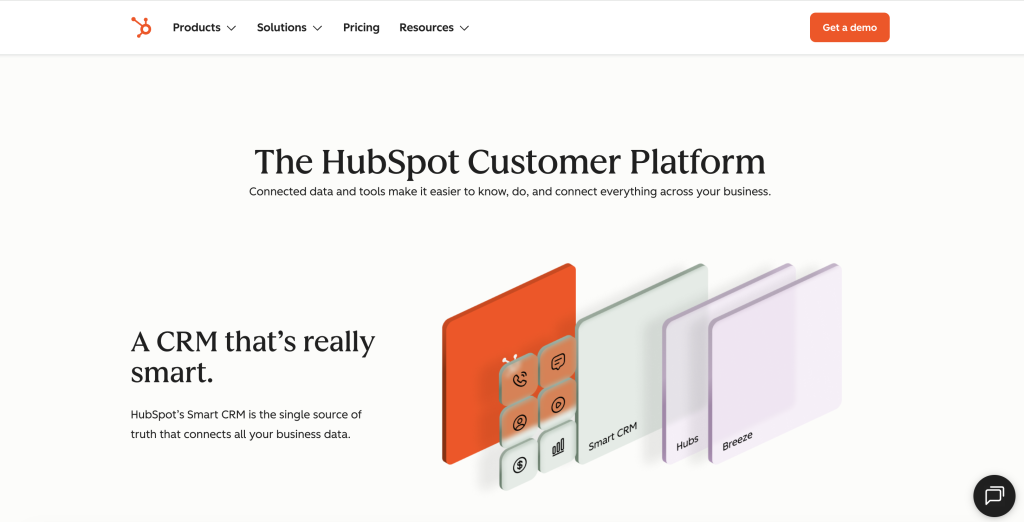
Verdict: If your B2B team already uses a CRM, HubSpot can fit well into the event marketing setup. It is particularly useful when people continue through a longer lead journey after registering. If your team needs to handle detailed event operations too, you may need a separate event platform or some integrations.
What it’s for: HubSpot’s main role in an event marketing stack is CRM-led marketing automation. Marketing Hub uses CRM data to help teams create more targeted campaigns. You can also set up automation based on actions like form submissions or page views.
Best for: Mid-sized and enterprise event teams, B2B conferences, trade shows, and organizations that already use a CRM or have dedicated marketing staff.
Why it made the list?
- HubSpot’s reporting tools put marketing, sales, revenue, and service data together for easier viewing.
- Lead scoring helps teams see which contacts need more attention based on their details or behavior.
- Campaign reporting lets you see how marketing activity relates to contacts.
Event workflow test: HubSpot is especially useful for the marketing side of an event. You can use a landing page to collect interest, add people to your CRM, send follow-up messages, and pass leads to sales. Full workflows are available on Professional and Enterprise plans. What you can set up depends on your plan.
Automation and AI: HubSpot includes AI features that help draft marketing emails, generate content ideas, summarize CRM records, and support customer conversations. Automation tools can trigger emails, update contact properties, assign leads, and notify team members based on predefined rules.
Attribution: You can use HubSpot to report on campaigns and see how marketing efforts contribute to revenue. Its advanced marketing analytics can also track the impact of different channels.
Integrations and data: HubSpot connects with many third-party applications through native integrations and APIs. It also supports Zapier for additional automation.
Privacy, security and accessibility: HubSpot provides user roles, permission controls, audit logs, and security features that vary by subscription level. Privacy settings support consent management and subscription preferences to help teams manage marketing communications responsibly.
Pricing and total cost: HubSpot offers a free plan at ₹0/month for up to two users. The Starter plan starts at ₹585/month per seat, while Professional starts at ₹66,697/month and includes three core seats. Enterprise starts at ₹300,000/month and includes five core seats.
Limitations: HubSpot is not an event registration platform. Teams running conferences may still need a dedicated platform for event-specific operations, then connect that system with HubSpot where appropriate. The amount of automation and reporting available also varies by subscription tier.
Score and evidence: G2 currently lists HubSpot Marketing Hub at 4.4/5.
3. Mailchimp
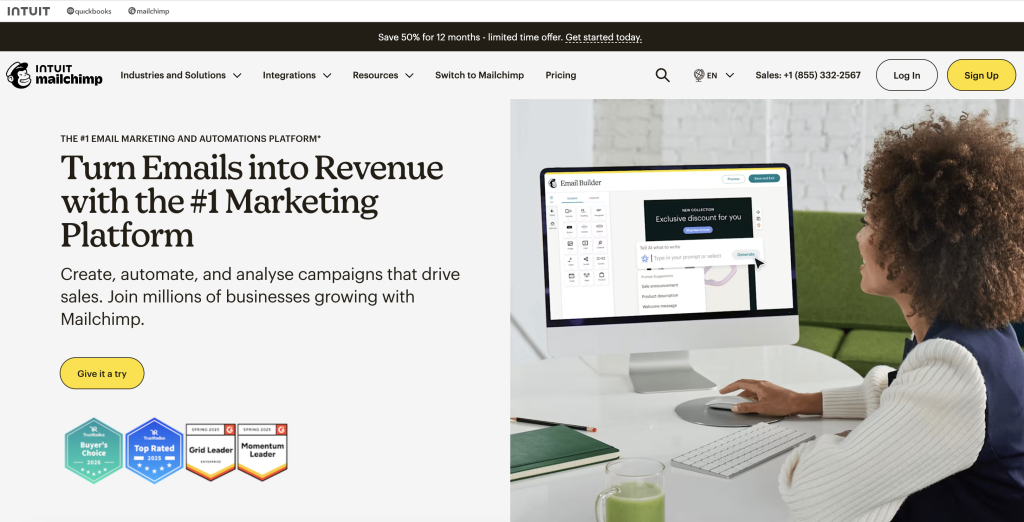
Verdict: Mailchimp is a great pick for teams that want email marketing without a steep learning curve. It offers enough automation for most small and mid-sized event teams.
What it’s for: Mailchimp is mainly used for email campaigns and audience management in an event marketing stack. It also includes landing pages, marketing automation, audience segmentation, and campaign reporting.
Best for: Teams running events where email is a major communication channel and the audience needs to be split into groups.
Why it made the list?
- Contacts can be grouped using engagement, audience information, and other conditions rather than sending every campaign to the entire list.
- You can set up automated workflows based on actions like sign-ups, email opens, link clicks, or joining an audience group.
Event workflow test: For an event, Mailchimp can help with promotion, audience groups, reminders, and post-event follow-ups. You can also use its API for event-based triggers.
Automation and AI: Mailchimp includes AI-powered content suggestions and subject line assistance. The automation supports triggers, delays, conditional splits, email actions, contact updates, and much more.
Attribution: UTM parameters can be added to campaign links so traffic and conversions can also be measured in analytics platforms when they are configured correctly. Teams looking for event attribution should check how their registration system passes data into Mailchimp before relying on it for the full picture.
Integrations and data: Mailchimp lists more than 300 integrations, including Google Analytics, Salesforce, Canva, Zapier, and ecommerce platforms. Its automation system can also use API and integration triggers.
Privacy, security and accessibility: With Mailchimp, subscribers can manage their email preferences and unsubscribe when they want. Teams can set user permissions to manage access across shared accounts.
Pricing and total cost: Mailchimp’s Standard plan is ₹575/month for 12 months with the current 50% discount for 0 to 500 contacts. After the discounted period, the price starts at ₹1,150/month.
Limitations: Mailchimp is mainly designed for marketing and email campaigns. If your event needs more complex registration or on-site features, another system may be needed. Your plan also determines the available features and limits.
Score and evidence: G2 lists Mailchimp Email Marketing at 4.3/5.
4. Canva
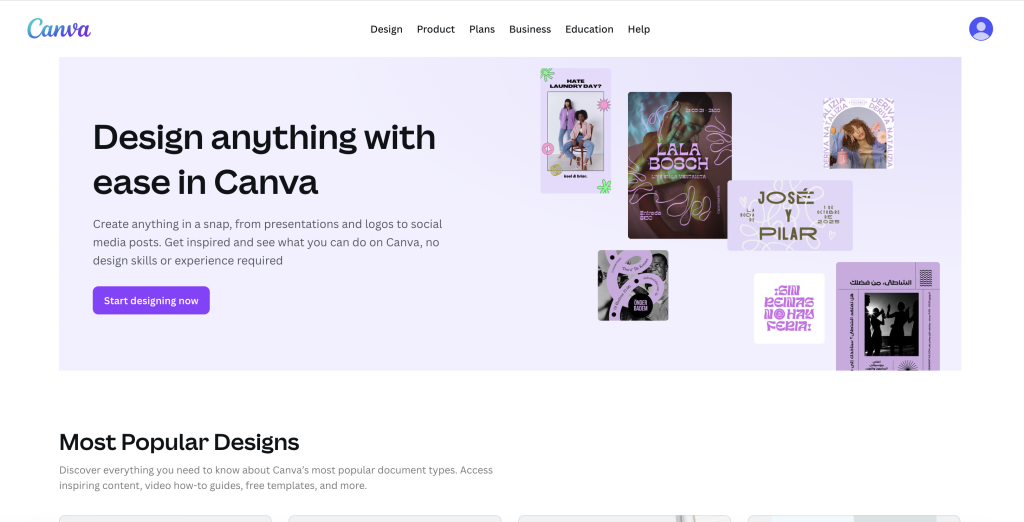
Verdict: Canva is one of the easiest tools for creating branded marketing content quickly. It works well for teams that need professional-looking visuals.
What it’s for: The creative side of event marketing is where Canva comes in. Teams can create videos, presentations, social content, websites, and more with templates, brand tools, and collaboration features.
Best for: Events that need content regularly where different team members need to follow the same visual style.
Why it made the list?
- Brand Templates can lock logos and text areas while still allowing team members to customize the rest of the design.
- Brand Kits keep your brand assets together and easy to find.
- Real-time collaboration lets teams work together inside designs.
Event workflow test: You could start with a branded event announcement and build the rest of the campaign from there. Canva can handle the different designs you need for social media, email, presentations, and event materials. The Content Planner feature can also help with scheduling and publishing social posts.
Automation and AI: Canva includes AI powered features such as Magic Design, Magic Write, image generation, background removal, and photo editing. AI features can speed up content creation but every design should still be reviewed before publication.
Attribution: Canva is not primarily an event attribution tool. Its business features can show how people engage with your content. For in-depth campaign tracking, you may need other marketing tools.
Integrations and data: Canva can connect with other tools through its Apps Marketplace. It works with platforms like Slack, Salesforce, Google Workspace, and Microsoft Teams. You can also use its Connect APIs and Apps SDK to create custom integrations.
Privacy, security and accessibility: Canva includes tools that help you manage users and shared workspaces. Brand controls and enterprise security features are also available on eligible plans.
Pricing and total cost: Canva offers a Free plan at ₹0, while Canva Pro costs ₹4,000 per year for one person. The Business plan costs ₹6,800 per year per person. Enterprise uses custom pricing, so organizations need to contact Canva’s sales team for pricing.
Limitations: Canva is built around visual communication rather than event execution. Teams looking for registration, attendee records, ticketing, or event-specific reporting will need to connect it with other event marketing tools.
Score and evidence: G2 currently shows Canva at 4.7/5 for the Canva product profile.
5. Hootsuite
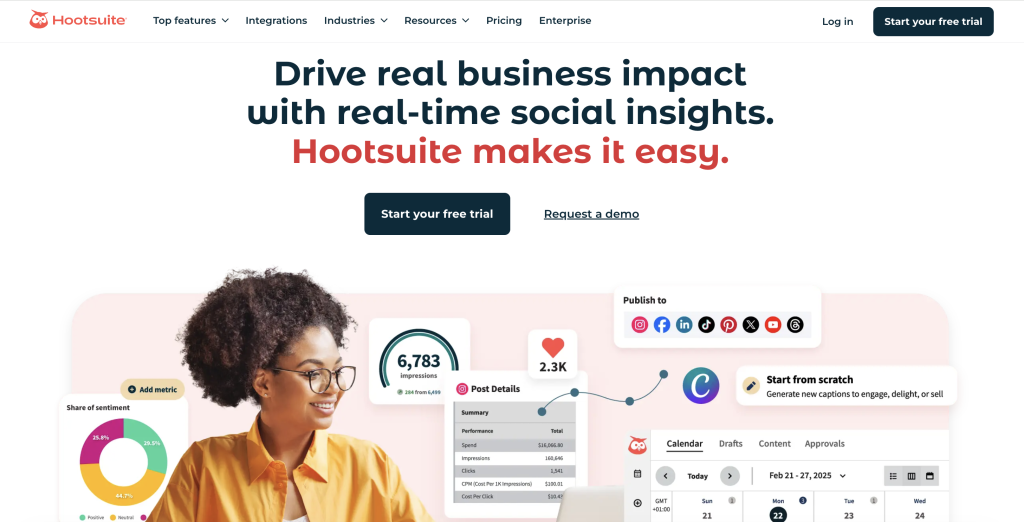
Verdict: Managing social content across several channels is where Hootsuite can be useful. You can plan posts, handle approvals, keep up with conversations, and check performance. It works well when social media is a major part of your event promotion.
What it’s for: Hootsuite handles the social publishing in your event marketing tools stack. It helps marketing teams keep social media activity organized across multiple platforms.
Best for: Events with active social campaigns, especially when more than one person needs to manage content.
Why it made the list?
- Its calendar lets teams plan and schedule upcoming content across social networks.
- Approval tools give team members a chance to review content before publishing.
- Social listening shows mentions, hashtags, topics, and trends linked to an event or brand.
Event workflow test: With Hootsuite, you can plan your content and schedule posts ahead of time. You can also schedule several posts at once and see your published and upcoming content in one place. Its analytics show you how your posts are performing.
Automation and AI: Hootsuite has AI tools that can help create captions, images, post ideas, and hashtags. It can also suggest when to publish and automate some of the social tasks you repeat often.
Attribution: With Hootsuite, you can track links through publishing tools. For registration results, you will need to look at this data alongside your registration data.
Integrations and data: Hootsuite works with major social platforms and can connect with other marketing tools too. Its integrations include Instagram, Facebook, TikTok, and YouTube. You can also bring in CRM data and connect other marketing services.
Privacy, security and accessibility: You can use Hootsuite to control account access and decide who can publish content. It also includes approval tools and security features for eligible plans.
Pricing and total cost: Hootsuite’s Standard plan costs ₹1,999 per user/month, while Professional is ₹3,999 per user/month. The Advanced plan costs ₹7,999 per user/month. The Enterprise plan uses custom pricing, with a demo required for details.
Limitations: Hootsuite is mainly for managing social media. You will still need a dedicated platform for event registration and attendee management.
Score and evidence: G2 currently lists Hootsuite at 4.3/5.
6. Attendir
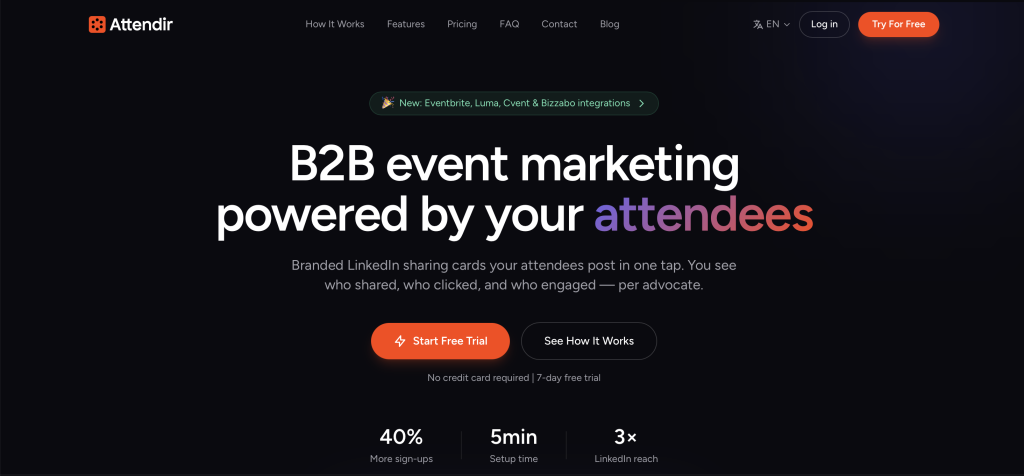
Verdict: Attendir is built for B2B events where registered attendees can help extend the event’s reach on LinkedIn. It is built around tracking that activity with a main focus on LinkedIn advocacy.
What it’s for: Attendir lets event organizers set up branded sharing campaigns for registered attendees. Attendees can share personalised cards on LinkedIn, and organizers can track the visits and clicks coming from those shares.
Best for: B2B conferences and professional events can get the most value from Attendir when their attendees are active on LinkedIn and have useful networks to share the event with.
Why it made the list?
- Branded sharing cards give attendees ready-made LinkedIn posts without making one from scratch.
- Separate campaigns let organizers create different sharing campaigns for speakers and sponsors.
- Tracking shows shares and landing page visits from each advocate.
Event workflow test: Once someone registers through an event platform, Attendir can send them a sharing prompt. They connect LinkedIn through OAuth and can then publish the branded card.
Automation and AI: Attendir can automatically send sharing invitations through webhooks from event platforms. Its product documentation also covers campaign management and A/B testing for share copy. Attendees do not need an app or browser extension to share.
Attribution: Attendir shows what each advocate brings in through their sharing. Organizers can track engagement for individual attendees. Each advocate can also receive a unique tracked landing page.
Integrations and data: You can also add Attendir’s sharing widget to an event confirmation page. For LinkedIn, attendees connect through OAuth rather than entering their password into Attendir.
Privacy, security and accessibility: Attendir uses OAuth 2.0 to connect with LinkedIn. Attendees can revoke that access from their LinkedIn settings. Its documentation also states that the platform is GDPR compliant.
Pricing and total cost: Attendir’s Lite plan costs $408/month, billed at $4,900/year, while the Unlimited plan costs $991/month, billed at $11,900/year. The annual plans show savings of $980 for Lite and $2,380 for Unlimited.
Limitations: Attendir mainly helps with attendee advocacy and LinkedIn sharing rather than other event-related tasks.
Score and evidence: No G2 rating available.
7. GA4 + Google Tag Manager
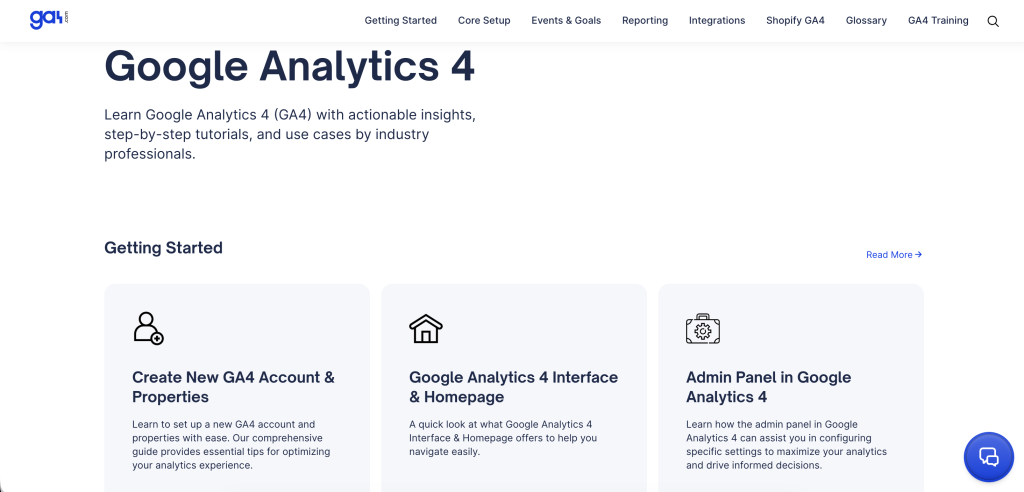
Verdict: GA4 and Google Tag Manager work well together when you want to understand where event visitors come from and what they do on your site. GA4 handles the tracking and reports, while Tag Manager helps you manage the tags that send data to GA4.
What it’s for: GA4 handles event measurement and reporting. Google Tag Manager helps set up and manage the tags that send information to GA4.
Best for: Teams that want to track their website activity in more detail.
Why it made the list?
- GA4 can track important actions as key events and help you see where those actions came from.
- Tag Manager lets you choose when tags should run and pass information into them.
- Cross-domain measurement can keep visitor activity connected when people move between different domains.
Event workflow test: The setup starts when a campaign brings visitors to the event website. Tracking records important actions and GA4 turns that data into reports. Tag Manager manages the tags and triggers.
Automation and AI: Google Tag Manager is not really an AI marketing tool. Its main job is to help teams control when tracking tags run and what information they receive.
Attribution: Campaign attribution is one of the biggest strengths of Google Analytics 4. UTM parameters, conversion events, funnels, and traffic reports help you understand which marketing activities lead to registrations.
Integrations and data: Google Analytics 4 integrates with Google Ads, Search Console, BigQuery, and many third-party platforms. Google Tag Manager supports hundreds of tag templates and custom tags so that it is easier to connect other event marketing solutions with your reporting setup.
Privacy, security and accessibility: Consent settings should be configured correctly before collecting visitor data. You should also review access permissions to meet their privacy requirements.
Pricing and total cost: Google Analytics 4 and Google Tag Manager are available free of charge in their standard versions. Google also offers Analytics 360 and Tag Manager 360 as paid enterprise products with pricing handled separately.
Limitations: GA4 and Tag Manager can provide detailed tracking, but they do not automatically create a correct measurement plan. Poorly configured tags or consent settings can affect the data being collected.
Score and evidence: G2 currently lists Google Analytics at 4.5/5 and Google Tag Manager at 4.6/5.
8. Unbounce
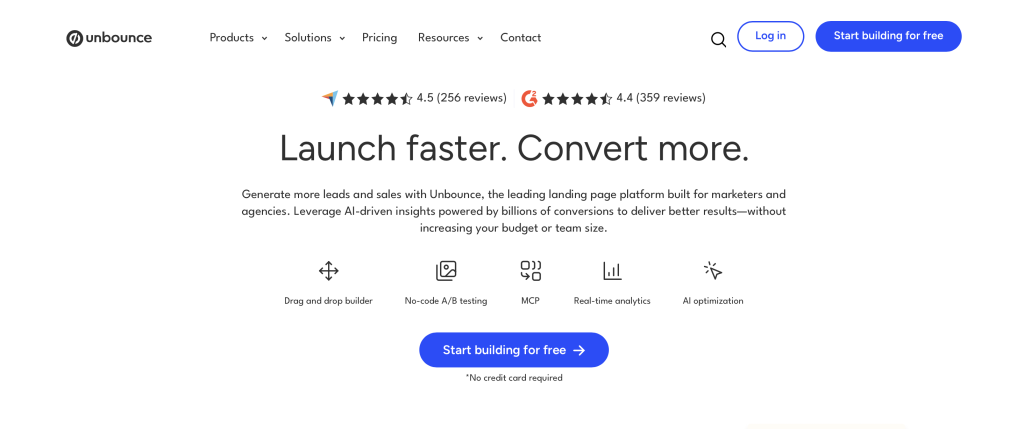
Verdict: Unbounce is handy when an event campaign needs its own landing page. You can test different page versions to see which one gets more registrations.
What it’s for: Unbounce is mainly used for landing pages and conversion optimisation. Marketers can create campaign pages on their own and make changes without constantly asking a developer for help.
Best for: Teams running paid campaigns or targeted promotions where different audiences may need different landing pages. It is particularly useful for teams that want to test messaging before sending more traffic to a registration page.
Why it made the list?
- Unbounce offers drag-and-drop page building with customisable templates. You can create campaign pages without starting from scratch.
- A/B testing lets you compare different landing page variants and see which performs better.
- Dynamic Text Replacement can adjust landing-page copy based on a visitor’s search terms.
Event workflow test: Imagine promoting the same conference to two different audiences. You could create different page variants and test the headline or call to action. Unbounce can then show how those versions perform.
Automation and AI: Unbounce includes AI-powered features such as AI copywriting and Smart Traffic. Smart Traffic uses visitor attributes to route people toward page variants where they are more likely to convert. It now offers an MCP connection for ChatGPT and Claude that can be used to build, edit, test, publish, and review landing pages through prompts. Availability of testing and optimisation features depends on the plan.
Attribution: Unbounce has its own reporting for landing page performance and can connect with Google Analytics for additional tracking. For event campaigns, you would still want your main analytics and registration systems.
Integrations and data: Unbounce supports native integrations plus webhooks and form-data connections. Its documented integrations include tools such as Mailchimp, Marketo, Salesforce, Google Analytics, Google Tag Manager, Google Ads, and Zapier.
Privacy, security and accessibility: Unbounce provides security features for its landing pages. However, you should still review its current privacy and security documentation against your own requirements before deployment.
Pricing and total cost: Unbounce’s Starter plan costs $22/month, Build costs $74/month, and Experiment costs $112/month, with all three billed annually at the displayed rates. Optimize is shown at $187/month with annual billing.
Limitations: Unbounce may be unnecessary when the existing event platform already has a landing page that converts well. Also, running extra landing pages also means maintaining another set of forms.
Score and evidence: For Unbounce Landing Pages, G2 currently gives it 4.3/5
9. Zapier
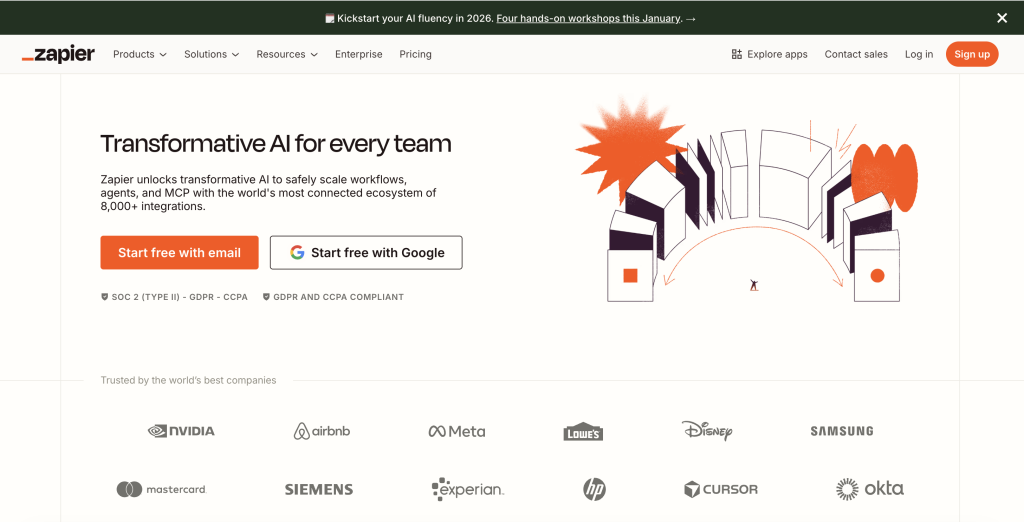
Verdict: If your event setup involves a bunch of different apps, Zapier can help keep them connected. Registration data can move from your forms to a CRM, email tool, spreadsheet, or another app without your team having to build each connection from scratch,
What it’s for: Zapier’s job is to move information between the tools already in your event stack. A registration can trigger a CRM update. That update can trigger an email or an internal alert.
Best for: B2B events and growing event teams that already have several marketing tools and want them to work together.
Why it made the list?
- Registration routing can send new attendee information to tools such as HubSpot or Google Sheets and trigger alerts or follow-up emails.
- Post-event follow-up can use attendance information to update CRM records or send emails.
- When a native connection is not enough, Webhooks by Zapier can send or receive custom data between different tools.
Event workflow test: A new registration can trigger several actions across the stack. The attendee can be added to the CRM. The team can receive an alert. A confirmation or reminder can be sent through the connected email tool. After the event, attendance data can trigger another set of actions for follow-up.
Automation and AI: AI can be used within Zapier automations for tasks such as processing information and generating actions from event data. Zapier also offers AI-focused event registration automations that can extract attendee details from forms or emails and use them in follow-up actions. For more technical setups, webhooks can pass custom data between tools. Webhooks are available on Zapier’s Professional, Team, and Enterprise plans.
Attribution: Think of Zapier as the link between your event data and your reporting tools. It can send registration information to a CRM or spreadsheet and pass attendance data to other apps for follow-up. It does not replace an analytics platform. You’ll still need GA4 or another tool if you want to look closely at campaign attribution and performance.
Integrations and data: Zapier’s marketing offering currently lists 9,000+ integrations along with built-in tools such as Paths and Filters.
Privacy, security and accessibility: Attendee data can pass through several connected apps. It’s worth checking what each app can access and making sure those connections follow your company’s privacy requirements.
Pricing and total cost: Zapier offers a Free plan at $0/month, with 100 tasks per month. The Professional plan starts at $19.99/month, while the Team plan starts at $69/month. The Enterprise plan uses custom, quote-based pricing.
Limitations: More automations also mean more things that need to be monitored. Permissions and task limits also need to be considered before building a large automation setup.
Score and evidence: G2 currently lists Zapier at 4.5/5.
10. Semrush

Verdict: If search plays a big part in your event promotion, Semrush can help you make better content decisions. You can use it to find what people are searching for and see how competing event websites are performing.
What it’s for: With Semrush, you can dig into keyword data and keep an eye on competitors. It shows search volume and keyword difficulty. You can also find related terms and see the keywords other websites are ranking for.
Best for: Teams with an established content or search programme. It works well for conferences and professional events that want to build visibility before registration opens and keep attracting relevant search traffic over time.
Why it made the list?
- Semrush can show search volume, keyword difficulty, intent, related terms, and ranking pages.
- Keyword Magic Tool can also surface large sets of related keywords from a single topic.
- Teams can look at competitors’ keywords, traffic trends, backlinks, paid search activity, and top-performing pages.
Event workflow test: An event team could research searches around any topic. Those findings could help shape the event website or paid search campaigns. Registration performance would still need to be measured through the event platform and analytics setup.
Automation and AI: Semrush now includes AI-focused features alongside its traditional SEO tools. Teams can track visibility across AI platforms and research the prompts people use.
Attribution: With Semrush, you can track keyword rankings and visibility over time. Semrush also supports connections with Google Analytics and Google Search Console for analysing organic traffic and keyword performance.
Integrations and data: Semrush can connect with Google Analytics and Google Search Console through its Organic Traffic Insights tools. It also supports shareable exports for research and reporting.
Privacy, security and accessibility: Semrush has security measures in place to protect user data including two-factor authentication. It also supports GDPR requirements and provides a Data Processing Addendum for customer data.
Pricing and total cost: Semrush’s Pro plan costs $117.33/month when billed annually. Guru costs $208.33/month, while Business costs $416.66/month, with all three prices shown for annual billing.
Limitations: Semrush is not an event execution tool. It will not manage registration, ticketing, attendee communication, or on-site operations. The wider Semrush feature set can be more than a small event team needs if search is only a minor part of its promotion mix.
Score and evidence: G2 currently lists Semrush at 4.4/5.
Stack Recipes by Event Type and Budget
The easiest way to pick event marketing tools is to start with what your event needs. Forget about subscribing to every new tool you come across. You just need the ones that cover what your event needs.
- Academic or nonprofit events
Dryfta + EventBoost can handle the event side. Add Canva for creatives. GA4 + GTM can handle the analytics side and show you how people interact with your event website. If your team has limited time or budget, you don’t need to add more tools just for the sake of it. Keep the stack simple and bring in extra tools only when there is an absolute need.
- B2B growth
HubSpot can handle the CRM side. Add Dryfta for event registration and other event operations. If LinkedIn is a key part of your promotion strategy, Attendir can help attendees share the event and track the reach those shares bring in.
- Paid acquisition
Semrush helps you find what people are searching for and which keywords could bring them to your event. GA4 + GTM take care of tracking. - Multi-event enterprise
Zapier can handle the behind-the-scenes connections between your event marketing tools. Semrush can help you figure out what people are searching for and which keywords to target. Hootsuite takes care of planning and managing your social posts. Together, they cover the social side of your event marketing.
Eight-Week Promotion Workflow
Eight weeks can feel like plenty of time until you realise how quickly an event campaign can take off. The trick is not to throw every channel at people at once. Your event marketing tools should have one job at each stage.
Here’s a simple way to pace the campaign.
Weeks 8–7: Get the basics ready
Start with your audience and a core event page. Set up your UTMs and conversion tracking before traffic starts coming in. Your event marketing stack should tell you where registrations are coming from.
- Use Semrush to spot search topics and competitor gaps
- Build campaign pages with Unbounce if you need testing
- Set up GA4 and Google Tag Manager before launch
Weeks 6–5: Launch the campaign
Now the event needs some noise around it. Share the main announcement through email and social channels. Give speakers and partners easy content they can share with their own audiences.
Your event marketing tools can handle different parts of the push here. Canva can help with creatives. Mailchimp can handle email campaigns. Hootsuite can help schedule social content.
Weeks 4–3: Push early registrations
People may have seen your event and still done absolutely nothing about it. That’s normal. Use your event marketing stack to bring those people back.
- Send an early-bird reminder
- Retarget people who visited but did not register
- Test different landing page messages when paid campaigns are running
- Share useful content from speakers to give people another reason to sign up
Weeks 2–1: Add some urgency
Now the event is close enough that “I’ll register later” needs a little nudge.
- Use re-marketing where it makes sense
- Refresh social posts
- Send reminder emails to people who showed interest but have not registered
In the final few days, keep the message obvious. Dates, times, key sessions, and the registration link should be impossible to miss.
Event week
The event itself can give you plenty of content to work with. Capture speaker highlights, photos, quick videos, and reactions from attendees as things happen. Then use your event marketing tools to share those moments while people are still talking about them.
After the event
Once the event wraps up, keep the conversation going. Thank attendees for joining, share recordings or photos, and follow up with people who showed interest. Take some time to see which campaigns brought in the most registrations too.
Then look at what you can reuse. A session that got people talking could become a blog post. A strong speaker quote could work as social content. The lessons from the campaign can also help you make better choices with your event marketing tools next time.
That’s how your event marketing stack gets better over time. Each event gives you more content to work with and more data to guide the next one.
What Counts as an Event Marketing Tool?
There’s a difference between the tools that help you run an event and the ones that help you market it. Some handle things behind the scenes, while others help you reach potential attendees, get more registrations, or see which campaigns brought them in.
It’s easier to understand your setup when you look at these tools by what they help you do.
- Event backbone: Handles the main event work, from registration to attendee data. Dryfta fits here when you want the event itself to be at the centre of your setup.
- Channel tools: Help you reach people through specific channels. Email and social media tools are common examples.
- Conversion and automation tools: Help turn website visits into registrations or pass information between the tools you use. Landing page testing and no-code automation tools fit here.
- Analytics tools: Show where visitors come from and what they do once they reach your site. GA4 and GTM are useful here.
- Broader event marketing platforms: Bring several marketing tasks under one roof instead of focusing on a single function.
Stack Recipes by Event Type and Budget
Before adding more event marketing tools to your stack, take a quick look at how everything is working together. A tool might seem perfect at first glance but cause problems once you start handling your attendee data.
Use the checklist below before launch.
AI and human review
- Check where AI is being used across your event marketing software.
- Review AI-generated copy, images, emails, and campaign suggestions before publishing.
- Check what information is being sent to AI features and whether teams can control or limit that use
- Keep a human review step for anything public-facing or attendee-related.
Data and privacy
- Know what attendee and campaign data each tool collects.
- Check where that data is stored and who can access it.
- Make sure people have a way to opt out of marketing communications.
- Check how data can be deleted or exported when you stop using a tool.
Brand and content controls
- Review brand permissions before giving everyone access to creative tools.
- Check copyright and usage rights for images, videos, fonts, and AI-generated content.
- Use approval controls where multiple people can publish campaign assets.
Accessibility and email
- Check landing pages, forms, emails, and registration pages for basic accessibility.
- Test emails on mobile and across common email clients.
- Set up email authentication correctly before sending larger campaigns.
- Check links and forms on smaller screens.
Integrations and data movement
- Test every API and native connection before launch.
- Decide which system owns the main attendee record.
- Add rules that help prevent duplicate contacts or registrations.
- Test what happens when an integration fails.
Exit and export checks
- Confirm you can export important campaign and attendee data.
- Check whether exports include the fields your team needs.
- Document how accounts, permissions, integrations, and stored data will be handled if a tool is removed.
Test the complete event marketing stack from a real visitor’s point of view. Open the page on a phone. Submit the form. Follow the confirmation email. Check where the data lands. If anything breaks there, fix it before sending thousands of people through it.
AI, privacy and technical checklist
- Check how your event marketing tools use AI and what attendee data their AI features can access.
- Keep human review for AI-generated content before anything goes live.
- Check how attendee data is collected and stored.
- Review consent and unsubscribe settings across your event marketing software.
- Check user permissions for every tool.
- Make sure brand assets and campaign content have the right approvals.
- Test accessibility across landing pages and registration forms.
- Check how pages perform on mobile devices.
- Set up email authentication before campaigns begin.
- Check API and webhook connections before launch.
- Test field mapping between connected event marketing tools.
- Check how duplicate attendee records are prevented.
- Verify UTMs and conversion tracking before sending traffic.
- Test what happens when an automation fails.
- Confirm what data can be exported if you leave a platform.
- Check how access and connected data can be removed when a tool is no longer needed.
Demo and implementation questions
Before choosing your event marketing tools, start with these ten questions:
- Can we see how the tool handles our event’s use case?
- What data do we need to provide before the setup can begin?
- How does attendee data move into our existing event marketing software?
- Can we control who has access to attendee and campaign data?
- What happens when a data sync fails?
- How does the tool prevent duplicate attendee records?
- Can we export our data if we stop using the platform?
- What integrations will we need to connect our event marketing stack?
- Which features require extra setup or paid add-ons?
- Can you show us the full process using a realistic test event?
Test workflow: Create a test event → send a campaign → complete a registration → check the data flow → review the final report.
Use the same test with every shortlisted tool. Your event marketing stack will be much easier to compare when every platform faces the same test.
FAQs
1. How many event marketing tools do I really need?
Keep your event marketing tools focused on what your event needs. You don’t need a separate tool for every task. Start small and bring in another tool when your current setup no longer covers something important.
2. What is a good event marketing stack for a small budget?
A small budget doesn’t mean you need to skip event marketing. Start with a simple event marketing stack that covers the essentials. Once your campaigns become more involved, bring in extra event marketing tools where you need them.
3. Should I use social media or email?
Both can be useful, but they do different jobs. Email works well for people who already know about your event. Social media can help you get in front of people who haven’t heard about it yet.
4. When is an all-in-one platform enough?
If your all-in-one platform covers registration, ticketing, scheduling, event management, and the other key tasks you need, you may not need much more. Keep the setup as simple as possible.
5. How do I know which event marketing tools are working?
Start by looking at where your registrations are coming from. UTM links and analytics can show you which campaigns bring people to your site and which ones lead to signups. That gives you a much clearer picture of what your event marketing tools are doing.
The Bottom Line
When it comes to event marketing tools, more features are not always better. The right setup is the one that works for your event, your team, and your budget. Dryfta can handle the core event tasks in one place, while specialist tools can take care of specific marketing needs such as email, social promotion, landing pages, or search. Give each tool a purpose and don’t add another one unless you know what it will solve.
Want to see how the whole setup can work together? Trace a registrant from the landing page to registration, attendance, and follow-up. Book a Dryfta demo and see how it could fit into your event marketing stack.