


A good event software is one that guards your secrets to the grave. No snitching and most definitely no information leaking. Fresh data coming in from 2025 by App Performance Club show that 70% of all event planners have been hit with a breach of their consumer data. Well, 70 is a big number. So it is not about if but when your event software may be hit with a contravention. And when it does, will your software security review be prepared to handle it? Or will it give in and fall through like 70% of event planners? Are you going into this statistic, or are you maneuvering to remain out of it and secure your data?
In the event of a compromise in your data, all eyes turn back to your core security protocols. A software security review checklist can help get your priorities right, based on what’s the most common type of breach that threatens user data in the industry today. University conferences handle copious amounts of student data, including records, faculty data, and sometimes payment details. The question of data security is therefore much more pronounced for varsity events.
Unassuming IT teams find out too late that a platform has left some loopholes in data security. However, it may be too late to deal with it now. An event software security review checklist gives your IT team and your event management crew a shared place to work together and judge the sturdiness of your platform early on. In this blog, we’re going over the questions you’ll need to ask, the proof to request, and the warning signs that you ought to catch before a contract is signed.
Why universities need an event software security review checklist
A university handles more sensitive data through event platforms than most other event formats. An event software security review checklist, therefore, matters here for a few simple reasons:
- Attendee data often includes names, emails, school affiliations and sometimes payment details.
- Peer review systems hold unpublished research and reviewer names that must stay private.
- Single sign-on links the event platform to the school’s wider login system.
- A weak vendor can put the university at risk even when internal systems are solid.
Who should be in the room
An event software security review checklist works best when more than one office signs off before a contract moves forward.
- IT security checks data storage, encryption and access rules.
- Privacy staff checks consent, retention and legal duties.
- Procurement checks the contract terms and vendor accountability.
- The events team checks whether the controls still allow a smooth attendee experience.
Questions about data handling
Before you run a full review, get clear answers on how data moves and where it lives.
- Where is data stored, and does the location raise any legal issue for your school?
- Is data encrypted in transit and at rest? Ask the vendor to show proof.
- Which outside companies can touch this data, and under what agreements?
- Can the school pull a full export and delete its data once a contract ends?
- Does the vendor keep data for its own use after the event closes?
Access control questions
Access control is often where a platform review turns up the most risk.
- Ask if the platform works with your school’s single sign-on system.
- Ask if roles limit what organizers, reviewers and admins can see.
- Check if admin accounts require multi-factor login.
- Check that access can be cut off the moment a staff member leaves.
- Ask how the vendor tracks admin activity on the platform.
Proof to ask vendors for
A platform can look safe in a sales demo and still lack real proof. Ask for these items before you sign anything.
- A current security certificate, such as SOC 2 or ISO 27001.
- A written plan for handling a breach, including how fast the school gets notified.
- A data agreement that matches your school’s privacy rules.
- A plain answer on uptime and what happens if the system goes down on registration day.
Steps to run the event software security review checklist
- Collect the vendor’s security documents before you set up a meeting.
- Send a standard set of questions on data handling, access, and breach response.
- Hold one joint call with IT security, privacy staff, and the events team.
- Flag any gap between what the vendor claims and what they can prove.
- Write down the final call and any conditions attached to it.
- Set a date to check the platform again before the next renewal.
Warning signs to catch early
- The vendor cannot produce a current security certificate when asked.
- Sales staff call the platform ‘fully secure’ with no proof behind the claim.
- The contract does not say who owns the data or how it gets deleted.
- The platform stores card numbers directly instead of using a payment processor.
- Multi-factor login is missing or listed only as a future plan.
Peer review and abstract systems need extra care
A platform that handles abstracts and peer review carries added risk. It stores unpublished work and reviewer names that must stay hidden.
Check that reviewer identities stay protected during blind review. Check that submission files stay locked to only the staff who need them.
Treat this part of the platform as its own line item on the checklist. Do not fold it into general registration questions.
Checks to run after you sign
A security review should not stop once the contract is signed. Keep a light routine so a platform approved last year does not go unchecked.
- Check the vendor’s certificates again at each renewal date.
- Look at access logs now and then during busy periods, such as registration deadlines.
- Remove staff accounts right after they leave a role.
- Keep a short record of any incident, even a small one, for later reference.
Time to set aside for the event software security review checklist
Schools often underestimate how long a proper security review takes. Leave two to four weeks before a contract deadline.
This gives IT security and privacy staff room to ask follow-up questions. A rushed review often ends in a signed contract with open gaps.
Train your team on the approved controls
A safe platform still depends on how staff use it day to day. Once a vendor passes review, walk the events team through the rules that came out of it.
- Explain which roles can see which data.
- Show staff how to remove access for volunteers once an event ends.
- Walk through who to contact if something looks off.
- Remind staff that a passed review does not remove their own duty to handle data well.
Dryfta to power your event software security review checklist
An event software security review checklist gives your school a repeatable way to judge a platform before data is on the line. Bring in IT security, privacy staff, procurement, and the events team early. and demand real proof. Make sure to check the review again at every renewal.
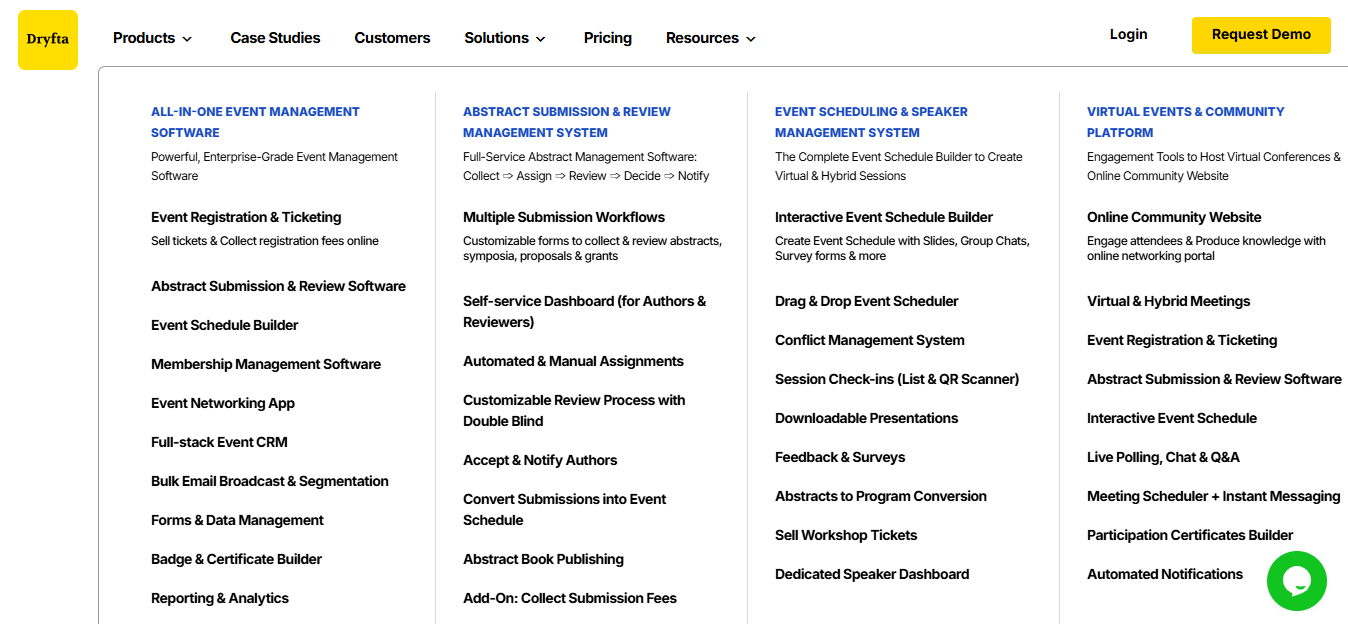
Dryfta can share documents on encryption, access rules and data handling for your IT team to review. It also offers set roles for organizers, reviewers, and admins. Software alone will not meet every rule at your school. IT security and privacy staff still need to run their own review before sign-off.
To experience Dryfta’s purpose-built event management software in action, sign up for a free demo here.
Frequently Asked Questions (FAQs)
How often should a school run this review?
Run it at each contract renewal. Run it sooner if the vendor changes its systems or ownership.
Does single sign-on remove the need for other checks?
No. Single sign-on covers login only. It says nothing about storage, retention or vendor accountability.
Should small department events follow the same checklist as large ones?
Yes. The same data risks apply even at a small scale. A shorter version of the checklist still protects attendee data.
What if a vendor will not share a security certificate?
Treat that as a clear warning sign. Ask procurement to make the document a condition of moving forward.