Ex Ordo Alternatives: Better Options for Academic Events

Home > Blog > Event Management Software > Ex Ordo Alternatives: Better Options for Academic Events

best ex ordo alternatives

Ex Ordo is a conference management system that understands research and scholarly events have specific needs and provides rightful solutions. It is useful for event management, collaboration, content management, and abstract review workflows. Many academic conferences use Ex Ordo because of its streamlined and efficient workflow that covers the entire conference lifecycle.

In recent years, the demand for modern conference management workflows has grown exponentially due to their support for hybrid formats, real-time collaborations, mobile access, and many more features. The onus is on conference organizers to choose a reliable and scalable conference software that matches their needs and meets the expectations of the attendees. There is a huge requirement for all-in-one conference management platforms that are not just the Ex Ordo alternatives but also outperform in every aspect to make the conference management workflows run smoothly.

The conference management organizers usually face a lot of unresolved challenges with fragmented workflows, such as duplicated data entry, inconsistent communication, and difficulty tracking reviews and schedules across various systems. This is the reason the demand for software like Ex Ordo has increased, which offers a more comprehensive, scalable, flexible, and overall end-to-end solution for handling academic events.

In this article, you’ll get to know all about the best ex ordo alternatives that can redefine the hosting and execution of the academic events.


Ex Ordo

Table of Contents

What is Ex Ordo?

Ex Ordo is a user-friendly conference management software designed for managing academic and scientific conferences. It mainly focuses on abstract management software, peer review, program builder, registration system, conference scheduling, and a mobile app, with an integrated virtual conference platform to support online as well as hybrid events.

This platform eases the administrative burden on event organizers with its offering a modern and intuitive interface. It is most commonly used by universities and associations. Software like Ex Ordo is preferred for reach-driven gathering, such as scholarly and research events, symposiums, and workshops of all sizes. This cloud-based conference workflow platform creates a cohesive environment where event organizers get to manage content, enhance collaboration, and basic logistics in one place.

It uses a tiered pricing model based on the number of submissions and features needed. It provides a mid-range budget solution with customized deals, which is ideal for events of all sizes. It provides a fruitful value for the event organizers who are looking for a straightforward platform and are easily affordable.

Why Conference Organizers Look for Ex Ordo Alternatives?

Organizing academic events is not as simple as it looks. The organizing teams often struggle with many tasks that require their immediate attention. This is when the conference organizers, who were dissatisfied with the limited features of Ex Ordo, started to look for some alternative options.

There are quite a few Ex Ordo competitors that offer advanced enterprise features like hybrid and virtual conference-driven workflows, flexibility, end-to-end abstract submission management, and better customization options. These alternative options also gave the academic event organizers the freedom to choose what they need and to leave unwanted ones. Some main reasons academic conference organizers started to seek better options than Ex Ordo are:

  • Stronger CRM Integrations

Ex Ordo CRM integrates with payment gateways, video conferencing tools like Zoom, Guidebook Mobile, and Naylor AMS. Conference organizers usually look for more integrations with tools like Salesforce, HubSpot, or marketing automation platforms, so that facilitating registrations, session attendance, virtual and hybrid event management, and engagement scores get direct outreach and reporting.

There are Ex Ordo alternatives that offer consolidated CRM processes, such as dedicated real‑time dashboards to manage speakers and attendees, native integrations, customized reporting and filters, and advanced and easy communication tools.

  • Limited attendee engagement tools

When there is an academic event, the last thing an organizer needs is extra complexity. There is a high demand for the best event management software that consists of features that ensure attendee engagement is in line with the same environment.

Ex Ordo primarily focuses on abstracts and reviews, so it offers relatively basic tools for attendee engagement, such as simple agenda views and basic communication channels. Organizers pick up alternatives that have built‑in, modern engagement tools and keep participants active before, during, and even after the event.

  • Robust sponsor and exhibitor management 

Irrespective of the academic event, sponsors and exhibitors usually expect measurable Return on Investment (ROI), including lead-scanning, booth analytics, and digital engagement tracking. Software like Ex Ordo lacks these aspects.

There are quite a few competitors that have user-friendly tools like virtual booths, quick-to-navigate sponsor and exhibitor dashboards, customizable packages to attract and retain high-value partners, sponsor portals so that exhibitors can upload assets, view real-time traffic, and export leads. This makes the relationships stronger and more transparent.

  • Scalability concerns for large conferences

Academic events are usually organized by educational institutions and universities. They host these events on a large, multi-track, and multi-day platform, for which they require a platform that easily handles high-volume submissions and registrations. Although Ex Ordo provides good support, it falls short in the matter of scalability.

Managing thousands of abstracts, concurrent sessions, and different global time zones can be overwhelming for it. Its architecture cannot fully support federated workflows, multi-language support, or deep API access at scale. This resulted in exploring alternative event management software that is highly scalable and is explicitly designed for complex, large-scale conferences.

  • Requirement for better mobile experiences

Ex Ordo has limited mobile experience, and it is not among the core features; it is an add-on. This can make the conference organizers frustrated. Attendees, irrespective of their location, prefer getting registered, networking, and following agendas on mobile devices.

At the same time, they also expect a better mobile experience, which they get from several other alternative platforms. These platforms prioritize native mobile apps with offline agendas, push notifications, personalized schedules, one-tap networking, and custom informational pages. Organizers who want to deliver a seamless mobile-first experience usually consider Ex Ordo as a backlog.

  • Need for advanced analytics and reporting

Ex Ordo provides basic reporting around submissions and reviews, but it lacks the advanced analytics many conference organizing teams now demand. They require predictive advanced analytics, insights related to engagement rates and session participation, quality in abstract submissions, and customized reports.

Some of the best Ex Ordo alternatives offer an all-in-one platform without compromising on the quality. They are driven by real-time analytics, which are helpful to track Key Performance Indicators (KPIs) as well as give scope to explore more options.

  • More flexible workflow automation requirements

Academic conference organizing teams prefer highly flexible workflow automation, such as auto-assigning reviewers, multi-tier submission, sending status-based reminders, and triggering post-review actions without any type of manual intervention. Automation support is present in Ex Ordo, but it often feels rigid when compared to its competitors that offer simple drag-and-drop workflow builders, conditional logic, and API-driven triggers.

  • Budget considerations for growing events

As conferences grow, organizers look for pricing models that align sensibly with the number of events, attendees, or sessions, not just the number of abstracts or researchers. Ex Ordo’s pricing and licensing structure is less transparent in comparison to the latest event management platforms that have tiered, usage‑based, or event‑based models.

Events that have a limited budget avoid multiple add‑on tools for mobile, sponsors, and analytics, which would increase their total costs. Some of the Ex Ordo alternatives provide tailored estimations that perfectly fit the financials for the growing conference demands.

  • Need for end-to-end conference lifecycle management

Academic conference organizers like to think that there is a single system that supports the entire conference lifecycle. A software that supports initial tasks like call‑for‑papers and abstracts through registration, on‑site check‑in, networking, and post‑event analysis and reporting.

A proven holistic vision is the main reason many conference organizers seek options that are beyond Ex Ordo. They prefer platforms that offer end-to-end conference lifecycle management because of their tools that ensure smoother data flow, fewer manual touchpoints, and consistent branding across every stage.

What to Look for in an Ex Ordo Alternative?

The right event management software makes sure the conference planning and execution stay on track from inception to conclusion. Not all platforms are built for academic conference use. This is the reason the organizing team must be aware of Ex Ordo alternatives that not only offer unique and easy-to-use features for your conference needs but also boost it to the next level with its proven solutions. Below are some important factors to consider while looking for Ex Ordo competitors.

  • Abstract submission and Peer Review 

An Ex Ordo alternative should offer robust multiple submission and automated communication workflows, such as customizable forms for submissions, multi‑stage uploads, and version control, so authors can edit and resubmit without getting confused. The platform must also support different types of peer reviews, especially double-blind and triple-blind. There should be automatic masking of author and institution details to ensure fairness and compliance.

  • Simplified usage for organizers and reviewers

A software can be said to be the best if it is user-friendly. It should contain an interface that is quick and easy to navigate. The event organizers and reviewers must not feel irritated while using the system. This encourages timely participation without any delays. A mobile-friendly user interface also helps to maintain high-quality reviews and faster registrations.

  • All-in-one Seamless Management 

An Ex Ordo Alternative should contain all the core pieces that are essential for an academic event under one platform. Instead of juggling among different tools for every component, there should be a unified way to manage the speakers details, sponsors queries, exhibitor booths, session handling, and more. The platform must improve accuracy and reduce the back‑and‑forth with the organizing team.

  • Assignment automation 

The platform should have automation features that help in assigning abstracts to reviewers in real-time. If there are options for intelligently matching submissions to reviewers based on topics, expertise, and conflicts of interest, then it will be beneficial. This reduces manual overhead.

  • Registration, Ticketing, and Scalability 

A strong conference platform seamlessly handles registration and ticketing. It manages everything from quick and easy sign‑ups to complex multi‑tiered events, including early‑bird pricing, group discounts, and add‑on purchases such as memberships, workshop tickets, sponsorship packages, and donation items.

A strong system scales smoothly for international conferences, automatically handles different time‑zone‑aware deadlines, currencies, and large attendee volumes without any performance issues. Event organizers can set capacity limits, waitlists, and custom registration paths for different attendee types—authors, speakers, students, and sponsors—all within a single flow. This reduces confusion and errors.

  • Mobile event apps

An academic event management platform that has its own mobile event app then it easily helps the organizers to serve the attendees well. Mobile apps boost hybrid and virtual conference support by enabling remote participants to join live streams, download session recordings, and interact through Q&A, live polls, chats, push notifications, surveys, and in-app networking. They help the attendees to access e-tickets, agendas, and venue maps directly from their smartphones.

  • Conference website builder

An event handling system that supports a built‑in conference website builder gives the organizers the freedom to create a professional event website. This website consists of embedded registration forms, dynamic program views, and sponsor/logo pages without relying on external CMS tools.

  • CRM integrations 

CRM integrations connect the rich dataset to external systems, such as Salesforce or HubSpot. They are useful to manage contacts, segment leads and attendees, track interactions, track long-term engagement, and automate communications—all from one single powerful platform.

The system should also contain an event CRM that gives real-time analytics to track attendee registrations, engagement, and preferences. It should also have clear reporting dashboards to collect data from registration, website traffic, session attendance, and mobile engagement, then visualize key metrics such as conversion rates, no-shows, and sponsor traffic in clear, customizable widgets.

Quick Comparison of the Best Ex Ordo Alternatives

Let’s understand a quick comparison of the best Ex Ordo alternatives, based on various categories.

Quick Comparison of the Best Ex Ordo Alternatives

Best Ex Ordo Alternatives for Academic Conferences

According to the American Express 2026 Global Meetings & Events Forecast, attendees’ expectations have changed over the last five years. Today, they look for 42% more interactive sessions. e.g. Academic Conferences 

Academic conferences require innovative solutions to reduce administrative work, save time, and ease the scheduling and engagement. Some of the Ex Ordo competitors ensure the academic conferences are well-managed as well as stay on track from inception to conclusion. Some of the alternatives include:

Scientific conference management

Hosting and executing scientific conferences are things every event organizer looks for so that they can meet the expectations of the attendees. Although, software like Ex Ordo is specially designed for scientific, medical, and technical events.

However, there are many more alternatives that helps to redefine research tracks, manage session capacities, registrations, centralizes submissions, plan programs, and route AV or poster requirements within the same system. This reduces admin work and shortens planning cycles. Some of the alternatives are:

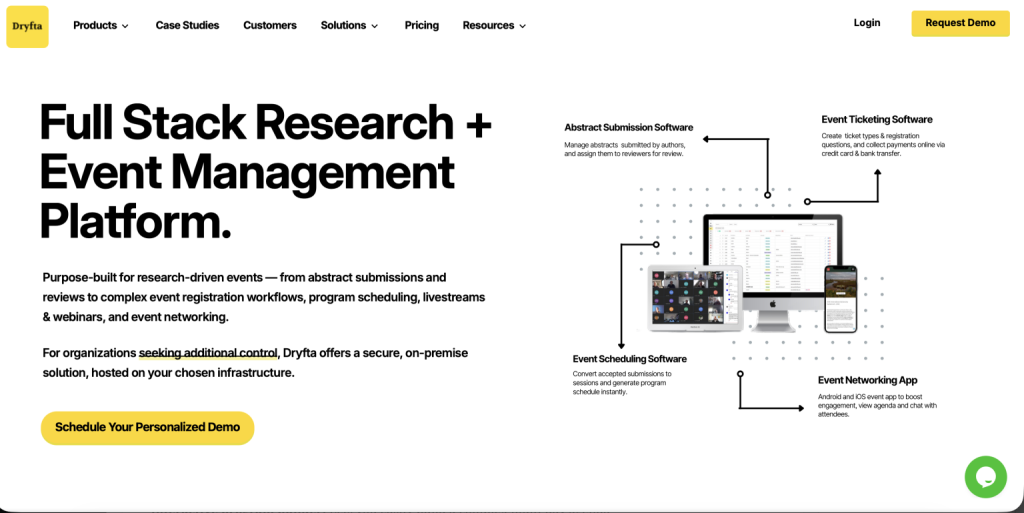
Dryfta

  • Well-handles abstracts, reviews, registration, and payments in one single connected workflow without any complex jargon
  • Works well for academic teams that like fewer manual steps and a cleaner process.
  • Supports conference planning from submissions to final event delivery.

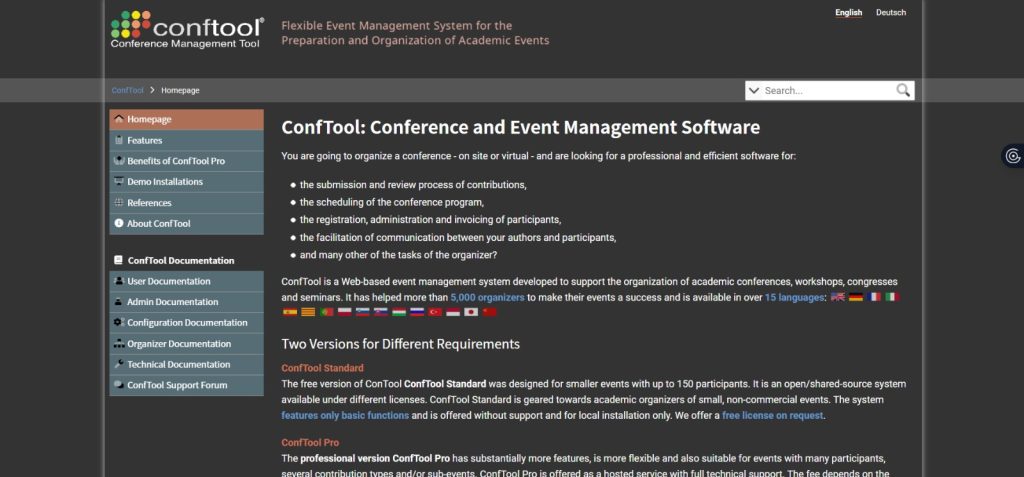
ConfTool

  • Supports structured scientific conference workflows with submissions and reviews.
  • Helps organizers keep registration and paper handling in one place.
  • Fits academic events that need strong control over the review process.

Oxford Abstracts

  • Offers a polished abstract submission and review experience for academic teams.
  • Helps organizers manage submissions and conference content with less load.
  • Works well for research-focused events that need a clear workflow.

EasyChair

  • Keeps paper submission and review management straightforward
  • Supports conference chairs who want a familiar and research-friendly setup.
  • Helps reduce confusion when handling submissions at scale.

Research symposium workflows

Research symposium workflows usually consist of various submission processes and multi-stage review and revision cycles. At this time, there is a need to choose a more reliable hands-on Ex Ordo alternative. Some of the perfect picks include:

Dryfta

  • Supports multi-step symposium workflows with submissions, reviews, and revisions.
  • Helps teams keep every stage clearly visible and well-organized.
  • Makes it easier to manage research events with moving parts.

Oxford Abstracts

  • Handles multi-stage academic workflows with clean submission and review paths.
  • Supports symposium organizers who need clarity across several review stages.
  • Keeps research workflows on track without adding extra complexity.

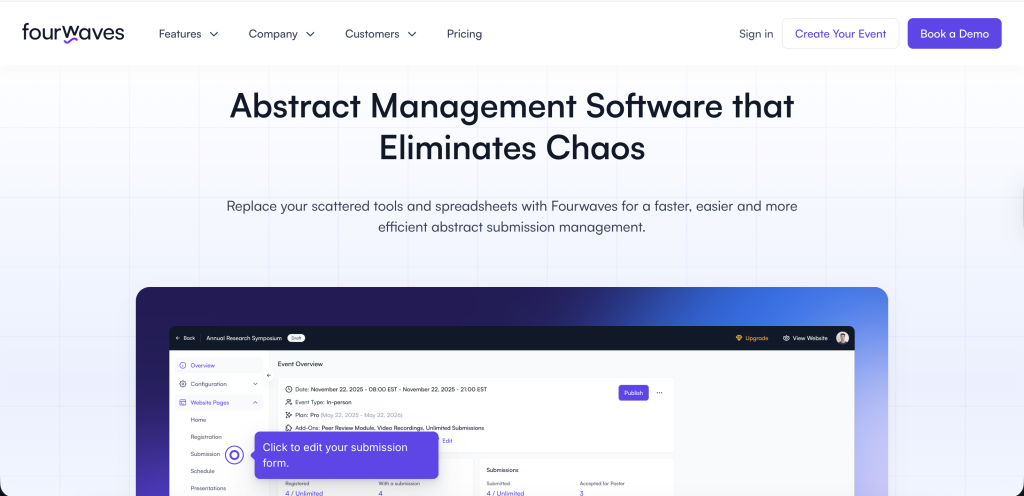
Fourwaves

  • Supports research symposiums that need structured abstract and session management.
  • Helps teams manage submissions and event content in a streamlined way.
  • Works well when organizers want a modern, academic-friendly platform.

Microsoft CMT

  • Fits research symposiums that require strong submission and peer review control.
  • Helps academic teams manage reviewer assignment and decision workflows.
  • Works especially well for research-led conference environments.

EasyChair

  • Supports symposium workflows where submissions, reviews, and revisions should be organized.
  • Helps academic chairs manage many papers without losing track of decisions.
  • Keeps the review process direct and easy to follow.

University conference support

Support during the universities and educational institutions events is something that is in high demand. Some of the better options than Ex Ordo offer membership directories, finance processes to streamline invoicing, discount rules, and institutional reporting for conference organizers. These platforms also provide tools that help the institutional stakeholders to review progress at each stage. A few of them are:

Dryfta

  • Supports universities and educational institutions with academic workflows, registration, and review tools.
  • Helps faculty and committee teams manage events in one platform.
  • Works well for institutions that want flexibility and less admin work.

Microsoft CMT

  • Built for academic conferences and widely used for research-driven events.
  • Gives universities a focused review and paper management system.
  • Stands out because it serves academic users directly and supports free academic usage.

Oxford Abstracts

  • Fits university events that need polished abstract and review management.
  • Helps academic organizers handle submissions without a generic event setup.
  • Works well for departments, schools, and research groups.

OpenConf

  • Supports university-led conference workflows with paper submission and review tools.
  • Gives academic teams a straightforward way to manage submissions and decisions.
  • Works best when organizers want a simple, conference-focused setup.

Proceedings management

Some of the advanced proceedings pipeline systems support the chairs to monitor progress via dashboards, reassign overdue reviews, and generate reports to support program decisions. This helps the academic conference organizers to move accepted papers through publication workflows with greater efficiency. Some of the popular systems are:

ConfTool

  • Helps chairs track proceedings progress and manage paper workflows clearly.
  • Supports reporting and review monitoring for accepted submissions.
  • Works well when the program team needs strong visibility.

Dryfta

  • Supports proceedings workflows from acceptance to publication stages.
  • Helps organizers move papers forward with less manual coordination.
  • Fits conferences that want a connected process from review to output.

EasyChair

  • Supports accepted-paper workflows and proceedings organization for academic events.
  • Helps chairs keep publication steps and review decisions under control.
  • Works well for conferences that need a familiar academic process.

OpenConf

  • Handles proceedings-related workflows for conferences that manage paper decisions and outputs.
  • Helps organizers coordinate accepted submissions more smoothly.
  • Works well for teams that want a practical, academic-focused system.

Reviewer collaboration workflows

There are some of the most versatile Ex Ordo competitors that offer advanced options in terms of reviewer collaboration. They automate version control and generate proceedings volumes that require very little to no manual editing. They are:

Dryfta

  • Helps reviewers and chairs collaborate in a more organized review process.
  • Supports version control and review tracking across submissions.
  • Reduces manual follow-up for academic committees.

Microsoft CMT

  • Supports reviewer collaboration in research-heavy conference workflows.
  • Helps chairs manage assignment, review status, and decision-making clearly.
  • Works well when academic review teams need structure.

EasyChair

  • Makes reviewer collaboration simple for academic conferences.
  • Helps committees manage reviews, comments, and decision flow in one place.
  • Works well for conferences with large reviewer pools.

Oxford Abstracts

  • Supports review collaboration with clear workflows and reviewer visibility.
  • Helps teams manage feedback and decisions more efficiently.
  • Fits conferences that want a cleaner review experience.

Multi-track conference scheduling

Multi-track event scheduling is an exceptional feature provided by some of the notable Ex Ordo alternatives. They have options like drag‑and‑drop editors, conflict detection, capacity controls, and automated schedule updates that publish instantly across web and mobile properties. This is useful for the event organizers to reduce last-minute timetable fixes and improves the attendee experience with accurate, real-time agenda views. Some of the prominent platforms that offer multi-track event scheduling are:

Dryfta

  • Helps organizers build and update multi-track event schedules with less manual work.
  • Supports real-time event flow across sessions and tracks.
  • Works well for conferences that need a connected program view.

ConfTool

  • Supports structured scheduling for conferences with many parallel sessions.
  • Helps organizers control timing, track flow, and session details.
  • Fits academic events that need schedule accuracy.

Oxford Abstracts

  • Helps teams manage multi-track scheduling with academic-friendly organization.
  • Supports smooth updates across tracks and session types.
  • Works well when presenters and reviewers need clarity.

Fourwaves

  • Supports conference scheduling with a modern layout and academic focus.
  • Helps organizers keep multiple tracks easy to manage.
  • Works well for events that need a polished scheduling experience.

Research networking capabilities

Many leading academic event management platforms help researchers build valuable connections with their extensive networking features. This includes researcher‑centric networking such as interest‑based matchmaking, curated meeting requests, and searchable attendee profiles that nurture meaningful collaborations even after the event. A few of the software platforms that offer these features are:

Dryfta

  • Supports attendee networking with profiles and interest-based connections.
  • Helps researchers find relevant peers during and after the event.
  • Makes academic networking feel more intentional.

Oxford Abstracts

  • Helps researchers connect through organized attendee information and event interaction.
  • Supports networking in a way that fits scholarly events.
  • Works well for academic conferences that want stronger engagement.

Fourwaves

  • Offers networking features that help attendees connect through profiles and interests.
  • Supports meeting requests and relationship-building across sessions.
  • Works well for research communities that value post-event connections.

Author communication management

Author communication management is among the most important features that academic conference organizers should consider while looking for an Ex Ordo alternative. Centralized author communications with templated emails, status tracking, and personalized dashboards for authors and reviewers and dedicated speaker and sponsor portals will help to enrich the overall communication management. Platforms that offer this feature are:

Dryfta

  • Centralizes author communication with templates, updates, and status tracking.
  • Helps organizers keep authors informed without repeating manual follow-ups.
  • Works well for conferences with many submission updates.

Oxford Abstracts

  • Supports clear author communication through organized dashboards and messaging tools.
  • Helps authors track submission status more easily.
  • Fits academic events that value clarity and consistency.

EasyChair

  • Keeps author communication simple with structured updates and review status visibility.
  • Helps authors and reviewers stay aligned throughout the process.
  • Works well for conferences that need a familiar academic workflow.

OpenConf

  • Supports centralized communication for authors and reviewers.
  • Helps organizers send updates and manage status changes in one place.
  • Works well for conference teams that want practical communication control.

Best Ex Ordo Alternatives for Peer Review Management

Although, Ex Ordo specializes in simplifying the process of peer review management, it has limited flexibility. There is a huge demand for a comprehensive solution that meets the expectations of event organizers. Below are some of the best Ex Ordo alternatives for peer review management.

Support for Single, Double and Triple Blind Peer Reviews

Some of the Ex Ordo alternatives offer a broader range of features that go beyond a simple peer review process. They consist of options of single-blind, double-blind, and triple-blind peer review, which is very useful to match the review model to the event’s academic and research standards.

This flexibility helps conference chairs to make sure there is zero bias and 100% fairness in the review process at every step. They also make it simple to run mixed review types across different highly competitive tracks without the need to create separate systems. This facilitates keeping the workflow consistent for reviewers and simpler for program chairs to manage. A few alternative platforms include:

Dryfta

  • Supports multiple blind review models, so event organizers can match the process based on their conference standards.
  • Helps chairs run different review types across tracks without setting up separate systems.
  • Consistent workflow for reviewers with simple management for program teams.

EasyChair

  • Supports flexible peer review structures for academic conferences.
  • Works well when organizers need a familiar review flow with clear reviewer roles.
  • Helps committees manage standard review models with less friction.

Microsoft CMT

  • Handles blind review workflows for research-heavy conferences.
  • Gives organizers a structured way to run academic review processes.
  • Fits events that need strong control over review visibility and assignment rules.

Oxford Abstracts

  • Supports blind review formats for academic submissions.
  • Helps chairs keep the process organized across multiple tracks.
  • Works well for conferences that want a polished and clear review experience.

HotCRP

  • Supports blind review options for academic and technical conferences.
  • Gives chairs a practical way to manage submissions and review visibility.
  • Fits events that need flexibility without unnecessary complexity.

Reviewer bidding systems

Here is a list of a few Ex Ordo alternatives that perform reviewer bidding accurately. These systems also show paper titles and abstracts signaling reviewer interest in papers and collect ranked preferences. They also give chairs clean and relevant data to start assignments by reducing their workload.

HotCRP

  • Gives reviewers signal interest in papers through bidding and preference selection.
  • Offers chairs useful data before assignments begin.
  • Helps reduce mismatches and saves manual assignment time.

EasyChair

  • Supports reviewer bidding for paper assignment workflows.
  • Helps chairs collect reviewer preferences in a structured way.
  • Makes it easier to start assignments with better alignment.

OpenConf

  • Supports bidding-style reviewer selection for conferences.
  • Gives program chairs a cleaner way to match papers and reviewers.
  • Helps reduce workload during the assignment phase.

ConfTool

  • Supports reviewer interest signals and assignment preparation.
  • Helps organizers use reviewer preferences more effectively.
  • Keeps the bidding process simple for academic teams.

Microsoft CMT

  • Helps reviewers express interest in submissions before assignment.
  • Gives chairs stronger data for fairer matching.
  • Works well for research conferences with larger reviewer pools.

Dryfta

  • Supports reviewer bidding to help chairs match papers with the right reviewers.
  • Gives options for reviewers to show interest in submissions before assignments are finalized.
  • Reduces manual effort and improves assignment quality.

Conflict-of-interest management

Academic conference teams usually require conflict-of-interest management to flag inappropriate reviewer matches before assignments are distributed. This protects the credibility of the entire review process. Software platforms that offer this feature are the following:

Dryfta

  • Flags reviewer conflicts before assignments are sent out.
  • Helps protect the fairness and credibility of the review process.
  • Keeps chairs from manually checking every potential match.

Microsoft CMT

  • Supports conflict checks during reviewer assignment.
  • Helps organizers avoid inappropriate reviewer-paper matches.
  • Works well for academic conferences that need strict review controls.

OpenReview

  • Helps manage conflicts in research-focused review workflows.
  • Gives chairs better visibility into problematic pairings.
  • Fits conferences that need a transparent and rigorous process.

ConfTool

  • Supports conflict management for review assignment.
  • Helps organizers prevent biased or inappropriate matches.
  • Keeps the review workflow cleaner from the start.

Oxford Abstracts

  • Helps flag conflicts before reviewers receive papers.
  • Supports a more defensible review process.
  • Works well when organizers want structured control.

EasyChair

  • Supports conflict-of-interest handling in review workflows.
  • Helps chairs maintain fairness across the review pool.
  • Reduces the chance of manual assignment errors.

Reviewer assignment automation

A good Ex Ordo alternative must have the option to automate the reviewer assignment based on their expertise, availability, and conflict rules. There is no denying that automation helps organizers fairly distribute workload and prevents delaying decisions from reviewers. Apart from this, if there is a portal for reviewers for bidding systems and a dashboard with all the necessary information, it will hasten the whole process with precision and without any hassles. Platforms that offer this feature are

Dryfta

  • Automates reviewer assignment based on expertise, availability, and conflicts.
  • Helps organizers distribute workload more fairly.
  • Cuts down the time needed to manage assignments manually.

Microsoft CMT

  • Supports automated assignment using review rules and expertise signals.
  • Helps chairs manage large submission volumes with less effort.
  • Works well when the conference needs precise assignment control.

Oxford Abstracts

  • Helps automate reviewer-paper matching for academic events.
  • Makes assignment workflows faster and more consistent.
  • Fits program teams that need a clean and organized process.

EasyChair

  • Automates reviewer assignment with structured matching options.
  • Helps chairs reduce delays after submissions close.
  • Works well for conferences that need a reliable assignment flow.

ConfTool

  • Supports assignment automation for review management.
  • Helps organizers reduce manual handling and speeds the process.
  • Fits conferences that want practical workflow control.

Review scoring workflows

Here are a few software like Ex Ordo that provide review scoring workflows and allow the event organizers to set criteria, weight categories, and comment fields that fit the best with the academic conference’s evaluation structure. They also offer a dedicated portal that shows all the necessary details, such as pending tasks, deadlines, assigned papers, and scoring forms in one clear view, so reviewers can work quickly without hunting through emails.

EasyChair

  • Allows organizers to define scoring criteria, categories, and comment fields.
  • Gives reviewers a clear structure for evaluations.
  • Works well for conferences that need a straightforward scoring system.

HotCRP

  • Supports flexible scoring workflows for academic reviews.
  • Gives reviewers a simple way to score and comment on submissions.
  • Fits technical conferences that need speed and clarity.

Dryfta

  • Supports customized review scoring forms for conference evaluation.
  • Helps reviewers see pending tasks and scoring fields in one place.
  • Keeps the scoring process organized and easy to follow.

OpenConf

  • Supports structured scoring workflows for conference papers.
  • Helps program chairs match scoring rules to event goals.
  • Works well for academic teams that want consistency.

ConfTool

  • Supports scoring criteria and reviewer comment fields.
  • Helps chairs manage evaluation standards across tracks.
  • Keeps the review process easier to monitor.

Oxford Abstracts

  • Supports scoring workflows with clear criteria and review forms.
  • Helps reviewers work faster with all key details in one view.
  • Fits conferences that want a polished reviewer experience.

Reviewer dashboards

Platforms like Dryfta, Microsoft CMT, ConfTool, Oxford Abstracts and EasyChair give reviewers a clear view of assigned papers, deadlines, progress, and paper details in one place.

Dryfta

  • Gives reviewers a clear view of assignments, deadlines, and paper details.
  • Helps them track progress without switching between tools.
  • Makes the review process easier to manage day to day.

Microsoft CMT

  • Shows assigned papers and review progress in one place.
  • Helps reviewers stay on top of deadlines and tasks.
  • Works well for academic teams that need structure.

ConfTool

  • Presents reviewer tasks, deadlines, and submission details clearly.
  • Helps reviewers stay organized throughout the review cycle.
  • Keeps the dashboard simple and practical.

Oxford Abstracts

  • Gives reviewers a clean dashboard with paper status and deadlines.
  • Helps reduce confusion during busy review periods.
  • Works well for events that value clarity.

EasyChair

  • Shows assignments and review progress in a familiar layout.
  • Helps reviewers stay focused on tasks without extra friction.
  • Supports conferences that want an easy-to-use interface.

AI-assisted reviewer matching

AI-driven reviewer matching that speeds up the whole assignment process by analyzing submission topics, reviewer history, and expertise signals with highly intelligent systems rather than manual tagging alone. Platforms that are empowered with this feature are:

OpenReview

  • Uses intelligent matching to connect submissions with suitable reviewers.
  • Analyzes topics, reviewer history, and expertise signals.
  • Helps speed up assignments while keeping matches relevant.

Researcher App

  • Supports smarter reviewer matching based on expertise data.
  • Helps organizers find better reviewer-submission fits.
  • Works well for research-driven conference workflows.

Dryfta

  • Uses matching logic to support faster reviewer assignment.
  • Helps chairs reduce manual tagging and sorting.
  • Fits conferences that want a more efficient review process.

Microsoft CMT

  • Helps match reviewers using submission topics and reviewer expertise.
  • Supports larger conferences with many assignments needs.
  • Makes the assignment process more precise.

Oxford Abstracts

  • Supports smarter reviewer matching for academic submissions.
  • Helps organizers save time during the assignment phase.
  • Works well when review quality matters as much as speed.

Bulk acceptance and rejection workflows

EasyChair, ConfTool, Dryfta, Microsoft CMT, and OpenConf offer tools with a good count of acceptance and rejection workflows. This gives program chairs the ability to act on large volumes of decisions efficiently once the review period closes. It also reduces follow-up questions and revision loops later in the process.

EasyChair

  • Gives program chairs the ability to accept or reject large batches of submissions efficiently.
  • Helps close the review cycle faster once decisions are ready.
  • Reduces follow-up work later in the process.

ConfTool

  • Supports bulk decision handling for accepted and rejected papers.
  • Helps chairs manage large review volumes with less effort.
  • Keeps decision workflows consistent.

Dryfta

  • Helps chairs process acceptance and rejection decisions in bulk.
  • Speeds up post-review administration.
  • Reduces the chance of manual errors during decision release.

Microsoft CMT

  • Supports large-scale decision workflows for conference papers.
  • Helps program teams move through final decisions smoothly.
  • Fits events with high submission volume.

OpenConf

  • Supports batch decision handling for conference submissions.
  • Helps reduce delays after the review period closes.
  • Works well for teams that want direct control.

Reviewer collaboration tools

There are quite many systems that offer reviewer collaboration tools—such as threaded discussions, shared notes, and chair moderation. They are useful to handle borderline papers without messy external email chains.

These features make it easier to reach consensus, especially during the submissions. Submitters will also receive mixed scores when reviewers disagree on originality and relevance. This makes the result a more transparent and defensible review process.

Dryfta

  • Supports threaded discussions, shared notes, and chair moderation.
  • Helps teams work through borderline papers without email clutter.
  • Makes consensus building easier.

Microsoft CMT

  • Helps reviewers and chairs collaborate during the review process.
  • Supports moderated discussion around submissions.
  • Works well for research conferences with detailed review needs.

Oxford Abstracts

  • Supports collaborative review workflows with shared visibility.
  • Helps committees resolve differences more clearly.
  • Keeps the process organized and transparent.

HotCRP

  • Supports review discussion and collaborative feedback.
  • Helps reviewers and chairs handle disagreement directly in the platform.
  • Works well for technical conferences.

ConfTool

  • Supports collaborative review handling for academic events.
  • Helps chairs manage paper discussion and reviewer input.
  • Keeps the review process structured.

Review analytics dashboards

There are several Ex Ordo competitors that offer review analytics dashboards that show completion rates, reviewer turnaround times, and score distributions across tracks. These insights offer the organizers the ability to spot bottlenecks early and rebalance work before deadlines slip.

Dryfta

  • Shows completion rates, turnaround times, and score distributions.
  • Helps organizers spot bottlenecks early.
  • Gives program teams a clearer view of review progress.

Oxford Abstracts

  • Tracks reviewer activity and review completion trends.
  • Helps organizers monitor progress across tracks.
  • Supports better decision-making during the review cycle.

EasyChair

  • Provides useful review progress insights for chairs.
  • Helps teams see where reviews are moving slowly.
  • Works well for conferences that need quick reporting.

ConfTool

  • Offers dashboard views that help track review activity.
  • Helps organizers balance workload before deadlines slip.
  • Keeps review performance visible to the program team.

OpenReview

  • Gives analytics that help monitor review flow and completion.
  • Helps chairs identify issues in the assignment or review process.
  • Works well for conferences that want data-driven oversight.

Best Ex Ordo Alternatives for Hybrid & Virtual Conferences

According to the 2026 Global Meetings & Events Forecast by American Express, 22% of event planners identified the ability to host hybrid meetings as one of the top factors influencing meeting venue and destination selection in 2026.

Platforms that offer events in hybrid and virtual formats are in high demand. This demand has exponentially increased, especially after the global pandemic. This resulted in the event organizers looking for Ex Ordo alternatives that not only help to build the conference online but also experience live access, stream on-demand sessions, provide seamless browser-based access without any need for third-party apps, and offer downloadable media like PDFs and spreadsheets.

Virtual session hosting

Ex Ordo alternatives that give the freedom to let the audience join live sessions directly with the help of the platform because virtual hosting is considered a common element rather than a bonus feature. This flexibility reduces friction and makes it easier for academic audiences to follow keynote talks, panels, and workshops from anywhere at any time while ensuring the event stays meaningful. Some of the prominent platforms are:

Dryfta

  • Gives attendees options to join live virtual sessions directly from the platform.
  • Helps academic events run keynotes, panels, and workshops without extra friction.
  • Keeps the experience simple for both organizers and participants.

Whova

  • Supports live virtual sessions inside a polished event environment.
  • Helps attendees move easily between sessions and engagement tools.
  • Works well for conferences that need strong attendee convenience.

vFairs

  • Supports live session hosting for virtual and hybrid conferences.
  • Gives organizers a branded way to manage online programs.
  • Works well when presentation quality matters.

Accelevents

  • Supports live sessions with a smooth attendee experience.
  • Helps organizers keep programming connected across formats.
  • Fits events that need flexible session delivery.

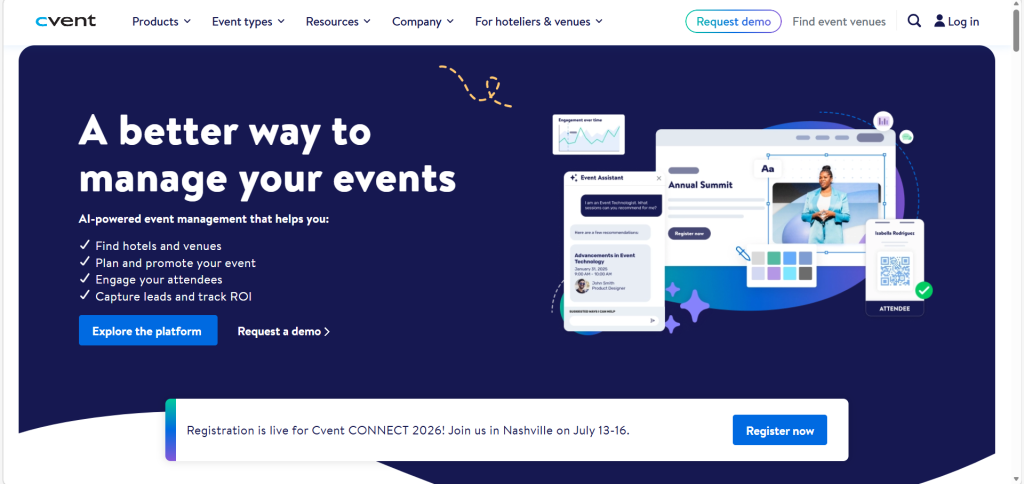
Cvent

  • Supports live virtual programming for larger conference setups.
  • Helps organizers manage sessions inside a broader event platform.
  • Works well for enterprise teams with complex events.

EventsAir

  • Supports live session hosting within a full conference workflow.
  • Helps organizers run hybrid events without extra tools.
  • Works well for structured academic and corporate programs.

Live streaming integrations

It is important to choose an event management platform that connects smoothly with streaming tools. This is useful for the event organizers to broadcast sessions without forcing attendees to install extra software or switch between platforms. These platforms also keep the academic conference experience consistent while giving organizers flexibility to use the streaming services they can rely on.

Dryfta

  • Connects smoothly with streaming tools.
  • Helps organizers broadcast sessions without forcing attendees to switch apps.
  • Keeps the conference experience consistent from start to finish.

EventsAir

  • Supports streaming integrations for live conference delivery.
  • Helps teams use the services they already trust.
  • Works well when reliability matters.

Accelevents

  • Connects well with streaming setups for virtual sessions.
  • Keeps the attendee journey simple and direct.
  • Helps organizers reduce technical friction.

Whova

  • Supports streaming integrations that fit hybrid programs.
  • Helps teams present live content in a polished format.
  • Works well for event planners who want flexibility.

vFairs

  • Supports streaming tools for live broadcasts and presentations.
  • Gives organizers control over the event experience.
  • Fits conferences that need strong visual delivery.

Virtual poster presentations

Virtual poster presentation tools play an important role in research-driven conferences. Authors can use this feature to share their research findings in the form of posters with audiences. These systems let attendees browse and ask questions and interact with presenters in a centralized environment. Some of the software systems that offer this feature are:

Dryfta

  • Supports virtual poster presentations for research-focused conferences.
  • Gives options to attendees to browse and interact with presenters in one place.
  • Helps authors share research more effectively online.

Whova

  • Supports poster-style engagement in a digital event setting.
  • Helps attendees explore research content more easily.
  • Works well for academic and scientific events.

vFairs

  • Supports virtual poster presentations with a polished interface.
  • Helps presenters display research in a central environment.
  • Makes it easier for attendees to review content.

Brella

  • Supports poster presentation experiences within hybrid events.
  • Helps researchers connect around shared topics.
  • Works well for networking-heavy academic programs.

Fourwaves

  • Supports poster presentations for research-driven conferences.
  • Helps attendees browse poster content and engage with authors.
  • Fits academic events that need a simple structure.

Oxford Abstracts

  • Supports virtual poster workflows for scholarly conferences.
  • Helps teams present research in an organized format.
  • Works well for academic programs that value clarity.

Morressier

  • Supports research-poster presentation workflows.
  • Helps authors showcase findings in a structured setting.
  • Fits conferences that focus on scholarly communication.

Interactive attendee engagement

There are quite a few platforms that provide features to help the participants to ask questions, vote in polls, and respond in real time. These platforms consist of built-in interactive engagement tools so both onsite and remote attendees can actively take part in the program without leaving the event space. Some of the best interactive attendee engagement tools for virtual and hybrid conferences are:

Dryfta

  • Supports questions, polls, and real-time participation.
  • Helps both onsite and remote attendees stay involved.
  • Makes the event feel active instead of one-way.

Hopin

  • Offers strong interactive tools for virtual and hybrid events.
  • Helps attendees engage during sessions and networking moments.
  • Works well when interaction is a priority.

vFairs

  • Supports live engagement features that keep participants active.
  • Helps attendees vote, ask questions, and interact in real time.
  • Fits programs that want a lively event experience.

EventsAir

  • Supports interactive tools for conference sessions.
  • Helps organizers keep attention high across formats.
  • Works well for structured engagement.

Brella

  • Supports real-time engagement during hybrid and virtual programs.
  • Helps attendees connect through interactive features.
  • Works well for events that need stronger participation.

Whova

  • Supports polls, questions, and session interaction.
  • Helps attendees stay active throughout the event.
  • Fits conferences that want a polished engagement layer.

Accelevents

  • Supports interactive participation across sessions.
  • Helps organizers create a more dynamic event flow.
  • Works well for virtual and hybrid audiences.

Hybrid networking tools

Here are a few modern platforms that offer hybrid networking tools, which makes the event feel unified instead of split into two separate experiences. These tools are useful for remote and in-person attendees to get connected through chat, matchmaking, and meeting scheduling.

Dryfta

  • Supports chat, matchmaking, and meeting scheduling.
  • Helps unify onsite and remote audiences into one experience.
  • Makes networking easier across formats.

Whova

  • Offers strong networking tools for hybrid audiences.
  • Helps attendees connect through profiles and meetings.
  • Works well for events where networking matters a lot.

Accelevents

  • Supports hybrid networking with matchmaking and chat tools.
  • Helps attendees meet across physical and virtual spaces.
  • Fits conferences that want stronger connection features.

vFairs

  • Supports hybrid networking in a central event environment.
  • Helps attendees find and connect with each other more easily.
  • Works well for large event communities.

EventsAir

  • Supports networking tools that bring both audiences together.
  • Helps organizers create one connected experience.
  • Fits events that need practical collaboration features.

Brella

  • Offers networking tools built around matchmaking and meetings.
  • Helps remote and in-person attendees connect more naturally.
  • Works well for conferences with a strong community focus.

Session recording and playback

Several platforms support automatic recordings of the sessions, playback, and dropping them into an on-demand library. Recording each live meeting also helps in monetizing. Giving premium access by selling these video recordings as on-demand sessions will help in extending the life of the content and getting revenue.

Dryfta

  • Supports recording, playback, and on-demand access.
  • Helps extend the value of live sessions after the event ends.
  • Can also support premium access models for recorded content.

vFairs

  • Supports session recordings and playback libraries.
  • Helps attendees revisit content on demand.
  • Works well for conferences that want longer content life.

EventsAir

  • Supports session recording and on-demand delivery.
  • Helps organizers keep event content available after the live day.
  • Fits programs that want dependable content reuse.

Cvent

  • Supports recording and playback for conference sessions.
  • Helps teams share content with people who missed the live event.
  • Works well for enterprise-scale programs.

Accelevents

  • Supports recorded sessions and playback access.
  • Helps organizers turn live content into on-demand value.
  • Works well for hybrid audiences.

ConfTool

  • Supports recordings and session access workflows.
  • Helps academic organizers keep content available after sessions end.
  • Fits conferences that want practical post-event access.

Browser-based conference experiences

Browser-based event experiences help in decreasing the session attendance challenges. Here attendees can join sessions, view agendas, and stay connected without downloading a separate app or plugin. This approach is especially effective for academic and research conferences where simplicity, accessibility, and cross-device access improve participation. Platforms that offer them are:

Dryfta

  • Attendees can join sessions without extra app downloads.
  • Helps reduce friction across devices.
  • Works well for academic audiences that want simplicity.

Oxford Abstracts

  • Supports browser-based conference access.
  • Helps attendees view agendas and join sessions easily.
  • Fits scholarly events that value accessibility.

vFairs

  • Supports web-based event experiences across devices.
  • Helps attendees move through the event without plugins.
  • Works well for polished virtual conferences.

Fourwaves

  • Supports browser-based access for academic events.
  • Helps attendees stay connected with less setup.
  • Works well for research-focused programs.

Hopin

  • Supports browser access for live event participation.
  • Helps simplify the attendee journey.
  • Works well for conferences that want quick access.

Airmeet

  • Supports web-based attendance and participation.
  • Helps attendees enter sessions without downloading extra software.
  • Works well for virtual-first experiences.

Whova

  • Supports browser-based access alongside its event tools.
  • Helps attendees stay engaged with less technical effort.
  • Works well for hybrid events.

WebinarNinja

  • Supports browser-friendly session access.
  • Helps attendees join content more easily.
  • Works well for simpler virtual conference needs.

Mobile-first attendee experiences

There are many event management platforms that offer feature-rich mobile attendee conference experiences for the audience to move easily between sessions, networking, panels, and posters. These platforms offer native iOS/Android apps with agendas, maps, notifications, and offline access, so attendees navigate sessions whether they’re in the venue or attending remotely.

Dryfta

  • Supports mobile-friendly navigation for sessions and networking.
  • Helps attendees move between agenda items easily.
  • Works well for both onsite and remote participants.

Whova

  • Offers a strong mobile attendee experience with agendas, alerts, and networking.
  • Helps people stay connected on the go.
  • Works especially well for conferences with active attendee engagement.

Cvent

  • Supports mobile attendee tools for larger events.
  • Helps participants navigate schedules, maps, and notifications.
  • Fits enterprise events with many moving parts.

EventsAir

  • Offers mobile-friendly experiences for conference attendees.
  • Helps users follow sessions and updates easily.
  • Works well for hybrid event management.

Brella

  • Supports mobile networking and session access.
  • Helps attendees stay connected throughout the event.
  • Works well for community-driven conferences.

Accelevents

  • Offers strong mobile tools for navigating events.
  • Helps attendees switch between sessions, networking, and content.
  • Works well for hybrid and virtual formats.

Best Ex Ordo Alternatives for Enterprise Conferences

Enterprise conference teams require next-level software to handle their events that connect registration, sponsorship, analytics, and global operations in one single environment. Software like Ex Ordo lacks support for enterprise events completely. This lack of support is the reason choosing the right platform that consists of the following attributes becomes necessary.

Enterprise CRM integrations

Many platforms offer innovative enterprise CRM integrations to connect smoothly with Salesforce, Insightly, and HubSpot. These offer the best experience to the teams based on real-time data flow between events and their vaster marketing or membership stack. There is no special technical support required to manage these integrations.

Some of the most popular platforms that offer integrations are:

Cvent

  • Connects enterprise event data with CRM systems smoothly.
  • Helps teams keep registration, marketing, and membership data aligned.
  • Works well when you need dependable sync across large event programs.

Bizzabo

  • Supports strong CRM connections for marketing-led event teams.
  • Helps organizers move event data into sales and engagement workflows faster.
  • Fits enterprise teams that want cleaner data flow and less manual export work.

Dryfta

  • Supports integrated data flow across event and CRM systems.
  • Helps teams keep conference operations connected in one place.
  • Works well for academic and enterprise programs that want flexibility.

EventsAir

  • Supports CRM integration for large conference operations.
  • Helps teams reduce duplication between event records and marketing systems.
  • Fits organizations that want a more connected event stack.

Bevy

  • Supports CRM connections for community and enterprise event teams.
  • Helps organizers move event engagement data into broader business systems.
  • Works well when event marketing and community data need to stay aligned.

Multi-event management

Here are a few event management software platforms that offer tools for multi-event management that save time and reduce internal confusion. The conference organizers usually host many events each year, so they need one dedicated dashboard that lets them manage multiple events without rebuilding workflows every single time.

Dryfta

  • Helps teams manage multiple events from one dashboard.
  • Reduces confusion by keeping workflows consistent across events.
  • Works well for organizations that run repeated academic or enterprise programs.

Cvent

  • Supports large event portfolios with centralized control.
  • Helps organizers manage repeated workflows without starting over each time.
  • Works well for teams that handle many events in a year.

Bizzabo

  • Supports multi-event operations with a clean, modern interface.
  • Helps teams reuse event structures and keep planning efficient.
  • Fits fast-moving enterprise teams.

Whova

  • Supports event management across multiple programs.
  • Helps teams keep attendee-facing experiences consistent.
  • Works well when engagement matters across several events.

EventsAir

  • Supports multiple events through one operational environment.
  • Helps conference teams save time and reduce internal back-and-forth.
  • Fits organizations with recurring event calendars.

Large-scale attendee management

Large-scale conferences require systems that can handle thousands of registrations, session sign-ups, and communications. Here are some of the notable Ex Ordo alternative platforms that ensure branding, registration logic, and reporting remain consistent and managing the attendee data becomes easy.

Cvent

  • Handles thousands of registrations, sign-ups, and communications.
  • Keeps branding, registration logic, and reporting consistent.
  • Works well for high-volume enterprise conferences.

Dryfta

  • Supports large attendee lists without breaking the workflow.
  • Helps teams manage registrations and attendee data in one system.
  • Works well for structured conference operations.

vFairs

  • Handles large attendee volumes with branded event experiences.
  • Helps teams manage registration and content delivery at scale.
  • Fits conferences that need a strong attendee-facing layer.

EventsAir

  • Supports large-scale registration and attendee coordination.
  • Helps teams manage communications and session flow at volume.
  • Works well for complex event programs.

Whova

  • Supports large attendee engagement and communication needs.
  • Helps organizers keep experiences organized across big audiences.
  • Fits events where participation and navigation matter.

RainFocus

  • Supports enterprise-scale attendee management with strong operational control.
  • Helps teams handle high-volume event programs efficiently.
  • Works well for organizations with demanding registration needs.

Sponsor and exhibitor workflows

Bizzabo, RainFocus, Cvent, vFairs, and Dryfta help enterprise conference organizers manage sponsor packages, exhibitor profiles, virtual booths, lead capture, branding opportunities, and performance reporting from a single and well-structured integrated system.

Bizzabo

  • Supports sponsor packages, exhibitor profiles, and virtual booths.
  • Helps teams capture leads and report performance clearly.
  • Works well for commercially driven events.

RainFocus

  • Supports sponsor and exhibitor workflows inside a structured platform.
  • Helps organizers manage branding, lead capture, and reporting.
  • Fits enterprise events that need detailed commercial tracking.

Cvent

  • Handles exhibitor coordination, sponsorship, and lead management well.
  • Helps teams keep sponsor activity tied to event performance.
  • Works well for large, multi-layered conference programs.

vFairs

  • Supports virtual booths and exhibitor visibility.
  • Helps sponsors show up in a polished digital environment.
  • Fits hybrid and virtual conferences.

Dryfta

  • Supports sponsor and exhibitor management in a unified system.
  • Helps teams organize branding and reporting more efficiently.
  • Works well when you want a flexible all-in-one setup.

Advanced analytics and reporting

Advanced analytics and reporting features help in the success of any enterprise conference. The conference organizing team usually prefers using portals that show submission details, status of registration, sponsor activity, engagement progress, and more advanced analytics. These details help them to make better data-driven decisions and take actionable steps.

Dryfta

  • Tracks submissions, registrations, sponsor activity, and engagement.
  • Helps teams make faster, data-driven decisions.
  • Works well when reporting needs to stay visible throughout the event.

RainFocus

  • Offers advanced enterprise reporting for event performance.
  • Helps teams measure engagement and operational outcomes clearly.
  • Fits organizations that rely on data to guide event strategy.

Certain

  • Supports analytics for enterprise event programs.
  • Helps teams monitor event performance and engagement trends.
  • Works well for data-focused organizations.

Bizzabo

  • Delivers reporting that connects event activity with business outcomes.
  • Helps marketing and event teams understand performance better.
  • Works well for enterprise programs tied to pipeline goals.

Cvent

  • Offers detailed reporting for registration, attendance, and event operations.
  • Helps teams keep a full view of program performance.
  • Works well for large-scale event environments.

Bevy

  • Supports analytics for community and enterprise event programs.
  • Helps teams understand engagement across multiple events.
  • Fits organizations that want visibility beyond a single conference.

EventsAir

  • Supports reporting across registration, engagement, and event activity.
  • Helps teams act on trends before problems grow.
  • Works well for operationally complex conferences.

Enterprise-grade security

Strong enterprise-grade security is important for conference organizers. Here are some of the leading platforms help to handle sensitive data, payment details, and institutional records without any disturbances. They are some of the best Ex Ordo alternatives that offer role-based permissions, simple sign-ins, and other controls that align well with the needs of enterprise standards.

Certain

  • Supports secure handling of sensitive event and attendee data.
  • Helps organizations maintain strong control over access and records.
  • Works well for enterprise environments with stricter standards.

Cvent

  • Supports role-based permissions and secure event operations.
  • Helps teams manage payments and records safely.
  • Fits large organizations that need dependable control.

Microsoft CMT

  • Supports secure academic and conference review workflows.
  • Helps protect conference records and submission data.
  • Works well for research-focused events.

EventsAir

  • Supports strong security controls for event management.
  • Helps teams protect attendee and payment data.
  • Works well for enterprise-scale operations.

Whova

  • Supports secure access and controlled attendee experiences.
  • Helps teams manage event data with confidence.
  • Fits organizations that want practical security and usability.

Bizzabo

  • Supports secure event operations with enterprise-friendly controls.
  • Helps teams protect user data across the event lifecycle.
  • Works well for professional event programs.

Dryfta

  • Supports secure management of conference and attendee data.
  • Helps teams keep event operations organized and protected.
  • Works well for academic and enterprise use cases.

Marketing automation workflows

Marketing automation workflows help in profile creation, lead capture, post-event reporting, emails, reminders, and audience segments without the need to manually manage every aspect. They also provide support to the enterprise conference organizers to manage commercial partners professionally and keep communication consistent across the event lifecycle. Some of the platforms that offer this are:

Bizzabo

  • Supports profile creation, lead capture, emails, reminders, and segmented outreach.
  • Helps teams keep communication consistent across the event lifecycle.
  • Works well for marketing-led enterprise events.

Splash

  • Supports event marketing workflows with a polished campaign approach.
  • Helps teams promote events and manage audience communication.
  • Fits organizations that focus heavily on branded event promotion.

Cvent

  • Supports automated email, registration, and follow-up workflows.
  • Helps teams reduce manual coordination.
  • Works well when marketing and operations need to stay aligned.

Whova

  • Supports audience communication and event reminders.
  • Helps keep attendees engaged before and after the event.
  • Works well for hybrid conferences.

EventsAir

  • Supports automated messaging and attendee workflows.
  • Helps organizers save time and keep communication consistent.
  • Fits complex event programs.

Dryfta

  • Supports segmented communication and automated event messaging.
  • Helps teams handle outreach without constant manual work.
  • Works well for academic conferences and enterprise events.

Global event management capabilities

Global event management capabilities like registration, making payment in different currencies, handling time zone variations, and supporting multilingualism for the attendees to participate actively are useful features. Here are some of the platforms that handle all the global logistics for distributed audiences with their cross-border event programs.

Cvent

  • Supports registration, multi-currency payments, time zones, and multilingual experiences.
  • Helps teams manage distributed audiences across borders.
  • Works well for global enterprise event programs.

Bizzabo

  • Supports global event delivery with flexible branding and engagement tools.
  • Helps teams run consistent experiences across regions.
  • Fits international event portfolios.

Whova

  • Supports global attendee experiences with mobile-first engagement.
  • Helps teams keep participation simple across locations.
  • Works well for international hybrid events.

EventsAir

  • Supports global logistics, time zones, and registration workflows.
  • Helps teams manage distributed programs more smoothly.
  • Fits organizations with international event operations.

Dryfta

  • Supports cross-border event management with flexible workflows.
  • Helps teams handle registrations and communications across regions.
  • Works well for global academic and enterprise events.

vFairs

  • Supports global virtual and hybrid conference delivery.
  • Helps organizers present a consistent experience to remote audiences.
  • Fits events with international reach.

RainFocus

  • Supports large global event operations with enterprise structure.
  • Helps teams manage complex distributed programs efficiently.
  • Works well for organizations with high operational demands.

Ex Ordo vs Modern Conference Management Platforms

Hosting academic events is more than just about registration and ticketing. Event organizers need innovative and quick solutions that will help them to host successful academic events that deliver high value. Below is a brief comparison between Ex Ordo and Modern Conference Management Platforms.

Ex Ordo vs Modern Conference Management Platforms

Why Dryfta is a Potential Alternative to Ex Ordo?

Dryfta is an end-to-end Ex Ordo alternative platform that offers academic conference organizers the ability to manage registration, engagement, and overall event operations in one unified platform. It reduces tool switching and manual coordination without any interruptions. Dryfta offers a vast range of built-in features that cover the full academic event lifecycle without any confusion. Some of the core attributes where Dryfta leads are:

  • All-in-one academic conference management

Dryfta is a unique all-in-one academic events management platform that combines the main functions organizers primarily need to host an event. Instead of different tools for submissions, registration, websites, scheduling, and communication. It provides a dedicated platform where everything related to the event is taken care of in one place. This frees up admin work and makes it simple to keep data consistent across departments.

  • Advanced abstract submission workflows

It supports advanced abstract submission workflows that are useful for the conference organizers to manage academic and scientific content with more control. They can structure submission forms, apply review at each stage, and collect the information required for different session types or conference tracks.

This is highly helpful for events to handle posters, papers, entries, and presentations. It is also useful for the organizing team to decrease the clutter and maintain a cleaner, more organized abstract submission process.

  • Integrated peer review management

Dryfta consists of integrated peer review management that makes it easier to assign reviewers, collect feedback, and track decisions inside the same system. Ex Ordo also contains a painless peer review process, but it lacks several elements.

Dryfta offers the event organizers the opportunity to not get dependent on separate review tools or extra manual spreadsheets. It focuses on improving visibility for program chairs and helps reviewers move through their tasks more smoothly. It also has a consistent peer review process that promises to deliver a great experience for academic events without any bias and 100% fairness.

  • Registration and ticketing system included

Dryfta offers a flexible event registration and ticketing system, which simplifies the event sign-ups without any hassles. It assists the event organizers in handling ticket types, pricing, and attendee categories from the same dashboard.

It also carefully mitigates errors that usually occur when registration data is available in a separate system. For the growing needs of academic conferences, Dryfta is the best connection that saves time and improves overall attendee experience.

  • Conference website builder

Dryfta offers a dedicated conference website builder that is useful for the event management teams to create event pages without heavily relying on outside web tools. Event organizers can present sessions, registration details, speakers, and important announcements in one public-facing space. This makes it simpler to keep conference information up-to-date and aligned with the event’s branding.

  • Compatible hybrid and virtual conference

Dryfta offers a ready-to-use hybrid and virtual conference format, which is important for academic conferences that serve both in-person and remote audiences. This system is useful for event organizers to extend reach and participation beyond the real venue.

The audience, irrespective of their geographical location, can attend the event and stay connected. This matters for academic conferences that want wider access, higher attendance, and more flexible participation options. It helps academic conference event hosting teams to adapt to the changing event expectations more easily.

  • Speaker and session management

Dryfta has features with easy-to-navigate and use speaker and session management tools. This aids the event management organizers in structuring agendas and coordinating presentation details without any delays.

They can also manage speaker profiles, session assignments, and program structures from a single system rather than juggling between different documents. This makes it simple to keep event scheduling highly accurate and update information whenever there are any changes. This also boosts the communication with presenters and session chairs.

  • Automated customization and communication workflows

When a conference has particular academic, institutional, or review criteria, Dryfta gives the organizers improved customization and communication workflows adaptability. Teams get to modify forms, notifications, approval procedures, and content flows to align with the event’s workflow. For organizers who prefer a flexible, one-size-fits-all approach, it is highly beneficial.

Dryfta also helps to facilitate automatic communication procedures that make it easier for organizers to send event announcements, status updates, and reminders.

This minimizes tedious administrative tasks and provides timely information to authors, reviewers, presenters, and attendees. The automated communication eliminates the need for manual follow-up and increases consistency. It also reduces the likelihood of missing communication and saves time.

  • Best for scientific and professional conferences

Dryfta provides the most structured procedures that are essential for scientific and professional events. These conferences usually require scheduling, abstract processing, peer review, and attendee management on the same platform and Dryfta has them all. Educational institutions, universities, associations, and research groups find it useful because it ensures that professional events are smooth and well-organized.

  • Full lifecycle conference management

Planning, submissions, reviews, registration, scheduling, engagement, and follow-up are all covered by Dryfta’s comprehensive conference lifecycle management. It eliminates the need for the event organizers to switch between multiple platforms during the whole event process. It offers cleaner and more insightful data with its advanced analytics, better coordination, and fewer delays. Additionally, it provides teams with a more robust operational base for regular meetings.

  • Affordable alternative for growing conferences

Whenever an event organizer thinks about cost-saving, they should think about only Dryfta. It offers a perfect blend of features within a single integrated platform. It is the most affordable option among the Ex Ordo competitors.

It requires fewer expenses to get additional software add-ons. This efficiency becomes especially important for event organizers, as the demand for small academic meetings grows to larger annual conferences. Furthermore, it consists of all the essential features within a single system, and budgeting becomes simpler.

How Dryfta Helps Academic Conference Organizers?

Dryfta

Dryfta assists academic conference organizers not just as a platform but as a reliable partner. It makes it easier for conference organizers to handle complicated academic events from inception to execution by minimizing the need for back-and-forth between various technologies. Below are some of the main elements where it extends its assistance to the academic conference organizers:

  • Automates abstract submission, reviewer workflows, reminders and notifications

Dryfta automates abstract submission, reviewer workflows, reminders, notifications, and many other elements so event organizers can easily collect submissions, organize, and move into review without manual sorting. It also helps them to keep authors, reviewers, and attendees informed without sending every message manually. This is useful for them to save valuable and productive time, especially during high-volume conference seasons, reduce missed deadlines, and make communication feel timely, consistent, and accurate.

  • Simplifies reviewer assignment, scoring, proceedings and certificate generation

Dryfta simplifies reviewer assignment, scoring, proceedings, and certificate generation with its simple yet advanced tools. Academic conference organizers can route submissions to the appropriate reviewers, collect structured feedback, move accepted content into final event outputs, and do everything in a systematic format without missing.

This eases the process of review management, especially for chairs, and creates a more consistent scoring process for each abstract or paper. It also cuts down a lot of post-event work that makes it simpler to deliver a flawless academic record for participants.

  • Integrates registration, scheduling, and agenda management

Registration, scheduling, and agenda management are all integrated in the Dryfta software. This allows both organizers and participants to utilize the same event structure. This facilitates the alignment of program updates, session schedules, and data delegation as the conference progresses.

  • Supports sponsor and exhibitor management with hybrid and virtual conference experiences

Dryfta supports sponsor and exhibitor management with hybrid and virtual conference experiences. This is useful for the organizers to manage commercial partners alongside the academic program. This allows them to host the academic conference for both onsite and remote audiences.

This helps the conferences that need a structured way to handle sponsorship packages, exhibitor visibility, and partner communication. It also increases the reach to global audience while keeping sessions, speakers, and attendees connected in one environment.

  • Provides customizable conference websites

This platform offers customizable conference websites so the academic conference organizers can present the conference with a branded, professional look. They can use the site to share schedules, registration details, speaker information, and important announcements without relying on separate web tools.

  • Enables real-time submission and review tracking

Dryfta enables real-time submission and review tracking so academic conference organizers can see progress as submitted abstracts move through each stage. This visibility helps teams to identify delays early and respond before deadlines become a major issue.

  • Reduces manual operational workload

It completely eliminates the need for manual operational workload by centralizing the core tasks that usually get spread across spreadsheets, emails, and separate software. This gives academic conference teams more time to focus on speaker support, attendee experience, and program quality.

  • Improves collaboration between organizers, reviewers, and authors

Dryfta enhances the collaboration between organizers, reviewers, and authors by keeping key workflows connected. This makes it easier for each group to stay informed, submit updates, and respond to the next step without any confusion because all the details will be displayed in one place.

  • Scales easily for international conferences and symposiums

Dryfta scales easily for international conferences and symposiums because it can support small university academic conferences as well as larger global academic meetings. This flexibility makes it a practical option for academic conference organizers who are looking for a single platform that helps to grow their event portfolio.

Best Ex Ordo Alternatives for Small Academic Conferences

There are some Ex Ordo alternatives for small academic conferences that offer one of the best solutions that boost the overall conference’s brand value. A few of them are:

Ex Ordo Alternatives for Small Academic Conferences

How to Migrate from Ex Ordo to Another Conference Platform?

Migrating from Ex Ordo to another conference platform involves exporting the data from Ex Ordo and importing it to another conference platform. A successful migration also includes testing integrations, training users, and ensuring that submission, review, registration, and communication processes continue without any disturbances.

  • Exporting abstract and attendee data

The academic conference organizers must begin by exporting all abstracts, attendee records, and submission metadata from Ex Ordo in CSV or spreadsheet format to easily map the data into the new platform. Ex Ordo already supports exports for panel and conference information. Organizers can use this and move core content out of the system in a structured way.

  • Migrating reviewer assignments

Reviewer assignments must be carefully migrated because each platform handles reviewer roles, topic matching, and scoring logic a little differently. Before migrating, consider taking a backup of who reviewed what and what stage each submission reached.

Rebuild those assignments in the new platform and test a few sample submissions to confirm that reviewers see the right tasks. This minimizes confusion and keeps the review cycle moving without delays.

  • Importing author information

Export author profiles, affiliations, email addresses, and submission history, so getting complete author records into the new platform becomes easier. Ex Ordo supports final submission workflows and structured content handling.

Here, organizers can extract the data they require before moving systems. Match each field carefully during import, especially when the new platform uses different naming or formatting rules. Clean author data helps to avoid duplicated entries and broken communication.

  • Transferring conference schedules

Move the conference schedule by exporting session titles, times, tracks, and speaker assignments from Ex Ordo into a format for the new platform. Ex Ordo has a program builder and session assignment tools that structure presentations into sessions.

This can be used for migration. Recreate the schedule on the new platform and compare it with the old one to catch any missing sessions or time conflicts. This keeps the agenda accurate for both organizers and attendees.

  • Registration migration workflows

Rebuild the registration workflows in the new platform by copying ticket types, attendee categories, and payment settings from Ex Ordo. This platform combines conference management with registration and related content workflows. These can be mapped carefully before switching over. Test each registration path, especially early-bird pricing, discounts, and confirmation emails. This is useful for avoiding registration errors during the transition.

  • Review process set up

Set up a new review process by defining submission stages, review criteria, scoring rules, and decision statuses before importing live work. Ex Ordo’s conference workflow documentation shows that review and program stages follow a structured process. Ask the reviewers to test the new workflow with sample abstracts. A smooth review setup helps to meet the deadlines and prevents confusion once the migration starts.

  • Organizer onboarding and training

Train organizers early, so they understand the new dashboard, review tools, scheduling screens, and registration settings before launch day. Good onboarding reduces the risk of errors because the event organizing team learns the new workflows before they need to use them under pressure. Use short live demos, role-based walkthroughs, and a simple migration checklist. This approach helps the teams to switch platforms with less stress.

  • Communicating changes to authors and reviewers

Send clear communication to authors and reviewers as soon as you confirm the migration timeline, because people need to know where to submit, review, and track status. Explain what changes, what stays the same, and what action they need to take so they do not miss deadlines or assume the old platform still works.

Use reminder emails and FAQ updates to reduce support questions during the transition. Clear communication builds reliability and keeps the migration from disrupting participation.

  • Testing workflows before launch

Test every major workflow before launch, including submissions, reviews, registration, session assignment, and confirmation emails. Ex Ordo’s structured workflows give a clear benchmark. This is often helpful to verify each equivalent process that works correctly in the new platform.

Run test cases with sample users from different roles to confirm that permissions and notifications behave the way one expects. Careful testing catches small issues before they become a chaotic event-day problem.

  • Minimizing disruption during migration

Minimize disruption by migrating in phases, keeping a rollback plan ready, and avoiding last-minute changes close to submission or event deadlines. Use overlapping access windows only when necessary, and freeze edits briefly. Assign one internal lead to handle questions and one technical lead to manage data checks. This structure keeps the migration controlled and prevents confusion for authors, reviewers, and organizers.

The Winner of the best Ex Ordo alternatives

While both Dryfta and Ex Ordo offer great solutions for abstract management. Dryfta is an all-in-one platform with unique and event-friendly customization options. It majorly focuses on academic and scholarly events. This makes it the perfect choice for comprehensive and holistic academic event management.

Frequently Asked Questions About Ex Ordo Alternatives

What is the best alternative to Ex Ordo?

Dryfta is a good option, with transparent pricing and strong peer review workflows. Conference organizers who need abstract management alongside a comprehensive attendee experience for them, Dryfta is a top pick.

Which Ex Ordo alternative is best for academic conferences?

Dryfta is best for academic conferences. It fits academic and professional conferences well because it reduces the need to stitch together many separate tools. Whether it is a vaster conference management or a more focused scholarly workflow, Dryfta covers them all.

Is there a cheaper alternative to Ex Ordo?

Yes absolutely. Microsoft CMT is one Ex Ordo alternative platform that is completely free for public use but it has very limited features. Dryfta is the most cost-effective for growing academic conferences’ needs, because it combines many functions in one platform instead of buying separate tools. Dryfta also offers free trials and charges a nominal price that starts from $1499/year. 

Which platform is best for peer review management?

Fourwaves and Dryfta are considered the best for peer review management, but EasyChair and OpenConf usually feel the most lightweight and review-focused. However, Fourwaves and Dryfta give a more polished academic workflow with stronger submission and reviewer management.

Dryfta peer review management handles the full submission and review cycle. The best option depends on the needs of the academic event, and review depth or all-in-one convenience.

Which conference management software is best for hybrid events?

Dryfta, Fourwaves, and Oxford Abstracts are the best choices for hybrid academic events because they support workflows that are well aligned with academic needs. They also handle virtual or remote participation.

If you want more event engagement and mobile-friendly participation, Dryfta and Fourwaves usually feel more complete for hybrid academic conferences. For most academic event organizing teams, the best hybrid platform is the one that lets attendees join sessions, follow the agenda, and stay engaged without extra tools.

Published by

Ameena Bibi

Ameena Bibi focuses on event execution, attendee communication, and digital solutions that support successful conferences and meetings.