If you are an event organizer who has recently started planning hybrid events or is about to run one for the first time, here is something worth reading carefully. A lot of content out there covers the big, visible parts of hybrid events. The venue. The livestream. The speaker lineup. What most of it glosses over is the part that determines whether any of that actually works: registration.
You may have assumed that registration is just a form people fill out before showing up. Perhaps it feels like an administrative task, something to sort out and then forget about. That assumption is exactly what gets organizers into trouble. In this guide, let us understand why registration is far more central to a hybrid event than most people treat it.
What Do We Mean by Hybrid Events?
A hybrid event is any event that runs a live in-person experience and a virtual one at the same time, under the same banner. Both audiences attend the same event. They just do so from different places. This is not simply a livestream of your in-person event. That distinction matters a great deal.
A true hybrid event is designed so that your remote attendees feel just as included as the people in the room. They have the same access to content, the same opportunity to interact and the same sense of being part of something. When you understand hybrid events this way, it becomes clear that registration cannot treat both groups identically, because their needs are quite different.
Why Does Registration Matter More Than You Think?
According to a study by AMW, hybrid events record at least 40% increase in attendance as compared to in-person events. And the ease of registration plays a key role in this process.
Registration is the first thing your attendee does. It is also the moment you collect everything you need to serve them well on the day. Sending the same confirmation email to both attendee groups, offline and hybrid, is a practical failure. Registration is not just another admin task. It is the first real experience your attendee has of your event. And it is important to make that count.
What Are the Hybrid Event Registration Tips That Actually Help?
Let us get into the specifics. The following are not random best practices. They are the decisions that separate events that run smoothly from those that spend the day firefighting.
-
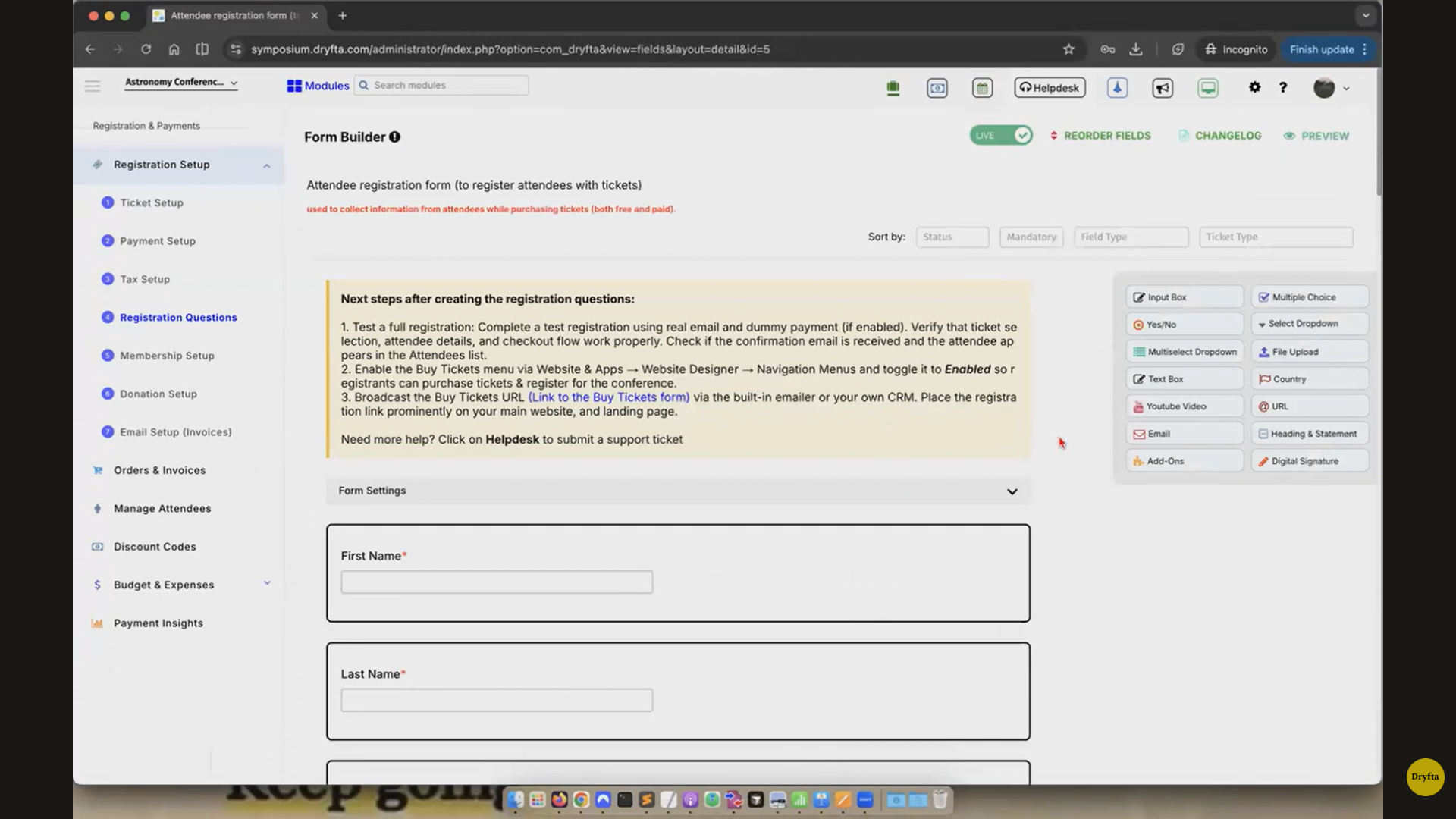
- The first thing to get right is your registration page itself. The moment someone lands on it, they should be able to see two clear paths: in-person or virtual. Use separate sections, separate ticket types and clear descriptions of what each includes. Do not make people hunt for that information or assume they will figure it out.
- The second thing is your form fields. Standard registration forms ask for a name and an email address. That is not enough for a hybrid event. For in-person attendees, you need accessibility requirements, dietary preferences and session choices. For virtual attendees, you need a reliable email address for their platform login, their time zone and whether they have attended a virtual event on your platform before. Capturing this at registration means you are not chasing people for it the week before.
- Third, use conditional logic in your forms. Once someone selects their attendance type, the form should only show them the fields that are relevant to them.
Hybrid Event Registration Tips on Pricing
Beyond the basics, there are a handful of registration tips and tricks that experienced event organizers rely on and rarely talk about openly.
-
- One is early bird pricing split by format. Give separate early bird rates for in-person and virtual tickets rather than a single blanket discount.
- Another is building a waitlist directly into your event registration software if your in-person capacity is limited. A waitlist that automatically notifies people when a spot opens, and lets them upgrade from virtual to in-person without starting their registration again, saves a surprising amount of back-and-forth.
- A third is sending format-specific confirmation emails. These are not the same email with a few lines swapped out. Rather, they should be written separately, for the person reading them.
Hybrid Event Engagement Ideas That Start With Registration
Most organizers think about hybrid event engagement ideas as something that belongs on the day itself. The Q&A tool, the chat feed, the networking session-these matter, but the truth is that engagement begins the moment someone registers.
As soon as a person completes their registration, invite them into a pre-event community. A dedicated group, a forum on your event platform, or even a simple email thread with curated content works. Personalized agenda recommendations, based on the session preferences collected during registration can also be another simple yet effective way to catch your attendee’s attention and interest between sign-up and the event itself. They also show the attendee that you have actually read what they told you, which goes a long way.
The Bigger Picture On Hybrid Event Registration
This guide is not meant to make registration feel overwhelming. Rather, it is meant to reframe it as something worth taking seriously, because it is. Registration is where you collect the information that makes the rest of your event possible. It is where you make your first impression on an attendee. It is where you sort your two audiences so you can serve each of them properly.
Hybrid events are not going away. If anything, the expectation that events should be accessible to both in-person and virtual attendees is only going to grow. The organizers who get ahead of that are the ones who stop treating registration as a checkbox and start treating it as the foundation it actually is.
If you have run hybrid events before and found that something always seems to go wrong on the day, it is worth going back and looking at your registration process. More often than not, that is where the gap is. Get registration right and the rest of the event has a far better chance of running the way you planned it. At Dryfta, we’ve analyzed and built features exclusively to counter most issues that pop up during registration in hybrid events. If you’re ready to level up and fix what’s broken, sign up for a free demonstration today.