




Every conference has one day when everything hits at once. Your abstract deadline closes and your system slows down. You find that your inbox is filled with the same question in different formats from a dozen different people all within an hour. A conference deadline support plan is what can get through this chaos.
Having a plan in place, makes your team grow deadline-ready.
In this guide, we’re going over a plan that covers staff, system checks, common questions and extension calls. Needless to say, it is important to work around it for your specific platform and the size of your team.
What A Conference Deadline Support Plan Covers
First things first, lets clarify a very common misconception.
A conference deadline support plan is not the same as your attendee help desk. Your regular customer support exists at all times. It may become overwhelmed right before event day. However, a conference deadline support plan, on the other hand, is a short and focused plan for the hours around one hard cutoff.
Before we get right in, let’s breakdown the lingo regarding a conference deadline support plan:
- Staff: Team members who answer questions from attendees during the busiest window.
- System checks: The entire workflow and systems is tested thoroughly before your deadline opens.
- Scripts: These are ready answers for frequently asked questions.
- Extension rules: Individuals who can make important decisions pertaining to when set rules can be stretched. They decide when more time can be given for attendees and under what particular conditions.
- Escalation: What happens when something breaks down or goes wrong and who will be the first point of response
Staff The Deadline Window Early In Your Conference Deadline Support Plan
- Work out your plan early: Build your staffing plan days ahead of your event’s actual deadline. This will give you and your team sufficient time to rehearse your plan.
- Plan for added coveragw: Add extra coverage for the two hours before and after the deadline cutoff. Volume peaks here therefore it is important for more human support to be on standby.
- Compartmentalise your tasks: One person handles the inbox, one person the platform and one person tends wholly to escalations.
- Give every staff member the same set of answers: If you have multiple people on your team, ensure that the core messages do not change. It is non-negotiable for attendees to not receive mixed signals about your event. Doing so hurts your event’s reliability.
- Post your support hours clearly: Make sure people know when to reach your support team. If you are offering round-the-clock assistance, make that known. And when you’re offering 24/7 assistance, ensure that this works in practicality. Do not overwork your team in unrealistic shifts.
- Line up a backup contact: This is in case the main person on your conference deadline support plan loses access or connection to your system.
- Check your systems before the deadline opens: Test the submission system for expected traffic, especially if last year’s deadline caused any slowdowns. Learn from your mistakes. Test file upload limits and formats a few days ahead. Verify if your payment processing works end to end if fees are a part of your registration drill. And most importantly, check if your confirmation emails send correctly.
Keep Ready Answers For Common Questions
Keep scripted answers ready such as the below:
The deadline is 11:59 PM in GMT-5 timezone. We suggest submitting at least an hour early in case of issues.
Your submission came through at 9:49 PM GMT-5. Check your spam folder if you have not seen a confirmation.
We are seeing higher traffic right now. Please do not submit more than once, since this can create duplicate entries.
We cannot extend the deadline for one person at a time, but we will announce it if a general extension happens.
Decide Your Extension Policy
Most conferences get a few requests for more time. Pick your approach before anyone asks.
- Choose one rule. If you are individual extensions, a short grace period for everyone or case-by-case review for real emergencies.
- Write the rule down. Every staff member should give the same answer.
- If a problem on your end caused a delay, extend the deadline for everyone instead of handling it person by person.
- Announce any general extension clearly and update the date everywhere it is listed
What To Do As Part Of Your Conference Deadline Support Plan When Something Breaks
- Confirm the nature of the issue with your technical contact before you report to attendees.
- Then, post a short and honest update regarding the situation on your status page or social channels.
- Decide fast whether your original deadline will need to move as a result of the technical snag. Exercise sound judgment when making this decision. You should not be pushing your deadline over an issue that could be resolved in a day or two. Only consider altering deadlines when the snag is massive and is expected to take a while to fix.
- Keep a record of what transpired and how and when it was fixed. You may need this later during post-event documentation and briefing.
- Review the incident afterward and note you can prevent a similar incident the next time around.
Send Reminders Before Your Deadlines Arrive
A lot of deadline stress comes from people who did not know the rules in time. Hence, it helps to send across consistent and timely reminders weeks and days leading up to the event.
Make sure to emphasize the timezone in which your deadlines are based up on. Time zone mix-ups are more common than you think they are.
The work does not stop once submissions stop coming in. Keep light support still available for a day or two after the official deadline in case submitters facs confirmation or technical issues. Thoroughly rinse your event management system logs for any submissions that may have come in but failed to save. Gently send across an email to ask missing submissions to be corrected.
How Dryfta Can Help Aid Your Conference Deadline Support Plan
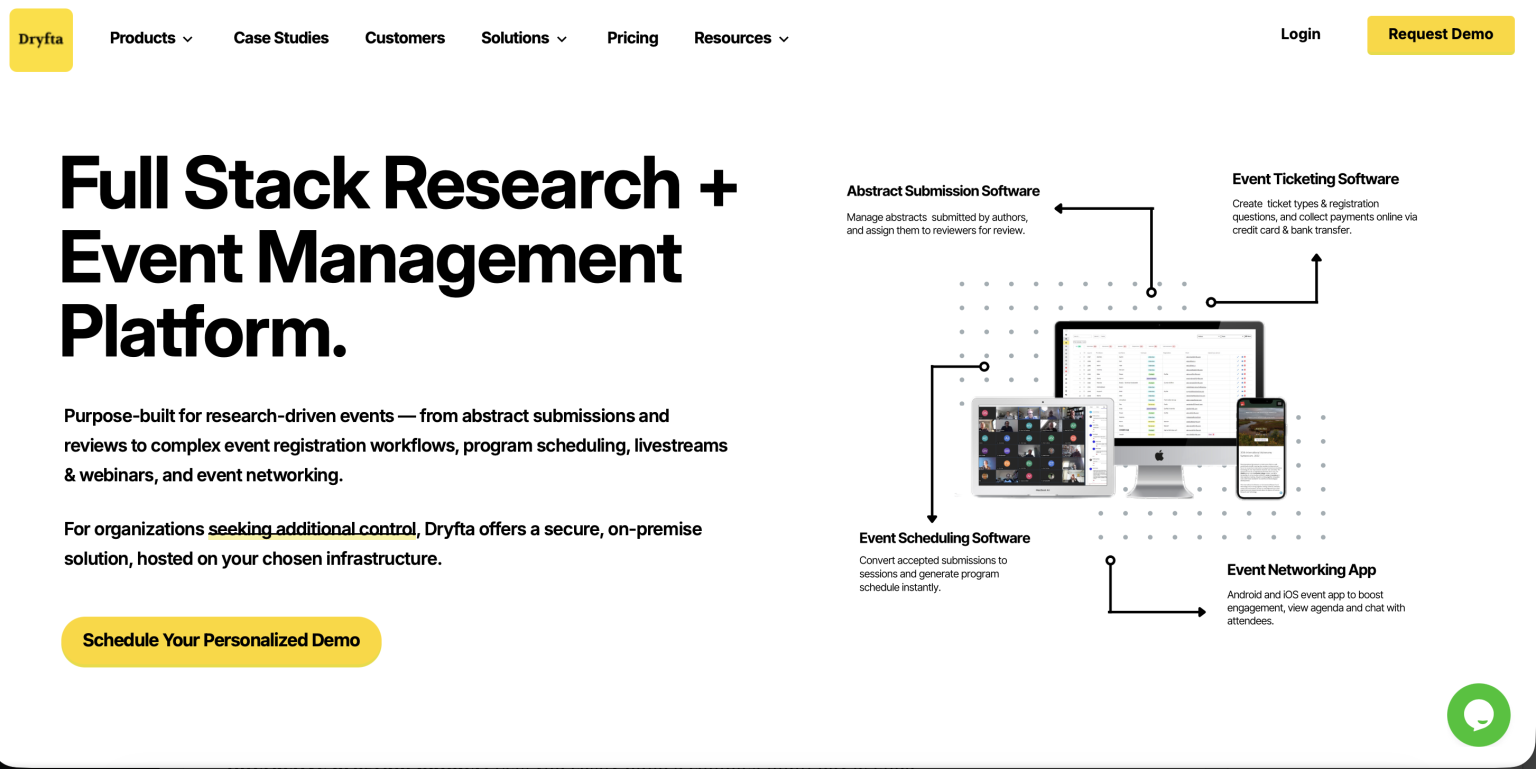
Dryfta can track submission status, send automatic confirmation emails and watch system activity during a deadline window. Software does not replace a staffed plan. A team still needs to be ready to answer and decide in real time.
Sign up for a free demo today and watch Dryfta in action.
Frequently Asked Questions (FAQs)
How many people should staff a deadline window?
This depends on your expected volume, but most conferences need at least two people on support during the final hours.
Should we announce an extension in advance?
Only announce it once you are certain it is happening. A false rumor causes more confusion than the original deadline pressure.
What causes the most support tickets on deadline day?
Missing confirmation emails and time zone mix-ups make up most of the volume at a typical deadline.
Should the extension rule stay the same for every deadline?
Not always. An abstract deadline and a late registration deadline may call for different rules.
The Bottom Line
A conference deadline support plan turns one chaotic day into something that your team has already practiced and…can handle just fine.
Make sure to test your systems well ahead of time and prepare your answers. A little prep on this one day can save a lot of stress for your team and your attendees.