The things that come for free can seem like a lottery win at first glance. On first use. Imagine receiving all you need and for a price tag that reads zero. Free. Completely free of cost. Microsoft CMT is one such free jackpot. It is a conference management toolkit that is accessible in the market for free. Microsoft says, “No worries, it’s on the house.”
Free platforms like Microsoft CMT can be an efficient option for event professionals who want the minimum threshold of good event management. However, for those who aim for great event management, the thought of looking for CMT alternatives arrives eventually. There is a point in which organizers want to level up. Just go one step ahead. Choosing to use a paid events management service is not a foolish choice, especially given the fact that free platforms like Microsoft CMT exist.
Microsoft CMT served a generation of academic event organizers well, and for smaller, peer-review-focused conferences it still has genuine utility. But utility has a ceiling and a growing number of organizers are realizing that they have reached it. The question is no longer if you should be looking for CMT alternatives but which one is worth your money.
What Is Microsoft CMT?
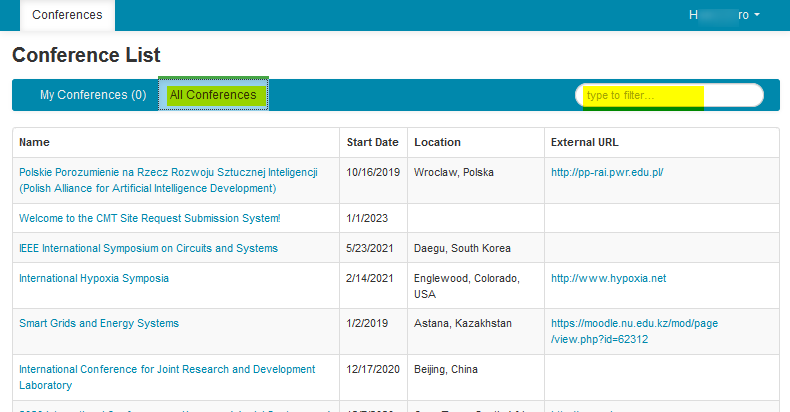
Microsoft CMT is trusted by more than 1 million in close to 200 countries.
Microsoft CMT, or the Microsoft Conference Management Toolkit, is a free platform developed to support the submission and peer review workflows of academic conferences. CMT’s strength has always been its focus. It does one set of things and at no cost. The platform’s adoption has been particularly noteworthy in computer science, where it became a standard tool for managing paper submissions, reviewer assignments and editorial decisions across research symposiums, workshops and larger academic gatherings.
- Microsoft CMT is a free-to-use conference management platform developed and maintained by Microsoft Research.
- It was built primarily to support academic peer review and paper submission workflows.
- The software is in wide usage used across computer science conferences and research-driven academic events.
- The conference management toolkit supports reviewer assignment, bidding workflows and editorial decision management.
Why Conference Organizers Look for Microsoft CMT Alternatives
The limitations of Microsoft CMT start to show up one by one as you increase in event scale and organizational magnitude. For starters, with Microsoft CMT being a free service, customer support is only restricted to email. What this means is, no matter how pressing your concern may be, you’ll only be responded in a business day or two. Now imagine yourself in the midst of hosting a conference and you figure an issue with the database that needs immediate attention. However Microsoft’s free service puts you on an inevitable waitlist. This is only one among the many concerns and wherever that integrations users to look for Microsoft CMT Alternatives. Some other notable and frequently cited reasons include the following:
- Limited customization flexibility makes it difficult to adapt workflows to the specific needs of different conference formats.
- The user experience, both for organizers and for submitting authors, has not kept pace with modern interface expectations.
- Registration and payment workflows are entirely absent, forcing organizers to manage those processes in separate systems.
- Attendee engagement features are minimal, leaving little infrastructure for building participation beyond the submission process.
- There is no end-to-end event management capability, so conferences must assemble multiple disconnected tools to cover the full lifecycle.
- Hybrid and virtual event support is not built into the platform, which has become a significant limitation since the acceleration of remote participation.
- Sponsor and exhibitor management has no dedicated infrastructure within CMT.
- Reporting and analytics capabilities are limited, making it difficult to generate the kind of data that informs future planning
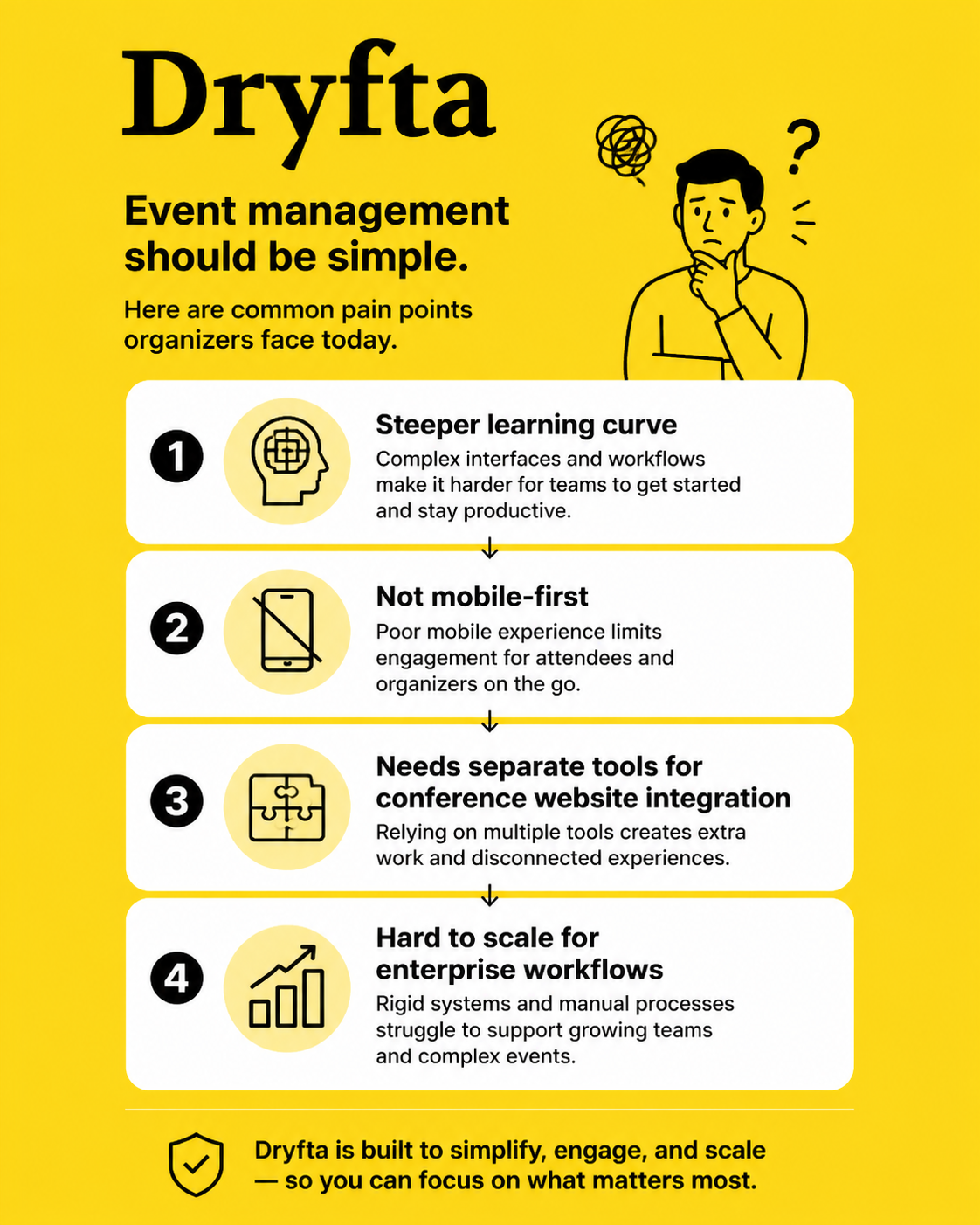
- Onboarding new organizers and reviewers involves a learning curve that many find steeper than it needs to be.
- The platform is not designed with mobile-first experiences in mind, which affects usability for both reviewers and attendees.
- Conference website integration requires entirely separate tools and technical effort.
- Scaling to enterprise-level workflows requires capabilities that the platform was not designed to provide.
What to Look for in a Microsoft CMT Alternative
Once you’ve identified the need for you and your organization to explore Microsoft CMT alternatives, these are the most important features to look out for. Read them carefully because choosing a paid software with subpar features is simply a stark waste of your money. You’ll find yourself stuck in the same loop: settle for a software, realize it doesn’t entail all you need, mourn over a bootstrapped budget and then proceed to buy more one more tool to compensate. This barely looks like leveling up. To truly up your event management game, make sure your software of choice encompasses these sacrosanct features:
- Abstract and paper submission workflows that can be customized to different submission categories and formatting requirements
- Double-blind peer review support with flexible configuration for different review models.
- Reviewer assignment automation that reduces the manual effort of matching papers to qualified evaluators.
- Integrated conference registration and ticketing that connects the submission process to attendance management.
- Hybrid and virtual conference capabilities that can accommodate both in-person and remote participation within the same system
- A mobile-friendly native connected that will works across devices.
- Conference scheduling tools that can handle multiple tracks, parallel sessions and last-minute changes.
- Speaker and session management features that give presenters and organizers crystal clear visibility into their obligations, leaving no space for conflicts of interest.
- Analytics and reporting dashboards that produce actionable data on submissions, reviews and attendance
- Clean sponsor and exhibitor management infrastructure that shoulder the commercial relationships keeping your conferences running.
- CRM integrations that integrate all data pertaining to your into the broader organizational workflow with limited hassle.
- Fuss-free and hands-off automated communication workflows to handle your event notifications, send across reminders and keep attendees updated with no manual intervention.
- A conference website builder that integrates directly with your submission and registration system.
- Scalability for large international conferences with high submission volumes and sophisticated reviewer pools is non-negotiable for enterprise events.
- Ease of use for organizers, reviewers and authors, since a platform that requires excessive training loses time it was meant to save
Quick Comparison of the Best Microsoft CMT Alternatives
No two conferences have identical requirements and the platform that works well for a large computer science conference may be poorly suited to a medical research symposium or a hybrid interdisciplinary workshop. In the table below, we’re organizing the leading Microsoft CMT alternatives across the dimensions that matter most to academic conference organizers.
Best Microsoft CMT Alternatives for Academic Conferences
The best Microsoft CMT alternatives are those that eliminate the operational and technical crevices left open by the service. Micrrosoft CMT competitors such as Dryfta not only fill in the missing blanks but also substantially advance the solution. In other words, the best Microsoft CMT alternatives resolve the problems you endured whilst using the platform. And they do it spectacularly that it is hard to look away from. You’ll find the greater nuances and possibilities that exist in the event management sector owing to advancements like Artificial Intelligence and data-based technologies. The platforms best suited to replacing CMT in this context are the ones built with the endless possibilities already in mind. On that note, the best of Microsoft CMT alternatives frequently exhibit the following features:
- Scientific conference management workflows that accommodate multiple submission types and review models.
- Research symposium infrastructure that handles both the editorial and logistical dimensions of an event.
- University conference support for departments running recurring annual or biennial events.
- Proceedings management that carries accepted work through to publication-ready output.
- Reviewer collaboration workflows that give chairs visibility into the progress of the review process.
- Multi-track scheduling that can accommodate parallel sessions across different disciplines.
- Author communication management that keeps submitting researchers informed at every stage.
- Research networking capabilities that connect attendees around shared scholarly interests.
Best Microsoft CMT Alternatives for Peer Review Management
A rigorous and fairly performed peer review is at the center of ethical research and scholarly discourse. Peer review refers to the act of a researcher’s work, typically an abstract, being subject to evaluation by independent experts in the subject. These experts are called peer reviewers.
Peer review processes, when poorly managed, can damage your relationships with researchers and diminish your organization’s credibility. The best CMT alternative platforms best suited to this function are the ones that take the function of editorial workflow and reviewer ethics seriously. If peer review is your top feature, be on the lookout for these contemporary software tools:
- Double-blind and single-blind review support with configurable anonymization settings.
- Reviewer bidding systems to let evaluators express preferences before assignment decisions are made.
- Conflict-of-interest management capable of systematically identifiying and resolving problematic reviewer-paper pairings.
- Automated reviewer assignment as a way to cut down on the backbreaking human effort of matching expertise to submissions.
- Review scoring and evaluation workflows with configurable rubrics and weighting.
- Reviewer dashboards equipped with the intelligence to give evaluators a clear and current picture of their workload and deadlines.
- AI-assisted reviewer matching tools which draw on data such as publication history and stated expertise and funnel them into actionable insights.
- Bulk acceptance and rejection workflows that allow chairs to process large volumes of decisions efficiently.
- Rebuttal and discussion workflows that give authors a structured way to respond to reviewer feedback.
- Review analytics dashboards to give chairs ample visibility into completion rates and scoring distributions.
Best Microsoft CMT Alternatives for Hybrid and Virtual Conferences
Event platforms that intelligently incorporate into their virtual events report a user satisfaction of 60%, notes Nasstar.
Microsoft CMT’s feature set was built primarily in-person academic conferences. As a result, it performs underwhelmingly when it comes to virtual events. In case of hybrid events, the organizational balance remains unequal, with more features available for the physical format. Organizers looking for Microsoft CMT alternatives in this area need platforms that treat hybrid delivery as a first-class feature
- Virtual session hosting in your Microsoft CMT alternative of choice should be able to integrate with your conference program and work per your schedule. Not the other way around.
- The secret ingredient of the hybrid event format today is uninterrupted and engaging live streaming. It is sacrosanct to opt for softwares that possess integrations to connect in-person presentations to your remote audiences in real-time.
- Virtual poster presentations with interactive viewing and author availability windows are helpful features fo consider.
- Hybrid attendee engagement and micro-engagement tools are a primary attribute of modern virtual conferences. Remote participants need an experience that does not feel like a passive youtube video running in the background. The experience should be comparable to those that are attending in person, in case of a hybrid program.
- Interactive Q&A and polling features that work without disturbances or technical fluctuations across both in-person and virtual participation modes.
- The best Microsoft CMT alternatives are those that allow features to record your sessions andstore them as playback for later use.
- Virtual networking tools that connect attendees around shared research interests regardless of their location.
- A mobile-first attendee experience is a fundamental part of the contemporary event attendee’s experience. Ensure that your features work cleanly across devices without needing technical support each time.
- Browser-based conference experiences to be prioritized to make sure that there is no pressure of downloading applications for attendees.
Why Free Conference Software Is Not Always Enough
Anything that comes for free, carries a certain kind of appeal to it. This case is true for free software platforms like Microsoft CMT. That being said, it is also common for people to approach free products with a certain amount of caution. Deep down, users of free tools know that they will eventually exhaust these resources. They know that they will outgrow it. Similarly, there are dozens of reasons why your event might surpass Microsoft CMT. Free is not always sufficient.
- Limited scalability means that platforms designed for small events become operationally unreliable as submission volumes and attendee numbers grow.
- Increased manual administrative work absorbs organizer time that could be spent on the intellectual program.
- Limited automation capabilities render your notifications, reminders and status updates to the mercy of human intervention at every stage.
- The absence of attendee engagement tools leaves significant potential unrealized. This is especially true of conferences where networking and participation are as important as the formal program.
- Missing registration and payment workflows force organizers to manage financial transactions in entirely separate systems, creating reconciliation overhead.
- Reduced customization options can leave your downsizing your event needs to fit the rigid mould of the software. Conferences with distinctive workflows find themselves having to adapt to the platform rather than the other way around.
- The absence of enterprise integrations limits the ability to connect conference data to organizational CRM, email and analytics systems.
- Limited reporting and analytics make it difficult to evaluate conference performance or make data-informed decisions about future editions.
- Hybrid event management without dedicated tools creates a fragmented and inconsistent experience for remote attendees.
- Operational nuance grows in direct proportion to conference size, and free platforms rarely grow with the events they were chosen to support.
Microsoft CMT vs Modern Conference Management Platforms
Microsoft CMT was built to manage the editorial process of academic peer review. On the other hand, modern conference management platforms were chiseled to manage the entire lifecycle of an event, of which the below components are a few among many.
- Traditional peer review tools handle submissions and decisions, and modern all-in-one platforms extend that capability to registration, scheduling, communications and attendee experience.
- The user experience gap between CMT and current alternatives is significant, with modern platforms offering interface design that reflects contemporary expectations for web-based software.
- Registration and attendee management are central features of modern platforms and entirely absent from CMT, which forces organizers to maintain separate systems for a core function.
- Hybrid event readiness is built into platforms designed in the last several years and is structurally absent from CMT, which predates the normalization of remote participation.
- Mobile application experiences that give attendees and reviewers access to conference information on their devices are standard in modern platforms and unavailable in CMT.
- Workflow automation capabilities in current platforms reduce the manual communication load that CMT-dependent organizers absorb.
- Analytics and reporting in modern platforms provide data on submission trends, reviewer performance and attendee behavior that CMT does not generate.
- Scalability differences become apparent at the point where conference complexity exceeds what a focused peer review tool was designed to handle.
- Sponsor and exhibitor management, absent in CMT, is a revenue-critical function that modern platforms address with dedicated infrastructure.
- CRM and marketing integrations that connect conference data to organizational systems are standard in current platforms and unsupported in Microsoft.
Why Dryfta Is a Strong Alternative to Microsoft CMT
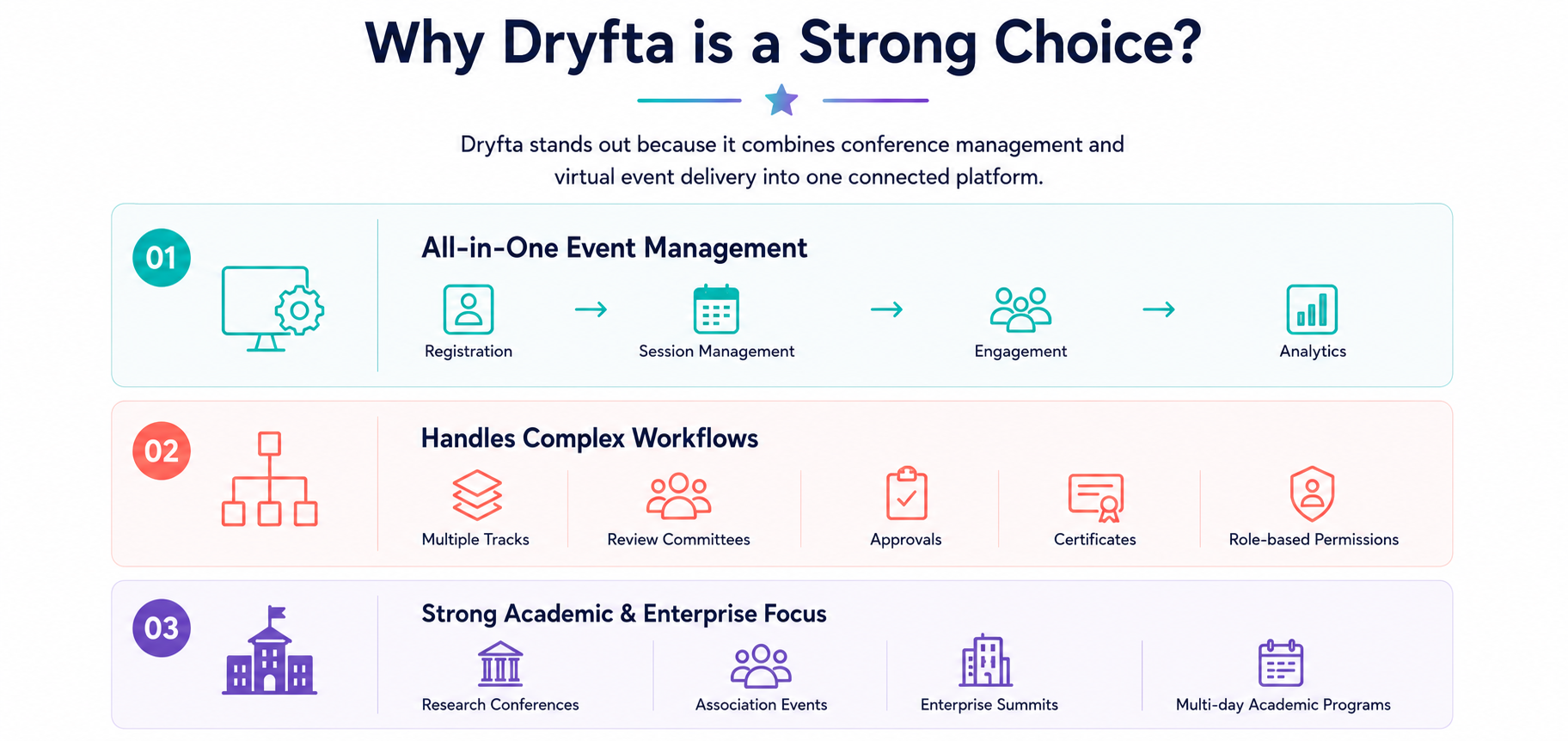
Dryfta was built specifically for the kind of academic and scientific conference that Microsoft CMT was designed to serve, with the critical difference that it covers the full operational lifecycle of an event rather than a single phase of it. The result is a platform where the submission process, the peer review workflow, the registration system and the conference program all operate within a single coherent environment rather than across disconnected tools that require manual coordination.
– An all-in-one academic conference management platform that eliminates the need to assemble separate tools for different functions
– Automated abstract submission workflows with configurable forms, submission categories and formatting requirements
– Integrated peer review management that supports double-blind, single-blind and triple-blind models with automated assignment and conflict-of-interest handling
– A registration and ticketing system that connects directly to the submission workflow, removing the gap that CMT-dependent organizers typically manage manually
– A conference website builder that integrates with submission, registration and scheduling systems within the same platform
– Hybrid and virtual conference support that accommodates both in-person and remote attendees within a unified experience
– Speaker and session management tools that give presenters and organizers clear visibility into the program
– Better workflow customization than Microsoft CMT allows, with configurable processes that adapt to the specific requirements of different conference formats
– Automated communication workflows that handle notifications, reminders and status updates without manual intervention
– Suitability for both scientific and professional conferences across disciplines and institution types
– End-to-end conference lifecycle management that covers everything from the first call for papers to post-event proceedings
– A cost-effective alternative for conferences that have outgrown free tools but do not need the scale or pricing of enterprise event management platforms
How Dryfta Helps Conference Organizers Scale Beyond Microsoft CMT
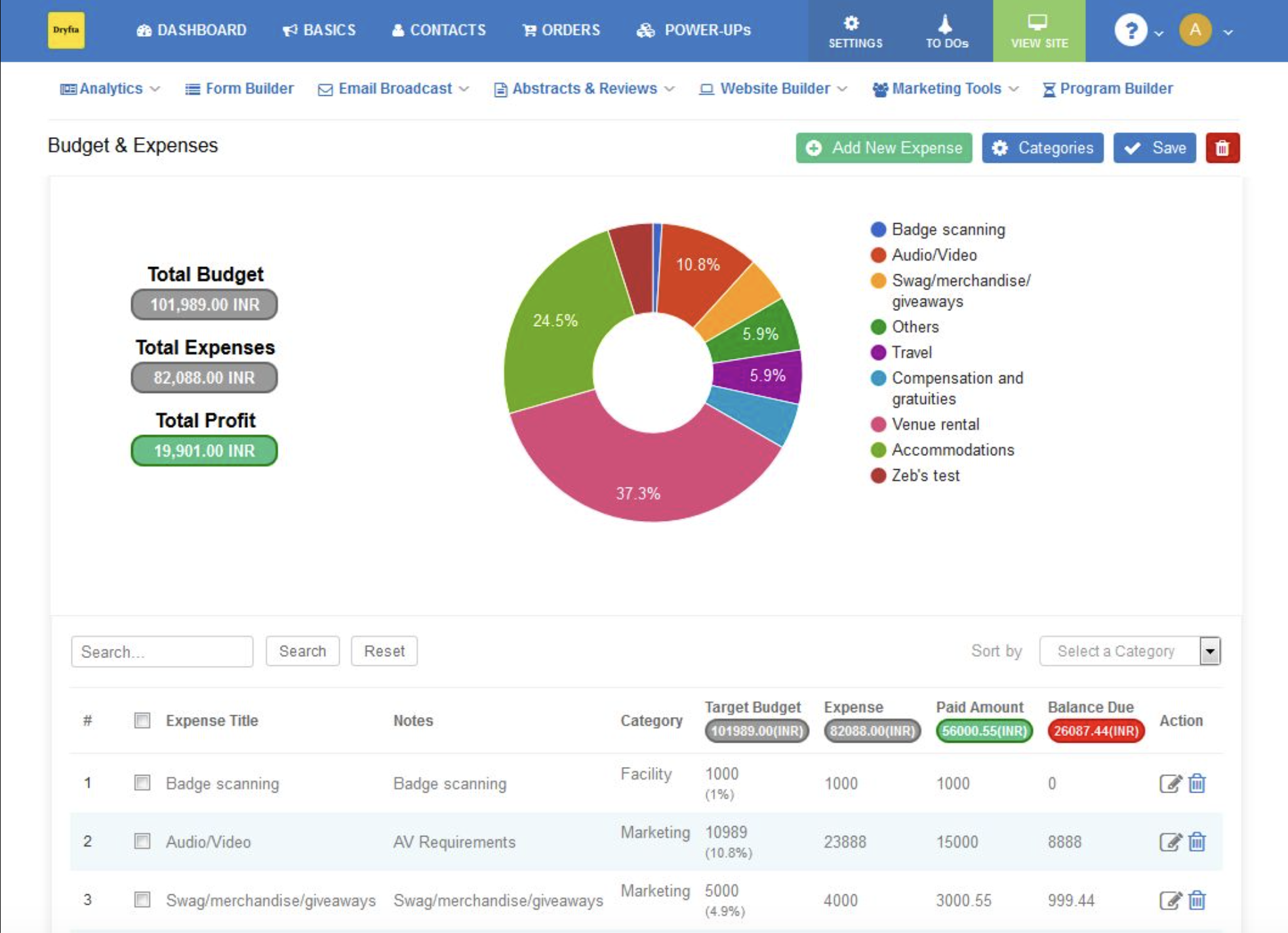
Dryfta was designed with the operational demands of modern conferences in mind. Its design and architecture are proof of how the platform not only allows but also encourages scalability. Dryfta is one the few and best Microsoft CMT alternatives that grow alongside your event. Dryfta performs the following with excellent precision:
- Submission automation: Automates submission and reviewer workflows so that volume increases do not translate directly into administrative overhead
- Smart reviewer assignment: Simplifies reviewer assignment and scoring through automation tools that reduce the manual matching effort that grows with submission volume
- Unified workflow: Integrates registration, scheduling and agenda management so that the full conference operation runs within a single system
- Hybrid event friendly: Supports hybrid and virtual conference experiences with infrastructure that scales to large remote audiences
- Personalizable features: Provides customizable conference websites that can be updated in real time as the program develops
- Scheduled notifications: Automates email reminders and notifications so that authors, reviewers and attendees receive timely communications without manual follow-up
- Real-time tracking: Enables real-time submission and review tracking so that chairs always have an accurate picture of where the process stands
- Proceedings management: Simplifies proceedings and certificate management so that post-conference deliverables do not create a separate administrative burden
- Stakeholder management: Supports sponsor and exhibitor workflows that allow conferences to manage their commercial relationships within the same platform
- Reducing human effort: Reduces manual operational workload so that organizer energy can be directed toward the intellectual content of the event
- Collaborative in function: Improves collaboration between organizers, reviewers and authors by centralizing communication within a shared platform
- Scalable to larger events: Scales to international conferences and symposiums with high submission volumes and geographically distributed reviewer pools
Best Microsoft CMT Alternatives for Small Conferences
The best Microsoft CMT alternatives are those that offer the below features. Read on to know which 5 platforms in the market are among the finest alternatives, expertly fulfiling these user needs.
- Affordable conference management solutions with pricing structures suited to events with limited budgets.
- Easy setup and onboarding processes that do not require dedicated technical support or specialized training.
- Lightweight peer review systems that cover the core editorial workflow without unnecessary complications.
- Budget-friendly platforms that scale in cost with the size and magnitude of your event.
- Minimal technical expertise required for configuration and day-to-day management.
- Suitability for workshops, symposiums and specialist gatherings that do not need full enterprise functionality.
- Open-source alternatives that give technically capable organizers control over their environment at reduced cost.
- Simple registration workflows that handle attendance management without requiring a separate platform.
We’ve outlined the features the raise a Microsoft CMT alternative from good to great. Now here are platforms that fit the criteria.
Dryfta
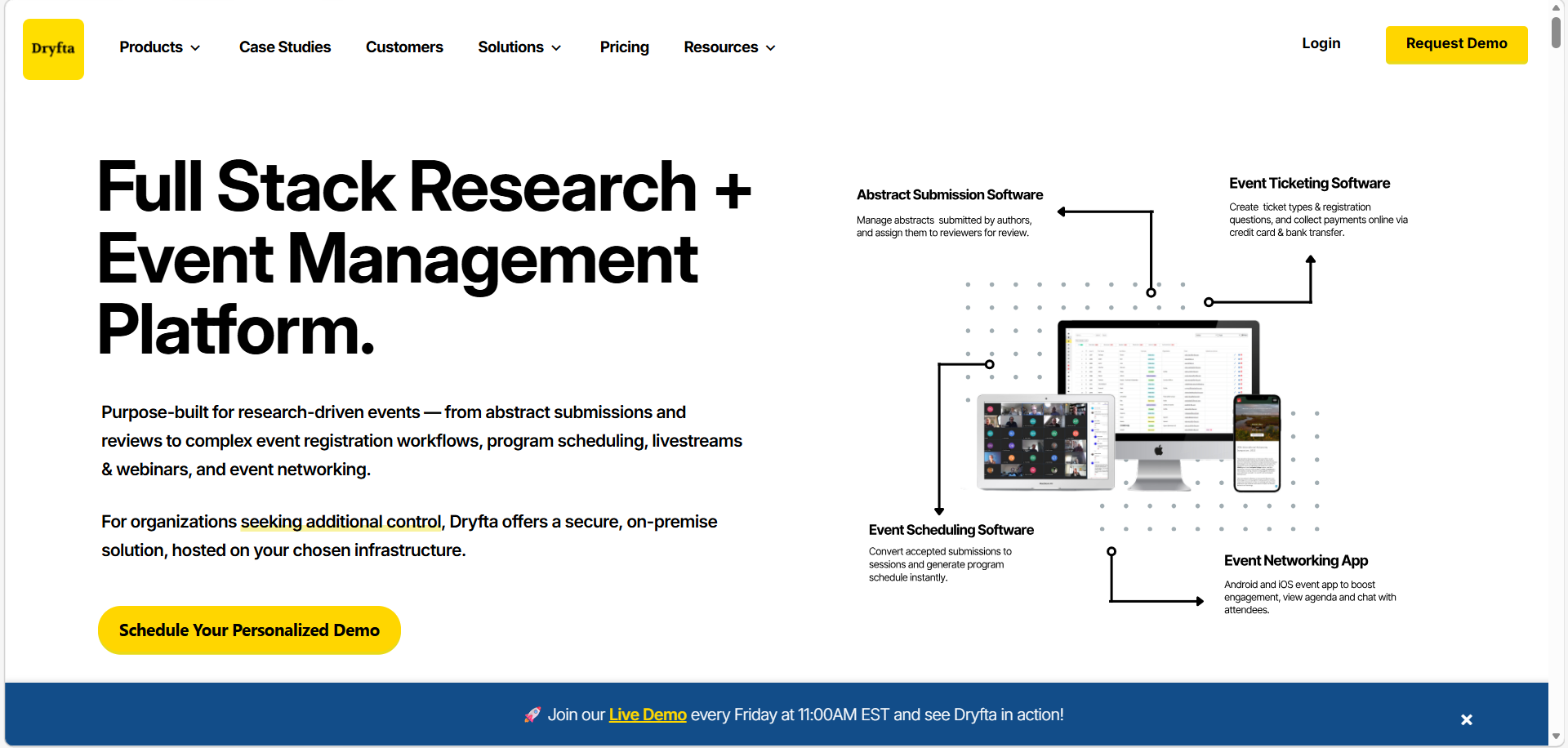
Dryfta offers tiered pricing that makes its full feature set accessible to smaller events, and its setup process does not require technical expertise to complete. For workshops and symposiums that anticipate growth, it also provides a clear scaling path without requiring a platform migration later.
OpenConf
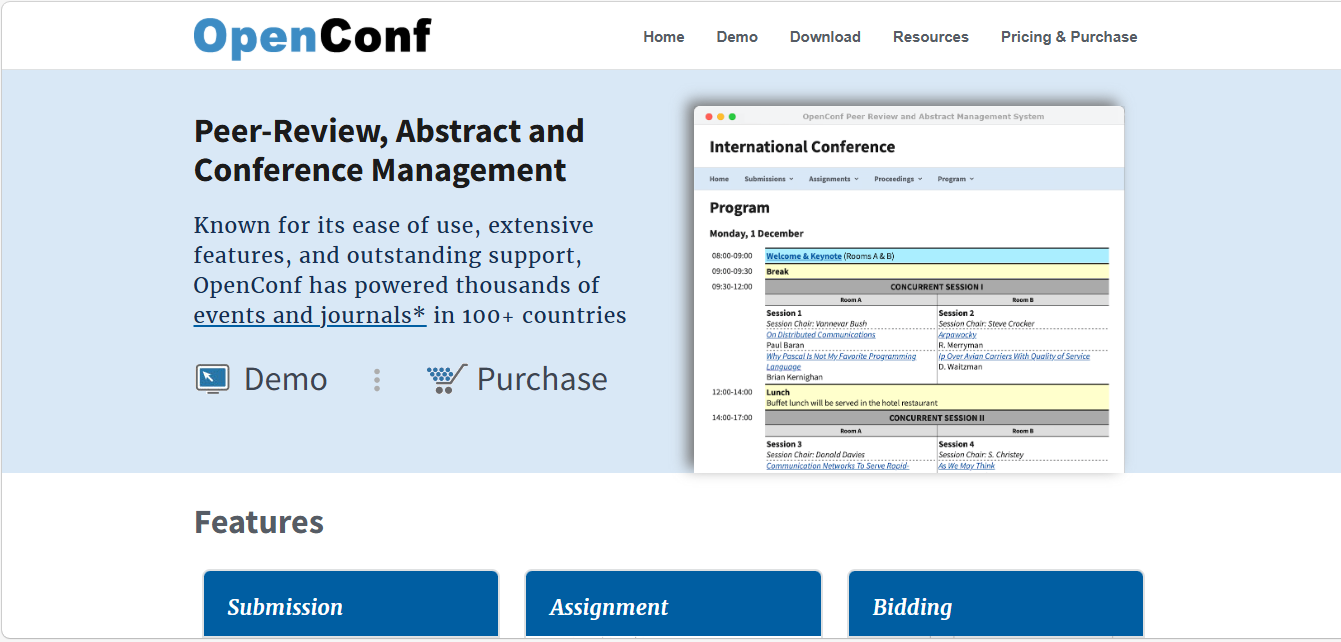
This is an open-source option that gives technically capable organizers considerable control over their submission and review environment at minimal cost. Its interface is dated but its core functionality is sound for small to medium academic events.
EasyChair
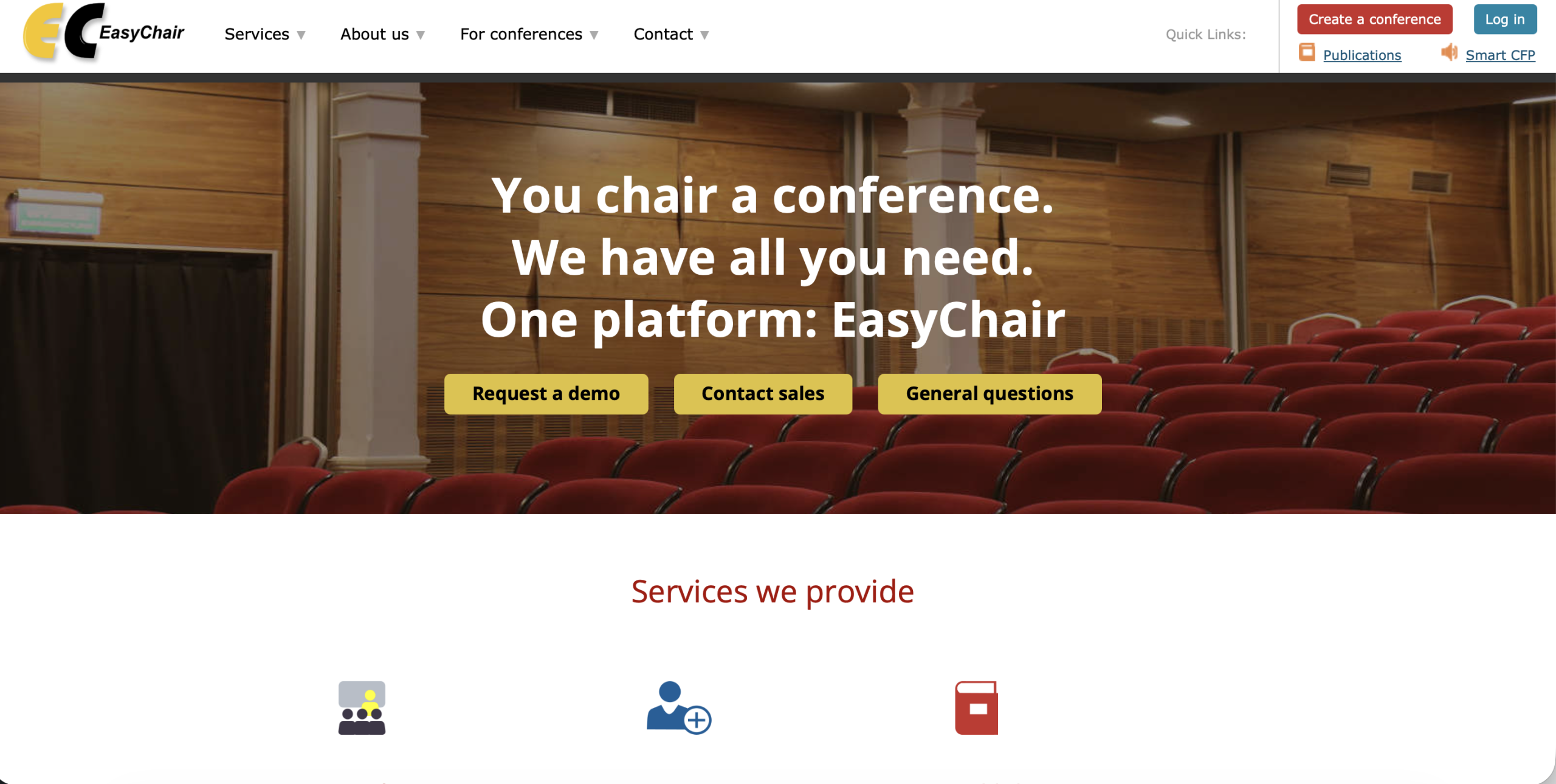
It remains a practical choice for small conferences where peer review is the primary concern and registration is being handled separately. Its familiarity within many academic communities reduces the onboarding burden for reviewers who have used it before.
Ex Ordo

Ex Ordo has built its entire reputation on submission management. The platform provides a streamlined interface for authors to submit papers and abstracts. Drag-and-drop functionality makes file uploads intuitive and the system supports multiple submission tracks and collects detailed metadata that program committees need.
Oxford Abstracts

Oxford Abstracts is well-suited to smaller scientific and academic conferences where the submission and review experience needs to be polished and professional without requiring enterprise-level infrastructure.
How to Migrate From Microsoft CMT to Another Conference Platform
Migration between conference management platforms is a task that organizers often approach with more anxiety than it ultimately warrants. The process has well-defined stages, and most modern platforms provide migration support that reduces the technical burden considerably. The greater risk is not in the technical transfer of data but in the communication breakdown that occurs when authors and reviewers are not kept clearly informed about the change.
- Export paper submission data from CMT in a structured format that the receiving platform can import cleanly.
- Migrate reviewer assignments with care, since these relationships carry significant editorial context that should not be lost in the transfer.
- Import author information including submission history, contact details and correspondence records.
- Transfer conference schedules, session assignments and program details into the new platform before communicating the change externally.
- Manage registration migration carefully, ensuring that existing registrants are moved to the new system without disruption to their records or payments.
- Set up new review processes in the receiving platform before decommissioning the old one, so that parallel testing is possible.
- Invest in organizer onboarding and training before the new platform goes live rather than during the transition period.
- Communicate changes to authors and reviewers early and with enough specificity that they can prepare for the new submission environment.
- Test all workflows thoroughly before the conference submission window opens in the new platform.
- Minimize disruption during migration by timing the transition to a period of low submission and review activity where possible
Frequently Asked Questions (FAQs)
What is the best alternative to Microsoft CMT?
Dryfta is the best choice for organizers who want to end the hassle of juggling numerous smaller platforms to pull off their event. A well-rounded software like that of Dryfta makes end-to-end academic conference management possible. Every single function of the larger conference workflow, starting from submission fields and ending with post-event analysis, can be overseen from within the convenience of a single system.
Which Microsoft CMT alternative is best for academic conferences?
Dryfta stands number-one in the list of the most considered alternatives to Microsoft CMT. Our software’s features and customer satisfaction stand testament to this. Additionally, other competitors platforms such as Ex Ordo, Fourwaves and ConfTool also provide satisfactory event management services for academic conference organizers. Making the final choice is ultimately up to your personal preferences and event needs. Do your research thoroughly before committing to any one platform. It is a smart move to always perform a free demo or limited trial of your preferred platform if in a dilemma. To experience a free demonstration of Dryfta’s academic conference software, click here. Completely free of any charges.
Is Microsoft CMT completely free?
Yes, Microsoft CMT is free to use. Its cost is borne instead in the manual effort that is often needed to compensate for its limitations. What this means is, since Microsoft CMT is not an all-in-one event management platform, you are likely to find yourself needing to use additional services. In this event, you may also inevitably need to integrate your third-party tools with Microsoft CMT to be able to access a unified workflow. Microsoft CMT’s free service is most productive as a single feature.
Which platform is best for peer review management?
Dryfta, EasyChair and Oxford Abstracts all offer strong peer review capabilities. Dryfta has the added advantage of being able to flawlessly integrate the review management with the larger workflow of the event. Other aforementioned platforms also enjoy their own significant user bases who tend to incline toward them for the familiarity that it offers. However, if you are looking for a fresh start to your event management journey or are a brand new start-up, Dryfta’s flexible features and support for newbies can be worth looking at.
Which conference management software is best for hybrid events?
Dryfta and Whova are among the strongest options for hybrid conference delivery. Dryfta has the advantage of combining hybrid event support with a full academic submission and review workflow, while Whova is particularly strong on the attendee experience side.
Can I migrate from Microsoft CMT easily?
Migration from any platform is doable when you’ve planned the process properly. Most modern platforms today, including Microsoft CMT, give you tools to import the data you consider important and also some amount of migration support. Microsoft’s Configuration Migration Tool (CMT) offers the best kind of technical transfer of submission and reviewer data in the marker. Therefore, migration should be rather simple for users of the platform.
Which platform supports abstract and registration management together?
Dryfta is an all-in-one event management platform that skillfully handles all aspects of the academic conference workflow with ease. This includes superlative abstract and registration management services via an integrated, native abstract submission software and registration management within the same, single platform. As a result, the need to switch between and to and from platforms or third-party integrations is completely ruled out. Dryfta’s 360 degree conference management platform guarantees ease of use, backed by consistent and accessible customer support.
What features should conference management software include?
The most salient features to look for in a conference software, in case of an academic inclination, include abstract and paper submission management, peer review support with reviewer assignment, provisions for handling conflict-of-interests as well as customer support. The latter overrides all other features, particularly in the case of large-scale and virtual events that need significant support both pre and during the event.