
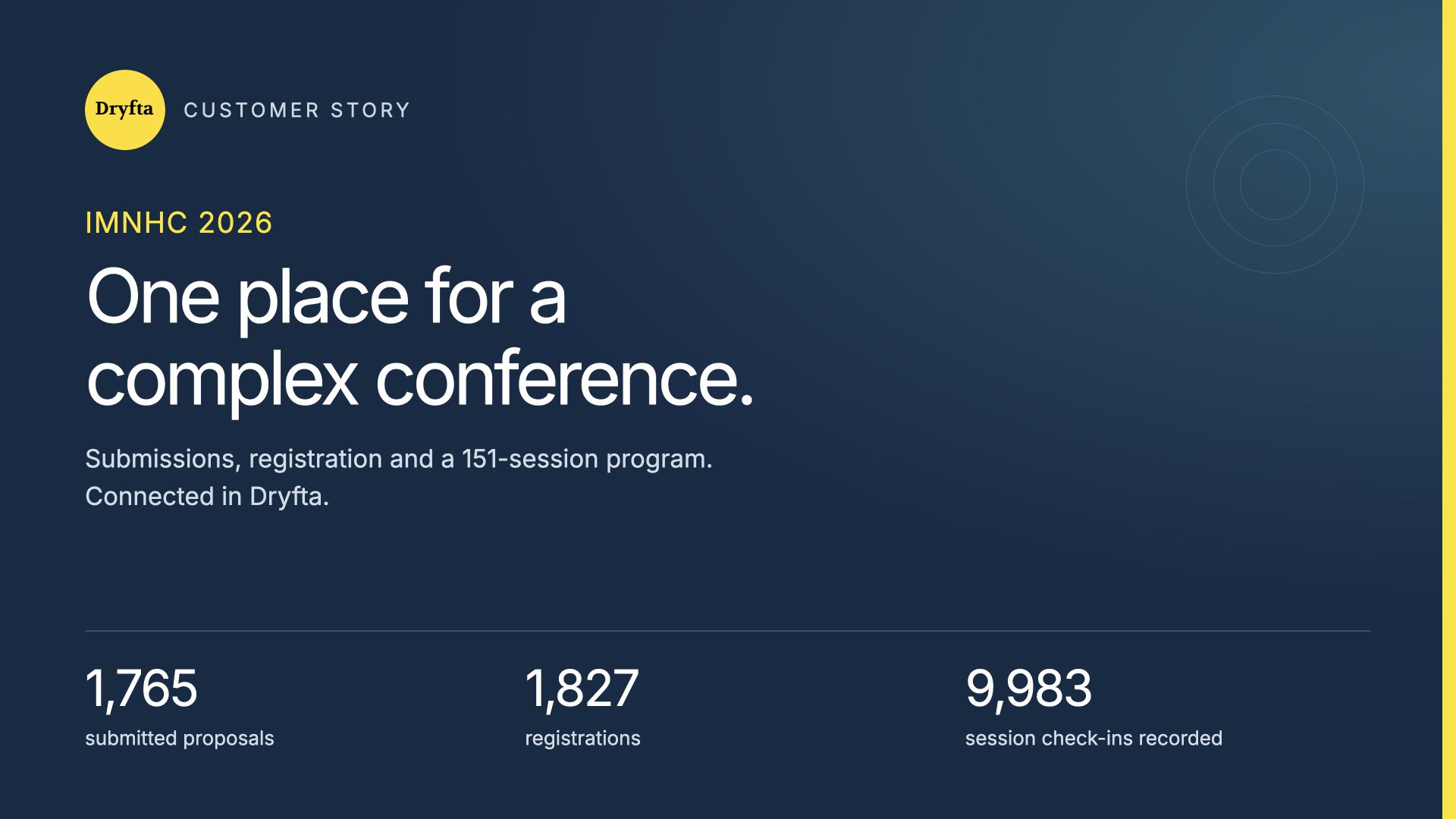
IMNHC 2026 brought the maternal and newborn health community together in Nairobi, Kenya, from 23 to 26 March. Behind its busy program, the organizing team used Dryfta to manage submissions, registrations and session activity in one shared event workspace. The event backend records 1,765 submitted proposals, 1,827 registrations and 151 sessions. It also records 15,499 session saves and 9,983 session check-ins, showing how delegates used the program throughout the conference. This case study looks at that workflow, the tools visible in the event platform, and what other conference teams can learn from bringing these everyday tasks together in one place.
IMNHC 2026 at a glance
The International Maternal Newborn Health Conference took place from 23–26 March 2026 in Nairobi, Kenya. Its official website reports 1,779 participants from 82 countries. That public participation figure provides context for the operational records in Dryfta.
| Measure | Recorded total | What it tells us |
|---|---|---|
| Submitted proposals | 1,765 | Submitted content, counted separately from drafts. |
| Registrations | 1,827 | Registration records, rather than a confirmed attendance count. |
| Sessions | 151 | Sessions added to the event program. |
| Session saves | 15,499 | The report’s “Sessions added to schedule” total. |
| Session check-ins | 9,983 | Recorded check-ins across sessions; a person can check in to more than one session. |
Reading the figures: Registrations, reported participants, session saves and check-ins measure different things. They should not be treated as interchangeable headcounts or used on their own to calculate attendance rates.
The challenge: connecting the work behind a busy conference
A conference of this size involves several connected jobs. The team needs to keep track of submitted content, manage registrations, publish a program people can follow, and record activity during the event. Delegates need to find relevant sessions and know when and where to go.
IMNHC 2026 used Dryfta across these parts of its event. The backend contains submission and registration records, while the public program presents sessions by day, time, room and topic. The result is a clear example of how one event platform can support both the organizing team’s work and the delegate’s experience.
Managing 1,765 submissions with a clear overview
The event’s Submission Insights report records 1,765 submitted proposals. It also displays drafts and decision statuses separately. That distinction matters: a proposal someone started is different from a proposal they submitted for consideration.
For the organizing team, this view provides a practical way to review the amount of content in the system and see the status of the submission process. It brings the main totals together without requiring readers to work through individual submission records.
- A separate submitted total: The report distinguishes submitted proposals from unfinished drafts.
- Visible decision statuses: Accepted, rejected and backup records have their own counters.
- One event context: The submission overview sits alongside the event’s other operational reports.

Keeping registration totals separate from attendance
Dryfta’s dashboard records 1,827 registrations for IMNHC 2026. The conference’s official website reports 1,779 participants. These figures describe different stages of the event journey.
A registration total helps the team understand the records held in its event system. A published participation total describes the conference’s reported reach. Keeping those labels clear makes the case study more useful to other organizers and avoids overstating what any single counter proves.
For teams planning a similar event, the lesson is straightforward: agree on the meaning of each number before using it in a report. A registration, an event check-in and a visit to a session are separate measures.
Making a 151-session program easier to explore
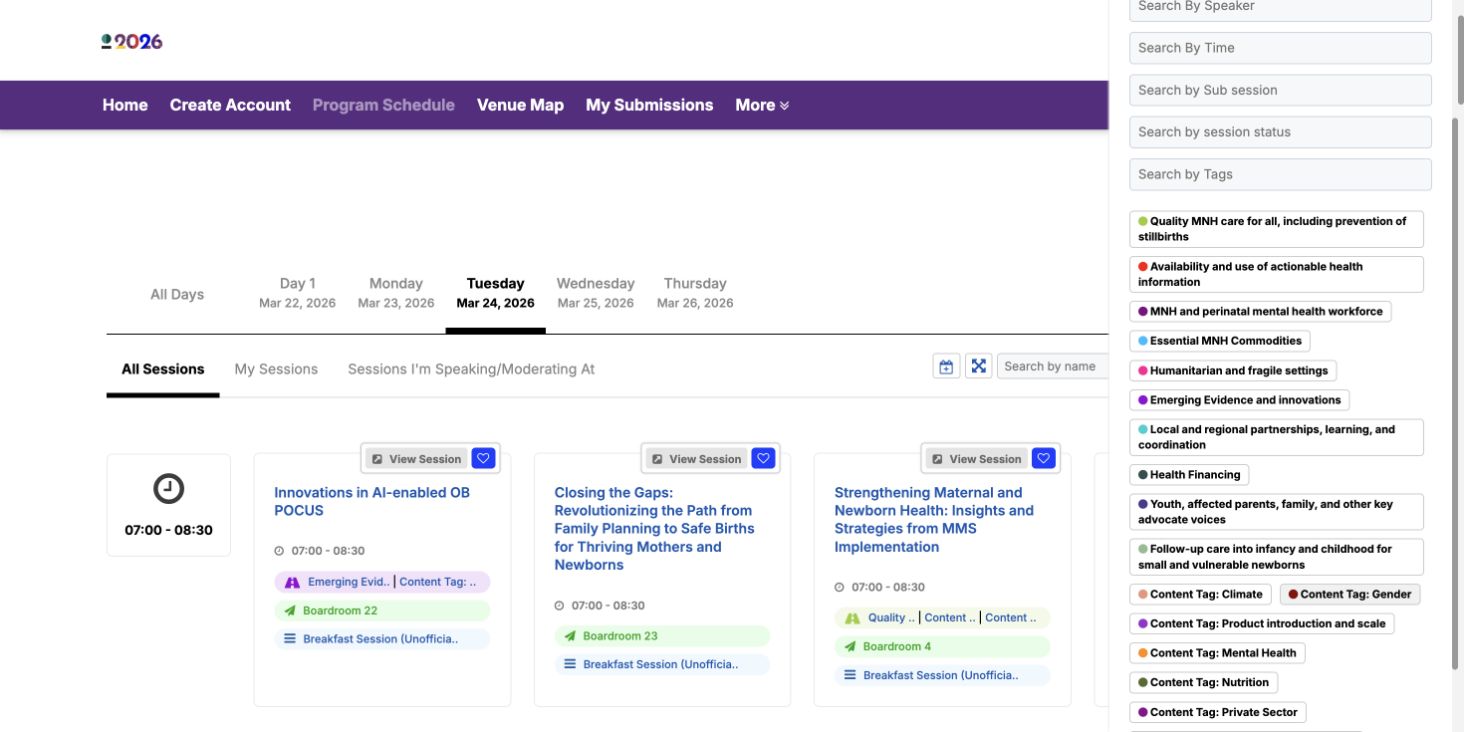
The backend records 151 sessions. The event’s public Dryfta program gives delegates day tabs, session search and additional filters. Session cards display useful details such as the time, room, format and related topics.
These details help visitors answer simple questions: What is happening today? Which sessions cover my area of work? Where is the next session? A visible “Add to my Schedule” control also connects the full program with personal planning.
- Choose a day. Use the day tabs to narrow the program.
- Find relevant content. Search by session name or open the additional filters.
- Check the details. Open a session to see its information, including presentation material where available.
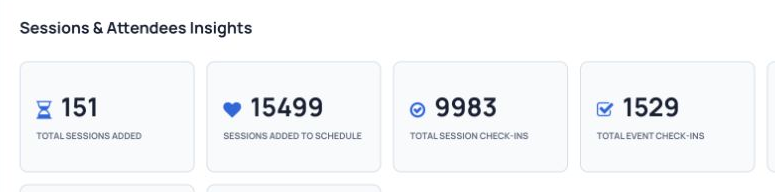
The backend’s 15,499 session saves provide a record of activity around personal schedules. This is the report’s “Sessions added to schedule” measure, not 15,499 individual delegates or proof that every saved session was attended.
Recording 9,983 session check-ins
The Sessions & Attendees Insights report records 9,983 session check-ins. This gives the organizing team a recorded measure of activity across sessions, alongside the program and session-save totals.
One delegate can attend several sessions, so the session check-in total can be much larger than the number of people at the conference. The same report also has a separate event check-in counter. Keeping these measures separate helps teams describe their event accurately.
What other conference teams can learn
IMNHC 2026 illustrates a connected workflow for a conference with a substantial submission process and a busy program. The useful lessons are practical:
- Connect planning with delivery. Keep submitted content, registrations and the program within the same event platform.
- Make the program easy to scan. Day tabs, search, topic labels and room details help visitors find their way.
- Keep useful activity records. Session saves show planning activity; check-ins show recorded participation in sessions.
- Label every result clearly. Separate registrations from attendance, and activity totals from individual people.
These are workflow benefits supported by the views and records reviewed for this case study. The available evidence does not establish staff time saved, cost savings or an improvement in health outcomes, so no such claims are made here.
Sources and scope
Operational figures come from the IMNHC 2026 Dryfta dashboard and generated event snapshots reviewed on 21 October 2026. They are the records visible at that time, rather than a reconstruction of the database on the final conference day. The submission snapshot used the displayed reporting range of 24 February 2015 to 20 October 2026; the session snapshot has no visible date filter.
Event dates, location and the reported participation figure come from the official IMNHC 2026 website. Program features can be explored in the public IMNHC 2026 program. Screenshots show actual platform views, with private participant records, reviewer information and payment data excluded.
Planning a conference with similar needs?
Explore Dryfta’s abstract management, registration and ticketing, and event scheduling tools. Request a demo to see how they could fit your conference.