
Research + event management
Your research conference. One connected platform.
Manage abstracts, peer review and the scientific program. Connect registration, the event app and the work that happens before, during and after your conference.
From the call for abstracts to the post-event archive.
Prepare the research
Build the conference
Share knowledge
Abstracts & Reviews
Keep your research review process connected.
Set submission types, coordinate peer review and track decisions, revisions and final papers.
For your attendees
Explore abstracts and reviews
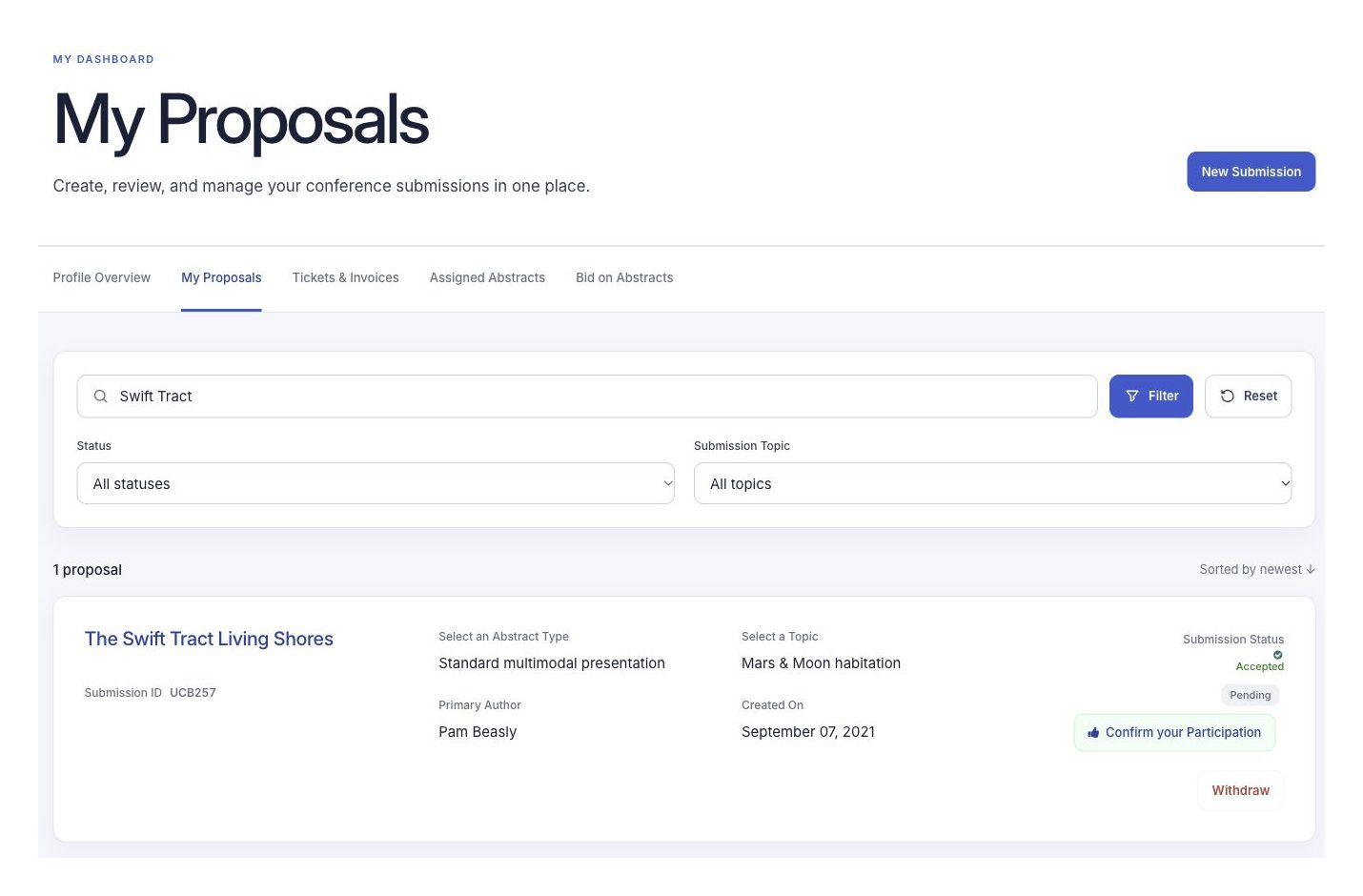
Authors submit their research and follow its progress in their own dashboard.
Your author’s view
Registration & Ticketing
Make it easy to join your event.
Create tickets, ask the questions you need and collect payments online.
For your attendees
Explore registration and ticketing
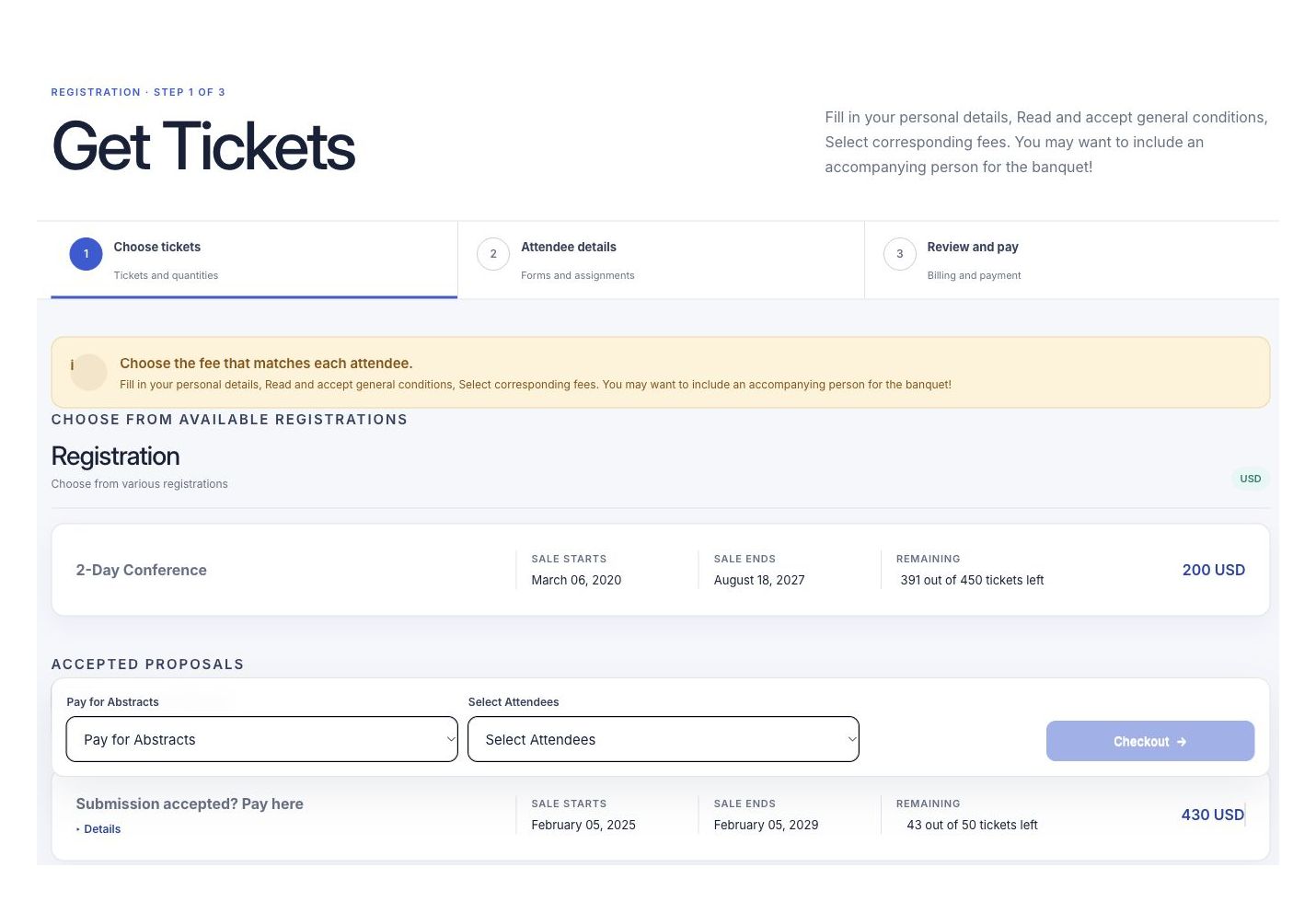
Choose a ticket, add their details and receive confirmation.
Your attendee’s view
Event Schedule
Turn accepted research into a clear program.
Group accepted work into sessions and arrange speakers, formats, tracks and rooms.
For your attendees
Explore event scheduling
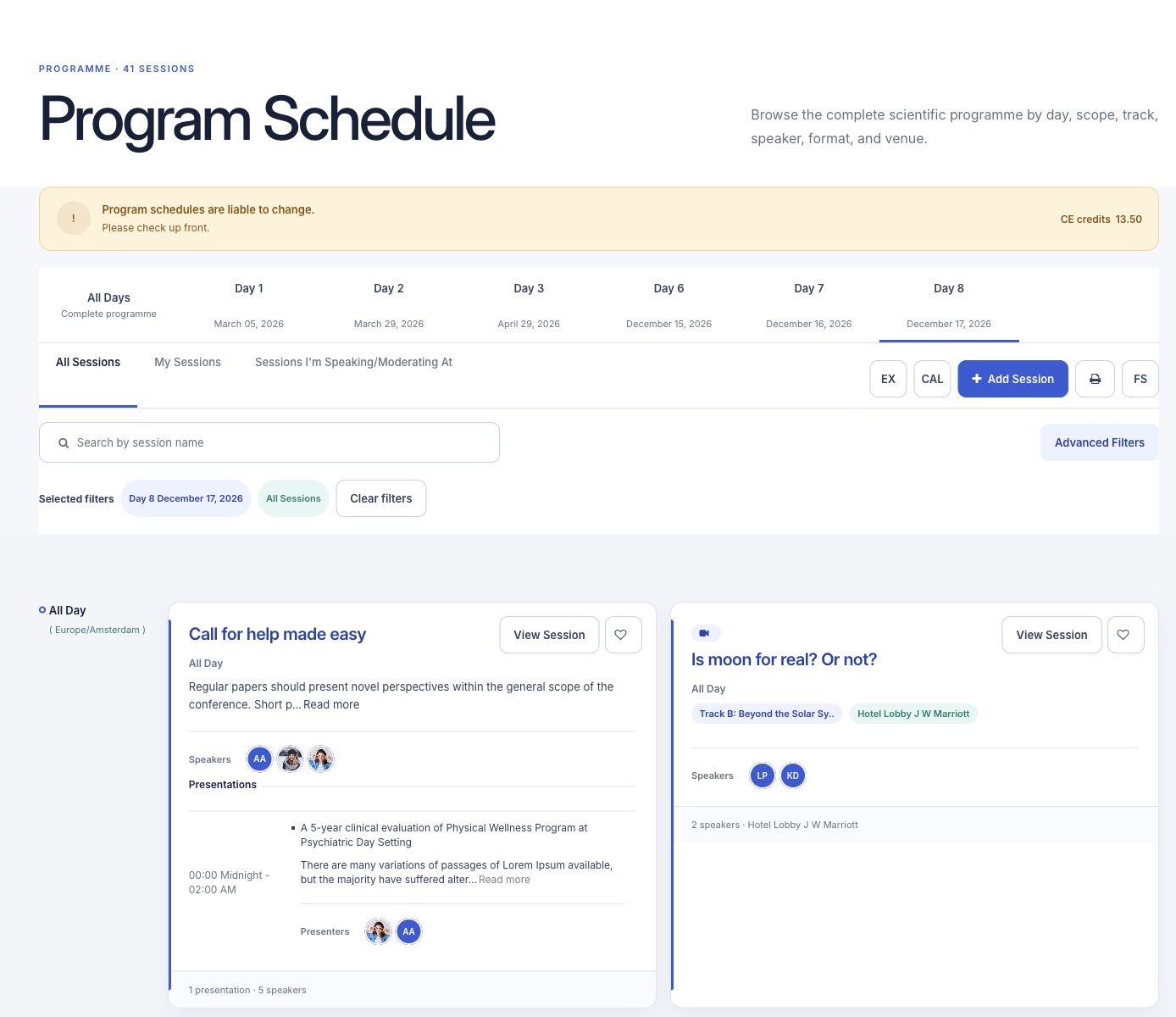
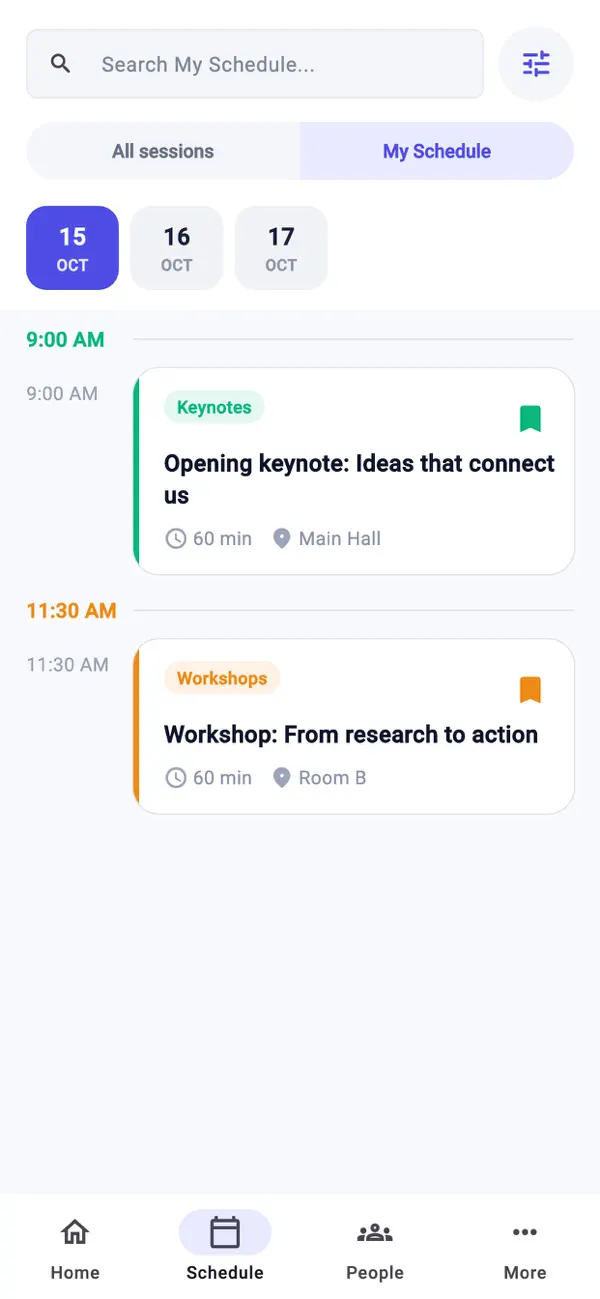
Find relevant sessions and build a personal schedule.
Your attendee’s view
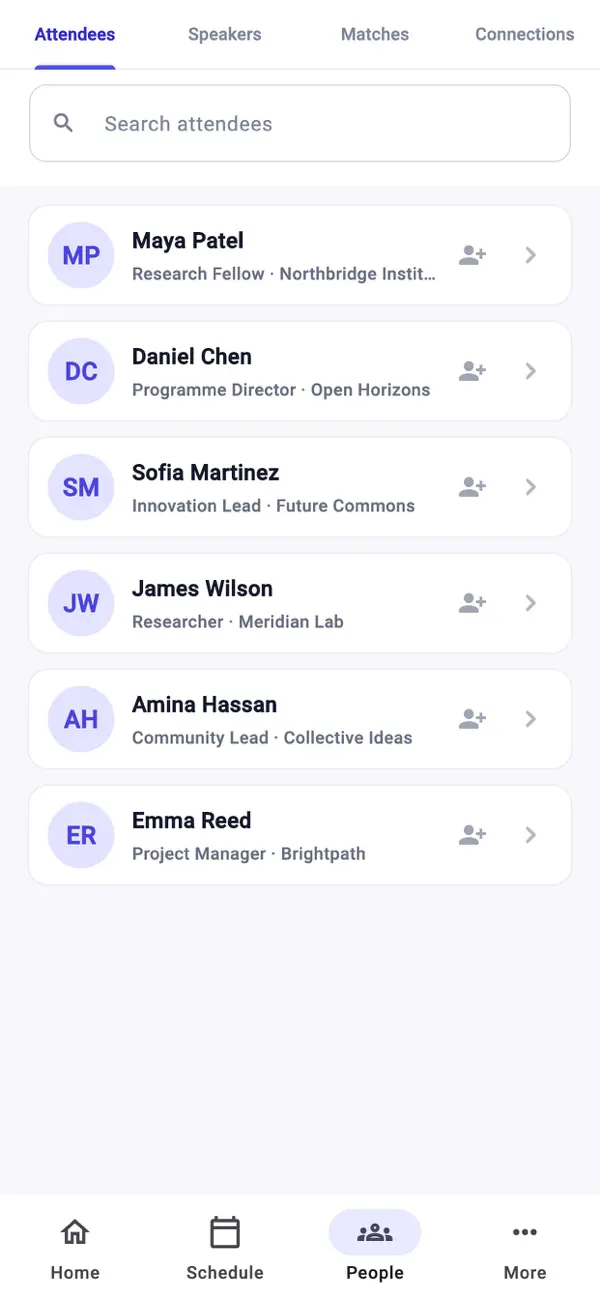
Event App
Help people learn and connect.
Bring the scientific program, speaker profiles, session materials and networking into the app.
For your attendees
Explore the event app
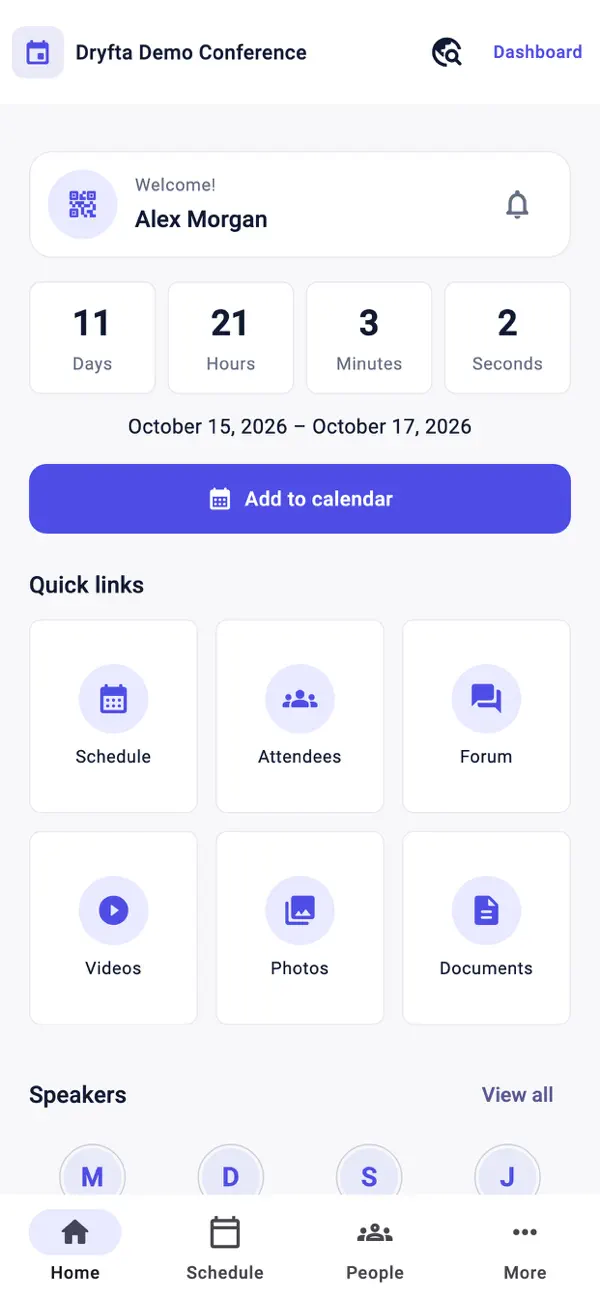
Save sessions, open useful materials and connect with other participants.
The Dryfta app
Website Builder
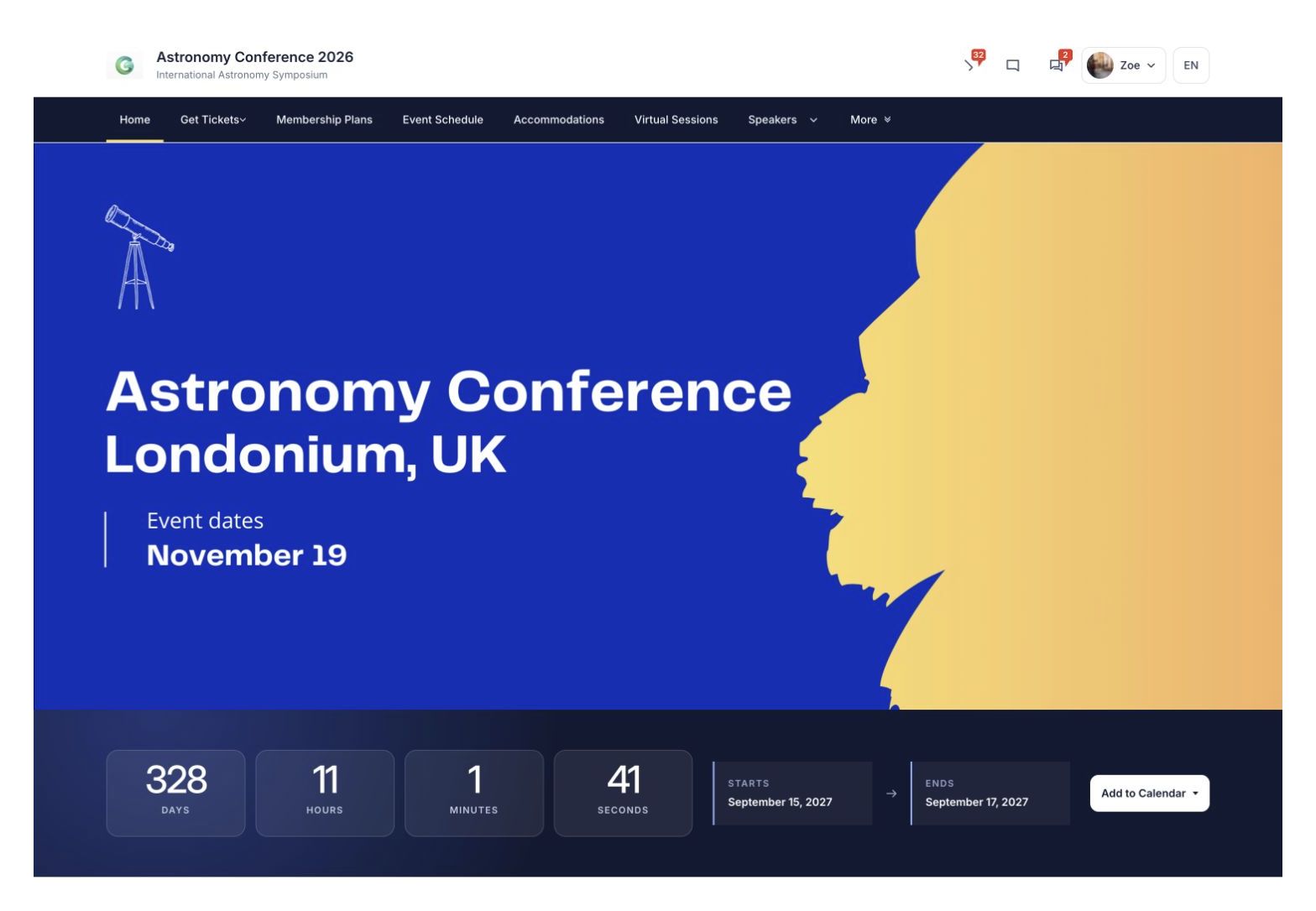
Give your event a home.
Share event details, introduce your speakers and bring registration and the program into your website.
For your attendees
Explore event websites
Find the event information they need, with clear links to register and explore the program.
Your event website
Contacts & Attendees
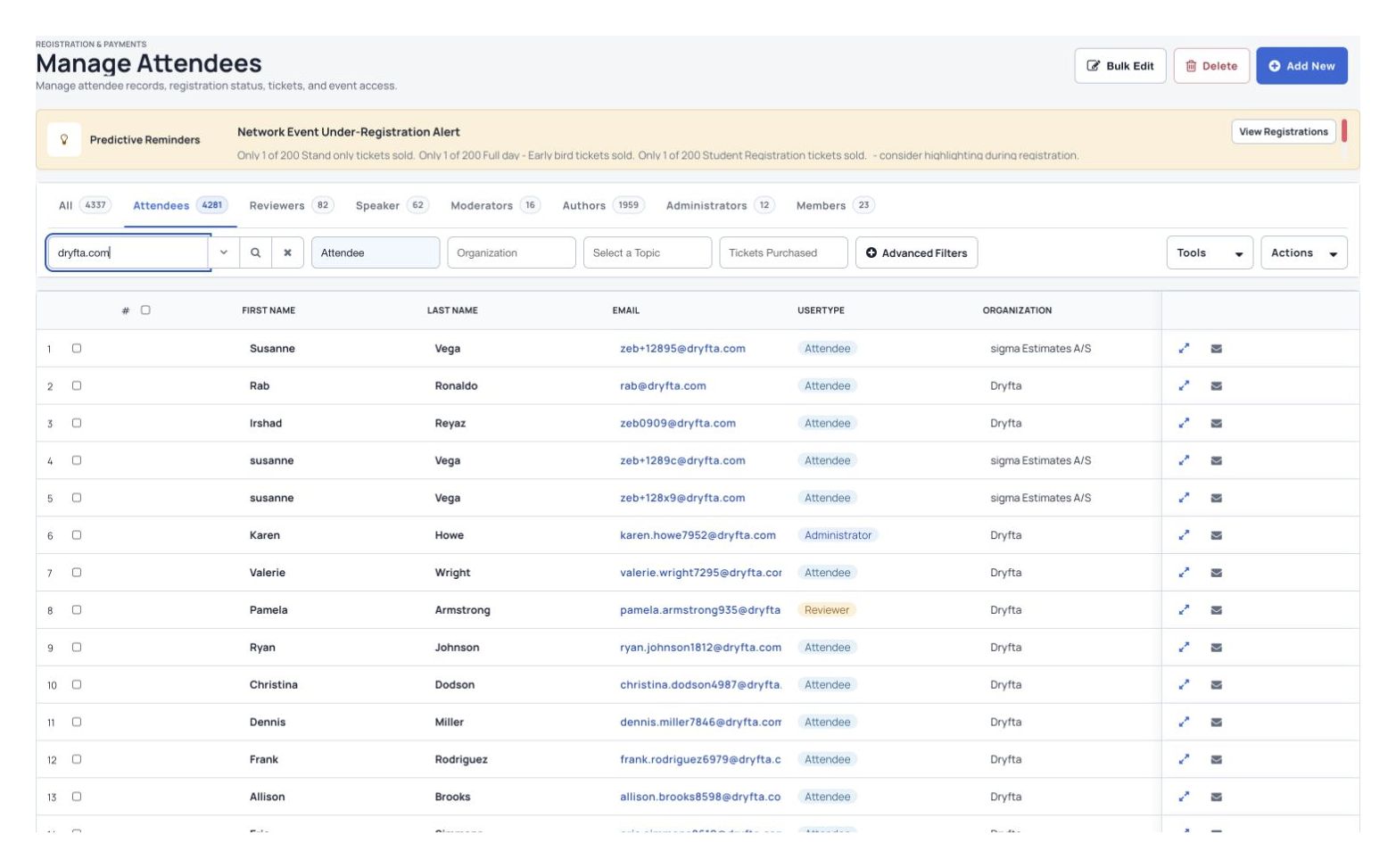
Keep people and event details together.
Find attendee records, organize contact groups and send relevant updates.
For your attendees
Explore the event CRM
Receive useful information before, during and after the event.
Your organizer’s view
Supporting events across the research community




Built around the research conference
One connected workflow. From call to conference and beyond.
Keep the research, the program and the participant experience connected at every stage.
Build the scientific program
Connect the conference experience
Tools for your whole event
What would you like to manage?
Start with the tasks your team needs help with.
Abstract Management
Manage research from call to decision.
Coordinate submission types, peer review, track chairs and final papers.
Explore Registration & TicketingMake registration feel simple.
Sell tickets, collect payments and keep attendee details together.
Explore Event ScheduleBuild the scientific program.
Turn accepted work into sessions across formats, tracks and rooms.
Explore Mobile Event AppHelp people learn and connect.
Connect the program, research materials, speaker profiles and attendee networking.
ExploreFrom submissions to the program
Bring accepted research into your program.
Give authors, reviewers and organizers clear steps to follow. Keep submissions, reviews and decisions together, then add accepted work to the event program.
- Collect submissionsOpen your call for papers and choose the questions authors answer.
- Organize reviewsChoose reviewers, collect their reviews and record decisions.
- Build the programAdd accepted abstracts and their presenters to sessions.
For your team and your attendees
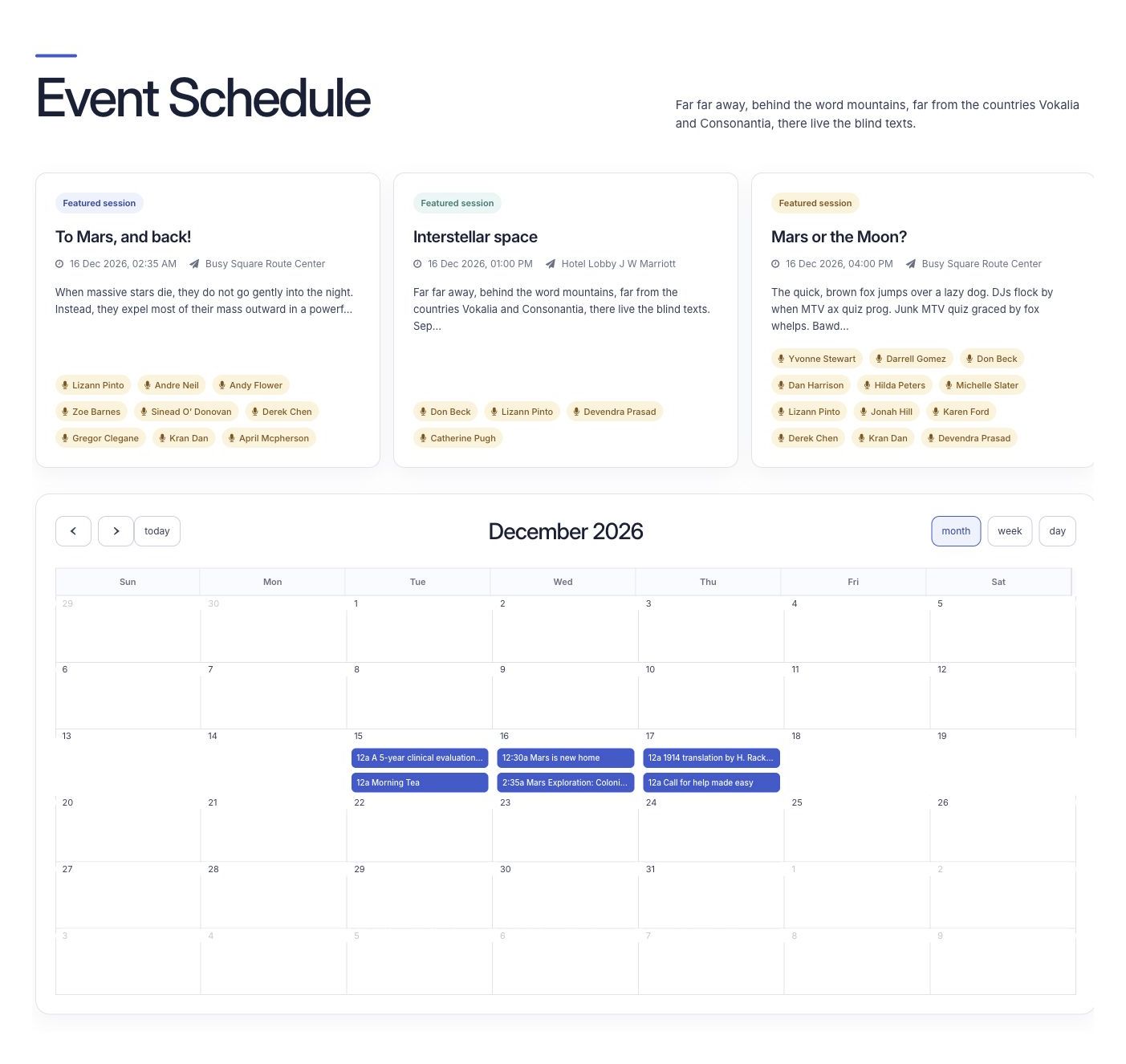
Make the program easier to use.
Give your team tools to plan the event and attendees clear information to follow.
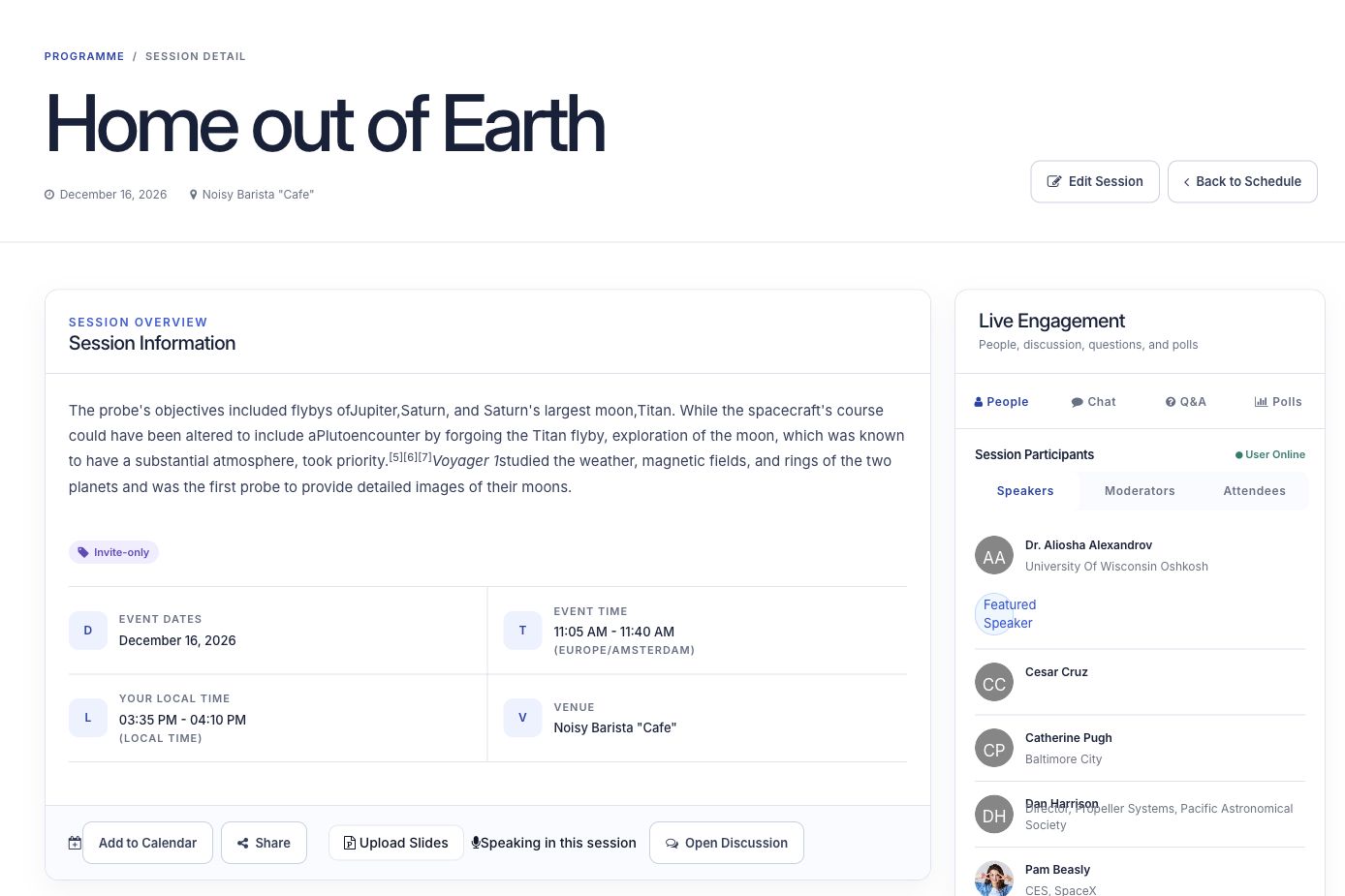
Help people plan their day.
Share session details, speaker profiles and presentation files. Let attendees save the sessions they want to attend.
See event scheduling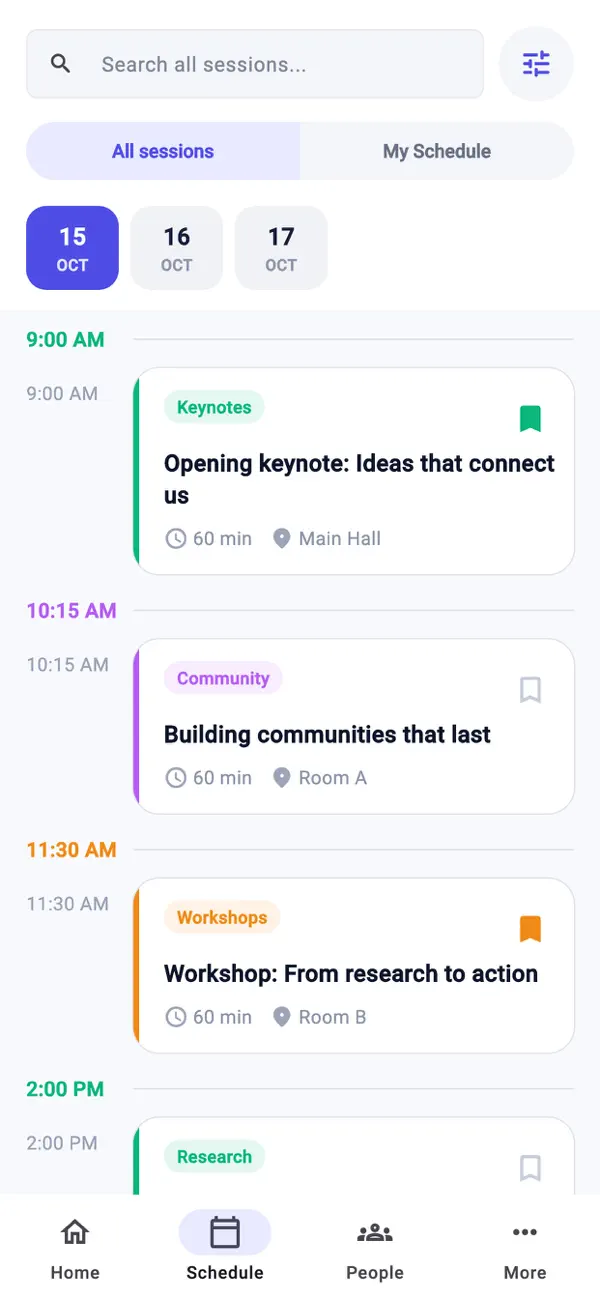
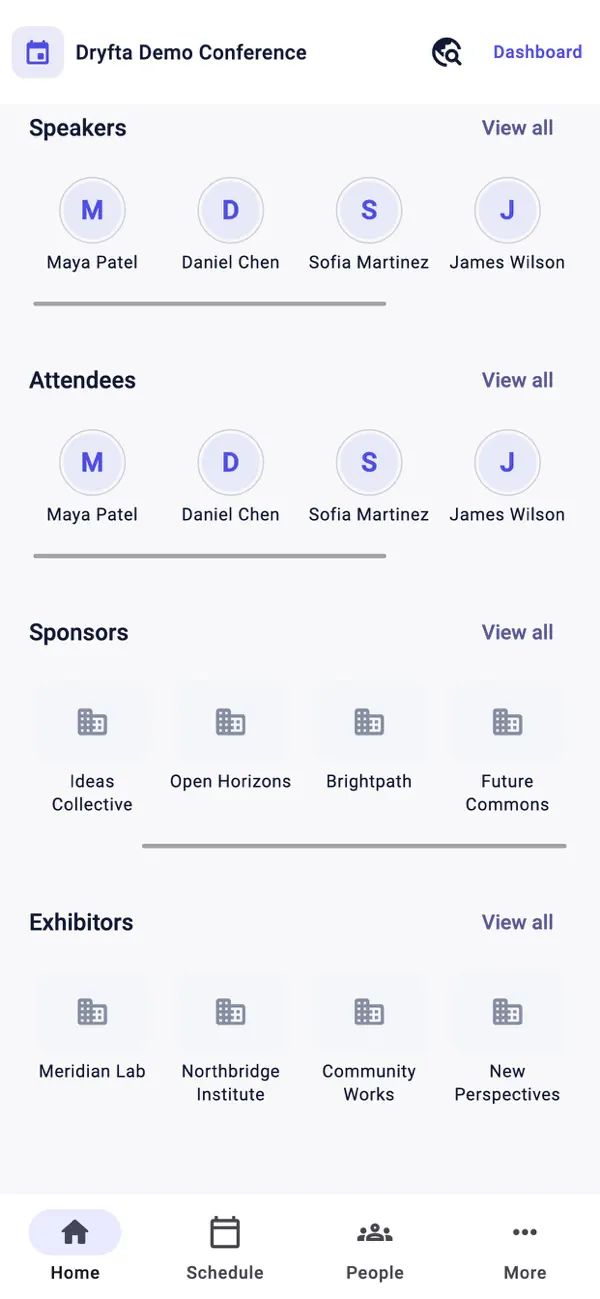
Keep event details close at hand.
Help attendees find sessions, meet people and check event information in the app.
Meet the event appMore tools for your event
Manage the whole event in one place.
Find tools for registration, research, event promotion, attendee activities and reports.
Sell tickets and manage registrations
Replaces: Eventbrite, WordPress and Cvent.
- Sell event tickets, memberships, workshop places and sponsorship packages, and collect donations.
- Build registration forms with the questions you need. Show follow-up questions based on earlier answers and offer extras with a ticket.
- Take online and offline payments, with money paid directly to your payment account.
- Collect attendee details and uploaded files in one place.
- Manage orders, invoices and purchase orders from your event dashboard.
- Keep attendee details and a record of their event activity together.
Collect abstracts and manage reviews
Replaces: EasyChair, OpenConf and Cvent.
- Set up the submission and review steps your conference needs.
- Build submission forms around the information you want authors to provide.
- Match abstracts to reviewers automatically, or choose the reviewers yourself.
- Give authors one place to submit abstracts, check their submissions and update registration details.
- Send automatic emails for registration confirmations, submission updates and other important steps.
- Let participants search and browse the event’s abstracts.
Run online and hybrid events
Replaces: Zoom, Google Meet and Cvent.
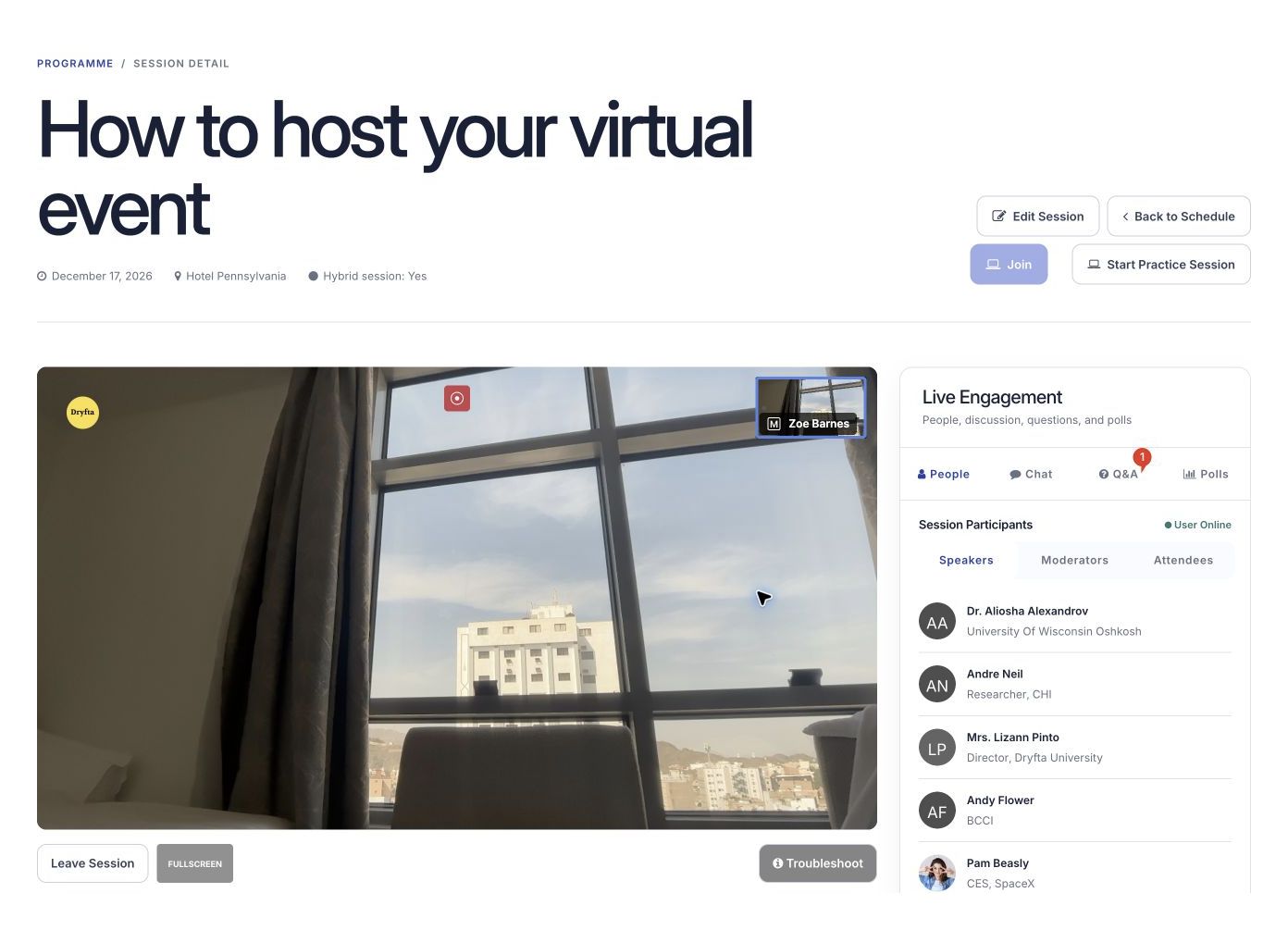
- Let remote attendees join online meetings in their browser.
- Sell tickets to live online sessions and recorded videos.
- Share high-definition live broadcasts and recorded sessions.
- Help attendees connect through private messages, group chats and individual or group video calls.
- Promote your online event with email campaigns, app alerts and text messages.
- Give sponsors ways to meet and connect with participants.
Build the schedule and support speakers
Replaces: Sched, Whova and Cvent.
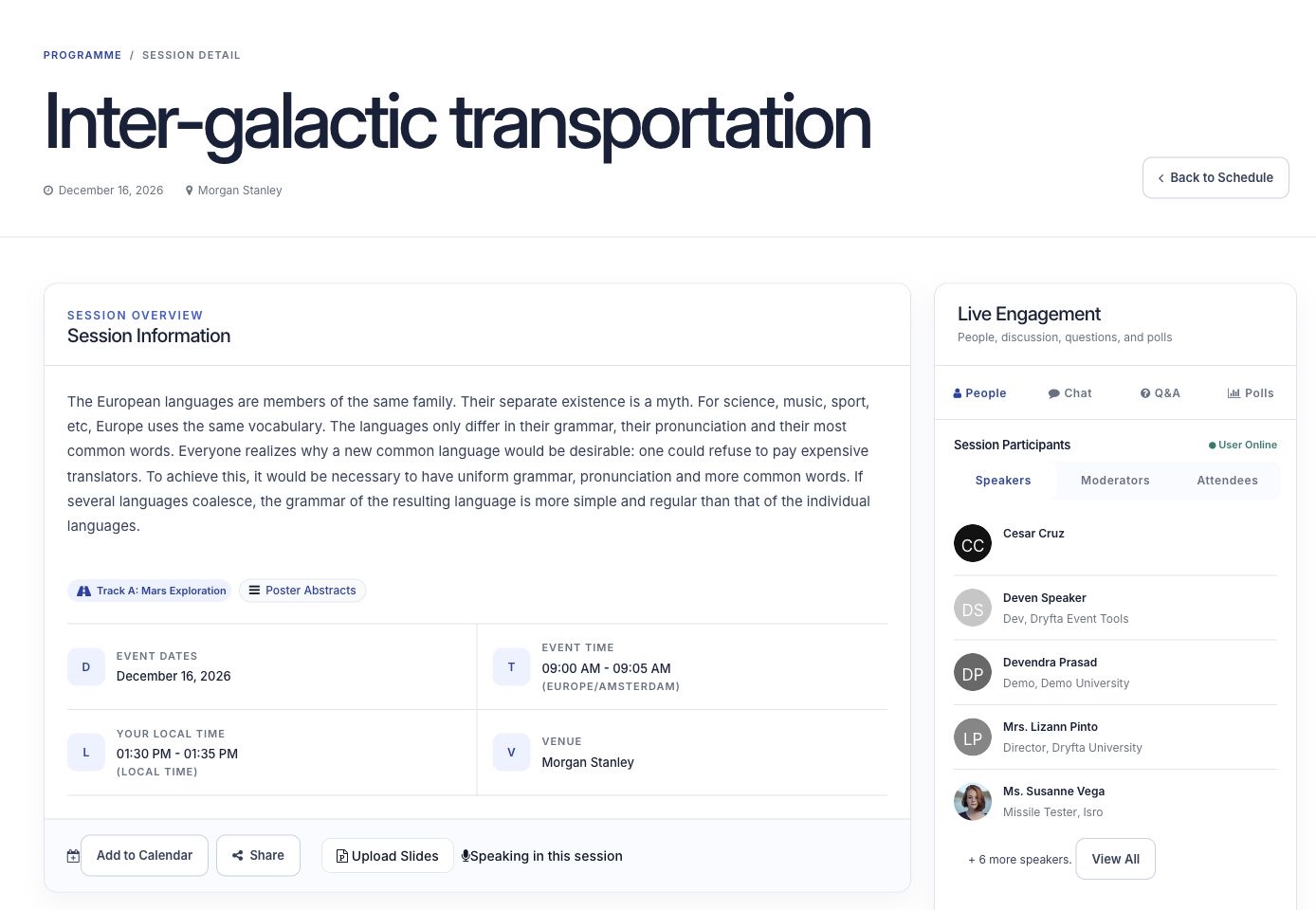
- Add accepted talks to your event schedule automatically.
- Show session files, moderators, speakers and attendees alongside the program.
- Let speakers upload slides and update their session details.
- Bring sessions to life with polls, questions and answers, and live chat.
- Award continuing education (CE) credits automatically to eligible attendees.
Help more people find your event
Replaces: Evvnt.
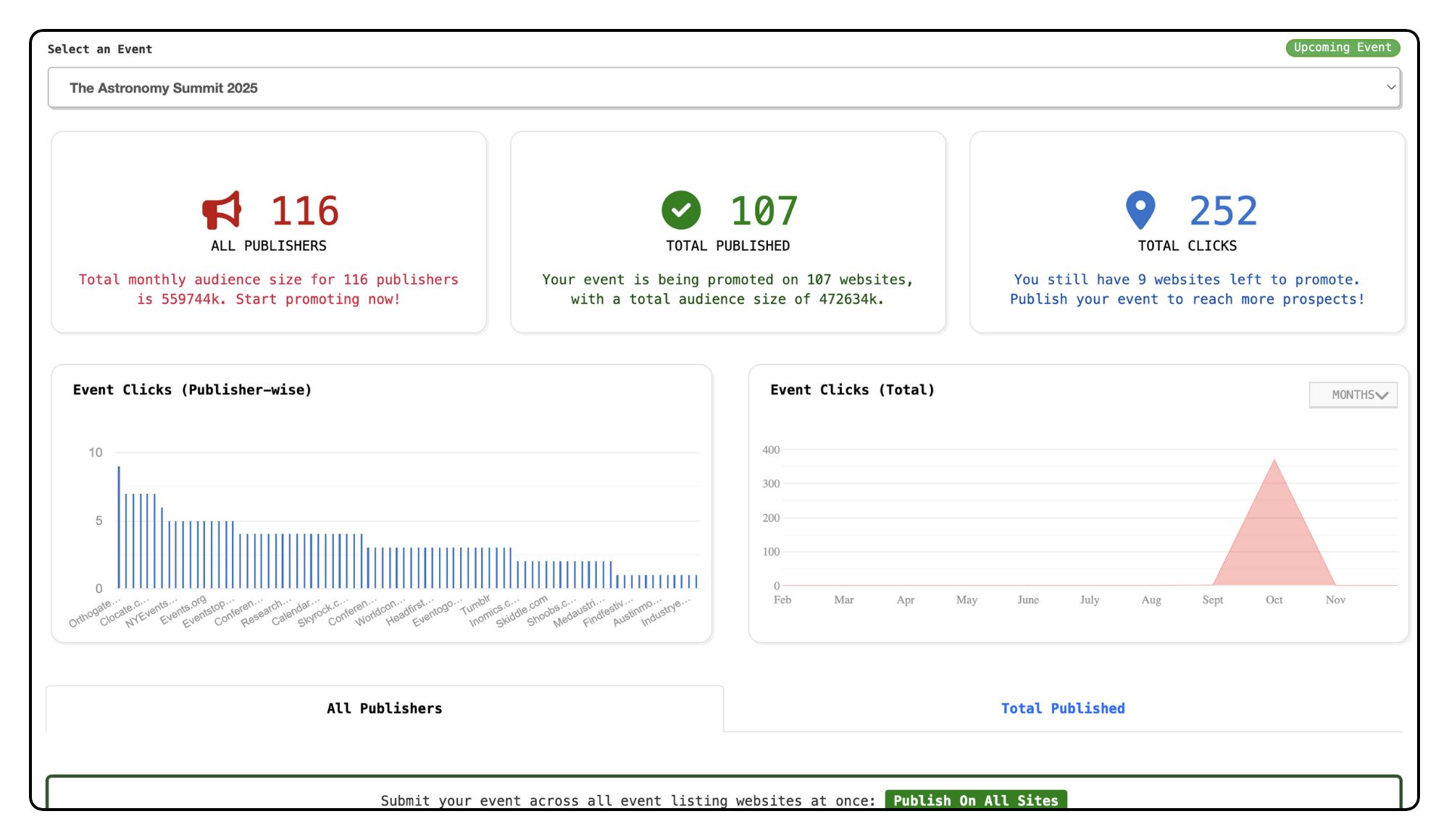
- Submit your event to 100+ event listing websites in one step.
- Choose the publishers that suit your event and audience.
- See how many people view and click your event listings.
- Choose where to promote your event based on your budget.
Keep the event close with a mobile app
Replaces: EventMobi and Cvent.
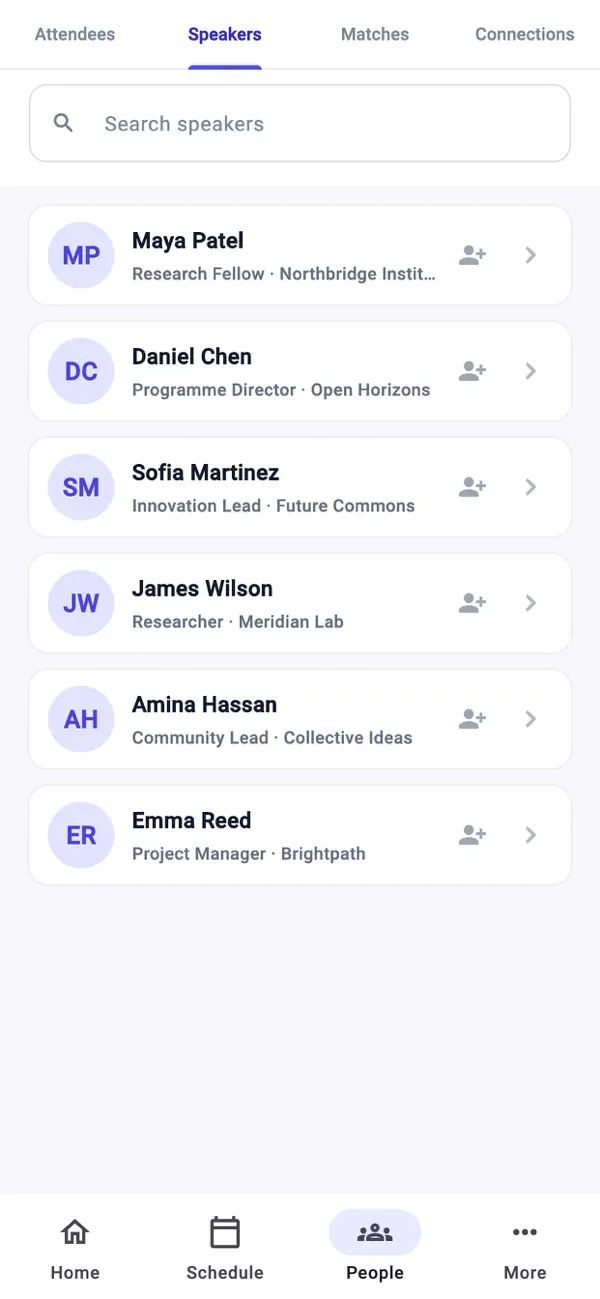
- Let attendees and speakers talk through live polls and session chats.
- Make schedules, speaker profiles and event details easy to find.
- Let attendees search and browse submitted abstracts.
- Collect feedback with surveys after the event.
- Share information in the app to reduce printing and paper costs.
- Send app alerts about schedule changes and event announcements.
See how your event is doing
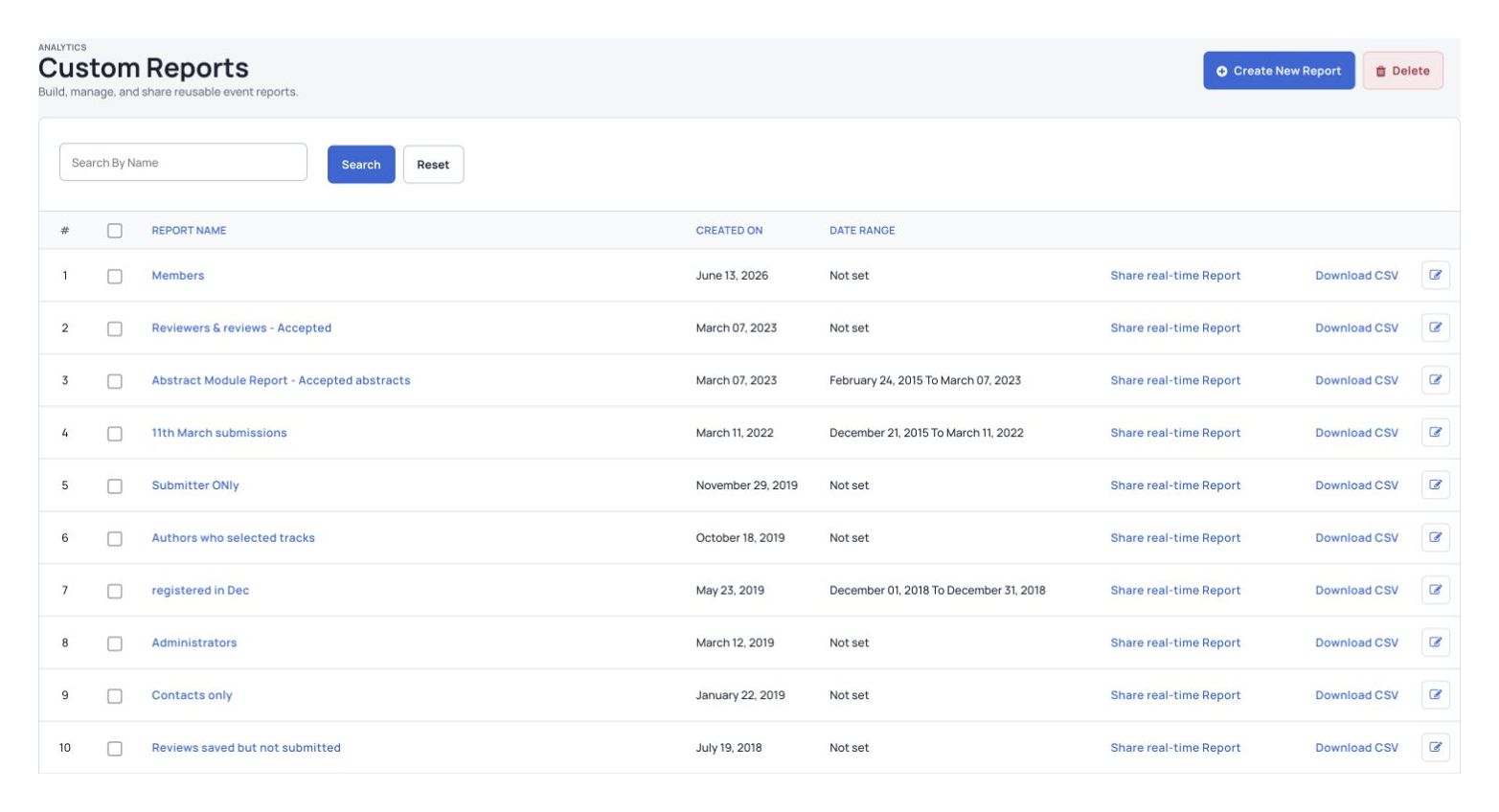
- Follow event activity as it happens.
- Choose the event information and filters to include in each report.
- Share a report with suppliers and other people involved in your event using a link.
- See a quick overview of your event’s results.
- Send personalized emails to selected groups of registrants.
- Copy an existing event setup to get your next event started faster.
Your event website
Build a home for your program, registration and event information.
Explore the website builderHelp people stay connected
Let people find each other, send messages and join discussions.
Explore community toolsKeep attendee details together
See registration details and event activity together, then send relevant updates to the right people.
See attendee management
Customer recognition
Independent recognition from the G2 community
These badges reflect the recognition Dryfta has received from event-platform users on G2.
Read Dryfta reviews on G2






Badges show recognition from past G2 reporting seasons.
See how other teams use Dryfta
Real events. Real examples.
See how other teams have used Dryfta to plan and run their conferences.
Explore the case studies
Customer storyJhpiego · IMNHC 2023
One place to manage IMNHC 2023.
How Jhpiego used Dryfta for registrations, abstract reviews and attendee activities at IMNHC 2023.
Read the storySet up for your organization
Your event. Your organization’s needs.
Choose where Dryfta runs
Use Dryfta’s hosted service or run it on your organization’s own servers.
See hosting optionsProtect your event data
Choose who can access information and review how Dryfta protects event data.
Review securitySet it up for your event
Choose the forms, review steps and access rules your team needs.
For universitiesHosting and security
Look after your event data.
Review where your data is stored, how payments work and who can access event information.
Hosting and backups
- Use hosting that meets ISO 27018 and ISO 27017 requirements for cloud data protection.
- Use firewalls for the application and server to help block unauthorized access.
- Back up data every hour, 24 times a day, throughout the year.
Credit card payments
- Process credit card payments through Stripe without storing card details on Dryfta’s servers.
- Check regularly for common security weaknesses, including the OWASP Top 10.
- Monitor for new threats and respond when they appear.
Keep data and connections private
- Protect data sent to the website with 256-bit SSL certificates from Comodo.
- Protect stored data with AES-256 encryption and keep the keys on separate machines.
- Use HTTPS for connections, with HSTS to make browsers use secure connections.
For the team behind your event
Tools for different kinds of teams.
Universities and research teams
- Collect abstracts and organize reviews for academic conferences.
- Manage attendee registration and event schedules.
- Use reports to understand your event’s results.
Associations and nonprofits
- Sell tickets and collect donations for your cause.
- Help members meet and stay connected.
- Keep contacts and donor details together for more relevant communication.
Event agencies and conference organizers
- Manage contacts and marketing in one place to help turn inquiries into bookings.
- Plan the program and track session attendance.
- Include people who attend in person or online.
Large organizations
- Manage registration and sponsorships for large events.
- Suggest sessions that match an attendee’s interests.
- Use security and compliance controls to protect event data.
Your brand. Our technology.
Make the event look like your own.
Use your own website address, logo, colors and wording, with Dryfta’s event tools behind it.
Use your own brand
Use the same name, website address and style throughout the event.
Get started sooner
Use tools that are already built, so you can start planning sooner.
Room to grow
Run more events without having to build the software yourself.
Ongoing support
Get software updates, maintenance and help from the Dryfta team.
Help when you need it
Get help from setup to event day.
Email support, seven days a week
Ask for help directly from your event dashboard.
Live training
Your subscription includes two one-hour training sessions. You can book more if needed.
Videos and help articles
Follow videos and help articles as you set up your event.
Weekly live demo and questions
Join the Friday live demo to see how Dryfta works and ask questions.
Common questions
What would you like to know?
Have a question about your event? Let’s talk it through.
What can we do with Dryfta?
You can collect abstracts, manage reviews, sell tickets, build the event schedule and share an event app. Attendee details and event information stay together, so your team has less to manage across separate tools.
Can we see a demo for our kind of event?
Yes. Tell us about your event and the tasks you want help with. We’ll show you the tools that fit and answer your questions.
Where can we find prices and hosting options?
Start with the pricing and enterprise pages. During your demo, we can discuss the plan, hosting and support your event needs.
See Dryfta for yourself
See how Dryfta can help your team.
Tell us about your event and the tasks you want help with. We’ll show you how to do them in Dryfta.