Getting attendees into a conference session should be simple. With Dryfta’s latest update, it now takes just a few seconds.
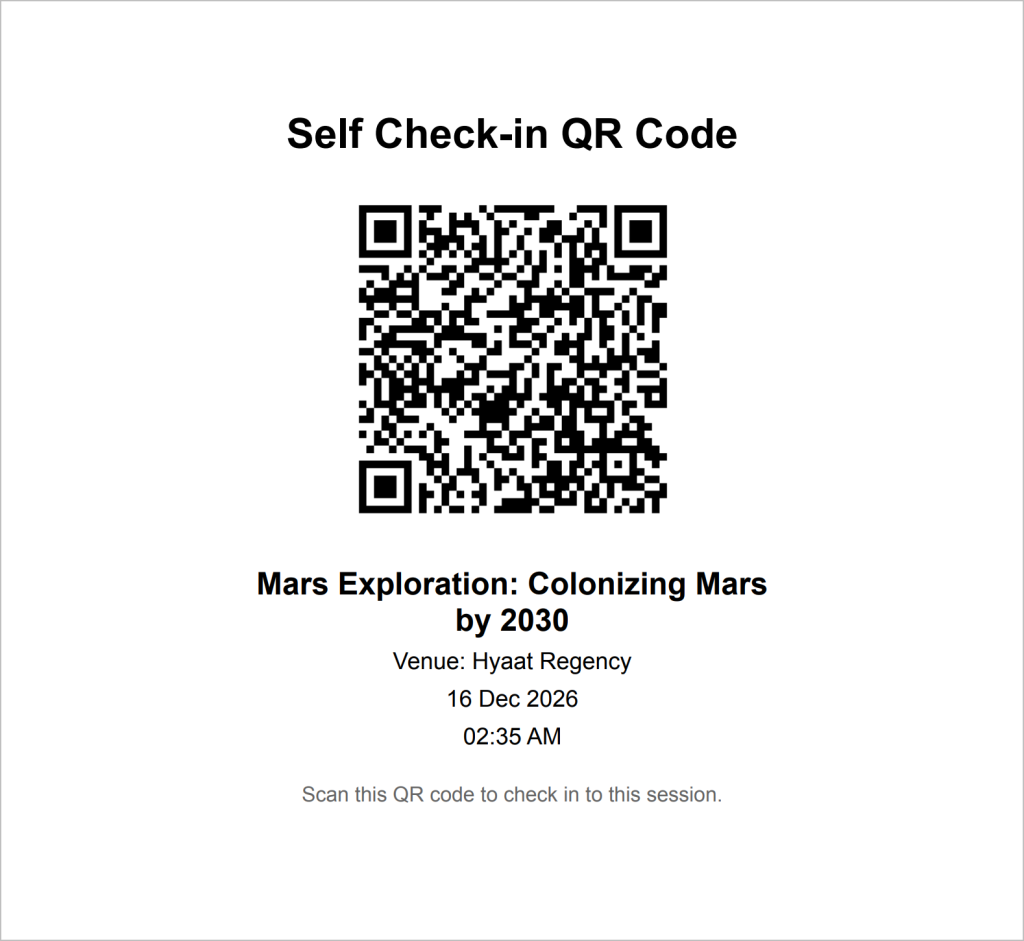
Event organizers can generate a unique QR code for each session and display it at the session venue. When attendees arrive, they scan the QR code with their phone, enter their email address, and check in.
No Dryfta login. No password. No app download.
A Simpler Way to Check In to Sessions
The new session QR code removes several steps from the traditional check-in process.
Instead of asking attendees to open an event app, sign in to their account, or have a staff member scan their badge, organizers can place the session’s QR code where it is easy to see.
Attendees then handle the rest from their own phones.
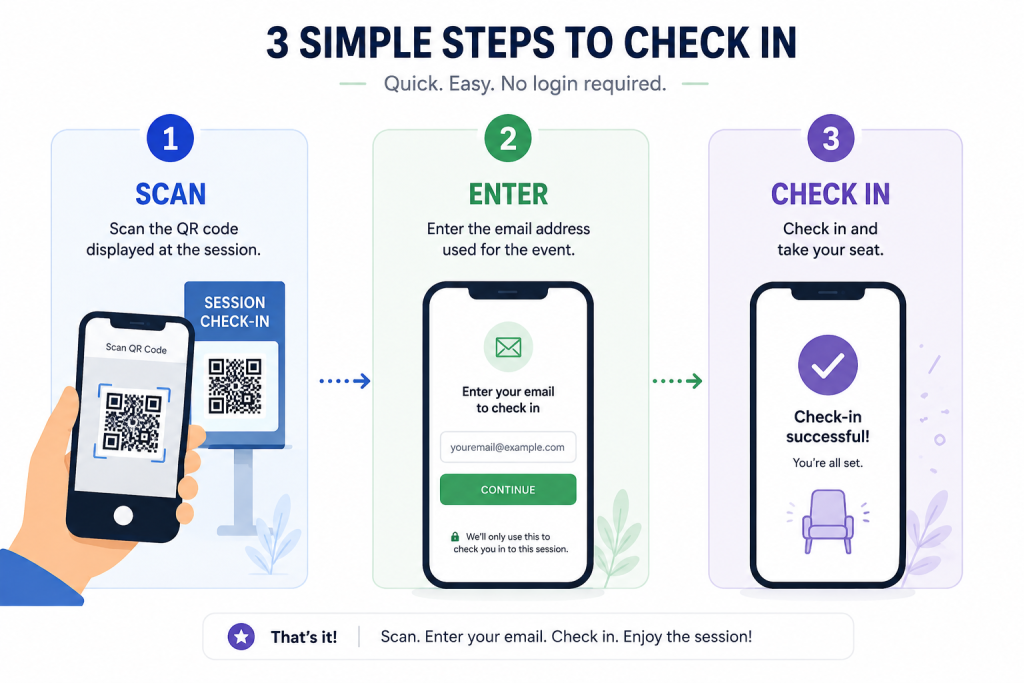
The process is as simple as:
- Scan the QR code displayed at the session.
- Enter the email address used for the event.
- Check in and take your seat.
This is particularly useful when several sessions begin at the same time and attendees are moving quickly between rooms.
Less Work at the Door
Popular sessions can attract a large number of people within a short window. Having staff check in attendees one by one can create unnecessary queues and requires volunteers or team members to remain at session entrances.
With a session QR code, multiple attendees can check themselves in at the same time.
That means less work for conference staff and a smoother arrival for attendees. Your team can spend more time helping participants and managing the event instead of handling routine session check-ins.
No App Required
Not every attendee wants to download an event app, and they should not have to install one simply to record their attendance.
The new workflow works directly from the attendee’s phone. There is also no account login to remember at the session door.
That makes session check-in accessible to more attendees while keeping the process quick.
Better Session Attendance Data
Making check-in easier also helps organizers get a clearer view of actual session participation.
Instead of only knowing how many people registered for the conference or added a session to their schedule, organizers can see who actually checked in. That information can help identify popular topics and improve decisions about room sizes, scheduling, and future conference programs.
Dryfta already supports session-level attendance reporting; this update simply makes it much easier for attendees to record that attendance themselves.
One QR Code, Three Simple Steps
Scan. Enter your email. Check in.
Dryfta’s new session QR code self check-in gives attendees a faster way into sessions and gives organizers an easier way to track attendance and that too, without requiring an app or account login.
Sometimes improving the conference experience is simply about removing a few unnecessary steps.