




According to HubSpot’s analysis of over 40,000 landing pages, forms with three fields converted at just over 25%, while adding a fourth field caused conversions to drop to around 20%, showing how shorter event registration forms can directly improve attendance and revenue.
Now, here is why that matters for your event. An event registration form. It allows you to collect key details like contact information, travel needs, accommodation preferences, dietary restrictions, and availability. When you gather this information early, you make better planning decisions and avoid last-minute issues. A well-designed form also improves the user experience and increases the likelihood that more people will complete their registration.
But here’s the catch: the form is not just a data collection tool. A thoughtful design can directly influence ticket sales and overall event success.
In this blog, we will break down how to optimize your event registration form to work for both your team and your attendees.
What is an Event Registration Form Template?
Event registration form templates provides a simple, organized way to collect attendee details such as contact information, payment status, and any special requests. It helps event organizers keep everything in a single place, so nothing falls through the cracks. You have a clear picture of the attendees and their needs and it is much easier to manage the event. The following is a more detailed explanation of why event registration form templates come in handy:
-
- Store important information such as names, contact details, dietary preferences and special requests under a single location.
- Use a simple registration process so your guests can register quickly. Also, use an easy-to-use tracking system for your staff to monitor response rates.
- Get immediate notifications whenever a person registers so that you can keep track of attendance.
- Each submission generates a task for your team to review and respond to.
How to Choose the Right Event Registration Form Template?
Begin with your event objectives and only work on the data you will actually need. A workshop might require background information, a VIP dinner might require role confirmation and a trade show will typically seek buyer interest. A clean online event registration form makes it easy and enhances completion rates.
Before deciding on event registration form templates, you must:
-
- Identify the purpose of each field: Be sure that every question has a purpose and that it relates to an outcome within your system.
- Optimize for mobile devices: It is better to make the form short, not cluttered and test your event registration form on various devices prior to launching it.
- Align your data structure early: Relate all your inputs to the appropriate CRM so reporting and automation can be done without extra cleanup later.
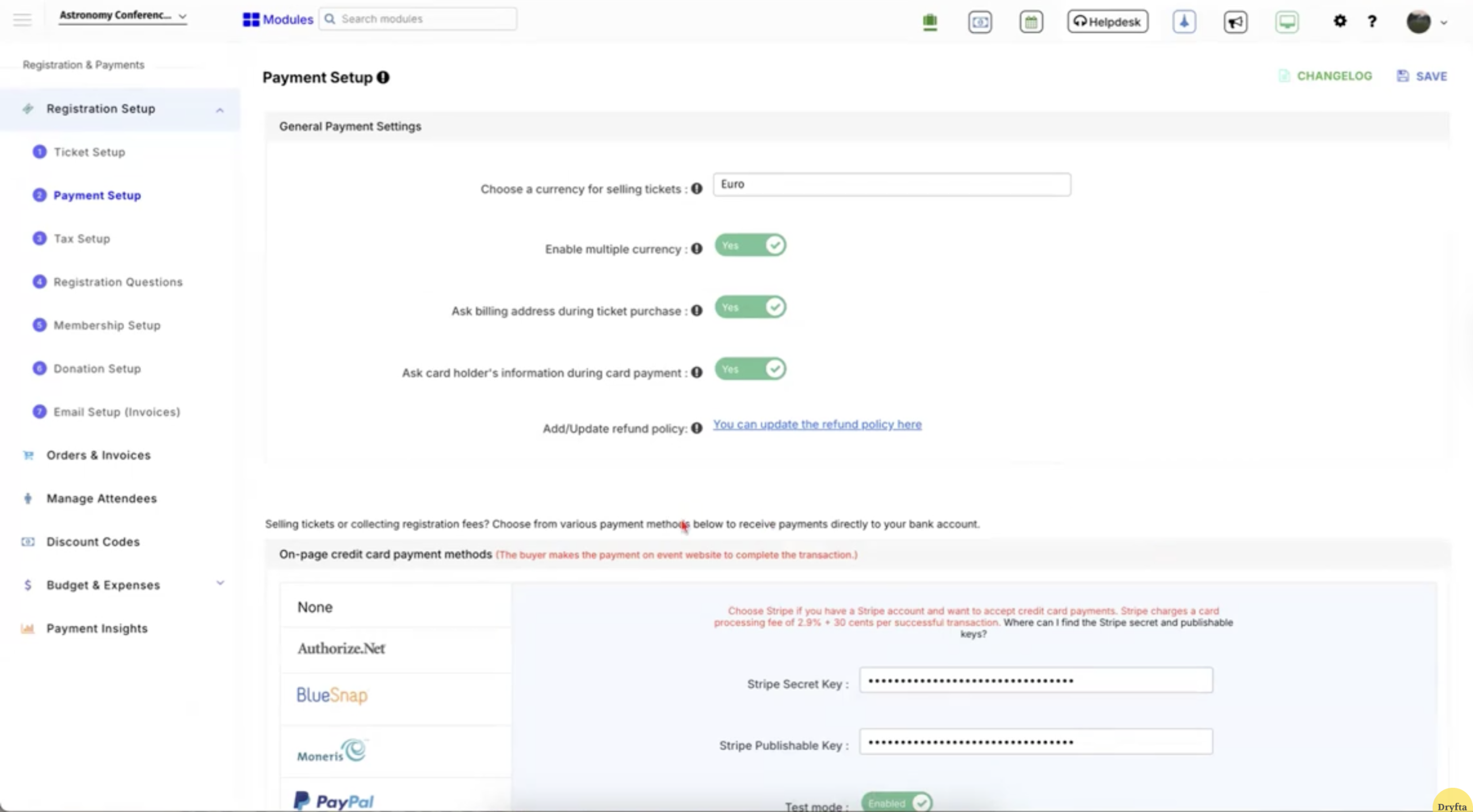
- Process payments with minimal effort: When you have an event registration form with payment, keep the checkout process simple so users do not abandon it halfway.
-
- Review how tools connect: Verify how information flows into your marketing and sales applications and confirm that the value remains consistent throughout.
- Handle consent carefully: Be as clear as possible in your language, and capture details like timestamps and IP addresses to stay compliant.
Event Registration Form Templates Based on Audience Type
First things first. Different audiences expect different experiences. Using the right event registration form templates helps you collect relevant details without overloading your form. Well-structured online event registration form templates keep things organized and improve completion rates.
1. General attendees
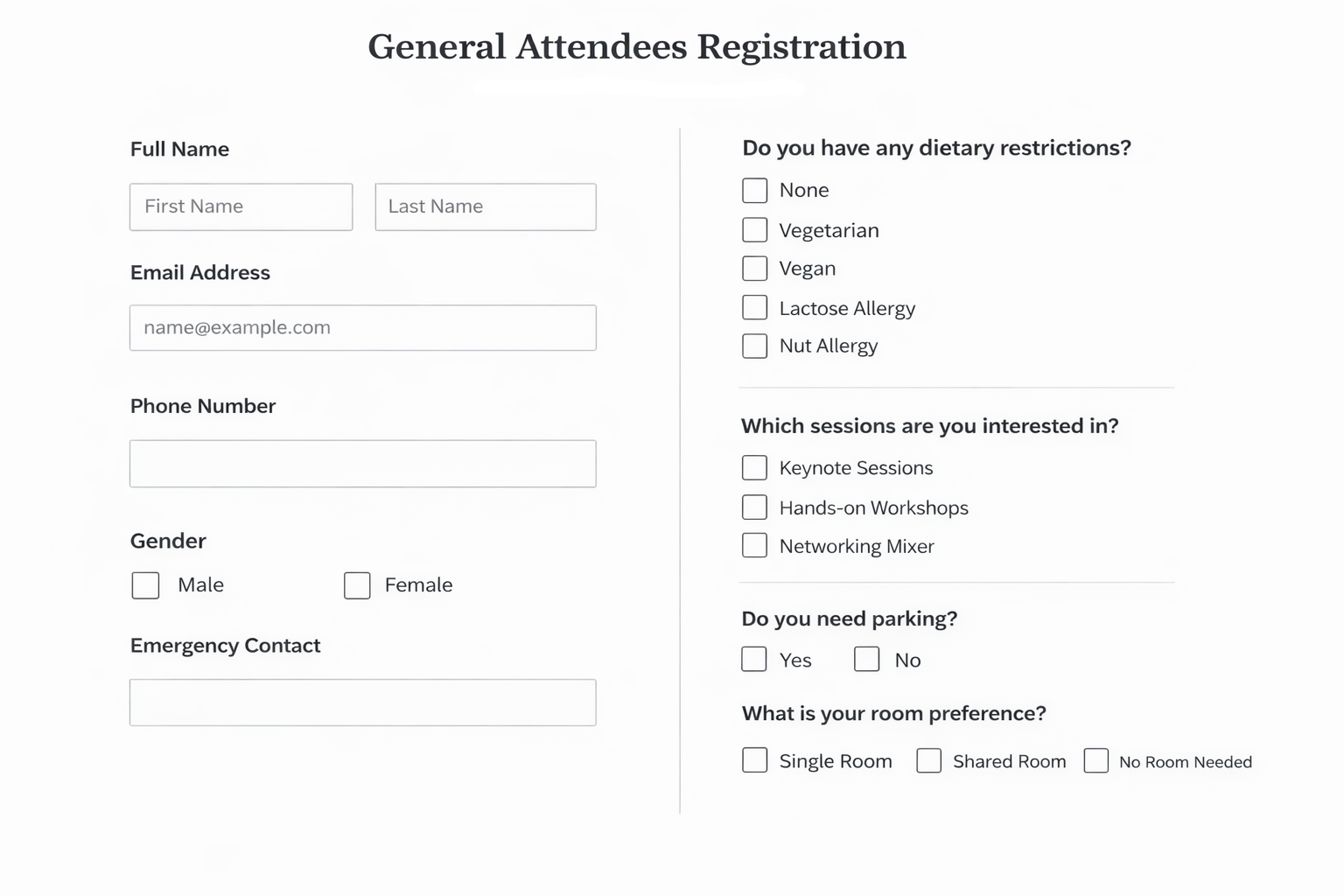
Record simple and preference-based information at the outset to make planning simpler and more precise. The following is what you should include:
-
- Contact information and name
- Traveling and accommodation requirements
- Dietary preferences
- Session interests
A sample event registration form template for general attendees:
2. Speakers
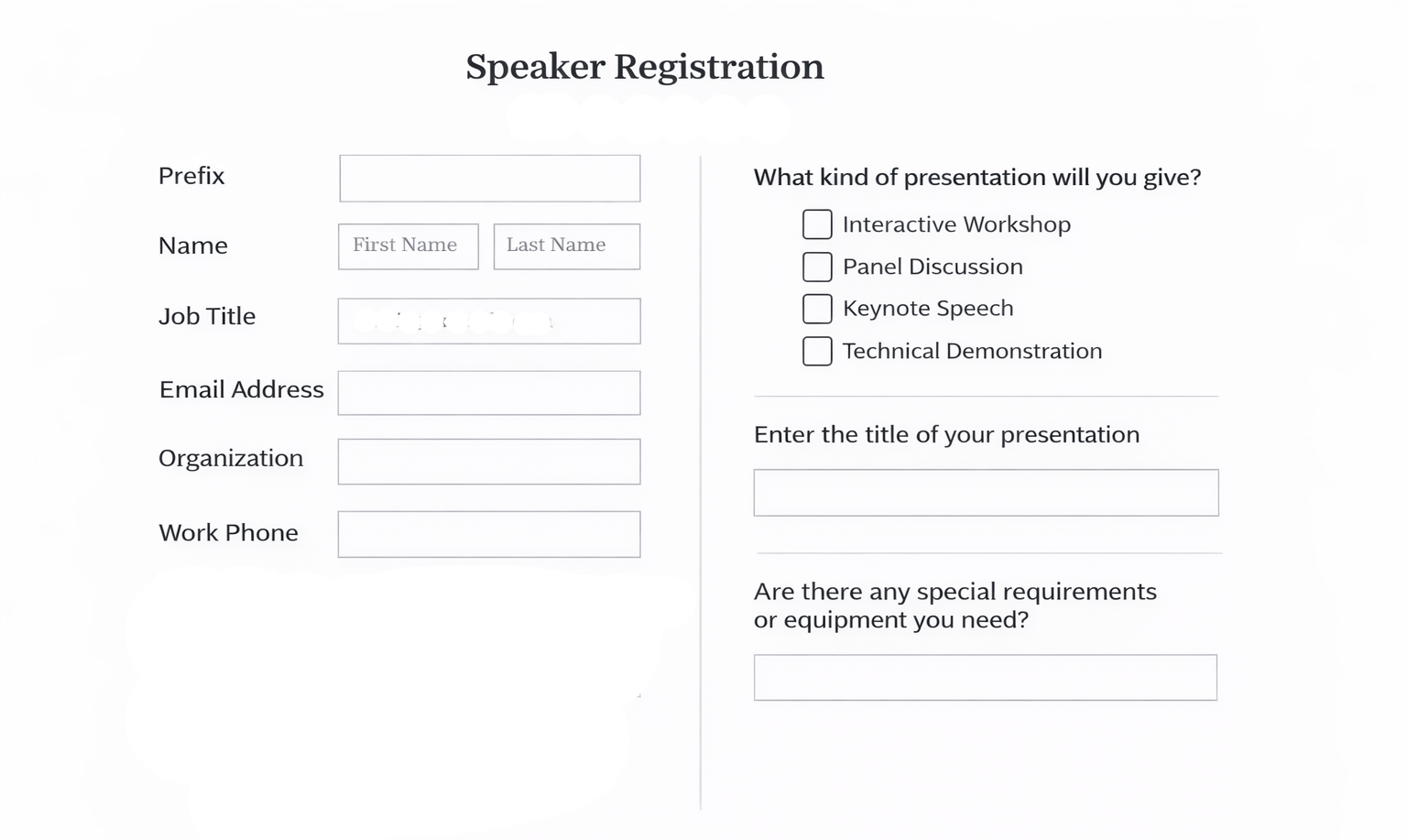
Presentations usually happen in many formats. Some require rehearsal time before presenting and others may require moderation during the presentation. Therefore, it is valuable to collect more detailed input from presenters in order to avoid last-minute problems. Pay attention to the following details:
-
- Presentation format
- Technical needs
- Availability for rehearsals
- Session moderation
- Support requirements
A sample event registration form template for speakers:
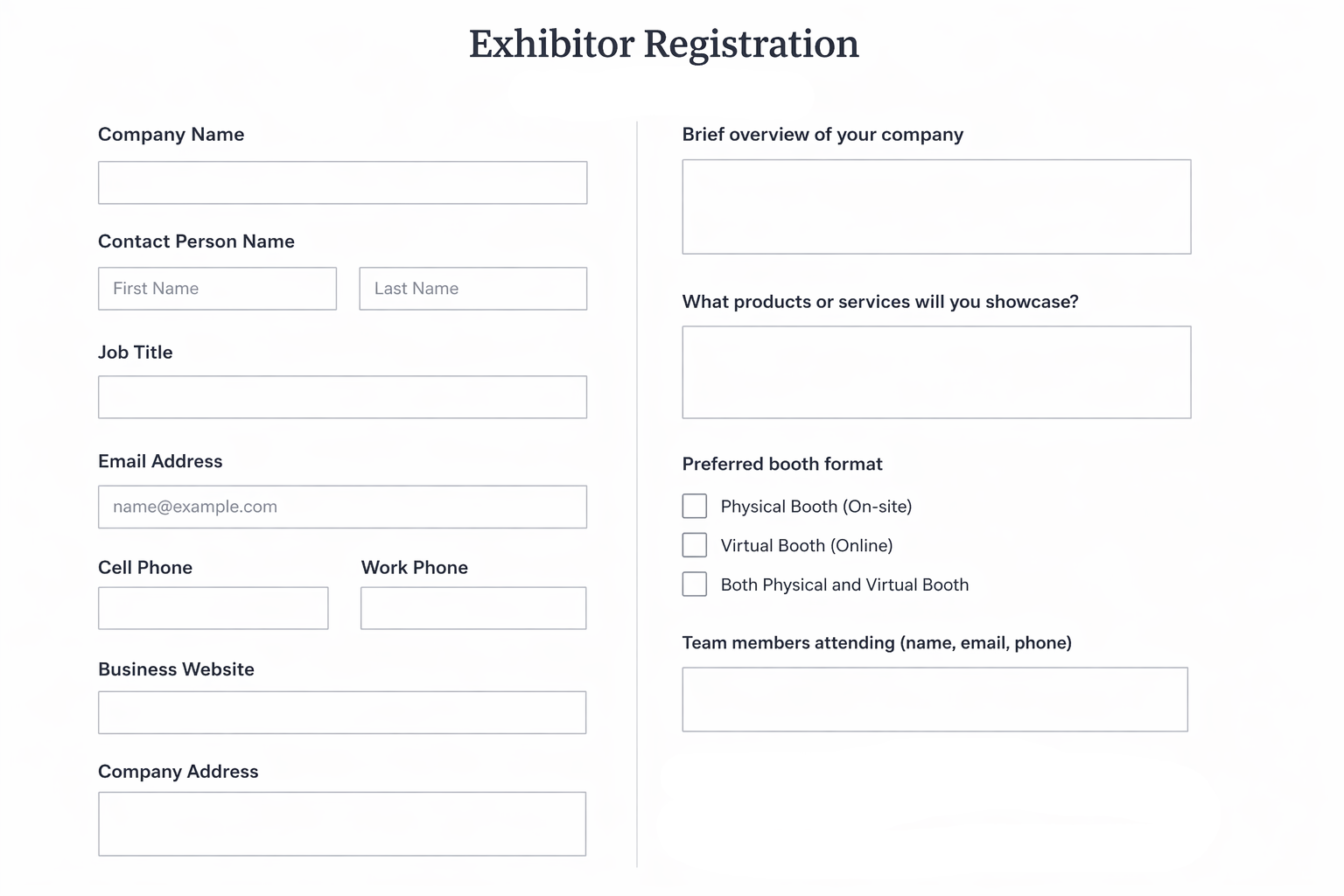
3. Exhibitors
Focus on business-related inputs that can help exhibitors achieve better outcomes from their participation. Be sure to record:
-
- Company information
- Product information
- Booth setup preferences
- Lead capture requirements
A sample event registration form template for exhibitors:
4. Sponsors
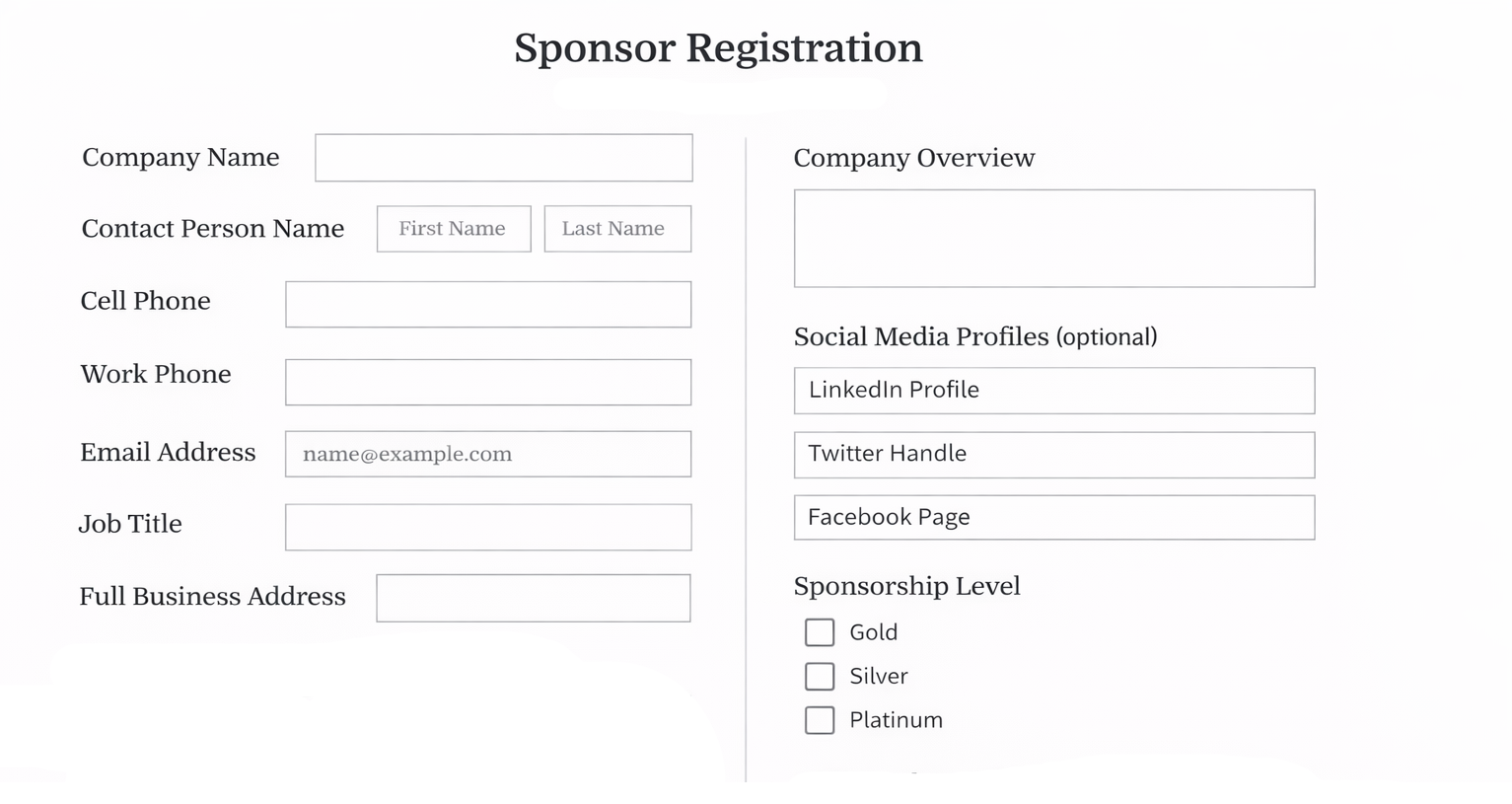
Sponsorship is one way businesses gain exposure and ultimately generate revenue. To help sponsors receive the maximum benefit from their sponsorship investment, you should collect sufficient detail about their company and how they would like to engage with attendees. Key information includes:
-
- Company profile
- Branding needs
- Guest or team information
A sample event registration form template for sponsors:
5. VIP attendees
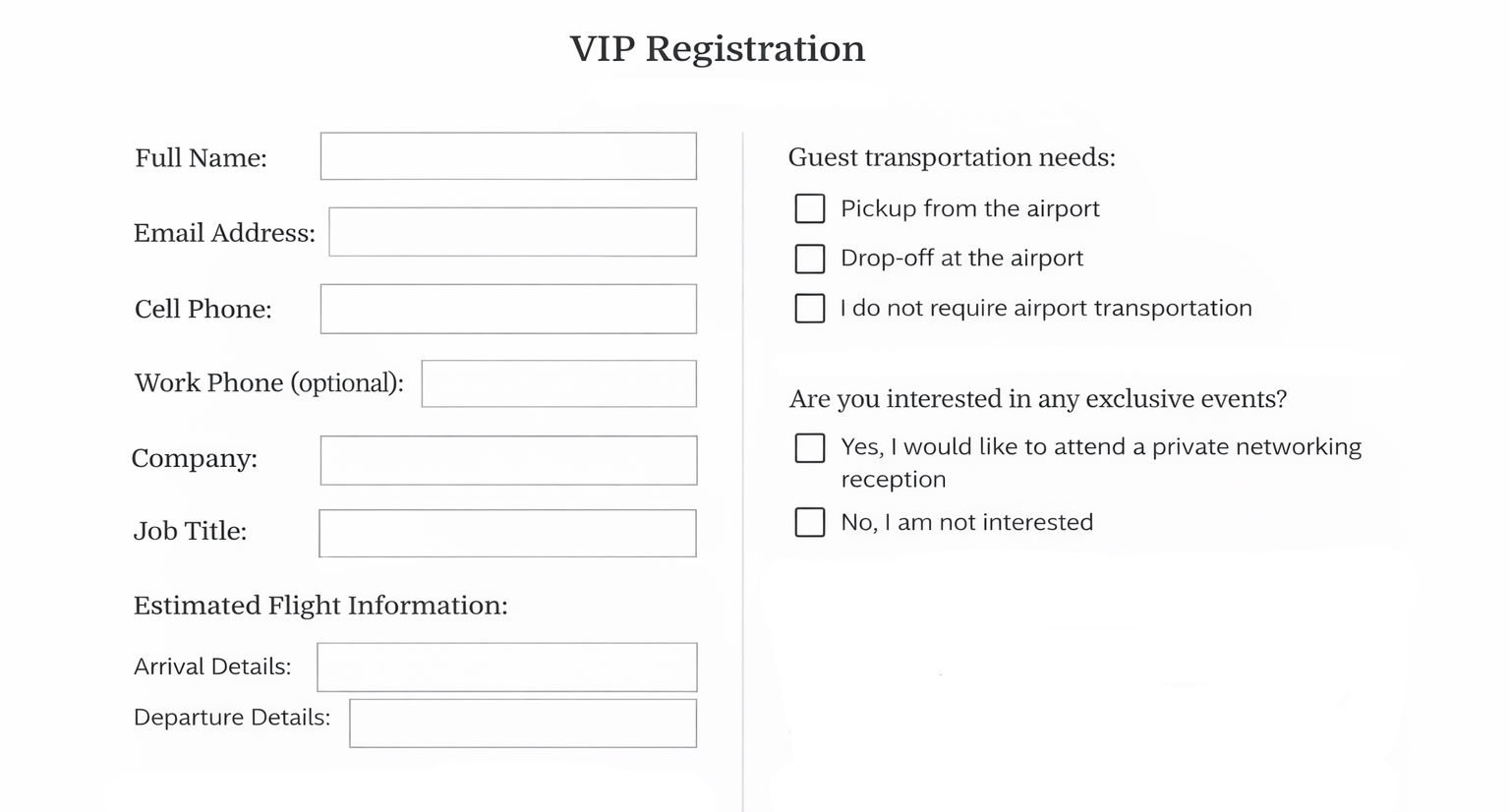
For VIP attendees, arrange a more intimate experience by gathering information that will help with logistics. You should ask for:
-
- Travel schedule
- Dietary preferences
- Special requests
- Access to exclusive sessions
A sample event registration form template for VIP attendees:
6. Virtual attendees
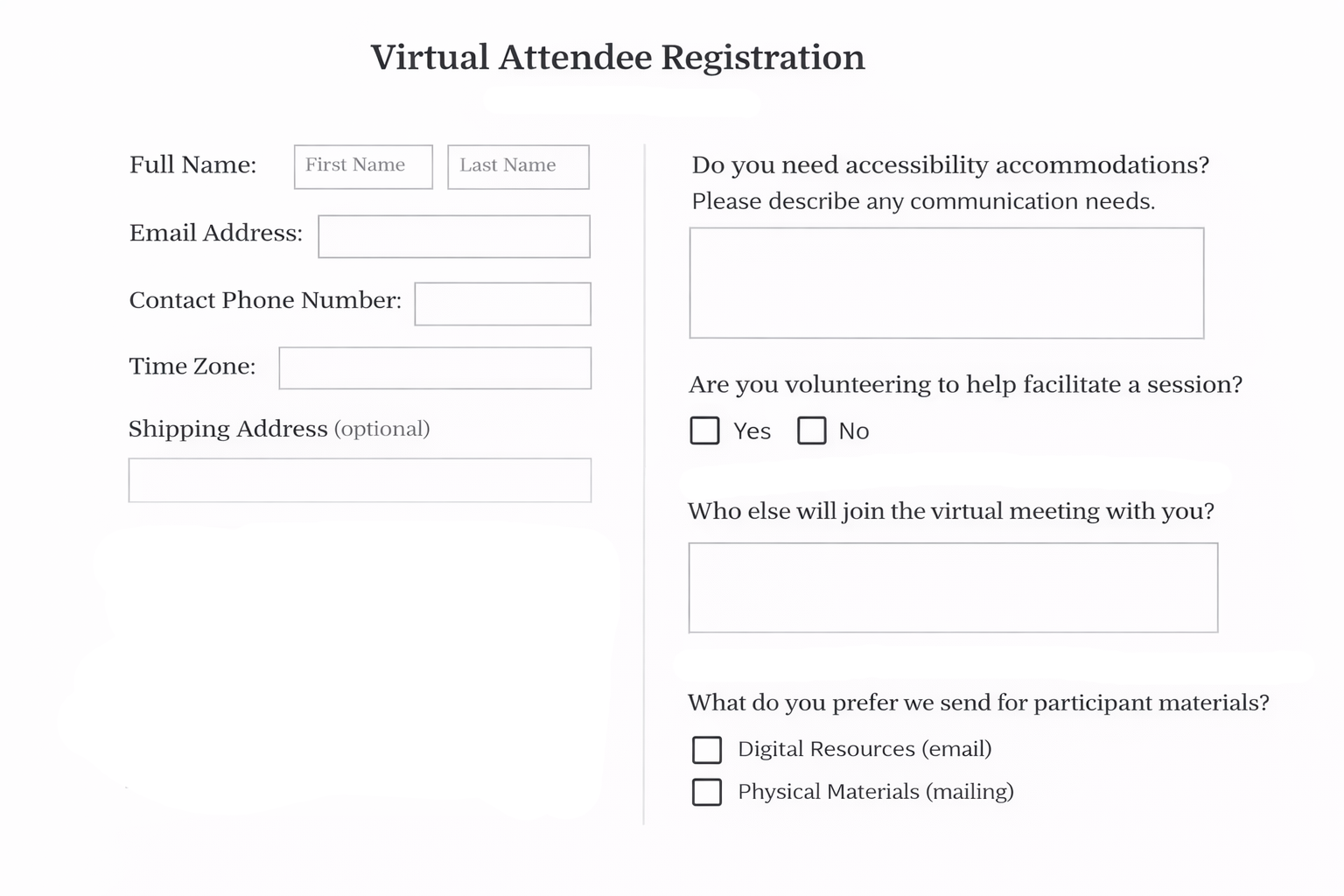
Make the online experience smooth by collecting the right information upfront. Use an event registration form with payment if you charge for access, and keep the process simple with a free event registration form when needed. Include the following:
-
- Time zone
- Availability
- Accessibility requirements
- Interest in networking or virtual sessions
A sample event registration form template for Virtual attendees:
How to Build an Event Registration Form From Scratch in 4 Simple Steps
If you are unable to find event registration form templates that meet your requirements, you can create your own form.
Step 1: Pick the Right Tool for Your Setup
First, choose the correct tool for your Event needs. There are many different types of tools; some let you create event registration forms, and others let you manage many aspects of an event (attendee management and reporting).
The following are some of the frequently used options:
-
- Google Forms is great for free setups and simple event registration forms
- Microsoft Forms is compatible with teams that utilize Microsoft products
- Dryfta gives you a form builder that lets you easily manage attendees through your online event registration form
- JotForm and Typeform have a flexible design and high customization
- Custom HTML forms provide ultimate flexibility; however, you require a high level of technical knowledge
Step 2: Decide What Information You Actually Need
Now that you’ve picked your tool, let’s move on to gathering information. Think about the fields you would like to include in your form. Look at an event registration form sample if needed, but avoid blindly copying everything.
Common fields include:
-
- Name, email, phone number and date of birth (when necessary)
- Work-related info (job title, company name, social links for networking)
- Event preferences, like selected sessions or tracks, and how attendees found your event
- Ticket options (standard, vip, speaker categories)
- Accessibility or other special requests
- Agreement of Terms and Conditions before submission
Step 3: Design the Form and Set Up Key Features
With the fields finalized, it’s time to design and implement functionality in your form. An organized layout will promote trustworthiness and enhance the visibility of your event registration form above generic event registration form templates.
Start with the basics:
-
- Be consistent with your brand colors
- Place your logo where it fits
- Show event information such as name, date, time, and location on top
- Add a brief description of the event
- Include pictures of previous events (wherever possible)
Then set up features that improve performance:
-
- Set up an event registration form with payment options if you plan to charge
- Set up automatic confirmation emails upon successful submissions
- Have a “thank you” follow-up message sent to continue interaction post-submission
- Add discounts/codes(if applicable)
- Allow social sharing to increase reach
- Contact past attendees who are likely to return
- Send reminder messages so your event stays top-of-mind
Step 4: Test Everything Before Going Live
Before releasing your form to the public, test the entire workflow from start to end. Complete the form as an attendee and verify all the steps. Ensure that everything is functioning properly and the payment is made without any difficulties. Test your online event registration form on various devices, particularly mobile, since most users will use it on mobile.
The Bottom Line
Getting the right attendee data early sets the tone for everything that follows. When you use a well-built event registration form, you build a clear picture of who is attending and what they need. That clarity helps you avoid last-minute confusion.
Strong event registration tools simplify the process and keep your data more structured. That is where Dryfta stands out. It lets you manage attendee registration, author and reviewer workflows, and abstract submissions all in one place. You can create flexible forms with dropdowns, radio buttons, rating scales, conditional fields, and even map integrations without any technical hassle.
If you want to streamline everything from data collection to event execution, Dryfta gives you that control without overcomplicating the process. You can book a free demo and see how it fits your workflow before committing.

FAQs
What details should you include in your online event registration form?
Begin with name and email, and add more as needed, depending on your event type. The majority of event registration form templates consist of phone number, company name, job title, and ticket type. Incorporate dietary needs or access inputs where required.
What is the easiest way to build an online event registration form?
You may begin with simple tools or select platforms such as Dryfta for more advanced cases. Add the necessary fields and then add event-specific questions such as session preferences. Checking out an event registration form sample helps you structure your form better and avoid unnecessary fields.
How does an event registration form with payment work?
Simple tools do not support payments. If you require an event registration form with payment, use a platform that handles both. This method makes everything systematized and minimizes manual work in the future.
Can I use a free event registration form for my events?
Yes, a free event registration form works well for small to mid-sized events where you need to collect basic attendee details without extra costs. Many tools let you create simple forms and track registrations. As your event grows, you may need more advanced features.
Is Dryfta’s form builder mobile-friendly?
Yes, Dryfta guarantees your event registration form is compatible with devices. The form can be filled in by attendees with ease on mobile, tablet, or desktop.
