
You have spent years building your company and turning your product into something people actually rely on. Now you want to take it a step further by bringing your users together, building a stronger community, and creating deeper connections through your first user conference. That decision makes sense, and it is a big move.
At the same time, planning a user conference takes serious effort and attention to detail. The process involves multiple moving parts. Any small gap in planning can turn into bigger issues you don’t want to deal with.
Keep reading as this blog walks you through the entire process, from understanding the purpose behind user conferences to planning each stage properly, along with practical ideas and tools that help you execute your next user conference with confidence.
What is the User Conference?
You may be asking yourself what a user conference is. A user conference is an event that combines your existing clients, potential leads, partners, vendors, and internal teams under one roof. In essence, it is a chance to demonstrate your products and help people gain even more benefit from them.
However, there is more to it. You also have the opportunity to discuss market trends and meet new people in your industry at these events. The events also provide an opportunity to discuss the trends and challenges in the industry. User conference planning is a major factor here, as the right setup can make people connect and interact without being overwhelmed.
Why Hosting a User Conference Is Worth It?
Did you know? According to Allied Market Research, the global events industry is projected to reach $2.5 trillion by 2035, growing steadily as organizations continue to invest in in-person experiences.
This massive growth underscores that in-person connection remains a cornerstone of business strategy. For brands, hosting a user conference is the ultimate way to tap into this momentum.
One of the most significant advantages of hosting a user conference is the opportunity to gain real face time with your clients. However, that is not the sole payoff. You get a number of other privileges when you do it right. The following are reasons teams invest in a user conference.
-
- Turn users into advocates: Get your users on stage and let them tell their success stories. Such devoted users tend to persuade new prospects more than any sales pitch.
- Accelerate sales and product adoption: Showcase your product in action. Attendees will view actual use cases and make quicker purchasing decisions. Your existing customers can also explore more features and upgrade sooner.
- Build industry credibility: Organizing your own user conference makes your brand a leader. You can generate hype and capture interest in social media and search engines. That way, people begin to consider you a credible source in your field.
- Gather real product feedback: Open up direct conversations with your most engaged users. By doing so, you learn what works and what needs improvement. Such feedback can help improve your product and justify future actions.
You probably have more than one reason for hosting a user conference. That works, provided every objective can fit well into your user conference planning without conflicting with each other and confusing your audience. It is wiser to prioritize early so that your team is aware of what to emphasize when making planning decisions.
User Conference Planning- A Step-by-Step Guide
User conference planning takes time. Teams usually begin the process 12-18 months prior to the event. With proper phases in mind, your event will appear organized.
Phase 1: Foundation (12 – 18 months prior to event)
Phase one provides direction for everything that comes.
-
- Set goals and objectives: Start by deciding what success looks like for your event. Are you trying to grow the number of users adopting your product? Do you need to gather structured feedback from your users? Will you be generating qualified leads? Specific objectives help you avoid making irrelevant choices in the future.
- Establish budget: Map all projected costs associated with planning the event, such as venue rental fees, catering, speaker compensation, technology and so on. Create a contingency fund of ten to fifteen percent of total expenses to cover unforeseen circumstances.
- Choose event dates and venues: Select event dates that do not conflict with major holidays or competing industry events. Select venues large enough to accommodate your target group and that offer reliable internet connectivity and strong AV capabilities.
- Assemble your team: Create teams based on project management, marketing, and logistics. Each member should be aware of his/her responsibility for the event from day one.
Phase 2: Development (6–9 prior to event)
Now that the foundation has been laid, attention turns towards structuring the event experience.
-
- Plan your agenda: Develop an order for your conference with a mix of keynote, workshop and networking time.
- Find speakers and sponsors: Look for and contact someone in the industry with knowledge or experience in the subject matter you are looking to cover. Experienced customers could add value as they have seen your product in use. They may also help offset some of the event’s hosting expenses. Having sponsors at your events adds credibility to the events.
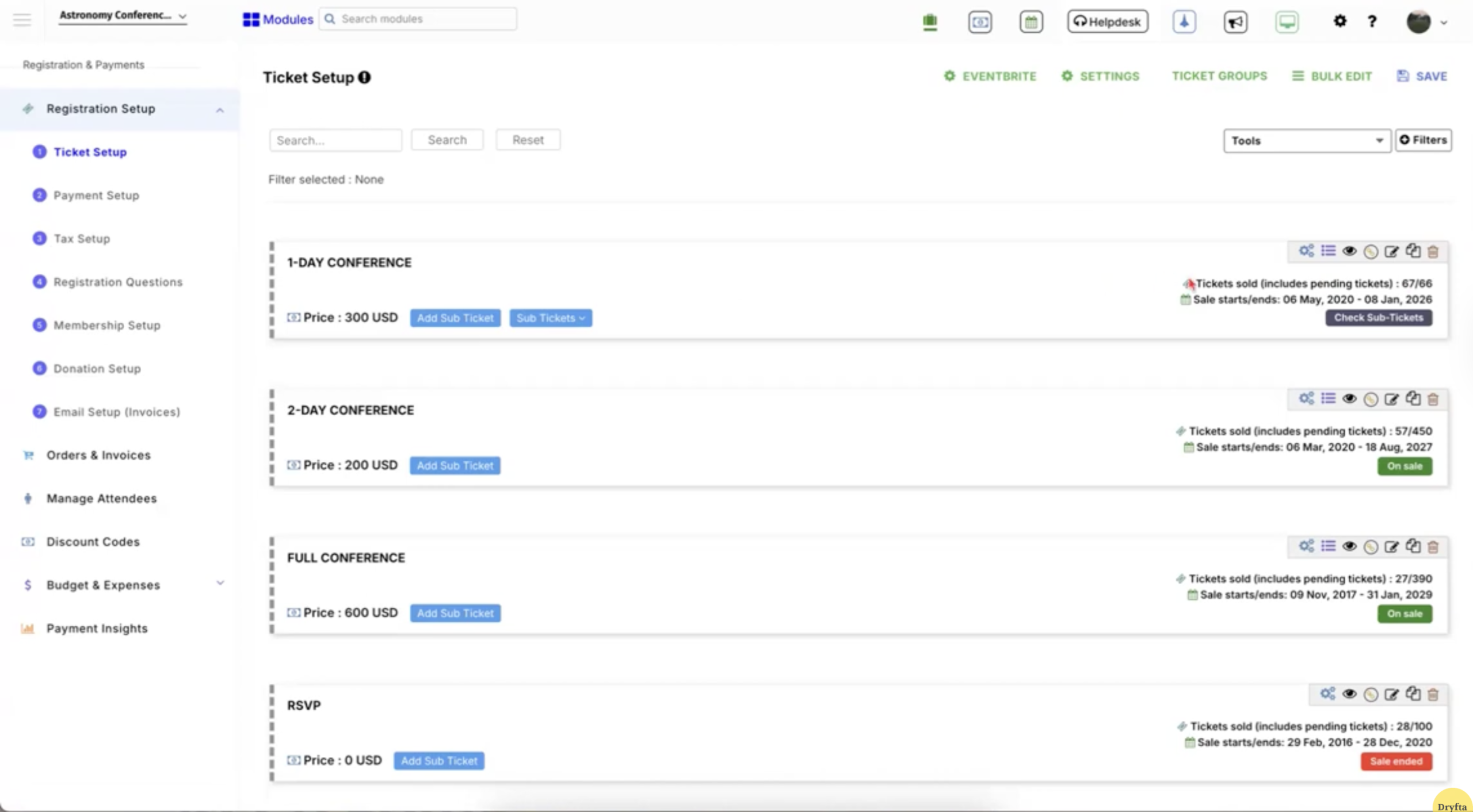
- Open registration and marketing: Open registration early so attendees know when and where they need to attend. The earlier you open registration, the better idea you’ll get of how many people will be attending. Offering “Early Bird Pricing” is another way to encourage people to register sooner rather than later.
Phase 3: Final Preparations (1–3 prior to event)
Logistics and execution planning are more important at this stage.
-
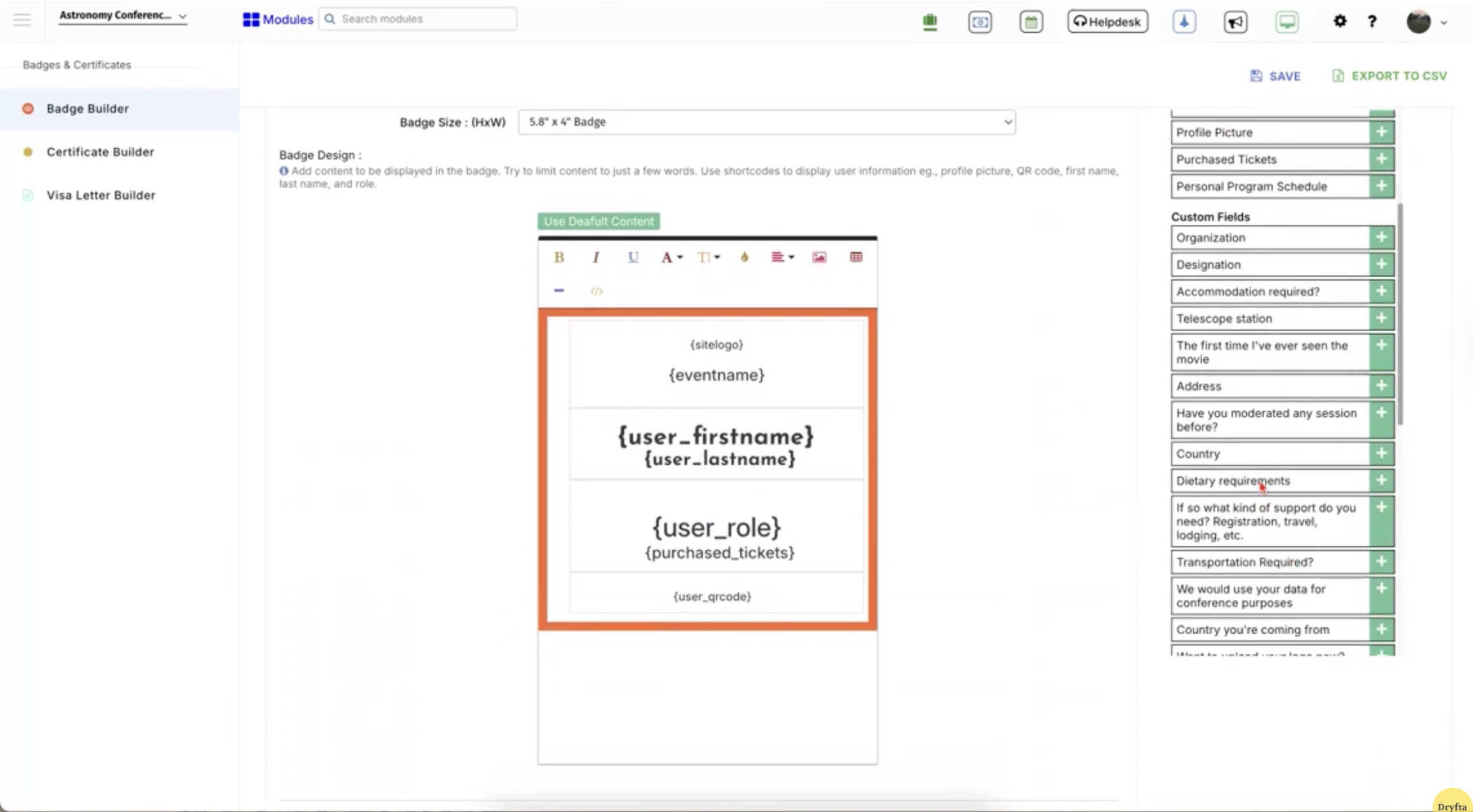
- Finalize logistics: Confirm the number of attendees with the vendors and finalize all material needs. Print badges, and purchase signage and event kits well in advance.
-
- Test technology: Conduct complete tests on microphones, screens, and internet connectivity. Identify problems in advance to prevent disturbances in sessions.
- Brief your staff: Hold thorough meetings with your team to discuss tasks and the event flow. Everyone should understand the schedule and know how to respond to unexpected situations.
Phase 4: Execution (Event Days)
On-site management guarantees smooth event execution.
-
- Easy check-in: Allow check-in with self-service kiosks or mobile apps to reduce wait times during the initial rush.
- Monitor event flow: Keep track of session time and room capacity throughout the day. Quickly make adjustments in case of late sessions or rooms that fill up sooner than anticipated.
Phase 5: Post-Event Analysis (1–4 weeks after the event)
The work is carried out beyond the last session to ensure maximum long-term ROI.
-
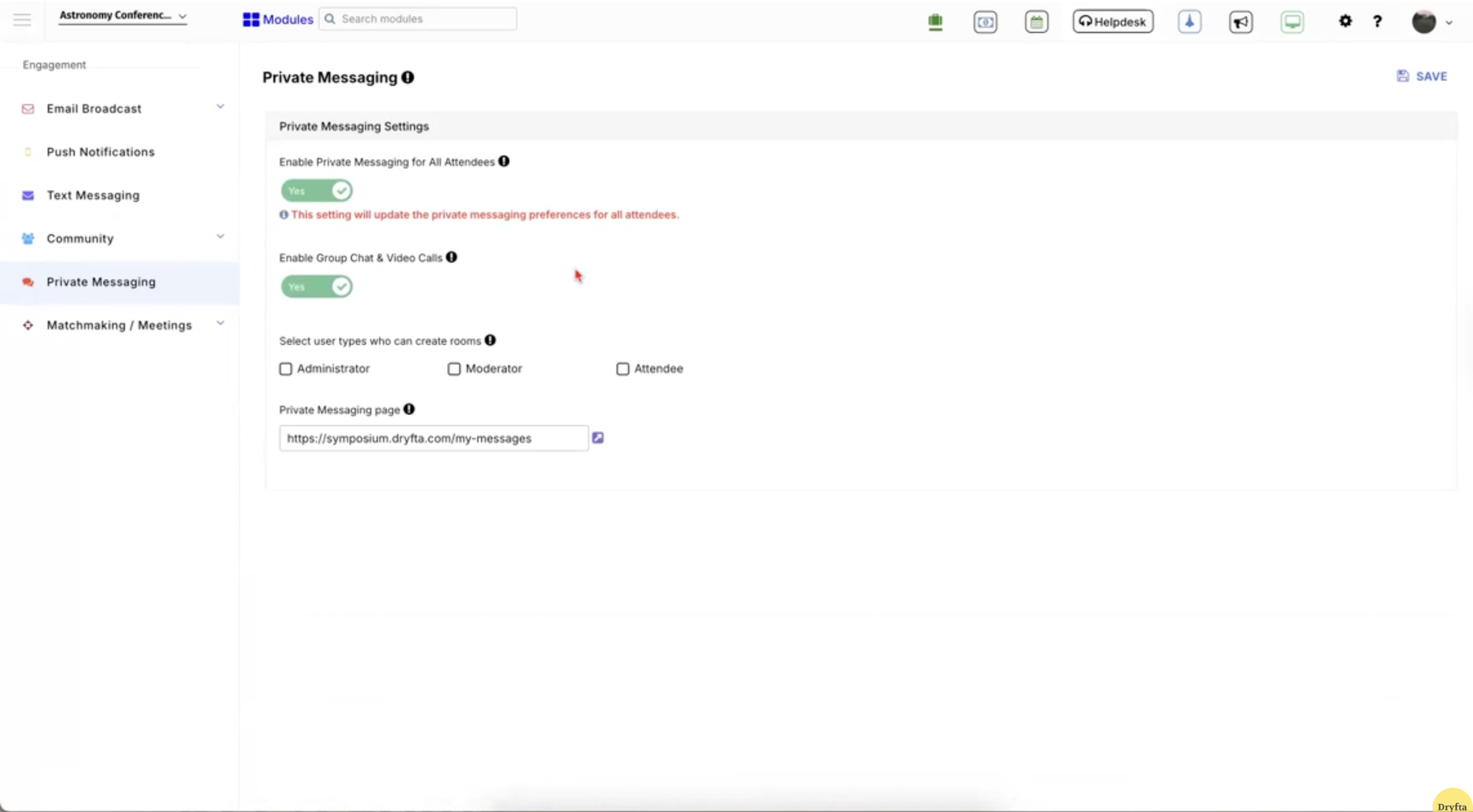
- Send thank you messages and surveys: Contact speakers and sponsors with personalized messages. Send surveys in a day or two to ensure that feedback remains relevant and useful.
-
- Share content: Give instant access to session recordings and materials. Participants usually watch content repeatedly post-event, and this adds value to the event.
- Debrief and report: Evaluate team performance against previously established objectives. Apply those lessons to make your strategy better for your next event.
With a systematic approach such as this, planning is much easier and is in harmony with a realistic user conference guide.
Esri User Conference: One of the Best User Conference Examples to Learn From
The Esri User Conference is one of the largest and most influential gatherings for GIS professionals worldwide. Every year, it brings together thousands of attendees to explore advancements in mapping, spatial analytics, and real-world applications of location intelligence. If you are serious about user conference planning, this event sets a high bar.
Esri User Conference 2026 details:
-
- Dates: July 13–17, 2026
- Location: San Diego Convention Center
- Theme: Creating a more intelligent world through the science of “where”
- Key figure: Jack Dangermond
Esri User Conference 2026 highlights:
-
- Plenary session: Visionary talks from Jack Dangermond and global leaders shaping the future of GIS
- Technical learning: Over 75 live sessions and 100+ recorded sessions focused on ArcGIS and related tools
- Expo: A large exhibition space where attendees connect with partners, explore solutions, and discover new technologies
- Map gallery: A showcase of real-world mapping projects and spatial storytelling from across the globe
- Social and wellness: Activities like the Esri 5K Run, yoga sessions, and the well-known Thursday Night Party
Wait, we are not done yet. If you’ve made it this far into the blog, we have a few ideas for hosting user conferences that you’ll find useful.
User Conference Ideas to Keep Attendees Engaged
To ensure your next event is memorable, consider interactive session formats, technology-based interactions, and special networking events that help people connect. User conference ideas include:
-
- Industry speed networking sessions: Students attend sessions with an assigned professional or alumnus for a designated amount of time (usually 5-10 minutes). For each attendee, there will be a particular area of focus, such as “What do I want to learn about this industry?” or “How did they get started?” Attendees can then form connections more quickly than they would have otherwise.
- Research poster symposium: This session transforms a campus into a live exhibition of student work. Students describe concepts to a non-technical audience and hone their comprehension skills.
- Mock interview and resume session: Industry professionals help students practice interviews in a low-pressure environment. Also, students receive immediate and direct feedback regarding their answers, body language and resumes.
- Innovation labs and hackathons: Teams from different fields come together for fast-paced problem solving. They construct working concepts of actual campus or community problems in a limited time.
- Professional headshot day: Students take professional headshots at no cost. These sessions remove cost barriers and help students improve their online presence.
The Bottom Line
The Freeman Trust Report indicates that nearly 77 percent of attendees trust a brand more after attending a live event, demonstrating the strength of direct interaction even in a digital-first world. Such numbers indicate the way trust is built in the context of actual conversations.
A carefully designed user conference will provide a space where participants can freely interact, ask questions, and connect with the brand and other participants on a personal level. Such interaction creates familiarity and trust that digital touchpoints cannot achieve on their own. Dryfta’s event management software makes this process easier, managing all the abstract management to scheduling, allowing you to concentrate on the event experience. Request a free demo to learn about Dryfta.
FAQs
How do you plan a user conference for the first time?
User conference planning begins by defining your purpose and format (in-person, virtual, hybrid). Also, plan well in advance. You should begin at least 12-14 months before your user conference to ensure a venue is booked and a qualified team is on board. Early budgeting for your event will help you control costs such as speaker fees, technical support and food expenses.
What are the most essential steps in a user conference guide?
An effective user conference guide has a well-defined start and finish. Start with quantifiable objectives, then assemble a team to implement them. Pay attention to getting speakers who resonate with your audience. Install a simple registration system, run regular marketing, and ensure your technology is thoroughly tested before the event.
What are the best user conference ideas to increase engagement?
Most of the best user conference ideas center on user involvement. Workshops that allow for participant interaction can be very interactive. Live polling during presentations can make an audience feel as though they are participating in the presentation. Meeting other attendees in smaller groups allows users to connect naturally. Using gamification, such as scavenger hunts or leaderboards, will increase participation. A balance of technical and break time helps maintain attendee energy and keep them engaged.
How do I choose the right venue for a user conference?
The first step is to match the venue to your anticipated audience and technical requirements. Find good internet, good transport access, and adequate breakout areas for smaller sessions. Go onsite to understand how people will navigate the area and any problems that may arise.
- How should I measure the success of my user conference?
Evaluate performance by comparing it to your initial objectives. Measure such indicators as attendance, session attendance, and feedback scores. Send short surveys within 24 to 48 hours while the experience is still fresh. Use that feedback to understand what worked well and where you can improve next time.
