Now, manage all your events from one place in your Dryfta event platform

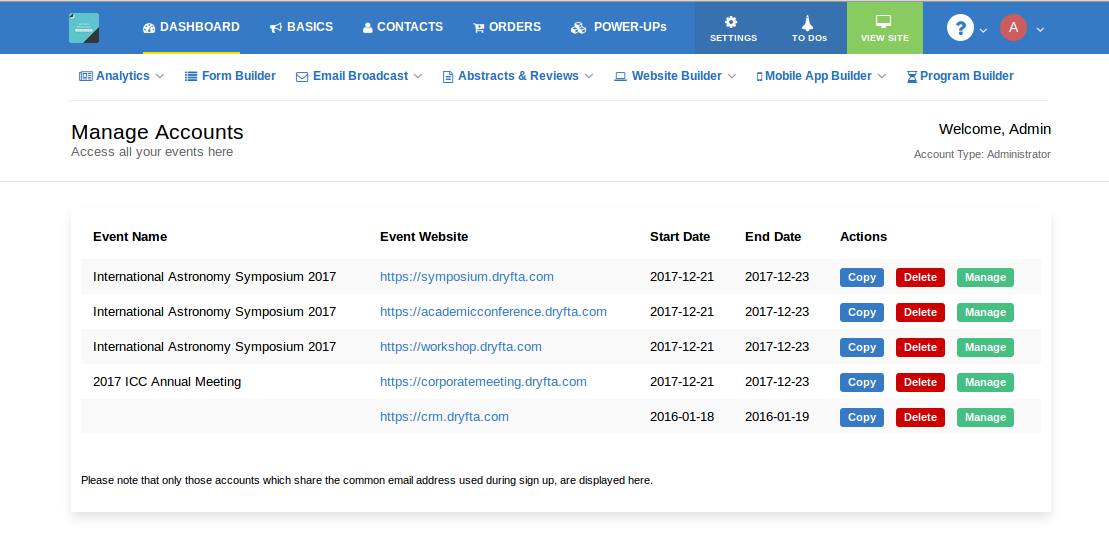
You will now be able to access all your events from a single control panel. Simply hover on My profile icon in your dashboard, click on My Events and there you will see all your past and upcoming events you have created.

all-events-dashboard

There’re three buttons besides each event. Copy, Manage, Delete.

Click on Manage button to manage your event.
Use Copy button to copy your event along with the event data. You have the option to choose which event data you want to copy on to the new event.
Delete button is there to delete the event. Please note that the event is not deleted right away. It goes in hibernation for 13 days and you have all that time to repeal the deletion process. If you do not do anything, the event shall be subsequently deleted from the system.


Dryfta & Google Analytics let you see who’s visited your event website

You can now integrate Google analytics with your Dryfta-powered event website. Simply paste your Google Analytics ID into your Dryfta dashboard and you would be able to view website hits, number of pageviews, locations of your website visitors, in real-time, and everything else that Google analytics offers.

Dryfta-Google-Analytics

The more you know your visitors, the more you understand your prospective attendees, and make decisions accordingly like which prospects need more targeting and re-targeting, for which countries should you increase your ad spending for your event, and other similarly important decisions. These decisions are what is going to make your event a success.


Break your Long Event Registration Form into Multiple Short Forms

A long & lengthy event registration form is a major put off and deters attendees from signing up for the event. One way is to refrain from asking too much information upfront during the online event registration. Try limiting your event registration form to basic information only viz. Name, Email address etc. You can always ask them to update their profile later from their dashboard once they have signed up.

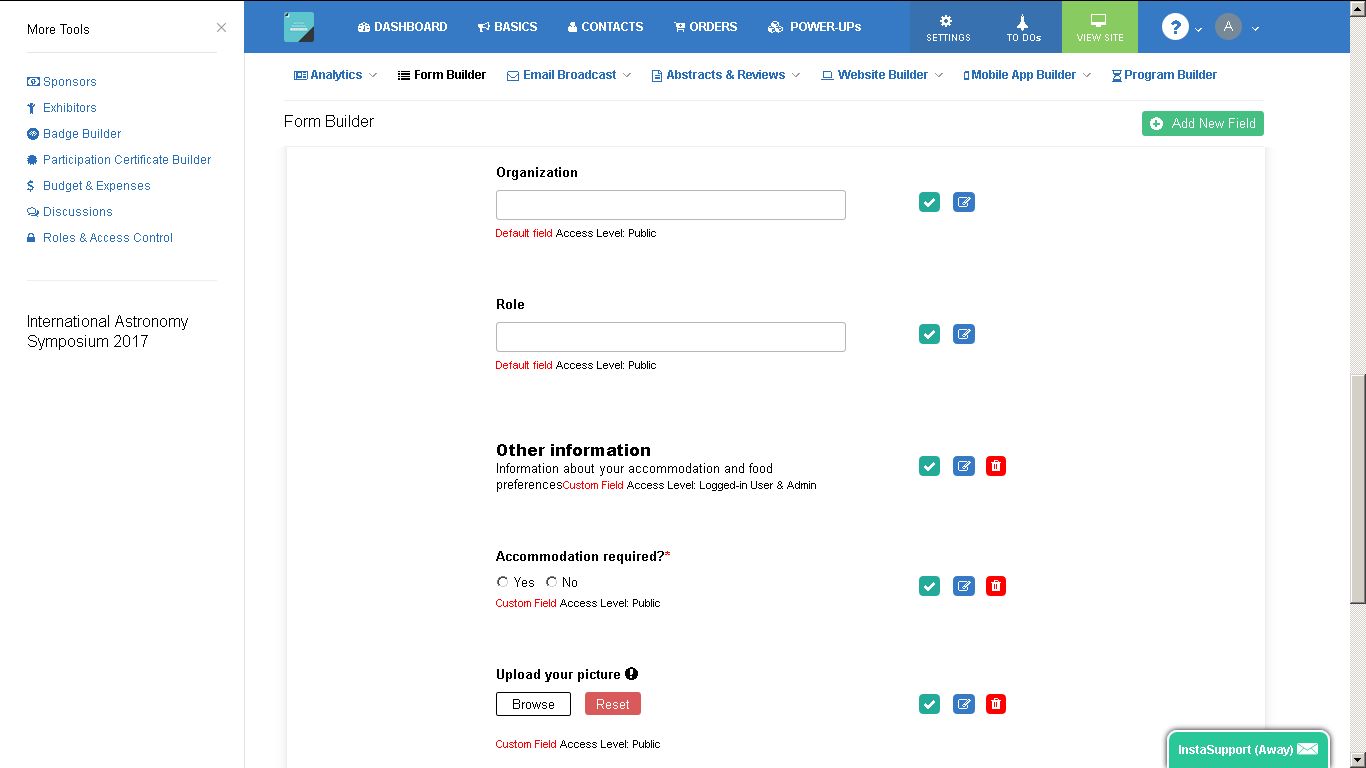
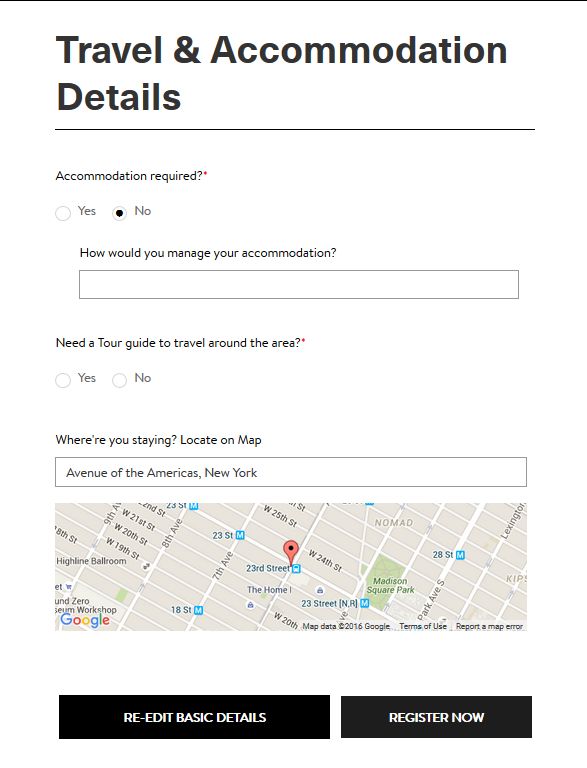
multiple-forms-pagebreak-Dryfta-registration

However, if it is imperative to collect all the information during the registration process, then you can break the form into multiple pages. This basically means breaking a large form into multiple small forms, connected by next & previous buttons, making it easy for attendees to fill up the form with the required information and proceed to the next form and eventually complete the event registration process.

Dryfta has a Pagebreak button to break your form into multiple pages with option to define form headings and buttons to move back and forth when filling the registration form.

This button is also available for other forms including abstract submission and review submission forms, making it easy for authors and reviewers to submit their papers and reviews respectively. Give it a try!


What sets Dryfta apart from other event platforms?

event-platform-apps-integration

The one unique difference between Dryfta and every other event platform is that Dryfta is built with integration in mind. Over the next few months, we are planning to integrate Dryfta with widely used apps including Salesforce, Mailchimp, WordPress and Quickbooks. We completely understand that the future is about collaboration between platforms. We’ll keep you posted!


The Pain Points that Dryfta Solves

dryfta-event-platform


A common approach to set up an academic or a nonprofit conference is to use an array of tools, e.g., WordPress, Eventbrite, Easychair, and Mailchimp. Then put your staff into multi-tasking mode and try to get your event off the ground.

What would it be like if you could access all of these features from a single platform, all fully integrated, making for a seamless, unified data flow? Dryfta event platform solves this issue of unstructured data flow caused primarily due to using one too many tools by offering a set of fully-integrated tools. Let’s see how Dryfta stacks up with each of these tools regarding features and functionality.

Continue reading

Things that can be done using Dryfta Event Platform

event-management-platform

Here’s a list of some of the things that you can do using Dryfta:

Send out invitations – Use the Email Broadcast tool to send email campaigns, send emails to selected contacts, view campaign reports etc.

Handle registration – Form builder allows you to build registration forms with custom fields you want.

Enable participants to pay their participation fee in advance from their credit cards – Payment settings under Basics lets you choose various payment methods including PayPal, Credit Card (you will need a payment gateway like PayPal, Stripe, 2Checkout etc), Wire Transfer. We do not charge any fee on payments you collect. We only charge for the plan you purchase. See here: https://dryfta.com/plans

Enables you to follow up with registration issues – Dryfta has event industry’s best event CRM to manage every details of your contact including his/her information, tickets, abstracts submitted and send private emails to your contacts.

Send further mails before the conference starts – You can send unlimited number of email campaigns as and when you want.

Apart from the above features, you also have the following tools at your disposal:

Abstract submissions & Peer reviews – If you are accepting abstract submissions and call for papers, then this is what you need. Allow authors to submit abstracts, assign them to reviewers to review them and then build an abstract book out of accepted abstracts automatically.

Participation Certificate Builder – Give your attendees a certificate of participation. You can customize your participation certificate like the way you want with event logo and signature. Our customers are loving it!

Event website themes – Design your own event website using beautiful themes. No HTML knowledge required. All you need to do is a few clicks and you are all set with your event website.

There’re more features which I wanted to mention here but I suggest you to explore your Dryfta platform and use them as per the need for your event.


Build Event Schedule for Your Conferences

Got workshops & presentations lined up for your conference? Get Dryfta Event Platform to add your programs including keynotes, lunch intervals and presentations.

It lets you to add workshops & presentations, rooms & session venues, multiple tracks, multiple formats, speakers and moderators, fetches abstract summary from accepted abstracts automatically and has a built-in session timing conflict prevention system.

Attendees are able to add these sessions to their personal schedule and also be able to check-in to these sessions, share these sessions on their social networks, share photos and engage in live discussions.

Here’s an example of what event organizers can build using Program Builder: https://symposium.dryfta.com/en/program-schedule

Program Schedule

If you have a feature request, we’re all ears. You can submit your feature requests on our support desk.

Get your own Free Event Management Platform

Generate Participation Certificates for Attendees using Participation Certificate Builder

Conferences should show attendees the appreciation for participation in the event with printable certificates of participation awards. It will encourage them and make them feel special as well as boost their self esteem and acknowledge their commitment to the event or meeting.

But it takes a lot of time and resources to design and build the participation certificate for each and every individual attendee! So how can you design a Participation Certificate easily and beautifully for all attendees at once without wasting much of your precious time?

Presenting the Participation Certificate Builder.

participation_certificate_builder

Using Participation Certificate Builder, it takes less than 2 minutes to design and generate Participation certificates for all attendees. Upload your logo, add your Certificate title, enter the name of the event, add additional info, choose the usertype (attendee, speakers, moderators, reviewers etc), upload the signature of the authority, Save the information and finally click on Print Certificates button to print certificates for all attendees at once.

Related Searches

Continue reading

Abstract Book Builder for Conferences

Abstracts submitted? Check. Abstracts Reviewed? Check. Authors notified? Check. What’s next? Welcoming the attendees at the conference, engaging them with programs and workshops, and presenting the Abstract Book, among various other things.

But it takes a lot of time and resources to design and build your abstract book, which could otherwise be used for more meaningful purposes! So how can you build an abstract book easily and beautifully without wasting much of your precious time?

Presenting the Abstract Book Builder.

abstract_book_builder

Using Abstract Book Builder, it takes less than 5 minutes to design and publish your abstract book. Design your abstract book, add front and back covers, add a custom background image, add custom contents viz. chairman’s message, list of reviewers etcetera, choose abstracts (accepted, rejected or all) to publish and finally generate the abstract book in downloadable PDF format.

Related Searches

Continue reading

Embed Event Registration & Ticket Purchase Forms in your website

Embed_code Snippet

Display attendee and speakers lists, dashboard, event registration form, ticket purchase form and abstract submission forms into your own website.

To embed Dryfta‘s various forms including registration & abstract submission forms, attendee login form and dashboard, and tickets purchase form into your website and other 3rd party apps, simply copy the short code snippet and paste it into your website. When your web page loads, your Dryfta form will be embedded directly on your website. Your users will not see the Dryfta URL and you are able to fully control the style of your form.

To copy an embed code of a form or a page, go to Website builder > Page labels and click on Embed icon besides the page which you want to display on your website. Simply copy the embed code and paste it where you want the content to appear on your website. Like adding a URL into a WordPress post. The code snippet is replaced with the actual Dryfta page and is displayed seamlessly inside your website!

Related Searches

Continue reading

Unlimited Team Members to Manage Events with Different Permissions

access-control-system

Dryfta’s all-in-one event management platform has various tools to manage the various aspect of an event. As an event organizer, you would like to allow your staff to access the event platform dashboard and be able to manage the various information viz. payments, tickets, orders, contacts, event discussions, event website, event app and so many other things!

But there’s a problem! You would not want all staff to access all parts of the event dashboard so as to prevent unauthorized access to data and to ensure accountability. To make it possible, you need a way to limit staff’s access to a certain section of the event dashboard.

Presenting Roles & Access Control System

It allows you to create roles, set permissions to the various sections of the dashboard, and assign these roles to your staff members. Once a role is assigned to your staff, he/she can only access sections of the event dashboard made accessible to that role.

Continue reading

Cart Abandonment Notifications for Incomplete Ticket Purchase

Abandoned cart orders occur pretty frequently on a busy event website. Often, potential customers begin filling out their checkout form, only to leave and never return. Knowing about these users, why did they abandoned the cart and then targeting these abandoned cart orders can boost ticket sales.

Cart abandonment notification tool

This feature lets you send an automated email to ticket and membership buyers who have begun creating an order on your event ticketing website built using Dryfta event platform, but haven’t completed it for whatever reason.

The email will act as an enticement inviting the buyer to come back to the event website to complete their order.

As long as the customer’s email address was entered into the website (either by them logging in or registering on your event website while browsing), the Abandoned Carts Notification feature will be able to send them a message, and also notify the admin.

You can also customize the Abandoned Cart email which is sent to the buyer when he/she abandons the cart. To customize, go to Email Broadcast > Notifications and click on Abandoned Cart Notification Email to edit it.

Here’re some fabulous Abandoned Cart Email templates you can take a cue from. The more enticing and personalized your email will be, the higher would be the sales conversion.

Get your own Free Event Management Platform