




Every great event starts with a clear budget, and picking the right template can seriously shape how smoothly your planning goes.
From simple sheets to more detailed workbooks, event budget templates help you keep track of spending, estimate revenue, and stay in control of your finances. In this Dryfta guide, you’ll learn how to build an event budget template and find six tools(paid and free) you can start using right away.
Before we jump ahead…
What Is an Event Budget Template?
An event budget template is a pre-formatted document that makes it easier to manage finances. It provides a framework for you to record revenue and expenses to ensure you don’t overlook anything.
Most event budget templates are categorized by sections such as:
- Costs associated with venue rental and necessary permits
- Food, beverage, and guest hospitality
- Audio-visual equipment and production requirements
- Staffing and volunteer organization
- Sponsorship dollars and registration fee income
If your event requires extensive tracking or automation, you may want to consider using a spreadsheet or moving to event budgeting software. Also, a solid event budget template helps you keep track by allowing you to:
- Track expenses across different stages
- Predict future expenses and make changes
- Share clear reports with stakeholders
At its core, an event budget template is a planning tool and a live tracker that helps you know where you stand financially.
Why Every Planner Needs an Event Budget Template?
Did you know? Upmetrics reports that almost 40% of event planners still find it difficult to calculate event ROI due to poor cost management. The good news: an event budget template lets you take control of your budget and easily demonstrate event ROI.
Now, what do seasoned planners use an event budget template for? The event budget template provides structure to event budgeting and turns vague numbers into a crystal-clear financial plan. It’s your trick to uncovering hidden costs and preventing little expenses from piling up.
Why is this important?
- Financial control: The event budget template will help you keep your event spending under control and show how each dollar is spent throughout the process.
- Visibility: Using a simple, easy-to-read format for presenting costs and breakdowns to clients or stakeholders is made much easier with a clean budget format for an event.
- Planning: Including a contingency plan built into the budget template will give you the ability to make adjustments if needed during the event without stressing over the unknowns.
So, here’s the million-dollar question: Will a template restrict my creative expression? Not even close! In fact, having a template will provide you with the flexibility to splurge on those “Wow!” factors, knowing exactly how much you can spend.
What to Look for in an Event Budget Template?
Every event budget template won’t work exactly the same way. Choose one that will make it easy to plan and manage your budget.
The following are some things to check before choosing an event budget template:
- Editable formats: Templates in Excel or Google Sheets are ideal for customizing for your event.
- Formulas: Automated sums and calculations help to avoid errors and save time.
- Separate income and expense sections: The right budget format for an event lets you track both income and expenses.
- Default categories: Venue, food, and marketing expenses are a good starting point.
- Custom sections: You should be able to add or remove categories based on your needs.
- Visual summaries: Charts or simple dashboards help you explain your budget clearly to others.
The right event budget template should make budgeting much simpler by providing better ways to handle your financial information. For this reason, many planners today use event budgeting software to have greater control over their spending.
Top Event Budget Templates and Tools Compared
When managing an event budget, you will want to keep all the details related to your event, from where your guests are staying (venue) to little things that come up at the last minute (parking) that cost money.
I am sure you have thought about how overwhelming it can be with each expense added to another. A solid event budget template or expenses manager helps eliminate this problem. Here is a breakdown of the budget template features for these six popular tools.
1. Dryfta’s Budget and Expenses Manager
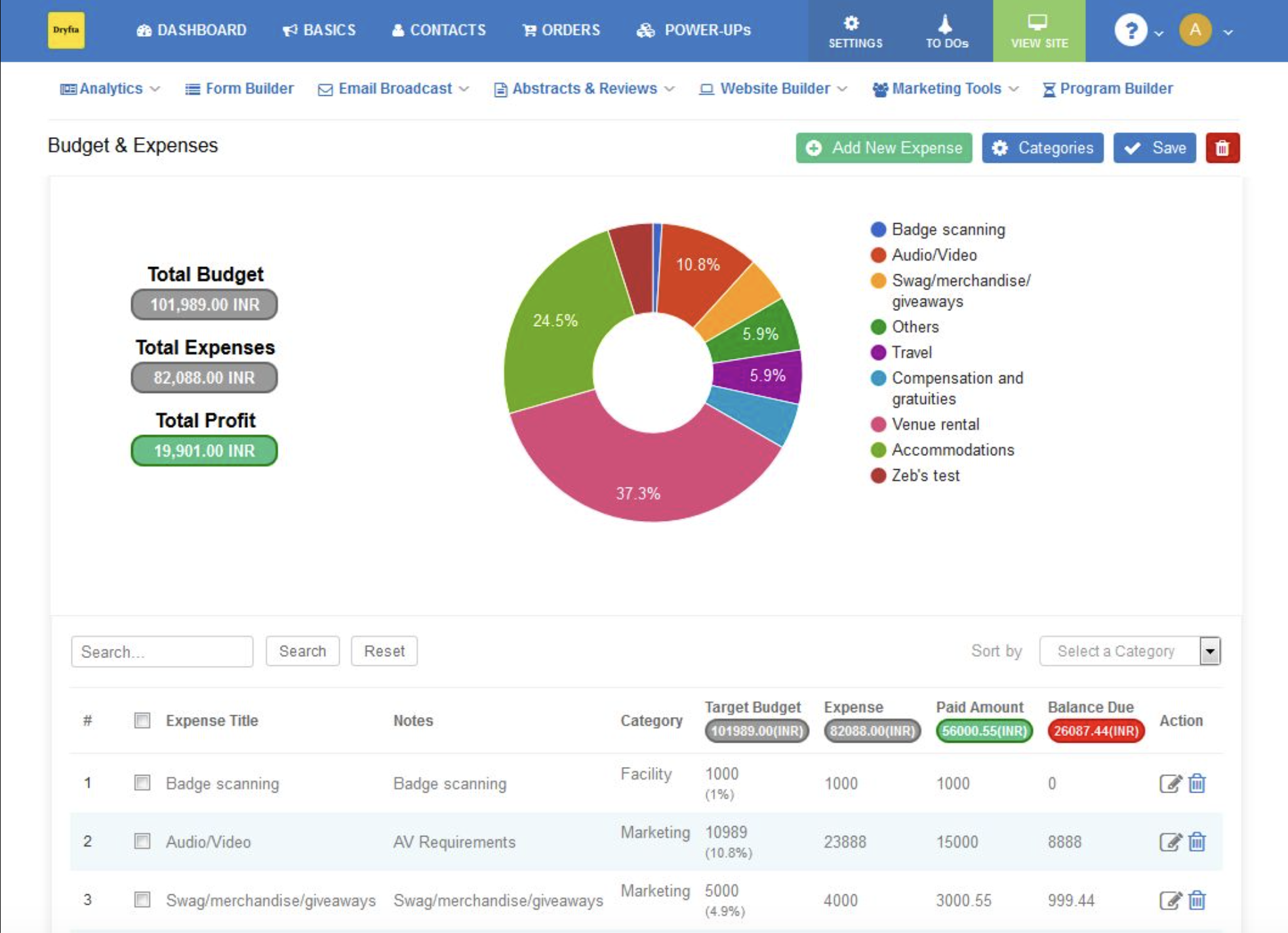
Dryfta’s budget and expenses manager gives you a clear way to track every part of your event finances in one place. You can add expenses with item names, target budgets, actual spend, and paid amounts, all neatly organized into categories. The dashboard shows everything in real time, including total budget, total expenses, and profit.
For example, if your total budget is $98,989 USD and your expenses are $78,608 USD, the system instantly shows a profit of $20,381 USD. A visual chart breaks down where your money goes, so you can quickly spot which areas take the biggest share. Along with that, built-in analytics help you understand spending patterns and event ROI.
Best for: Academic and professional conferences.
What stands out?
- Clear view of total budget, expenses, and profit in one dashboard.
- Easy expense tracking with categories, targets, and paid amounts.
- Visual charts that show where your money is going.
- Helps measure event ROI alongside spending.
The trade-offs:
- Works best when used as part of Dryfta’s full event platform.
- Designed for structured workflows, so it may feel detailed for very small events.
2. RingCentral Events’ Event Budget Template
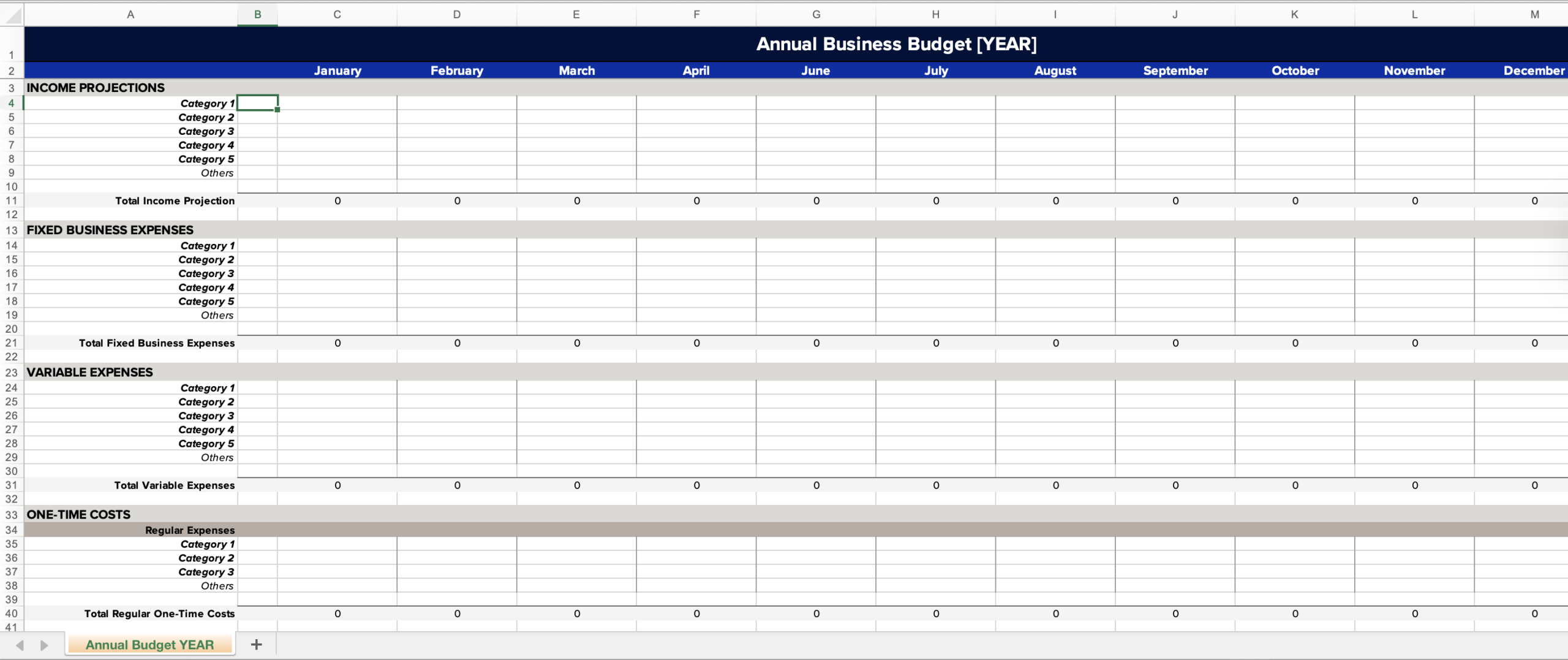
RingCentral Events is all about virtual and hybrid events, so its event planning budget template caters to today’s events that blend online and in-person components.
Best for: Large virtual events and hybrid conferences.
What stands out?
- Has specific categories for virtual expenses, including streaming services, internet costs, and virtual speakers.
- Includes tools for engaging attendees and even shipping costs for swag or materials.
The trade-offs:
- It may be too complex for smaller or in-person events.
- Virtual elements may not be needed for in-person events.
3. ClickUp’s Event Budget Template
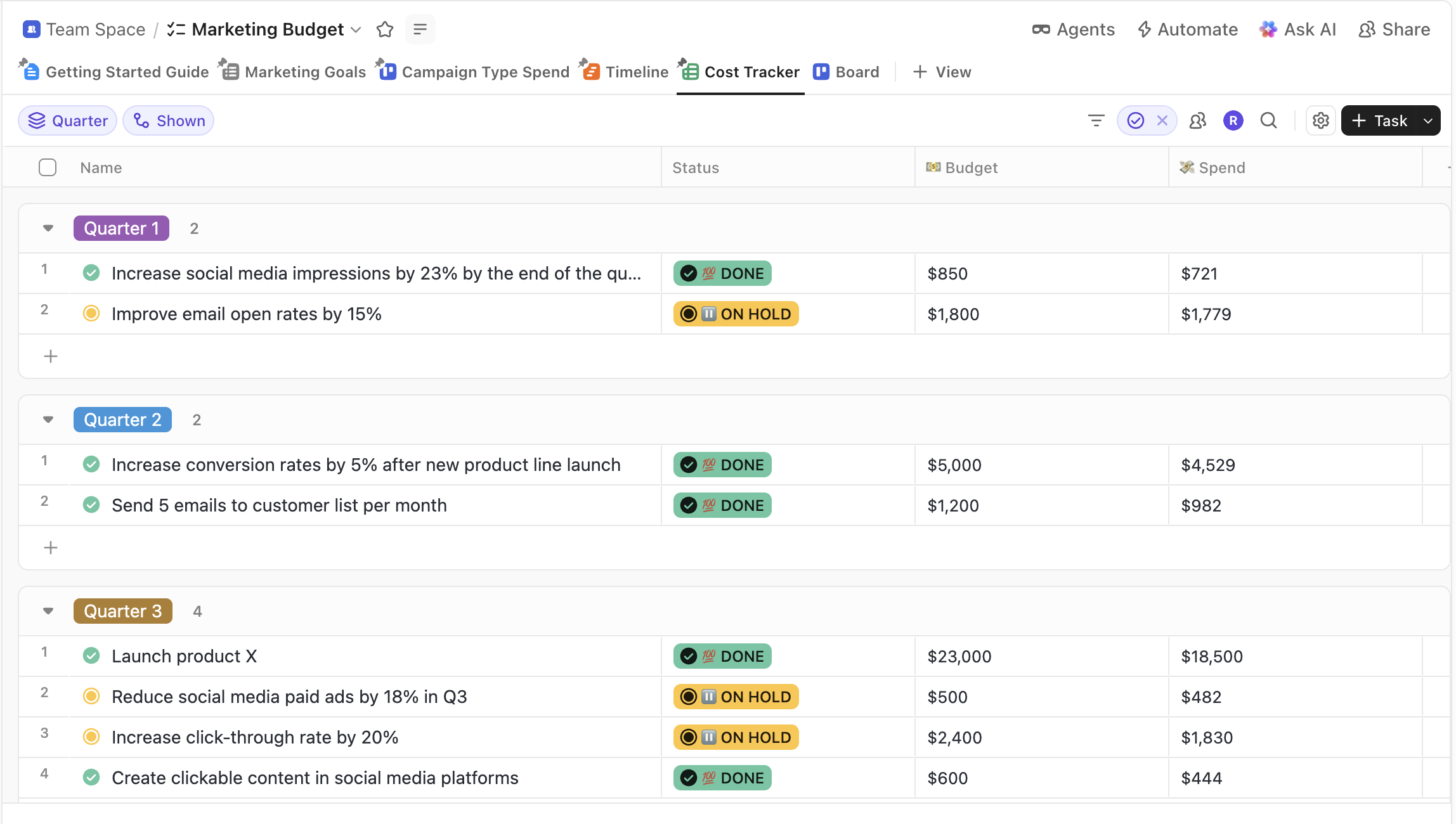
ClickUp’s event budget template integrates with your project workflows to keep teams in sync.
Best for: Project managers seeking budgeting with time and task integration.
What stands out?
- Provides budget status updates, such as over or under budget.
- Visual aids like tags, labels, and a progress bar can enhance understanding.
The trade-offs:
- Takes time to learn if you are new to the platform.
- Requires a ClickUp account to use its full features.
4. Eventbrite’s Event Budget Template
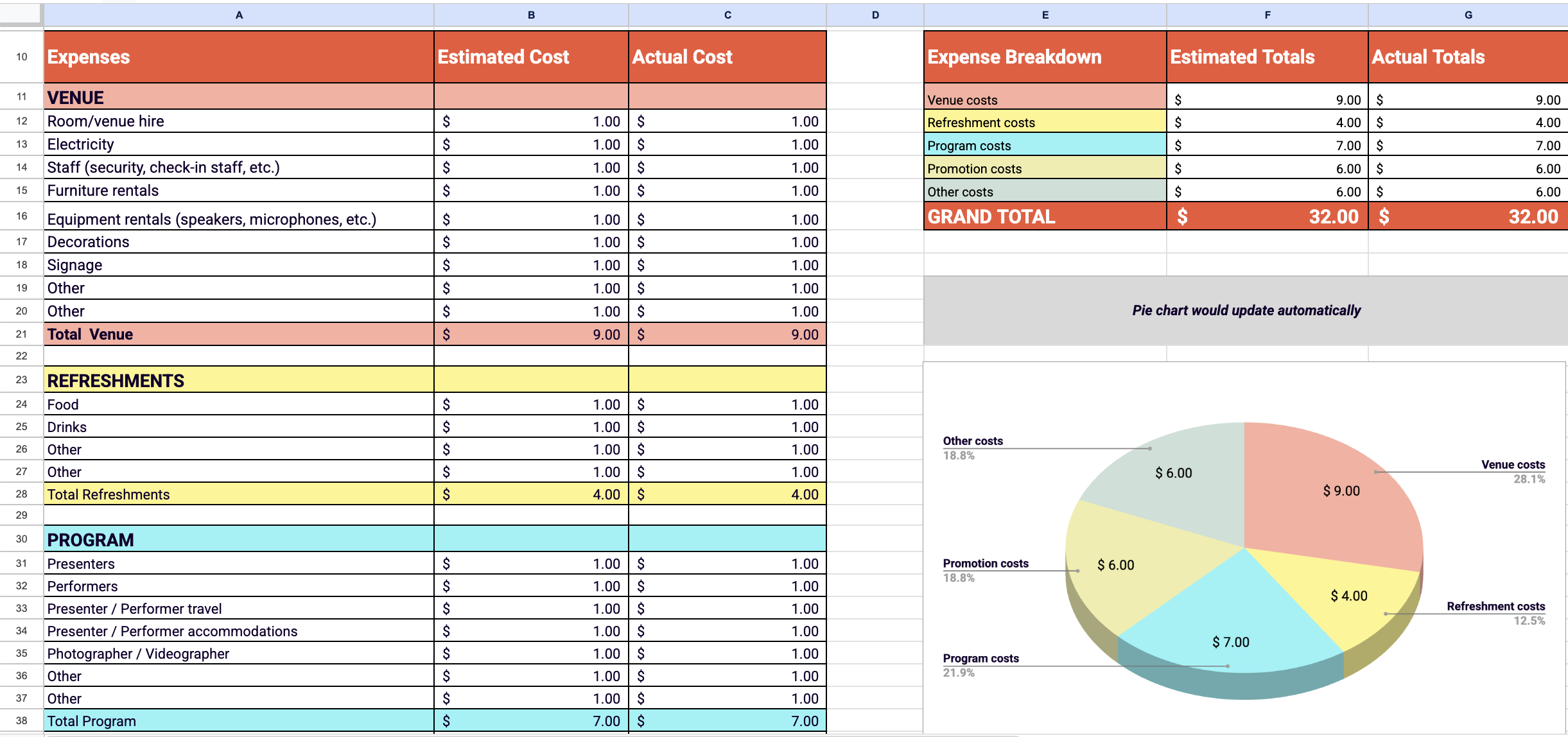
Eventbrite’s focus is on the basics, specifically ticket revenue and basic cost of doing business. The templates are useful in tracking sales against cost.
Best for: Freelance event planners and small businesses with ticketed events.
What stands out?
- Displays estimated and actual ticket sales.
- Offers a simple format that includes items such as catering and marketing.
The trade-offs:
- Does not support advanced workflows for large or multi-day events.
- The design and features feel basic compared to those of more advanced tools.
5. Smartsheet’s Event Budget Template
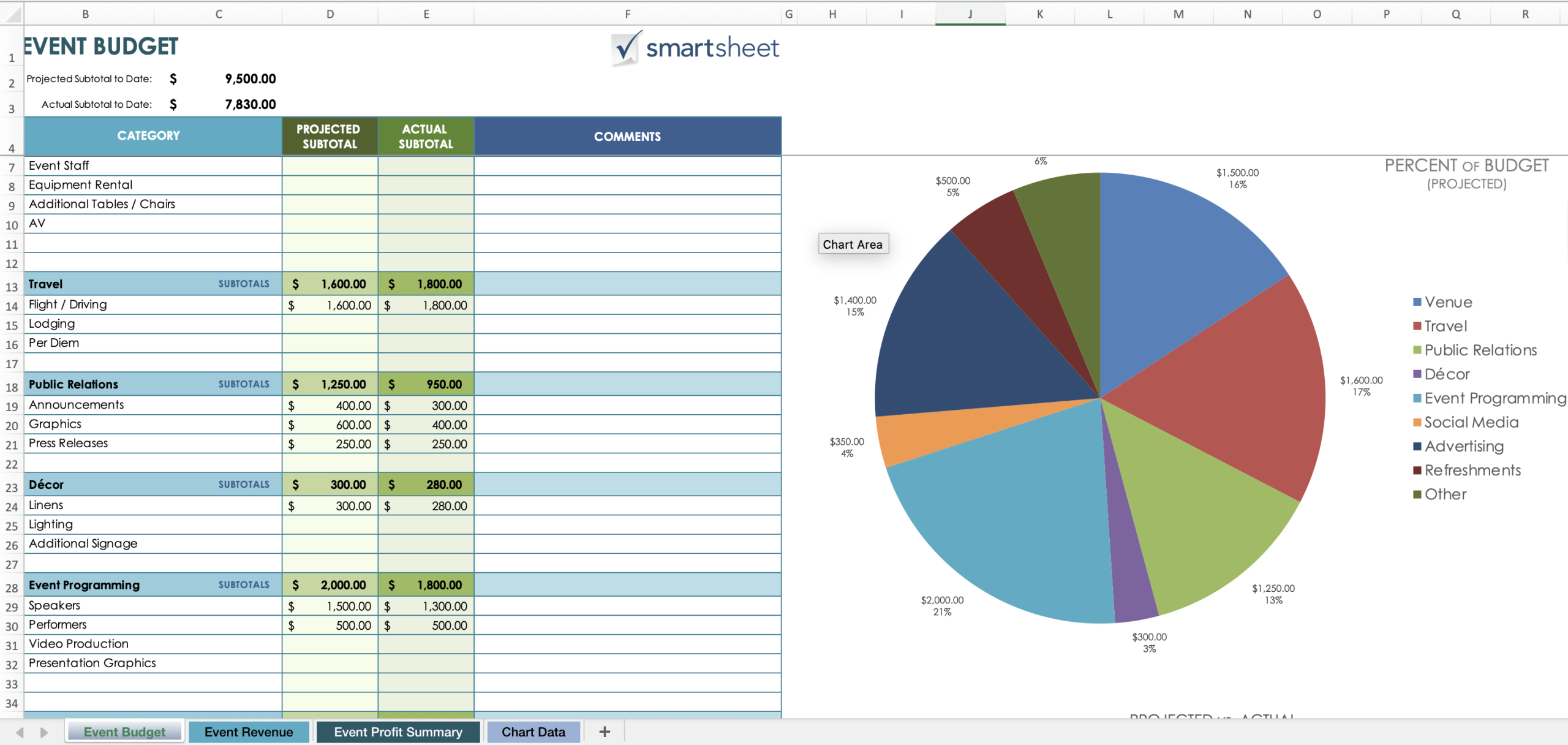
Smartsheet has a more robust version of the event budget format for advanced collaboration. It organizes complex projects and keeps various parties in sync.
Best for: Professional planners and corporate teams managing large events.
What stands out?
- Notifies you of payment deadlines and budget caps.
- Lets several people update and monitor budget items.
The trade-offs:
- Can feel technical for users who prefer simpler tools.
- Many advanced features require a paid plan.
6. Guidebook’s Event Budget Template
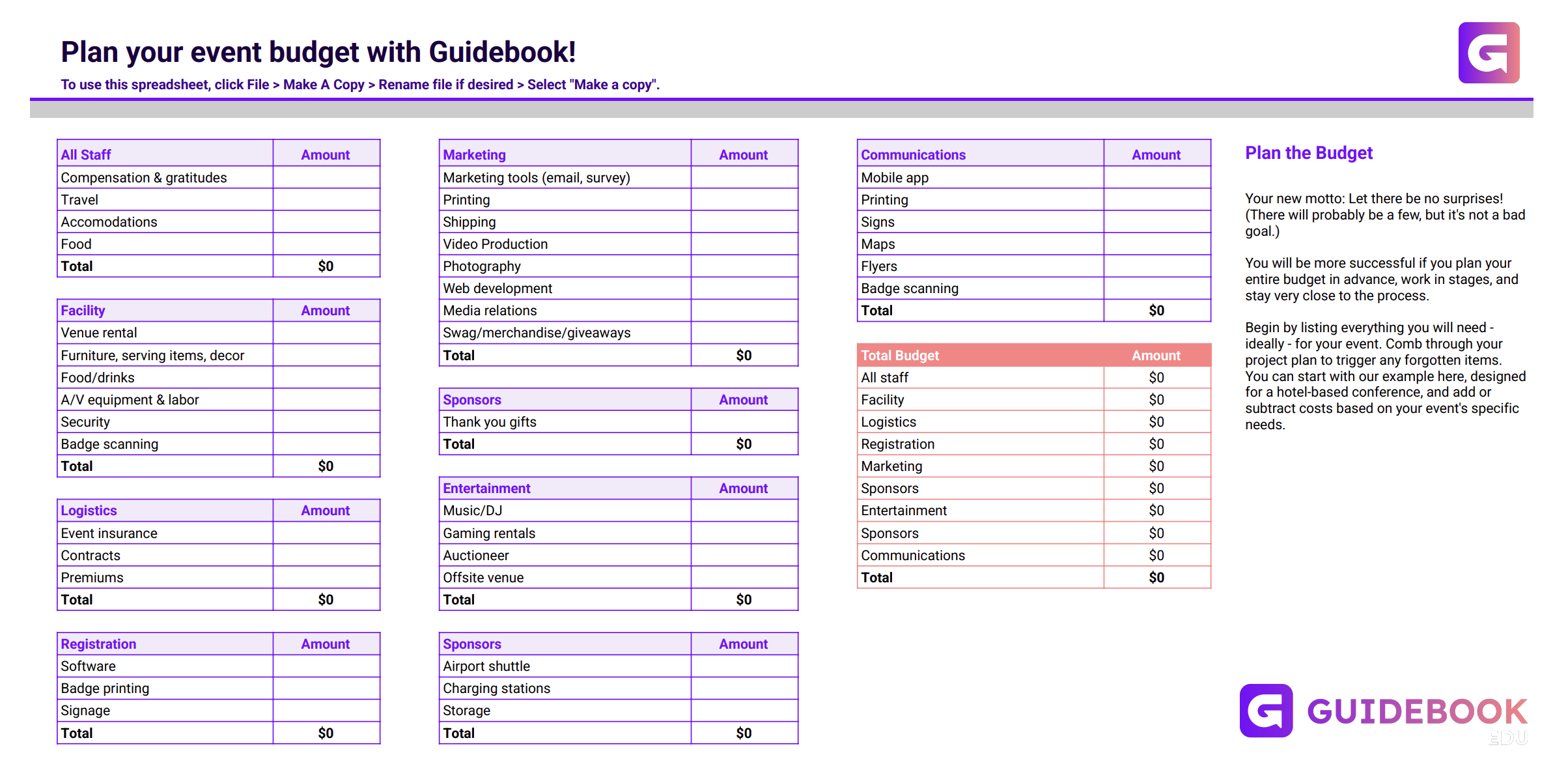
Guidebook is all about the attendee experience. The platform makes sure planners consider all technical and on-site requirements. The event budget template highlights areas that often get overlooked.
Best for: Conferences, trade shows, and campus events.
What stands out?
- Tracks per-attendee costs and technical setup.
- Keeps the layout simple and easy to follow.
The trade-offs:
- Does not focus much on marketing or sponsorship revenue.
- May require Guidebook’s event tools for full use.
The Bottom Line
We talked about real-world ways to create a solid plan for managing your event’s finances and how establishing a proper cost management process will save you from a lot of stress.
If you are looking for something beyond just using a spreadsheet to create your event budget, Dryfta offers a smoother alternative. As an all-in-one event budget tool, Dryfta offers three main features: budget planning, vendor collaboration, and expense tracking. With these features combined into one tool, you have greater control over your finances.
Want to make budgeting easier? Take advantage of Dryfta’s free demo and see how we fit seamlessly into your current workflow.
FAQs
- What costs should you include in your event budget?
When you’re putting together an event budget, it’s important to consider both the big and small costs. Event budget software can help you keep track and avoid budget pitfalls. Common expenses include:
- Venue rental
- Catering and food services
- Audio and visual setup
- Marketing and promotional materials
- Staff and event crew
- Speaker or guest travel and lodging
- Event decorations and rentals, such as chairs and tables
- A contingency budget of 5-10% of the total budget
- How can you calculate event ROI?
You can calculate return on investment using the formula:
[(Revenue – Cost) / Cost x 100]
This will show you how much return you got on your investment. Event teams also use event budget software to monitor these metrics.
- What is the largest part of the budget?
The venue is usually the biggest expense, accounting for 25-40% of the budget. The venue can also impact other costs such as catering, staffing, and AV, which can be higher in larger cities.
