MSA Conference, Warsaw 2021 is the 2nd large conference (1500+ attendees) from MSA that uses Dryfta event platform. MSA Conference, Charlottesville 2020 and MSA Conference, Newcastle 2023 are the two other conferences organized by MSA and hosted on Dryfta.
The Memory Studies Association held its fifth annual conference in Warsaw this year. The leading theme of the event is “Convergences”, and we would like to invite you to join us in discussions around the interplay of mnemonic layers. Continue reading
Also known as online events, virtual events involve people interacting with each other on the web rather than meeting in person. Ever since the pandemic has happened in 2020, virtual events have become a norm worldwide. It is predicted that around 40 percent of virtual events will be conducted in 2022, a five percent increase compared to 2020. Continue reading
Nonprofit events are a critical part of fundraising for many worthwhile causes, but managing events is a complex, involved procedure requiring expertise in many different disciplines to be successful.
A checklist of what you need to do, along with fully-featured nonprofit event software, will help to ensure your success, regardless of what type of fundraising event you plan to host. Continue reading
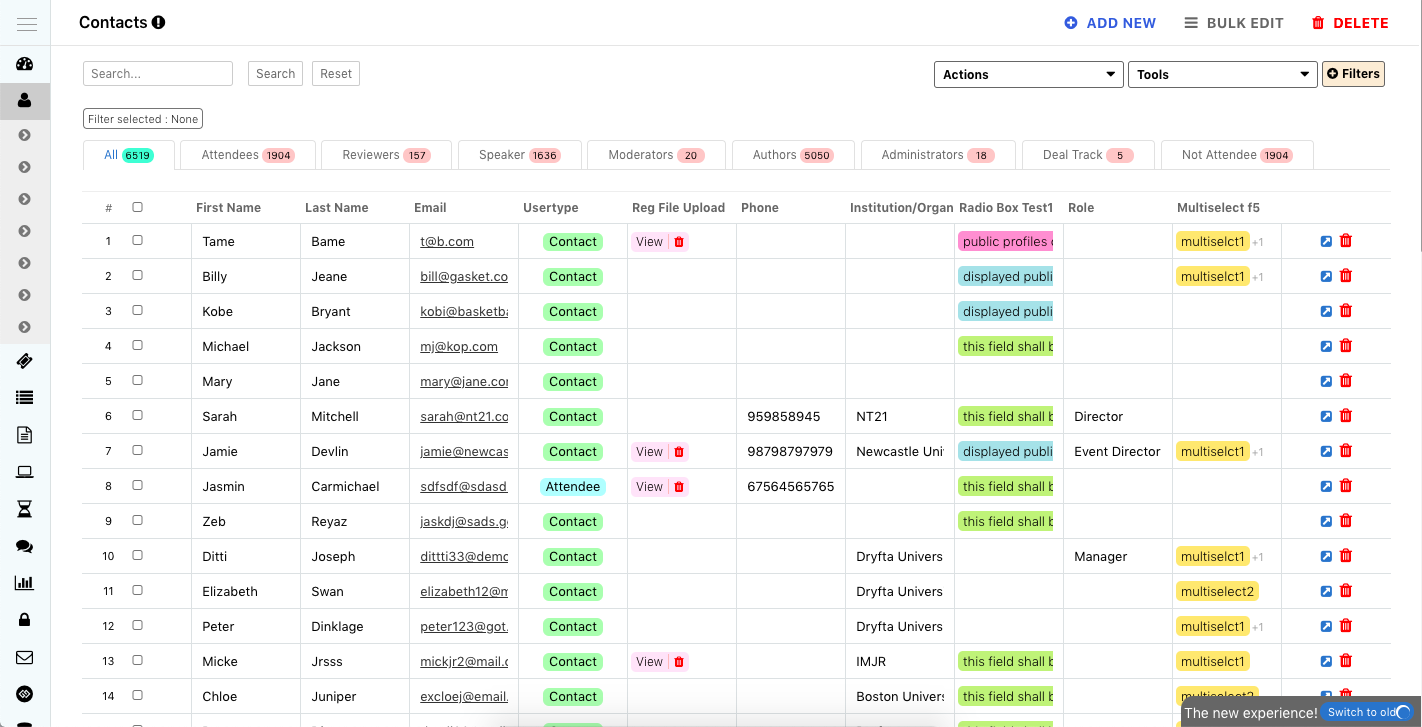
The new Event CRM from Dryfta, also known as Contacts Management Tool, makes it faster and easier to manage your participants and their information. The basic idea was to allow inline editing for faster data management and better controls at viewing data that you needed to view. We have also introduced a Column Selector, option to create custom tabs, and many more. Continue reading
Using Dryfta Virtual Event Toolkit, events organizers can setup live events with live Q&A session for up to 10,000 attendees. To enable livestream and Q&A for such a large audience, we use a combination of Vimeo Livestream and Zoom.
A Zoom meeting is used by speakers to present the session and Vimeo is used to livestream that Zoom meeting to the participants watching live on Dryfta. When participants need to ask questions, they need to join the same Zoom meeting, where speakers are presenting, to ask questions.
Here’s a step-by-step process on how to set up the live event with live Q&A:
Below is a screen capture of an attendee participating in an ongoing livestream session with live Q&A:
Better user experience – For multiple webinars in a day, users do not have to keep switching between your website and the webinars.
Keeps your data centralized – Webinar platforms have tools for chat, live polls, and Q&A. However, their data is segregated and it is not easy to keep these data centralized for your participants. If you’re using a platform like Dryfta, you can live-stream your webinars on your website and also let them chat, ask questions, and participate in live-polls. This lets organizers keep their data within a single platform with access to each participant’s chats, questions, and polls they participated in across the webinars. Continue reading
Google Analytics is a free tool from Google which lets you track real-time visits, clicks and other important details about your website. Here’s how you can set up Google Analytics on your website and start tracking:
If anybody needs an experience review for Dryfta: we can only recommend them with the highest scores. Excellent service and friendly & outstanding support for their top-notch platform! – AILA 2021 Chair
By the time the virtual congress started, World Congress of Applied Linguistics (AILA 2021) had more than 2400 registered participants. The scientific program had more than 260 thematic symposia, in which participants could interact during the talks via audio, video, and text messaging. All sessions can be accessed and viewed later again until the following year. Continue reading
Using Dryfta Virtual Event Toolkit, events organizers can setup live events with live Q&A session for up to 10,000 attendees. To enable livestream and Q&A for such a large audience, we use a combination of Vimeo Livestream and Zoom.
Zoom is used by speakers to present the session live and Vimeo is used to livestream that session to the participants. When participants need to ask questions, they request to join the same Zoom meeting where a moderator would let them in so they can ask their questions.
Here’s a step-by-step process on how to set up the livestream with live Q&A: Continue reading
Vimeo is a video hosting platform with the ability to set up livestream for your events. Here’s a step-by-step process on how to create a livestream event:
See this YouTube video for the full walkthrough for setting up the live event:
cPanel’s WHM is a graphical user interface and is used to manage your Linux server. Here’s a step by step process on how to log in to your WHM Manager with 2-Factor Authentication Enabled: Continue reading
A side-by-side example of a spreadsheet with and without UTF-8 encoding.
If the special characters and symbols in your CSV/Excel file are not displayed correctly, it needs to be converted into UTF-8 Character Set first. Here’s how to save a CSV file with UTF-8 encoding using Apple Numbers: Continue reading