An academic conference is not simply an event involving a hotel, speakers, and participants; it lives online before, during, and after the event. A sophisticated conference website is no longer a “nice to have” feature. An essential aspect of your infrastructure is providing credibility, communication, marketing, logistics, and long-term community building.
Regardless of whether the event is a small workshop or a larger international symposium, a well-built website is essential to connect all stakeholders of the conference.
Why Does a Dedicated Conference Website Matter?
Below are key reasons why every academic conference should have its own website:
Credibility and Professionalism
A business-like website at a custom domain conveys dedication and reliability to an academic conference. It presents a brand identity (theme, logo, colour palette) to represent the conference’s mission and theme.
Centralized Information Hub
Every important detail, such as schedule, registration, and speaker bios, are located in one place, alleviating any ambiguity. Changes or updates can be pushed to this hub instantaneously, while stakeholders always know where to go for reliable information.
Better SEO for Discoverability and Reach
A standalone domain can be optimized so that it ranks well for keywords relevant to the page content. This increases visibility to prospective participants searching for conferences in the specific field.
You also have full control of the URL structure, internal linking, and ongoing content (blog posts, news) to keep the domain fresh and SEO appropriate.
Control Over UX and Custom Features
Establish the navigation structure, which includes about, program, speakers, registration, and finally the venue, and ensure that important pages are easy to access.
Integrations like abstract submission, peer review, payment gateways, schedule builders, or session check-ins can be embedded directly into the site for a seamless UX.
The site can support dynamic functions, including sortable schedules, speaker filters, interactive maps, countdown timers, and live updates.
Streamlined Registration and Payment
There’s no need to use third-party systems or generic forms when you have modules directly integrated into the site for registration and ticketing to ensure a better UX.
You collect data in a structured format, send confirmation emails, and manage attendee profiles in your own database.
Analytics and Tracking
If running a self-hosted site is more your style, you can also try some analytics to learn about your visitors’ behaviour, traffic source, bounce rate, and conversions.
This will provide you with a clearer picture of how attendees learned about your conference, the pages they visited, where they dropped off, and other data to support improved marketing decisions.
Community Building
The site can link to or embed community features so that the community continues beyond the event itself. This can serve as a foundation for future editions, such as linking the previous year’s conference page to the current conference page for reference. This approach helps establish a lasting presence for the institution in the minds of the audience.
Common Mistakes to Avoid When Building a Conference Website
Before we dive into how to build the site, it’s worth reflecting on some common conference planning pitfalls, many of which a strong website can help mitigate:
| Pitfall | How a Dedicated Website Helps Prevent It |
| Late Marketing | Launch the website early. |
| Disjointed communication | Centralize all updates, news, and schedule changes on the website. |
| Unsure Logistics | Clearly publish speaker guidelines, required formats, deadlines, and AV specifications. |
| Registration and pricing confusion | Provide clear, up-to-date registration pages outlining pricing, deadlines, and the refund process. |
| Sponsorship visibility issues | Showcase sponsor logos, banners, and tiers prominently. |
| Institutional memory building | Archive past conferences, proceedings, and event materials. |
How to Build a Dedicated Conference Website
You don’t need to be a web developer to get a polished conference website; you just need the right tools and a clear plan. Here’s a step-by-step guide:
Step 1: Choose a Platform or System
There are several solutions available to you.
-
- Event platforms with a built-in site builder: The platform will have out-of-the-box features specific to your conference and will reduce any technical burden to you.
- Content Management Systems (CMS) and plugins (WordPress + event or conference plugins): Highly customisable and virtually no limits with plugins for added features.
- Website builders with embed options (Wix, Squarespace): They are very straightforward to use.
For most academic conference hosts, Dryfta is an event platform with an integrated site builder that provides you with some of the best features for running a conference.
Step 2: Plan the Site Structure and Navigation
Identify the key pages your conference website should have. A typical structure might be:
-
- Home or landing page
- About, theme and mission
- Organising committee
- Call for papers or abstract submission
- Program schedule
- Speakers and sessions
- Registration fees payment
- Venue
- Travel guidance
- Accommodation
- Sponsors and partners
- FAQs
- Contact
- Post-event proceedings
- Home or landing page
Step 3: Design and Branding
Be sure that the provided colour palette, font, and images used across the site are integrated with your event branding. Again, you might want to consider using a hero banner or image on the homepage that includes your conference theme, date, and location, alongside a “Call for Papers” or “Register Now” button.
Use images that reflect your conference theme. Add an urgency with a countdown.
Step 4: Embed Key Features & Tools
These characteristics enhance your site’s functionality and not just appearance:
Abstract Submission and Review Process: Establish an abstract submission and review process so that any author can submit abstracts, any reviewer can review abstracts, and you can manage your decisions.
Registration and Payment: You’ll want to be able to collect registration for attendees, registrations for different tickets for your event, and sort out registration payment processes.
Schedule Section: You may also want to consider a dynamic program/schedule that attendees can filter by track, day, or type of session.
Presentations Section: Be certain there is a spot for each presenter’s bios, photo, and affiliation, and the presentations they are leading at the event.
Sponsor or Partner Section: Provide a space for sponsors’ logos (if applicable), along with a link to learn more.
Maps and Travel Info: But have a way to organize travel information in terms of maps to use locally, and a downloadable PDF.
News or Blogs: Post updating information on the site when deadlines are, what speakers are featured, so that it isn’t static, and to keep the site from being stale.
Contact: Finally, you may consider a form or chatbot for answering questions from the event.
Step 5: Content and SEO Optimisation
To attract organic traffic and signal the search engines about the site of your event:
Keyword Research: Identify relevant keywords and use them throughout the entire site.
Title Tags and Meta Descriptions: For example, you may want a title like Conference Name 2025.
Image alt tags and optimisation: Optimize your images as well as have informative alt text and file names.
Internal Linking: In your blog/newspost, link back to your call for papers page, ticketing page, speaker page, etc.
Regular content updates: A blog post, for example, news, has a featured speaker or countdown, anything that helps to keep your site active in search.
Step 6: Testing, QA and Launch
Before launch:
-
- Test on multiple devices and browsers.
- Check forms, payments, and email confirmations.
- Test hyperlinks.
- Monitor page load times, performance, image sizes, and caching.
- Verify analytics setup, tracking codes, and schema markup.
- Do a soft launch or staging period for a smaller audience to catch bugs.
- Test on multiple devices and browsers.
How Dryfta Makes It Easy (Why Use Dryfta’s Website Builder)
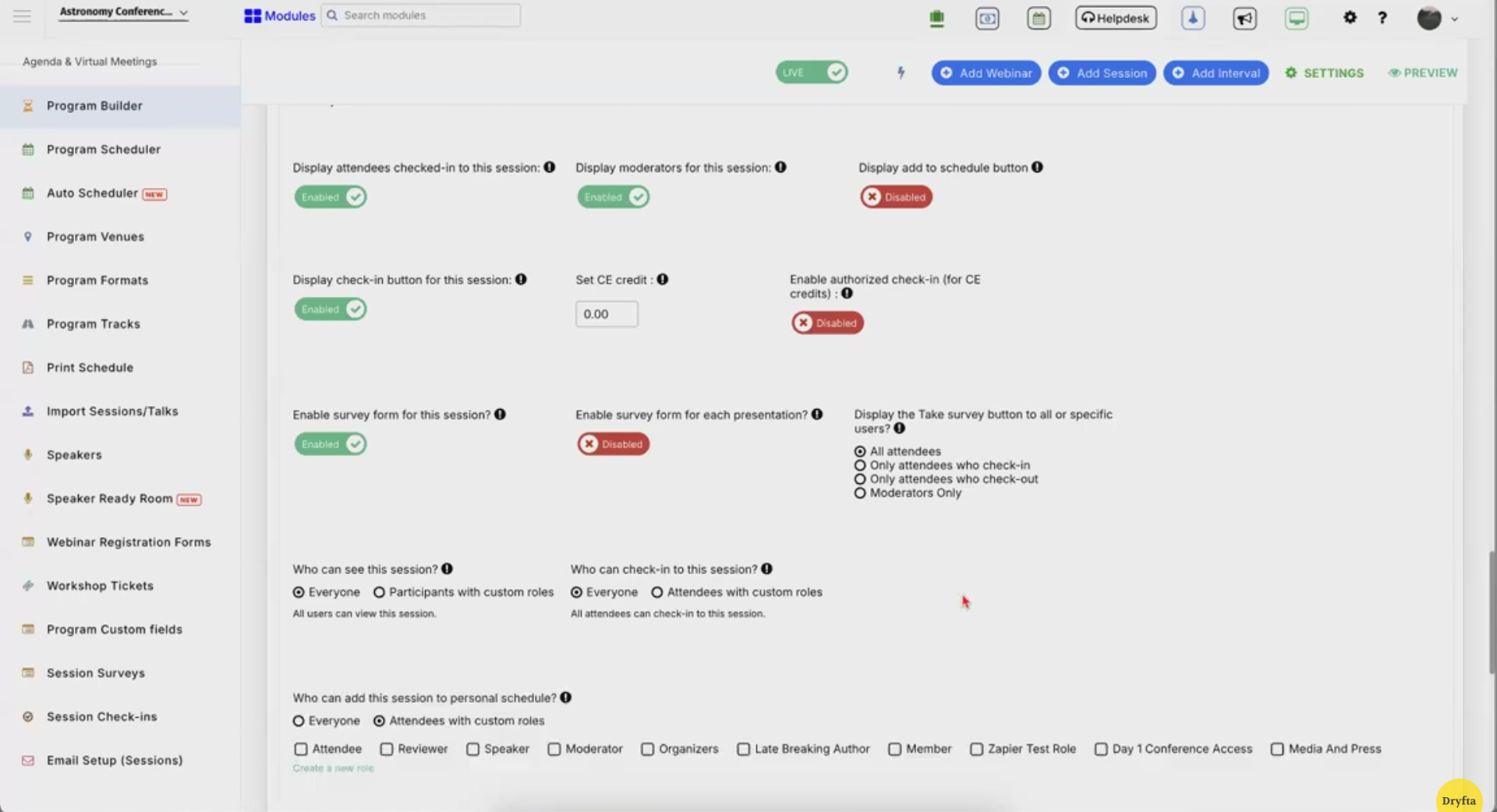
Since Dryfta is built for academic events, many of the above steps are already integrated into the platform. Here’s how:
-
- All-in-One Event Site Builder
- Abstract and Submission Workflow
- Registration and Ticketing
- Schedule and Speaker Modules
- Analytics and Tracking
- Post Conference Archives
If you’re using Dryfta, you get the advantages of building a dedicated, fully functional conference website without needing to reinvent or integrate disparate tools.
The Takeaway
A dedicated conference site is no longer an unnecessary enhancement, but essential to any event. Having a website increases credibility, streamlines logistics, increases discoverability, and creates a lasting home for your academic community. Thanks to modern event platforms like Dryfta, building and operating your conference site is easier than ever: there is no need for a variety of systems or a full-time web team.