
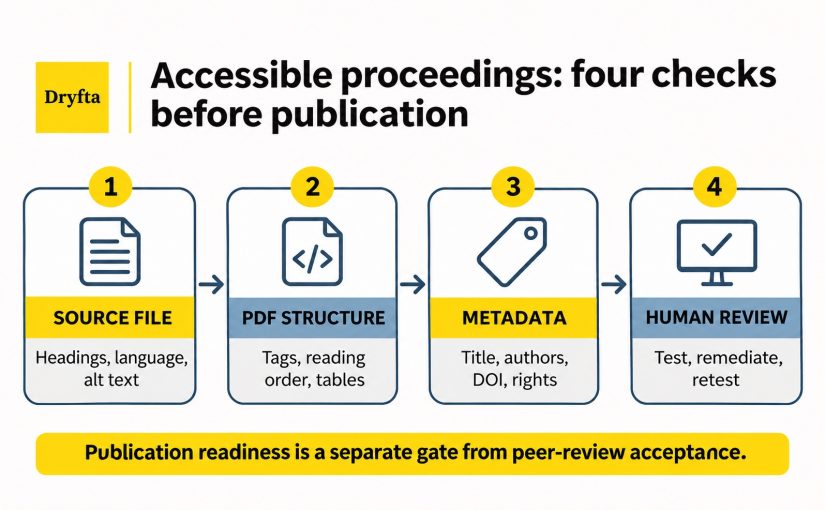
On the day before publication, a conference chair opens one final paper. It looks fine on screen, but a screen reader, which reads digital content aloud, follows the columns in the wrong order, cannot explain the main chart and announces the file by its filename. The online record also lists one author incorrectly. The paper passed peer review, but it is not ready for every reader. Continue reading
Category: General
A Badge Scan Is a Data Decision: Conference Lead Capture Consent for Sponsors
Consider an attendee, Mark, who stops at a sponsor booth and asks for a product sheet. A representative scans his badge. Mark expects the sponsor to receive his name and work email so it can send the file. The export also includes his phone number, ticket type and organization, and the sponsor adds him to a marketing sequence. One quick scan has created several decisions that nobody explained at the booth.
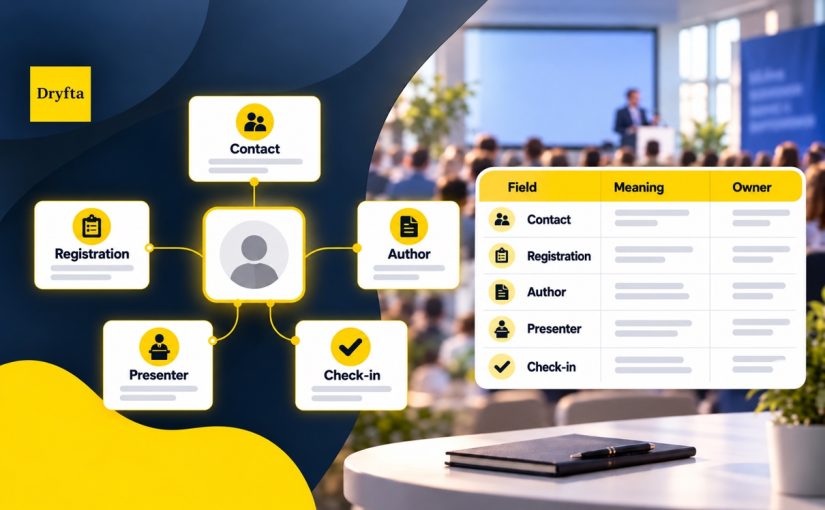
When Conference Data Stops Meaning the Same Thing: Define Every Registration, Author and Attendee Field
A program team asks how many attendees are confirmed. The registration report counts paid orders, the CRM counts people marked active and the check-in report counts arrivals. Each team may have an accurate number, but each number answers a different question.
The problem is not necessarily the software. The teams have not agreed on what “confirmed attendee” means. A conference CRM data dictionary gives registration, program, finance and onsite teams one approved reference before they collect, move or report conference data. Continue reading
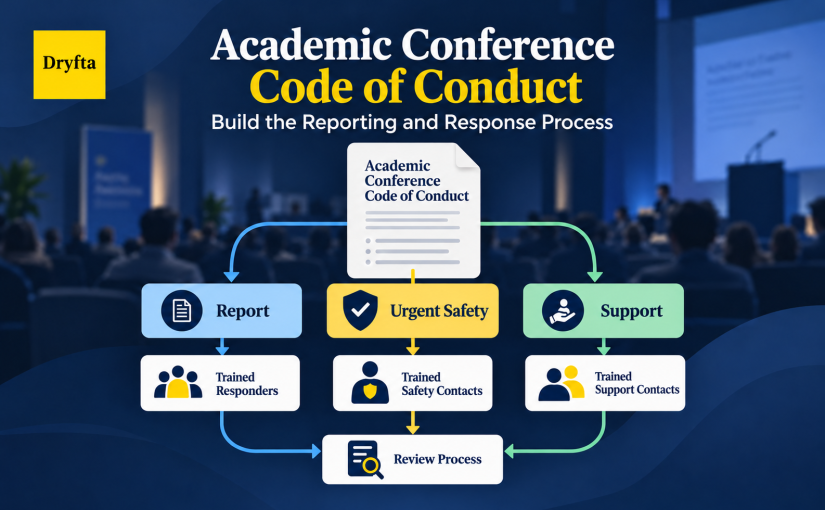
A Conference Code of Conduct Is Only the Start: Build the Reporting and Response Process
An attendee tells a volunteer that another participant’s behavior made them feel unsafe. The conference website says that harassment is prohibited. The volunteer, however, does not know who receives the report, what they may promise or whether the situation needs an urgent response. The policy exists, but the process stops at “contact us.”
A working academic conference code of conduct closes that gap. It sets expectations for participants and connects those expectations to reporting routes, trained roles, safety decisions, fair review and clear communication. This guide explains how to build that operating process before a concern reaches the team.
When Volunteers Become the Front Line: Training Conference Teams for Event Day

Conference volunteer training gets tested five minutes before a session, when an attendee says her badge will not scan. The sign points to a room that differs from her schedule, and she needs a step-free route. The volunteer wants to help, but has only received a schedule and a shirt. Without a current information source or a clear escalation contact, even a well-meaning volunteer has to guess.
That is a preparation gap, not a willingness gap. Hiring is done; now conference volunteer training needs to give each person the skills, limits and support for the role.
Conference Wi-Fi: Planning Connectivity Under Pressure
The venue says it has ‘fast Wi-Fi,’ and the contract is ready to sign. Before you commit, conference Wi-Fi planning needs to answer a few key questions: Is the connection shared with hotel guests? How many devices can the ballroom handle at once? Can presenters upload files? Will registration compete with guest traffic?
Start with peak activity, not total attendance or one speed-test result. Map connected devices and internet-dependent work by room and time, separate critical systems from guest traffic, confirm whether capacity is shared or dedicated, put venue duties in writing and test real workflows before the venue fills up.
How to Merge Duplicate Contacts in Dryfta Event CRM
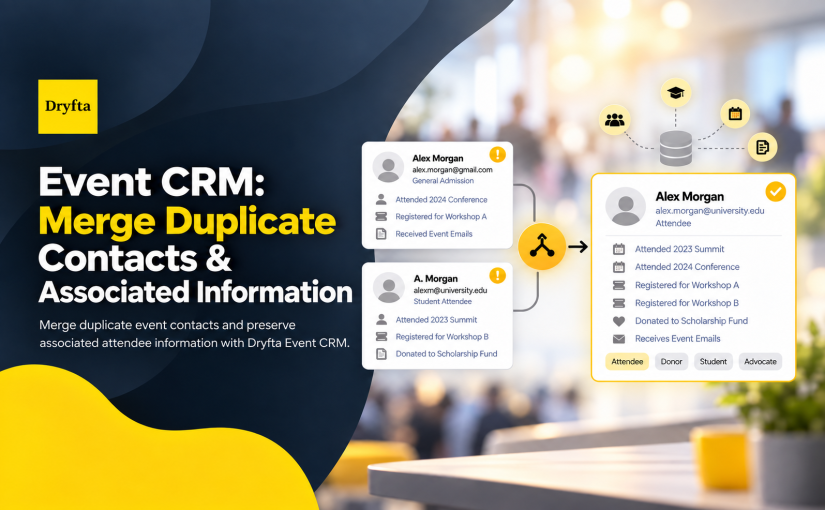
One person can end up with two contact records for perfectly ordinary reasons. They may register with a second email address, return as a speaker after attending an earlier event, or have an assistant create an account for them. Soon, their tickets, submissions, meetings, and messages sit in different profiles.
Dryfta’s Event CRM helps administrators review and merge duplicate contacts into one primary record. This guide explains how the merge works, which record to keep, and what to check before you confirm it.
Event Schedule : Complete Guide for Creating an Event Schedule

There are a lot of details to nail down when you are organizing an event or conference. What structure do you use, how do you handle a networking event, how long should speakers be on for, and how many intervals should you include? These are all excellent questions that deserve an answer, and while there is no single ideal way to run an event, you can use scheduling best practices to create event schedule for your next conference and ensure your guests get what they need out of their attendance.
Continue reading
The Power of Cloud Technology for Abstract Management
In only the last few decades, the academic and research world has managed to pull off an almost impossible feat. Formerly reliant on paper-based systems and manual processes, abstract management has now carved a mark for itself in the digital era. All thanks to modern cloud technology and its integration into conference planning systems.
AI-Assisted Abstract Review for Research Conferences
AI-assisted abstract review uses software to support defined parts of a conference review process, such as submission checks, topic classification, reviewer assignment and advisory analysis. It should not replace expert assessment of scientific merit or a programme committee’s final decision.
That distinction matters when a university, scholarly society or research conference receives hundreds or thousands of submissions. The administrative burden is real, but so are the consequences of a poor reviewer match, an exposed identity, a missed conflict of interest or an unexplained rejection.
The useful question is not, “Can AI review abstracts?” It is, “Which tasks can it support, who checks the output and what evidence will the committee keep?”
SSO for University Conferences: A Comprehensive Guide
No one enjoys logging in multiple times within a single interface. This is the core reason why university conference SSO, or single sign-on authentication, exists. To break down, in practical terms, what SSO really means, let’s look at an analogy that university goers find most relevant. They go through it on the daily. The university you attend is likely to have allotted a physical or digital identity card for you that the institution expects you to use throughout your time there. There may be an individual or something automated like a biometric system that verifies, authorizes, and lets people into campus.
Dryfta vs Cvent-Which Event Management Tool Works Best?
Are you still juggling registration and check-in by hand? Time to switch gears. A good event management tool helps event teams manage everything from registration and check-in to guest movement with ease.