🚀 Join our
Live Demo every Friday at 11:00AM EST and see Dryfta in action!
×
Skip to content
Products / Registration & Ticketing Registration & ticketing
Registration that fits your conference. Register attendees, speakers and event partners in one place. Offer the right tickets, collect the details your team needs and keep payments, orders and invoices connected to each person.
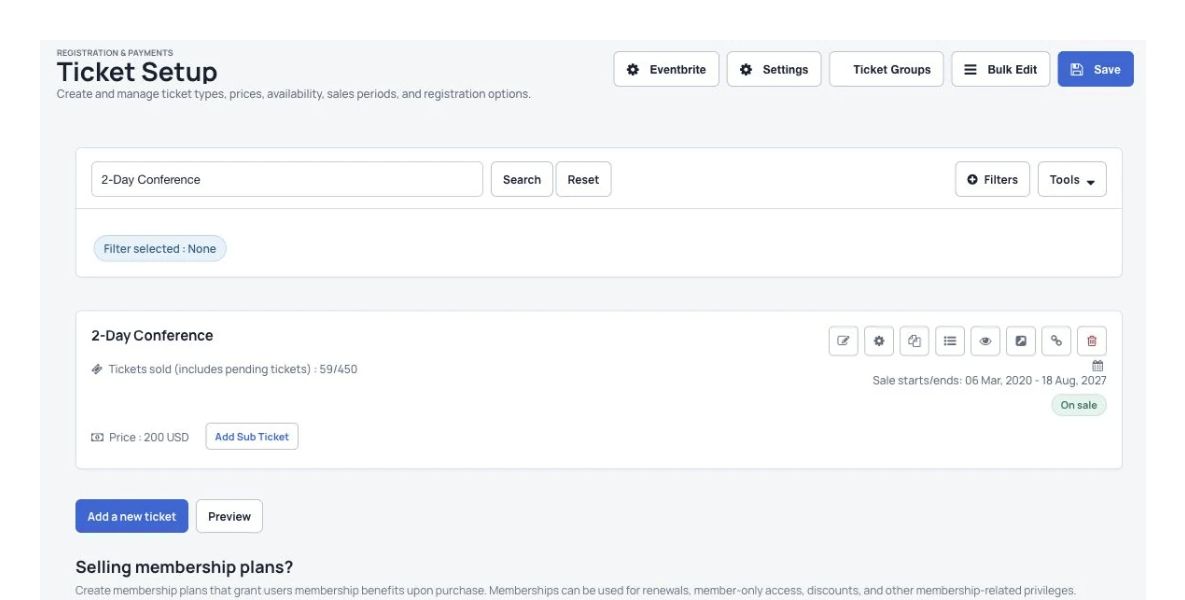
Organizers: set up tickets
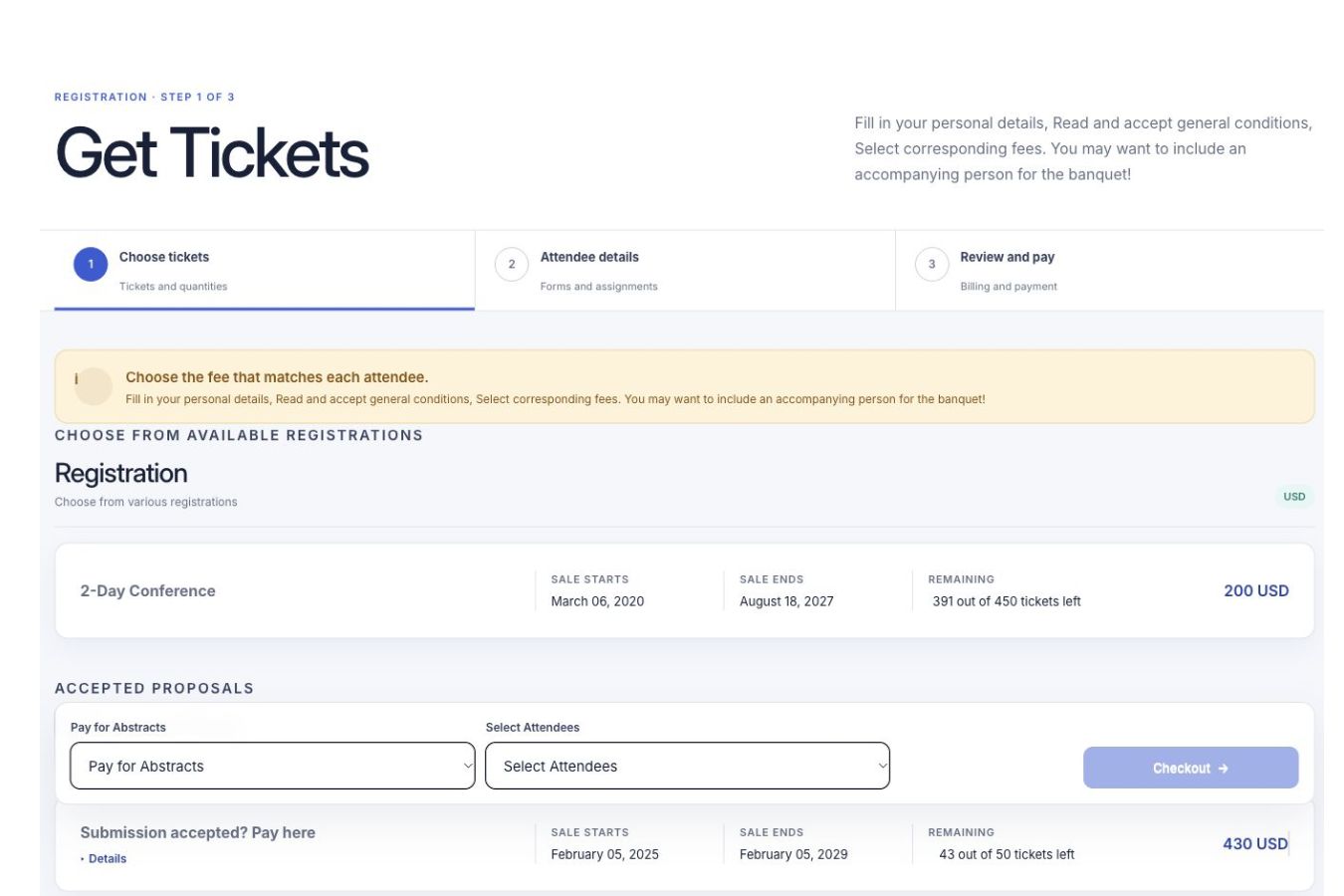
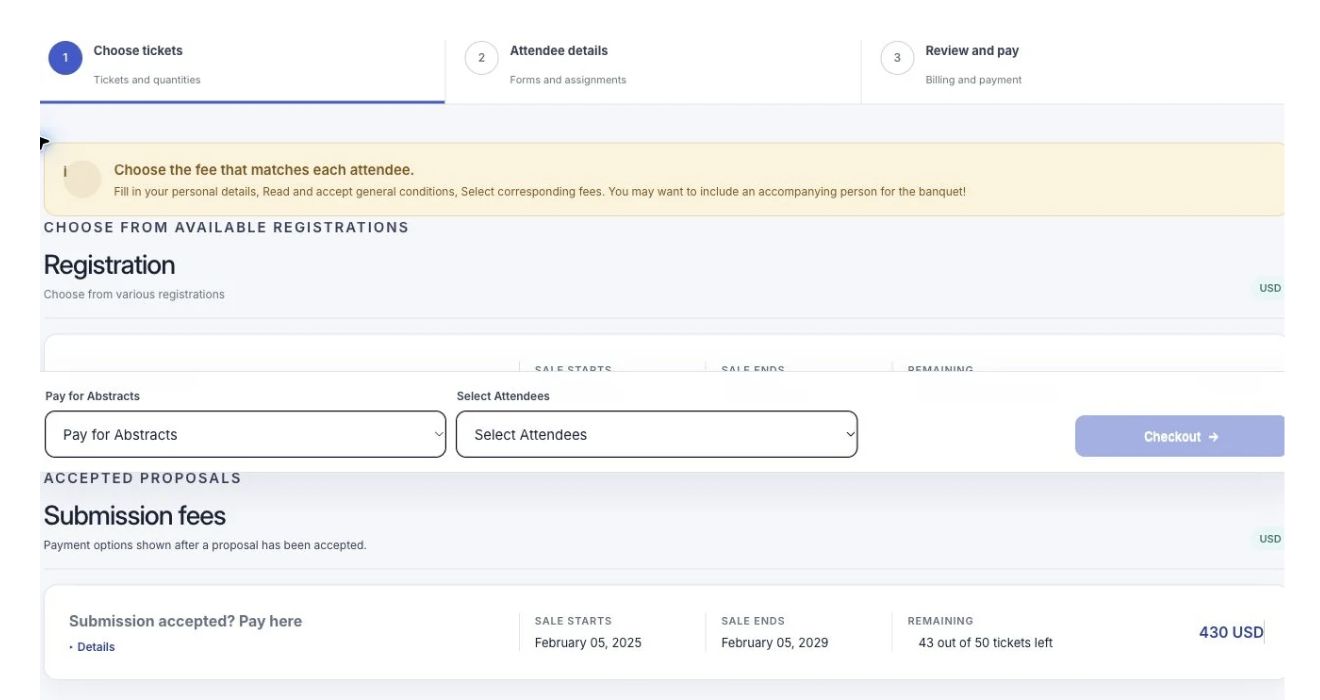
Attendees: choose their tickets
Attendees choose tickets and follow the registration steps on the event website.
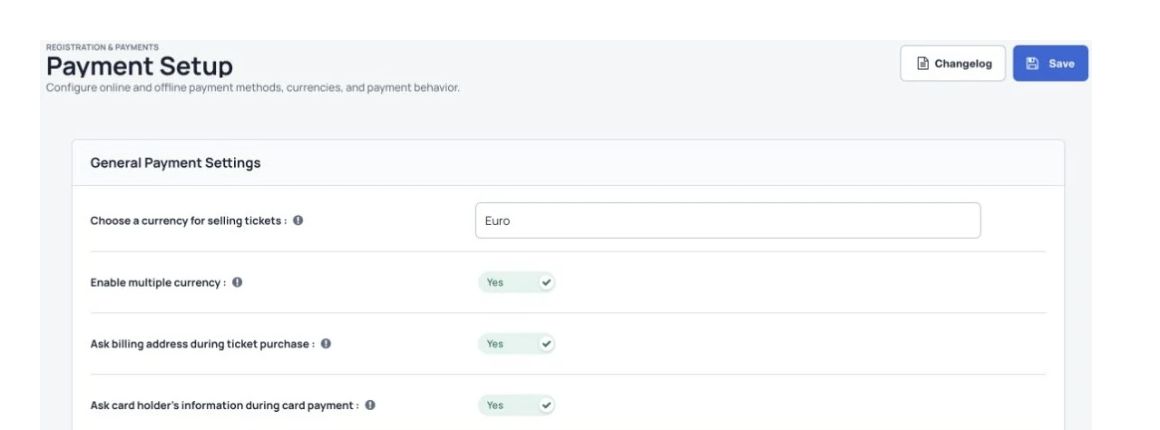
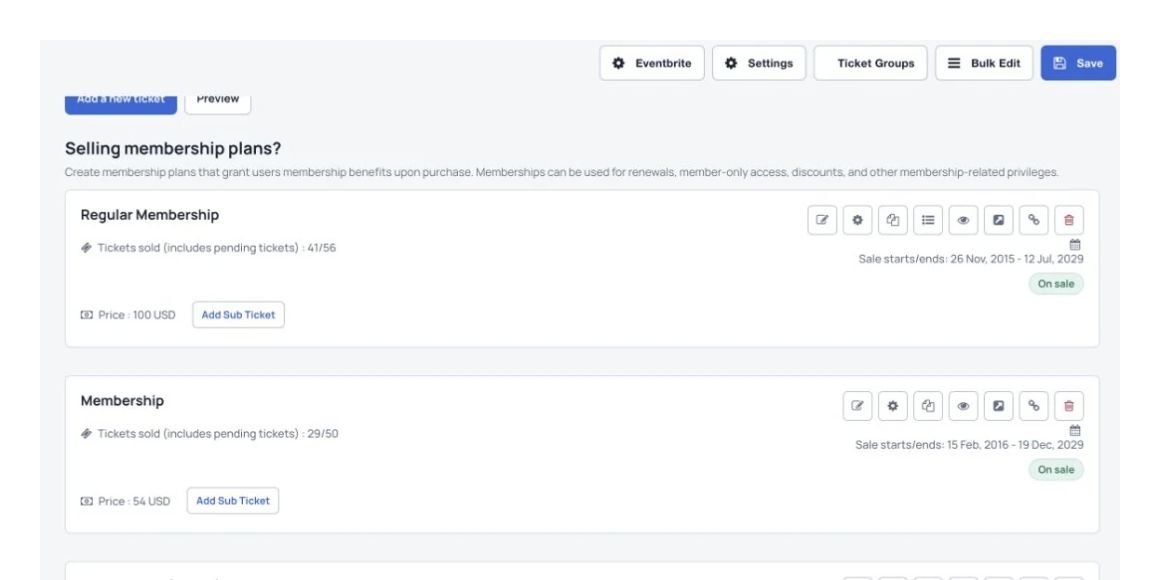
Offer tickets for your conference Create registration tickets, workshop tickets, memberships and sponsorship packages for the groups taking part.
Collect useful participant details Ask the questions your conference needs and keep each answer with the attendee’s registration.
Keep registration work connected Manage orders, invoices, discounts and reports alongside the people attending your conference.
How it works
Set up your event in three steps. 1 Set up conference tickets Choose registration options for your participant groups and set the prices.
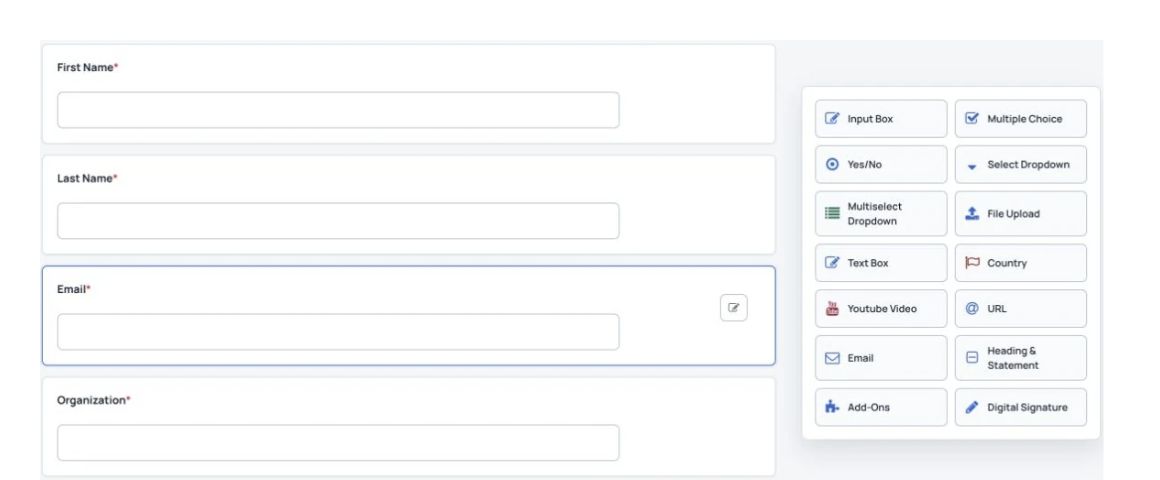
2 Build the registration form Collect the details your conference team needs and publish the form on your event website.
3 Follow registrations and payments Check attendee details, manage orders and invoices, and review ticket sales as the event approaches.
Registration & Ticketing
Registration that fits your event Ask for the details your team needs when attendees choose their tickets.
Your own registration questions Ticket types and discount codes Registration on your event website or another website
Build registration forms with attendee questions and a choice of field types.
Registration & Ticketing
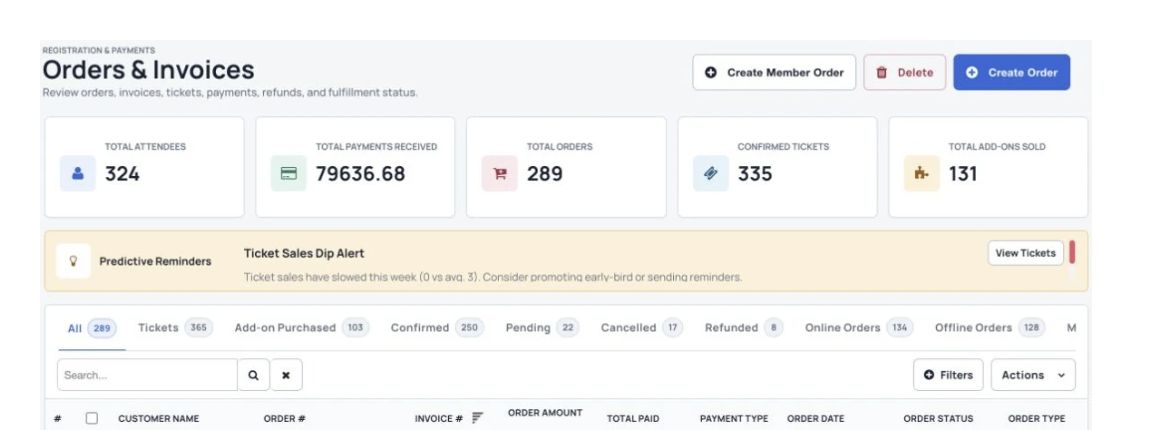
Orders and invoices, in one place See all orders in one place. Let attendees view their own tickets and invoices.
Order and invoice management A dashboard for attendees to manage their purchases Downloadable order lists and sales reports
Order management tools and filters.
Registration & Ticketing
Orders, sales and attendee details Keep payments, promotion and attendee information together.
Keep orders and invoices organized
Order management tools and filters. See each order’s payment details, billing information and tickets. Update an order’s status after an offline payment. Transfer a ticket to another attendee when requested. Choose how the invoices and receipts sent to buyers look. Create an unpaid order and send an invoice before taking payment. Place a credit card order for someone who needs help buying their ticket. Download orders and tickets as a spreadsheet file (CSV).
Offer discounts and promote ticket sales
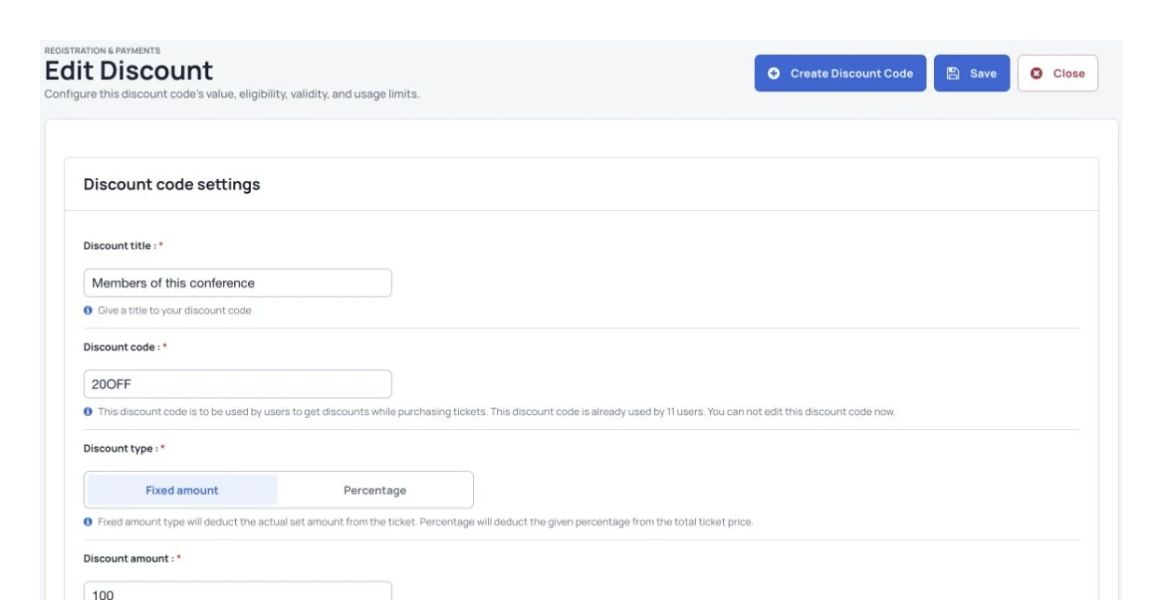
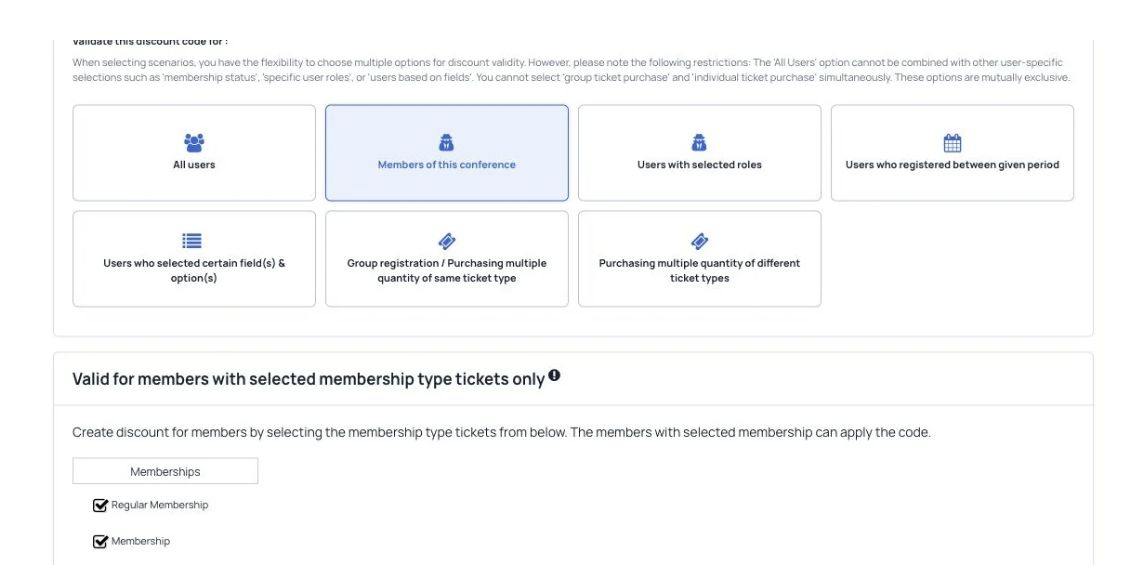
Set a discount’s amount, usage limits and validity dates. Create discount codes for a percentage or fixed amount off the price. Limit how many times a discount code can be used. Send email campaigns and reminders to selected groups. Let buyers share their purchase on Facebook or Twitter, or invite a friend by email. Choose event directories where you want to list and promote your event.
Track your budget, costs and income
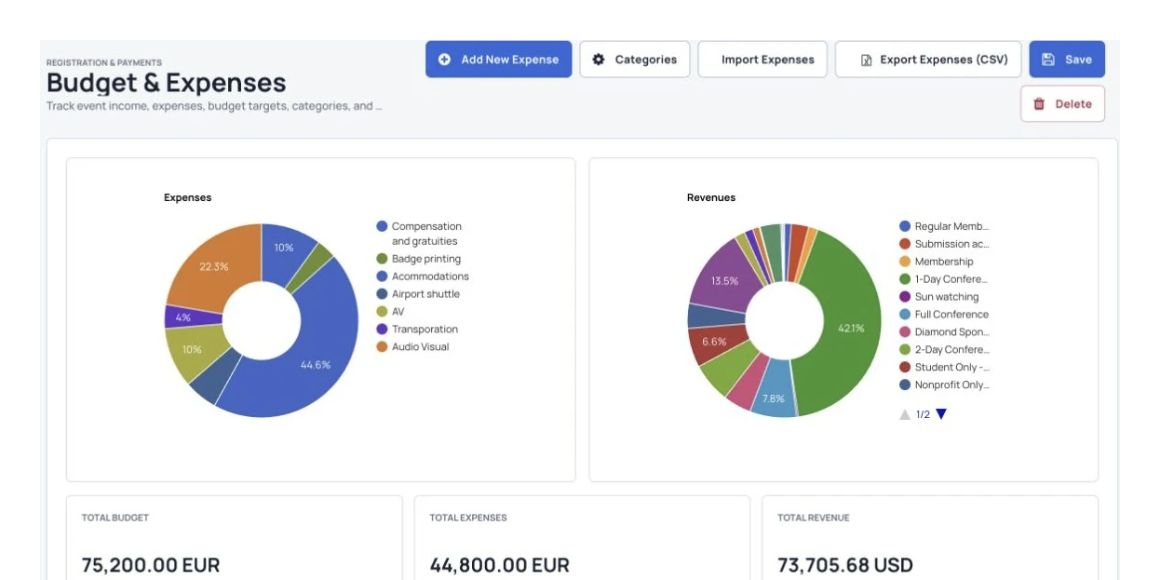
Track event expenses, categories and budget totals. Record costs by category, with a budget, amount paid and other details. Update income from ticket sales and donations automatically. See charts of your total budget, profit and unpaid costs.
Follow ticket sales as they happen
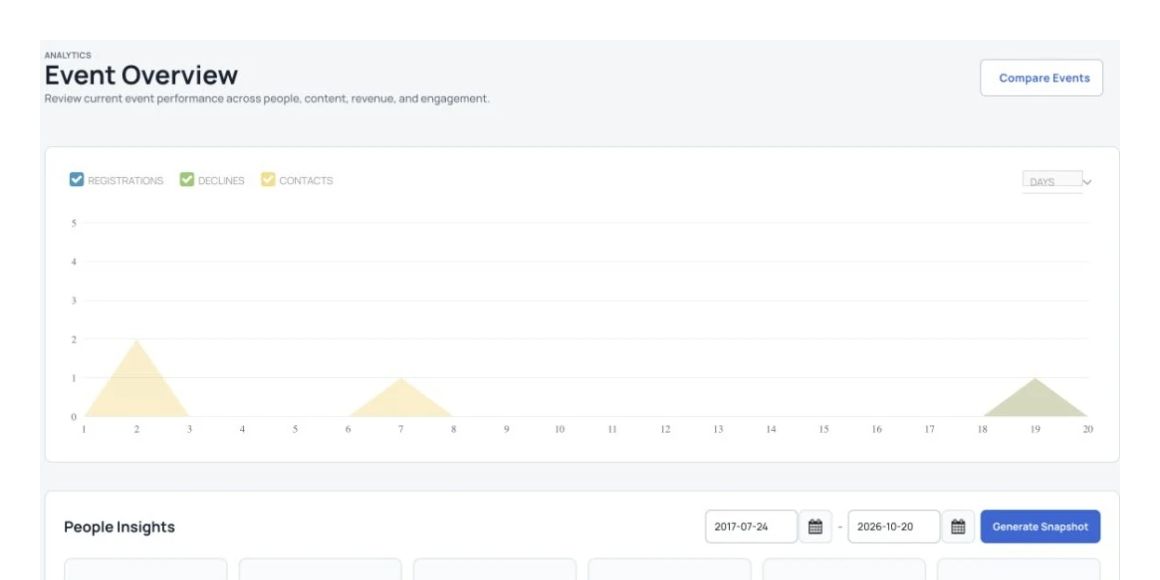
Charts summarizing registration and submission activity. See which tickets sell best. See which payment methods registrants use most. Check the latest income from ticket sales.
Let attendees manage their purchases
Registration and submission-fee options on the event website. Let registrants view their purchases in their own dashboard. Let buyers return to an unpaid order and finish paying. Let attendees upload a profile photo and update their details. Let buyers download receipts and invoices, or email themselves a copy.
Manage attendee details and check-in
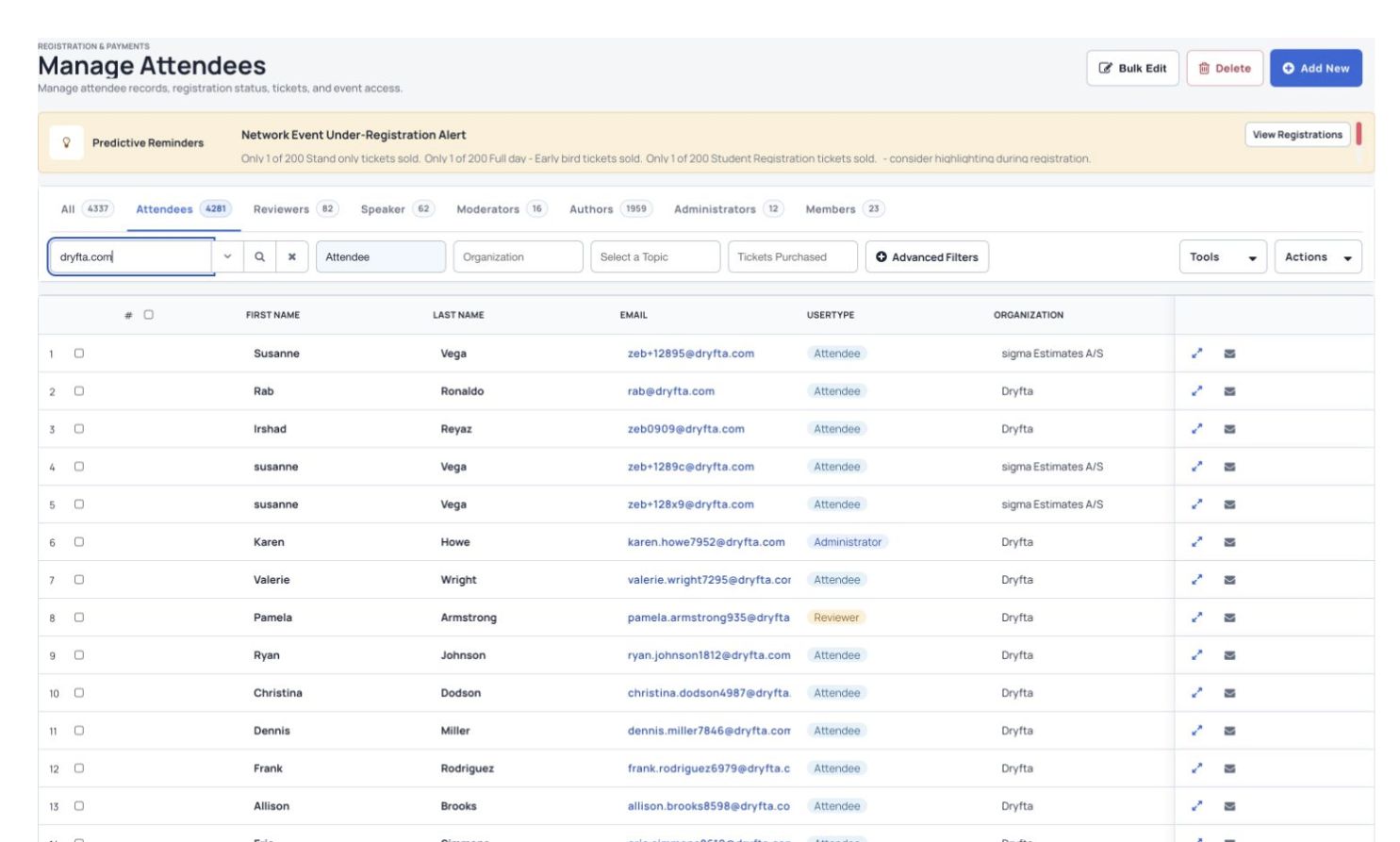
Search and organize attendee records in Manage Attendees. Keep attendee details and form answers together. Find people with incomplete profiles and send them a reminder. Use the guest check-in tool to check attendees into the event. Send attendees updates and notifications. Download attendee details in a spreadsheet.
Collect donations for your event or cause
Set a donation title and suggested donation amounts. Offer set donation amounts for donors to choose from. Let donors choose their own amount or set up a monthly donation. Offer payment methods such as credit cards and PayPal. Let donors choose which cause to support.
More useful tools
More ways to manage your event. Before you start Payment options and when funds reach your account depend on your payment provider. Check the options for your country and currency during your demo.
Can we offer more than one ticket type?+ Yes. You can offer event tickets, workshop places, memberships and other items. We can show you how to set up the options your event needs.
Can attendees manage their orders?+ Yes. Attendees can view their orders and invoices in their own dashboard.
Which payment methods can we offer?+ You can offer online and offline payment methods. The options depend on your country, currency and payment provider. We can help you check these during your demo.
See Dryfta for yourself
See registration & ticketing in action. Tell us about your event and the tasks you want help with. We’ll show you how to do them in Dryfta.
Request a demo